



In nuce: The Blender Foundation has released version 3.1 of the open-source 3D software Blender. The new version is primarily intended to bring improvements in terms of performance and speed.
What new features can you expect? The most important new features announced by the Blender Foundation for the release of Blender 3.1 include the following points:
- The Cycles render now has a backend for those GPUs that use Apple’s Metal compute shader computer graphics programming interface. This should result in a significant increase in rendering speed.

- The Cycles renderer has additional features such as: ray tracing precision, new “Adjacent Faces” for baking, merging OpenEXR renderings with Adaptive Sampling, OptiX Temporal Denoising and many more. To get an overview of all the changes to Cycles, click on the corresponding release note .
- The new point cloud objects can be rendered directly within Cycles. You can use them to create high-quality sand or water effects – and even motion graphics. You create the point cloud objects by generating them using geometry nodes or importing them from other applications. There is a separate entry in the online manual that informs you about this approach.
- New nodes for procedural modelling: 19 new nodes await you, as well as mesh modelling tools, extended field control and improved performance. According to the description on blender.org , these are just some of the new features that await you in terms of procedural modelling.
- The user interface has also been enhanced with useful functions: you can now simply drag and drop sockets that are filled with automatically filtered nodes. For example, you can also display only those socket types that can be connected to each other. Or you can search specifically for mathematical functions or blend modes. The whole thing works with both input and output sockets, and is available for geometry, shading and compositor nodes.

You can now simply drag and drop sockets 
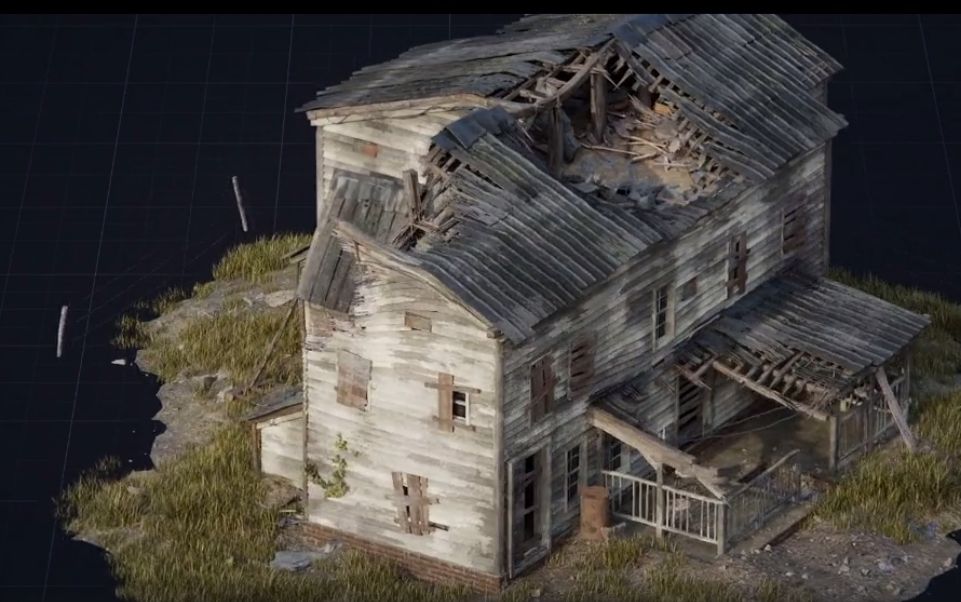
The new geometry nodes make many things easier. Among other things: The demolition of tranquil country houses - Under the heading – attention: pun! – “New Kids on the Building Blocks”, the Blender Foundation lists four new nodes that have made it into the new Blender: “Extrude Mesh”, “Scale Elements”, “Stretch Map using Field at Index” and “Accumulate Field”. You can find out everything else about these new nodes in the announcement of Blender 3.1 on blender.org – just look under the corresponding heading with the play on words. It’s worth clicking here, because just below it, fifteen more nodes are listed that should make working with Blender easier in the future.


And what else? If you think we’ve covered the entire range of new features in Blender 3.1 with this (already quite extensive) list, you’re mistaken: A Copy Global Transform add-on, new functions for the Grease Pencil tool or faster playback in the 3D viewport are just a few of the new features you should take a look at before you start your next Blender project.

For those on a tight time budget: As part of the release of version 3.1, the Blender Foundation has also shared a five-minute video showing you the most important new functions in fast-forward. Ideal for those of you who want to get a quick overview.
Click further: You can find detailed information at blender.org.
What’s New in Blender 3.1 in Five Minutes
