



In a nutshell, the Yellowtec Mika system is a set of columns, clamps, arms and brackets that mount microphones and other heavy equipment to a desk, wall or wherever and position everything as it should be in use.
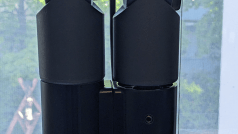
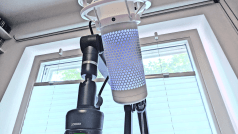
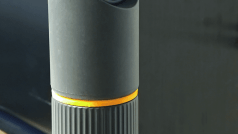
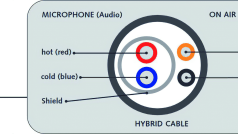
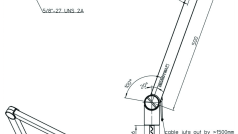
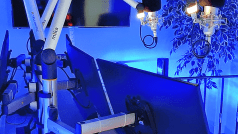
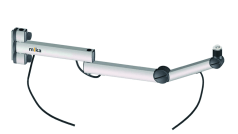
What is it actually? It’s called “m!ka”, but internal punctuation… we call it Mika. You can find the overview at is.gd/yellowtec_mika – but that’s not all, because the accessories are where it gets really exciting – mounts, various arms and all kinds of accessories. Brackets are rods, clamps and rails that can be used to attach everything in the system, from the ceiling to the wall to the table (with and without holes) and so on. The arms are mounts for microphones, screens, cameras and tablets. And then there are on-air systems, monitor mounts, tablet clamps and much more.

The arm
Available in a wide range of sizes and designs, the microphone arms can support loads of up to 1.5 kg (there are probably few microphones out there that can go that far). There are also monitor arms in the range that can support up to 8 kg with VESA-compatible mounts – that’s easily enough for normal screens, and no-one hangs broadcast monitors from FSI, Eizo, Sony etc. on an arm anyway. The arm itself is made of sturdy aluminium and finished with a 5/8-inch steel thread – that’s “audio” standard. If you want to attach something else, you can find thread converters in all sizes – or probably already have some lying around somewhere.
The joints are made of solid plastic and can be locked securely, or, if the system is balanced
the system is balanced (counterweight screws are in the base of the respective arm), they can also be left open in order to have a movable arm – for example, if you want to reposition the microphone frequently for different people. The arm is not all “fully” rotatable, but the radius is sufficient and is described precisely in the documentation.

The built-in LEDs on the microphone arms are a delicacy – the indicators are directly above the microphone and switch with the “On Air” lights – each microphone shows whether it is live, communicates with the various mixing consoles (of which Yellowtec also has some in its range, but that would go too far for us VFXers) and thus provides built-in feedback.
In the test, we set up a column, the cam stud and three arms. The entire system is very stable and contains a complete set, from the cable holder to the shim disc. Everything is designed for “hard” use and is made of high-quality materials such as aluminium, solid plastic and stainless steel screws. Nothing wobbles, squeaks or rattles.

In our test version, we had several extension variants available. The system can be attached to the ceiling, wall, table or floor as required. The large columns in particular can be used to create flexible work areas that offer monitors and storage space without everything standing on the table and transmitting vibrations to the microphone or camera.
Another advantage is that you can order and extend everything individually. If you need another monitor, that’s no problem. You can simply add a bracket and an arm and attach it
to the column. Markers, screws, brackets and other elements can be exchanged, extended or personalised.

Enough praise, now for the grumbles! The first point is that it is relatively expensive compared to gaming/streaming accessories. Although it is more stable and flexible, it is not a bargain. If you can’t afford it as essential equipment, you might want to recalculate.

The second point of criticism concerns the selection. There is currently only one USB-C arm, while the rest of the range is supplied with a 5-pin XLR or XLR-compatible cable. However, this is probably only a matter of time. It would be desirable if the range were expanded.
And there is another point to criticise: Three different Allen key sizes are required for the table column mount, the mounting screws on the column and the settings to achieve a “normal” setup. You should therefore be careful not to throw any of the spanners away during assembly, as all of them are required.

If you browse the Yellowtec website, you will also see the “iXm” series – microphone-shaped recorders with built-in autolevelling. If you’re thinking: That can’t be right, you always have to level audio recordings! Nils Calles is already testing the device and will let you know how it works on page 128 of this issue.

Conclusion
If you want to set up a “professional studio”, there’s no getting around them – it’s not for nothing that the arms are used by all the well-known broadcasting companies. The interaction between the arms, the mixing consoles and the mounting options in all directions, including stands, brackets and the like, is perfectly coordinated – and stable enough that the broadcasting station is more likely to collapse than the brackets.

And here is the “Casus Knackus”: If you want to set up your own setup away from the standard micro arm that makes sense visually, is stable and flexible, you will find what you are looking for in the Mika system – from the table clamp to the multicam spider with 4 monitors. On the other hand, if you only make the occasional video call, it’s too big for you. But… As long as the sales representative needs his 800 hp in the company car and the TD from the IBC brings “the big expenses”, nobody should complain about a little luxury at the workplace.

