



The mobile video editing tool LumaFusion has introduced two interesting functions with its latest update 5.0: Speed Ramping and Improved Keyframing. Speed Ramping enables smooth adjustment of video speed within a clip, while enhanced keyframing offers more precise control over animations and effects.
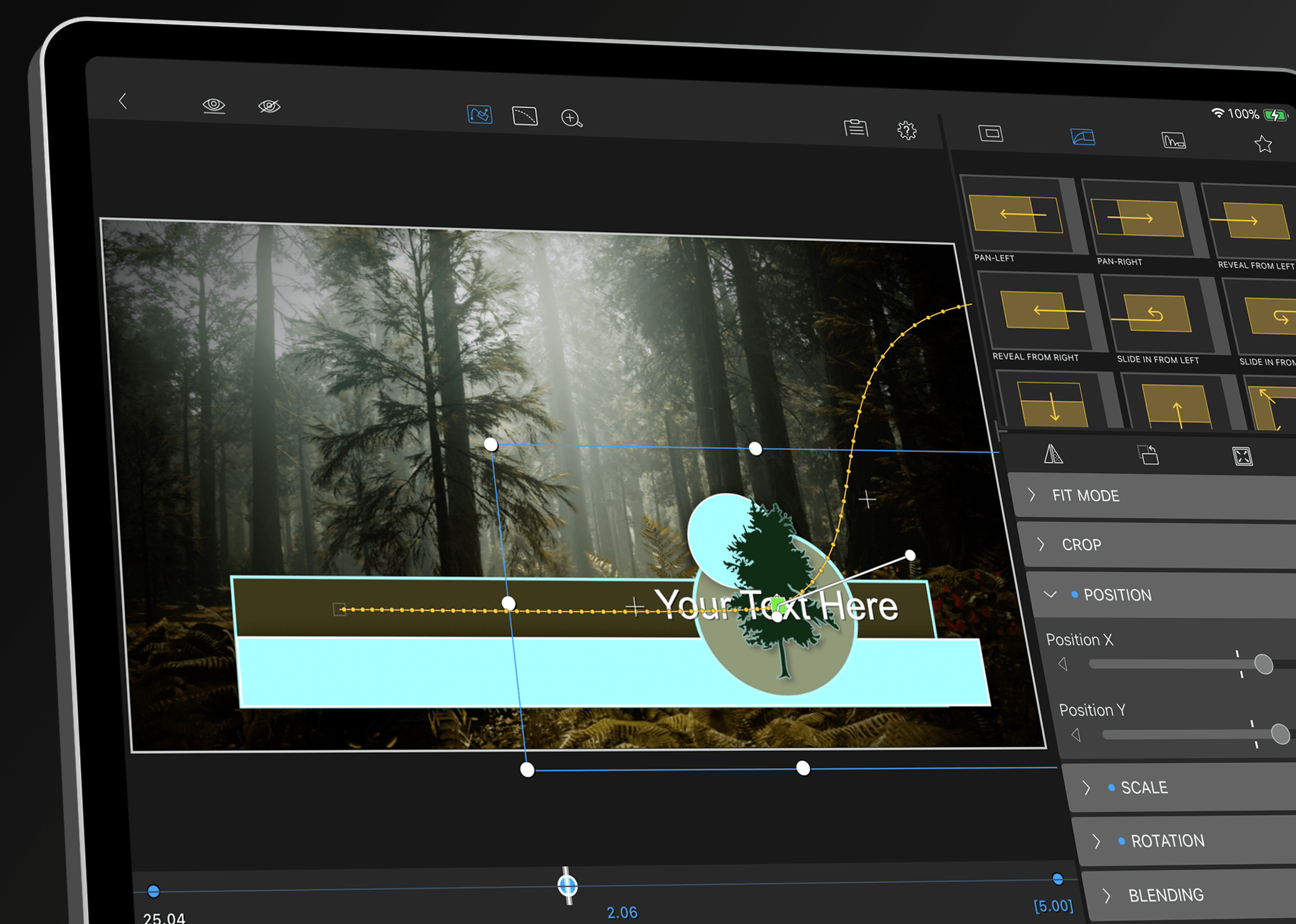
Speed ramping is a technique that is widely used in video production and allows you to seamlessly integrate speed changes within a clip. This feature allows you to emphasise certain moments or create dramatic effects by dynamically adjusting the speed. LumaFusion now offers the ability to set speed control points directly in the timeline and smooth the transition between different speeds. This eliminates the need for third-party software and keeps the editing process entirely within one application.
Another key feature of the update is the improved keyframing. Keyframing is a fundamental technique for creating animations and controlling the movement or transformation of clips over time. With the new version of LumaFusion, artists can now set more precise keyframes and fine-tune their movements. This allows more precise control over the position, scale, rotation and transparency of clips. These improvements make complex animations and movements easier, which is particularly helpful when creating effects and transitions.
In addition to speed ramping and keyframing enhancements, LumaFusion now supports a wider range of file formats. In addition to common formats such as MP4 and MOV, ProRes files can now also be imported and edited. ProRes, a high-quality format known for its balance between image quality and file size, is primarily used in professional film production. This extended format support allows you to create projects in LumaFusion that were previously only realisable on desktop software.
In addition to these main functions, the update contains further improvements in the area of audio editing. New audio keyframing options and a more detailed waveform view give you more precise control over the soundtrack of your projects. These improvements are particularly useful when it comes to seamlessly synchronising audio effects and music with visual effects.
As with all software updates, it is recommended that you try out the new features in test projects first to ensure that they work reliably and meet the specific requirements of your workflow.
Pricing and licensing model
LumaFusion is available in the App Store as a **one-time purchase **. For a one-off fee of currently around 30 euros, you get access to all the basic functions of the app, including future updates such as the current one. There are no monthly subscription fees, which makes LumaFusion particularly attractive for artists and filmmakers looking for a cost-effective solution for mobile video editing. Additional in-app purchases, such as special effects and extensions, are also available and can further extend the app’s functionality.
Further details on the latest features can be found on the official LumaFusion website .
