



![A blue, futuristic aircraft with robotic features displayed in a dark, industrial environment. The image features the text 'Marmoset Toolbag 5.02 [Beta Release]' above the aircraft, highlighting software branding. The background has a metallic appearance with grid lines.](https://i0.wp.com/digitalproduction.com/wp-content/uploads/2025/06/502-beta-socialsbanner.jpg?resize=1920%2C1024&quality=80&ssl=1 "a blue futuristic aircraft with robotic features displayed in a dark industrial environment the image features the text marmoset toolbag 502 beta release above the aircraft highlighting software branding the background has a metallic appearance with grid lines digital production")
Toolbag 5.02 introduces an experimental Low-to-Low Baking mode, letting artists bake from one low-poly mesh to another using a dual-material setup. The new Bevel Shader supports hard-edged UVs, and baking previews can now be edited in the interactive mode. That’s good news for everyone who enjoys less guesswork and fewer bake group tantrums.

Decals, Tubes and Smudges
The new Decal Layer is almost finished, allowing drag-and-drop decal painting directly onto models. These decals are fully adjustable in size, projection, falloff, and rotation. Vector decal projection is also in beta – project curves as 2D vectors, combine them with booleans, snap them to grid, and yes, tubes and solids are supported, even if brush or symmetry settings aren’t yet.

Smudge Tool finally makes its debut, letting users smear paint layers across UV seams, geometry borders, and UDIMs. And Tile Strips can now be used to place tube textures as modular start/mid/end patterns, complete with tapering and tiling. For even more painterly control, a new Tube Mode for vector painting is included, letting you paint curves with warp, taper and brush profiles, and project Tile Strips directly.
For masking, you can now Sample Layers from paint or fill and convert them into reusable masks – non-destructively. Groups now support Sync Points, including adaptive anchors with isolation toggles.
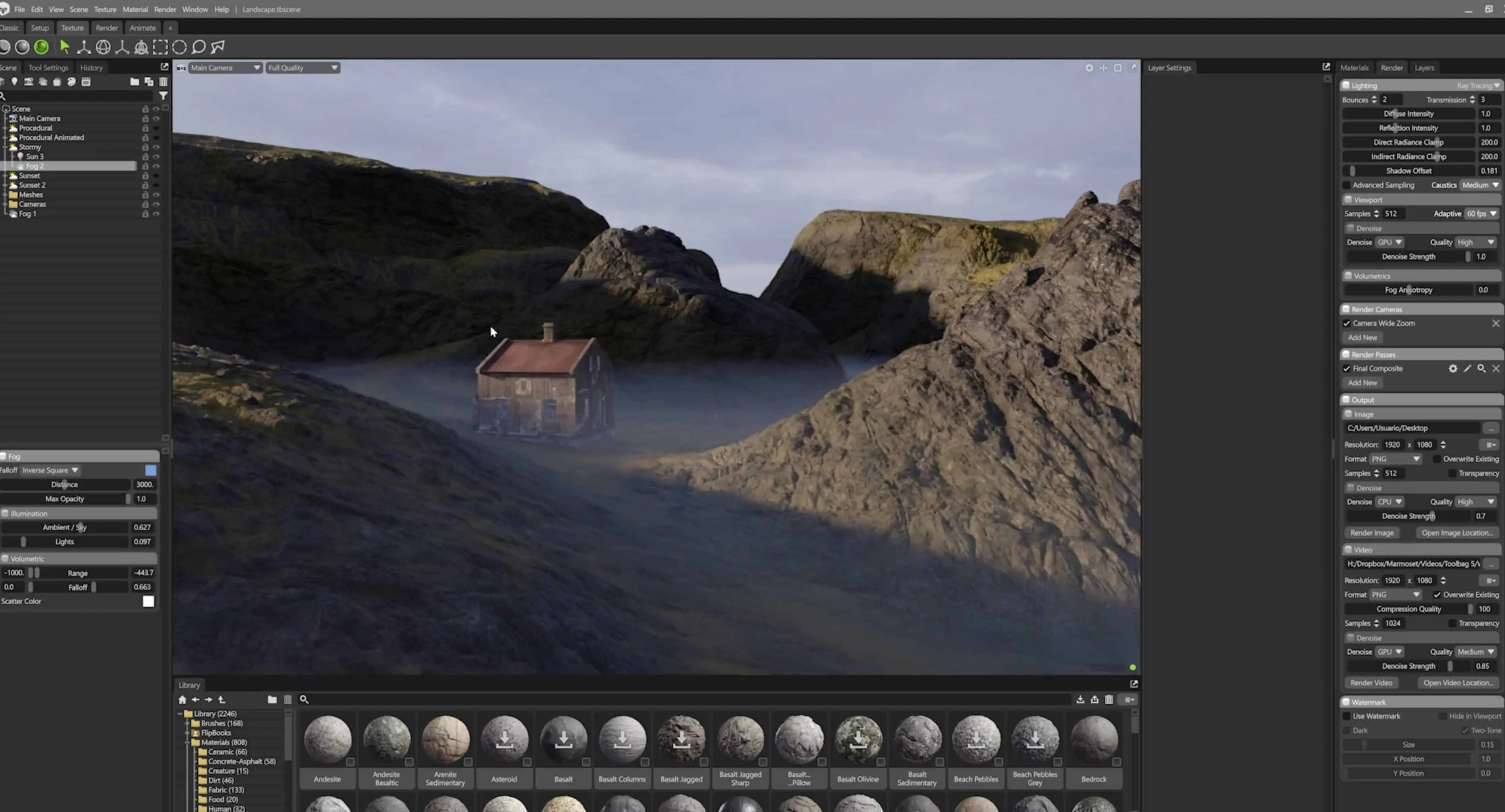
The Fog Rolls In
In rendering, Toolbag 5.02 beta adds Ray-Traced Fog – still experimental, but already supporting multiple fog volumes, height-based falloff, and god rays. Raster rendering also supports fog, though it currently lacks falloff. Ray tracing also gets leaner on memory: Toolbag automatically switches between RTX and generic backends based on available VRAM, with a new GPU Auto mode in preferences that doesn’t require a restart.

If you’ve been longing for more control over your shortcuts, rejoice: the Hotkey Editor is finished. You can bind, reset, export/import and view all key assignments – including a conflict detection view that avoids shortcut chaos. The Scene Search bar is live, letting you filter your scene objects as you type. Multi-selecting scene items like meshes, lights and cameras is now supported for batch transforms. The new Render Window provides a dedicated space for render settings, separated from object properties. Finally, users can now add custom folders to their Asset Library, move/delete assets and folders freely, and even bulk import using “Apply to All” – though drag and drop from the OS still isn’t working.
Price and Availability
Toolbag 5.02 is currently available as a beta. Pricing details remain unchanged and can be found on the Marmoset Toolbag official site. As always with beta releases: stability is not guaranteed. Artists should evaluate these features in non-critical environments before integrating them into production pipelines.
