



Unigine has released SDK version 2.20, and if you think “Gaussian Splatting” sounds messy, you’re right—but it’s also the latest tool for high-fidelity point-cloud rendering, now available for simulation and engineering users. But Unigine 2.20 doesn’t stop there: the update delivers a raft of rendering, workflow, performance, and VR/XR enhancements, all thoroughly documented in Unigine’s official release notes and developer log.
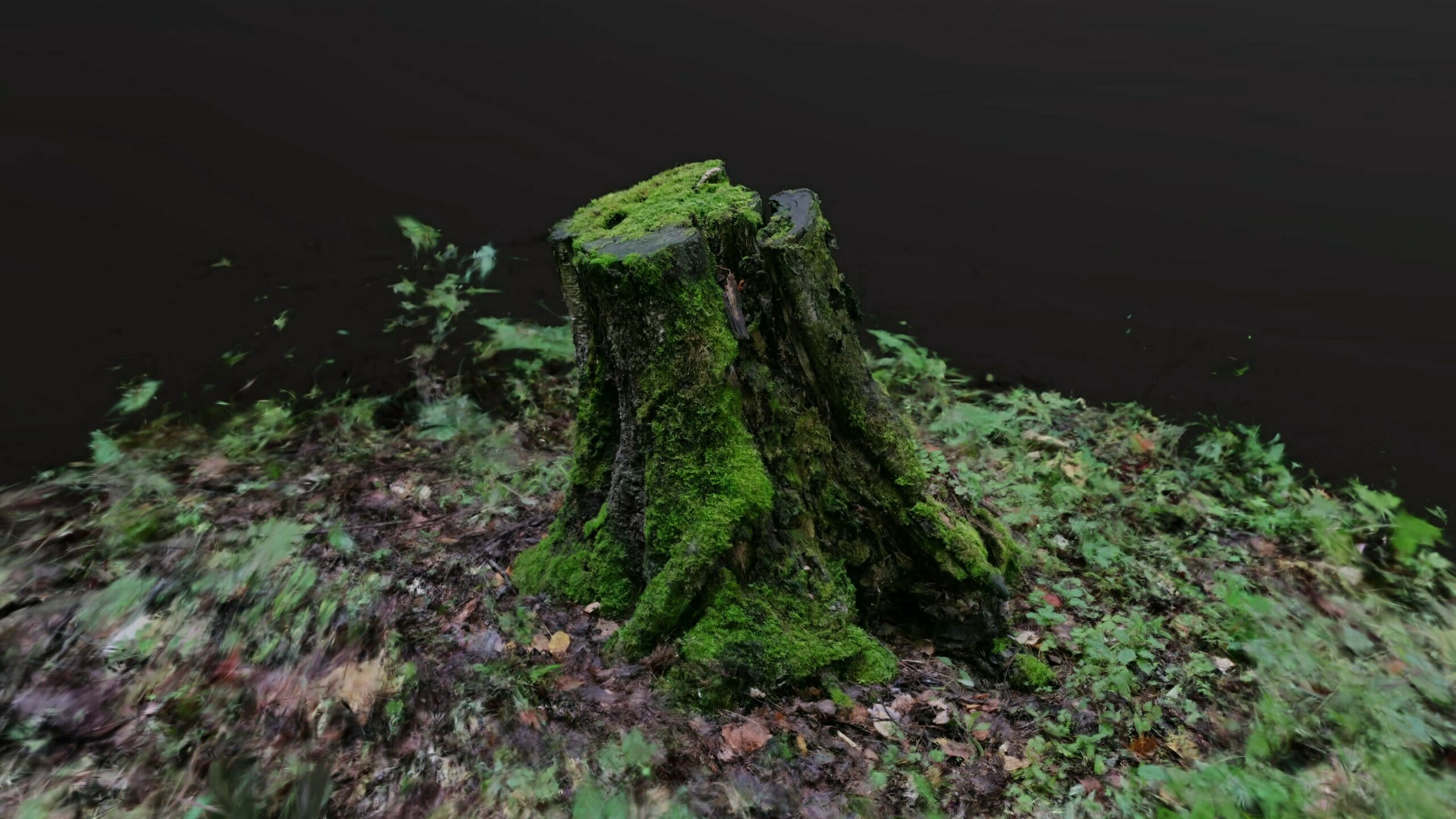
Gaussian Splatting: For the Brave and the Enterprise
Users of the Engineering and Sim SDKs (that’s the not-free tiers) can now import and render .ply point cloud data as 3D Gaussian splats—an experimental plugin that comes with its own sample scene and setup tools. If your idea of fun is high-density reality capture, now you can splat with the best. Blender, Unreal, Unity, and V-Ray have all jumped on this bus; Unigine keeps pace for serious enterprise workflows.
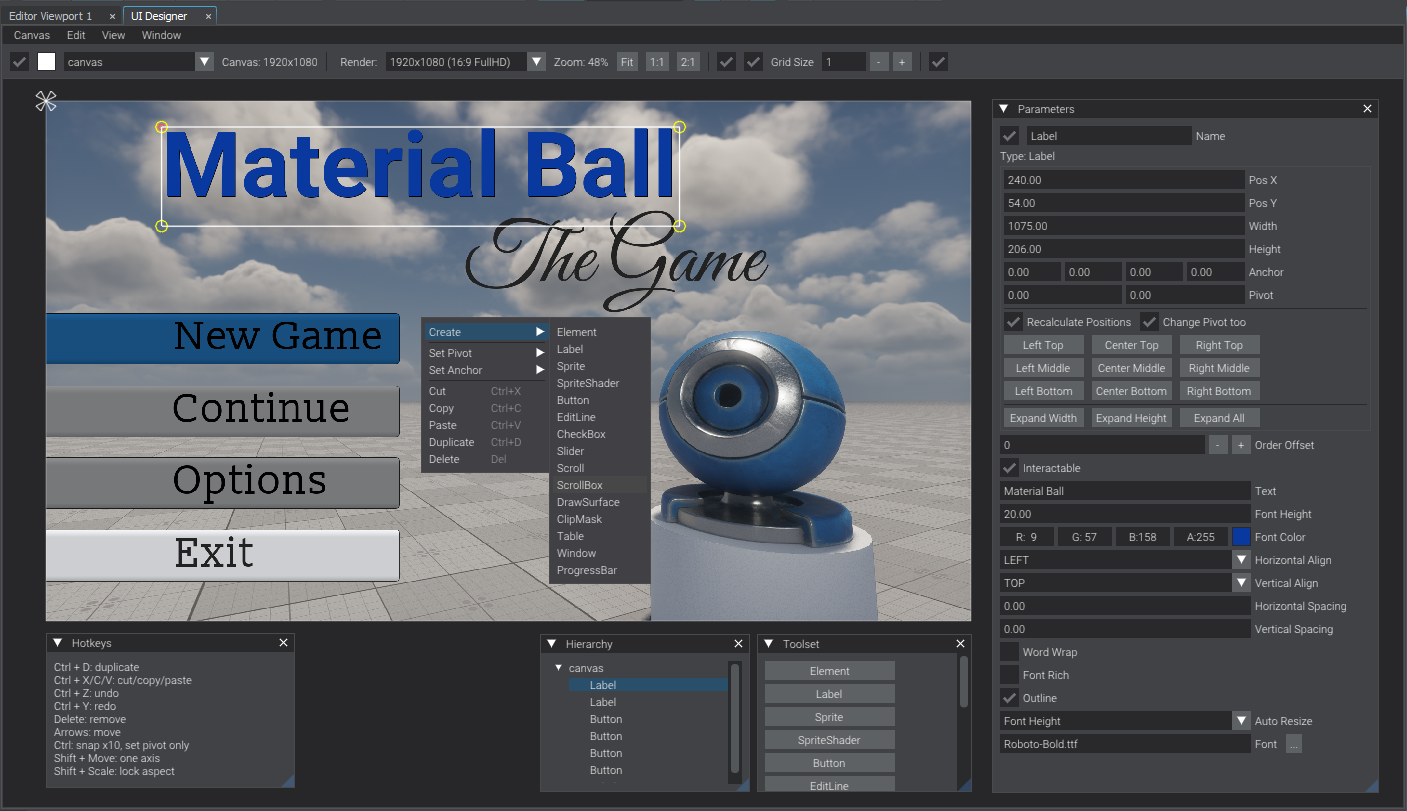
Visual UI Toolkit: Drag, Drop, Repeat
Tired of gluing together UI code in the dark? Unigine 2.20 introduces a visual UI Designer and Runtime Editor: assemble widgets in a WYSIWYG environment, snap to grid, undo your mistakes, all with live preview and JSON-based layouts. The new UI system is fully scriptable, supports runtime debugging, and bundles a widget set that covers everything from buttons and sliders to tables and containers. No more hunting for missing pixels.
Rendering Pipeline: Smoother, Sharper, Faster
On the rendering front, Unigine 2.20 brings Vulkan-based DLSS support and updates AMD FSR upscaling to 3.1.3 on both Windows and Linux. Octahedral impostors (think: sharper distant billboards), improved voxel probes for subsurface and scattering, new global illumination controls, and sharper image effects all land in this release. The Agility SDK integration lets developers access the latest DX12 features even on Windows 10—if you still have to.
Multithreaded Shadows and Lighting: Shadows in a Hurry
DirectX 12 users will see multithreaded shadow rendering—up to 3x CPU performance gain in dense lighting scenarios. Shadows, projectors, and omni lights all move to mesh-based rendering for smarter culling and throughput. If you spend your day staring at scene graph bottlenecks, it’s time to reboot.
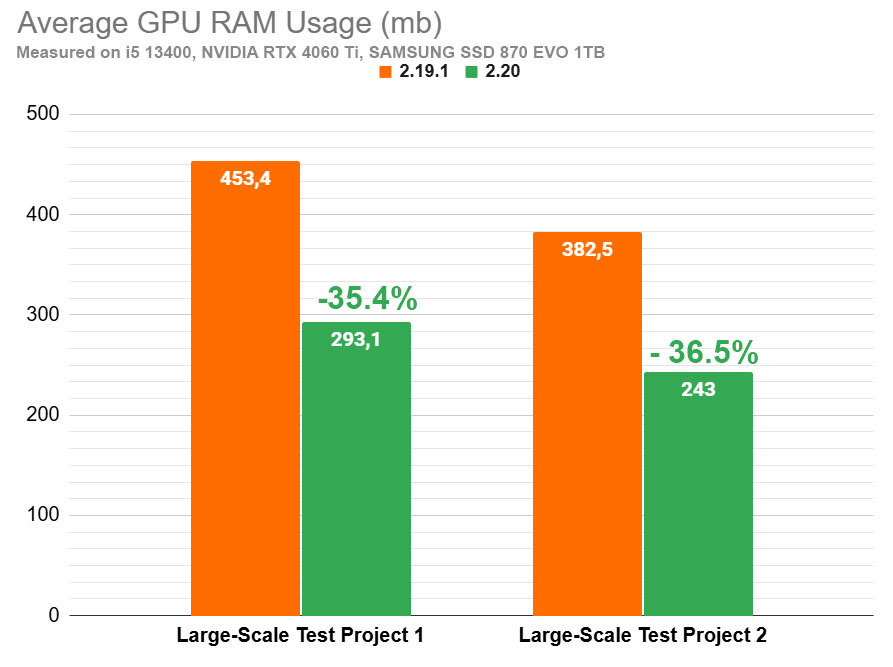
Performance and Memory: The Never-Ending Quest
Mesh compression now brings smaller binary clusters, with load/save times improved by up to 20%. The memory allocator has been rebuilt for lower VRAM spikes, and terrain clutter/grass intersection is now ten times faster. RAM/VRAM footprints shrink across particles, billboards, and visualizers. Startup and global resource loading are also noticeably speedier.
VR/XR: Real-World, Real-Time, Ready
XR users get eye-tracking, dynamic foveated rendering, and mixed-reality passthrough for Meta Quest 3 and Varjo XR-3. Hand tracking, per-eye camera offsets, better HMD emulation, and adaptive exposure mean VR workflows aren’t left in the 2020s. The input system, device compatibility, and sample scenes all see updates. Passthrough mode for MR is finally stable enough for the show floor (your mileage may vary).
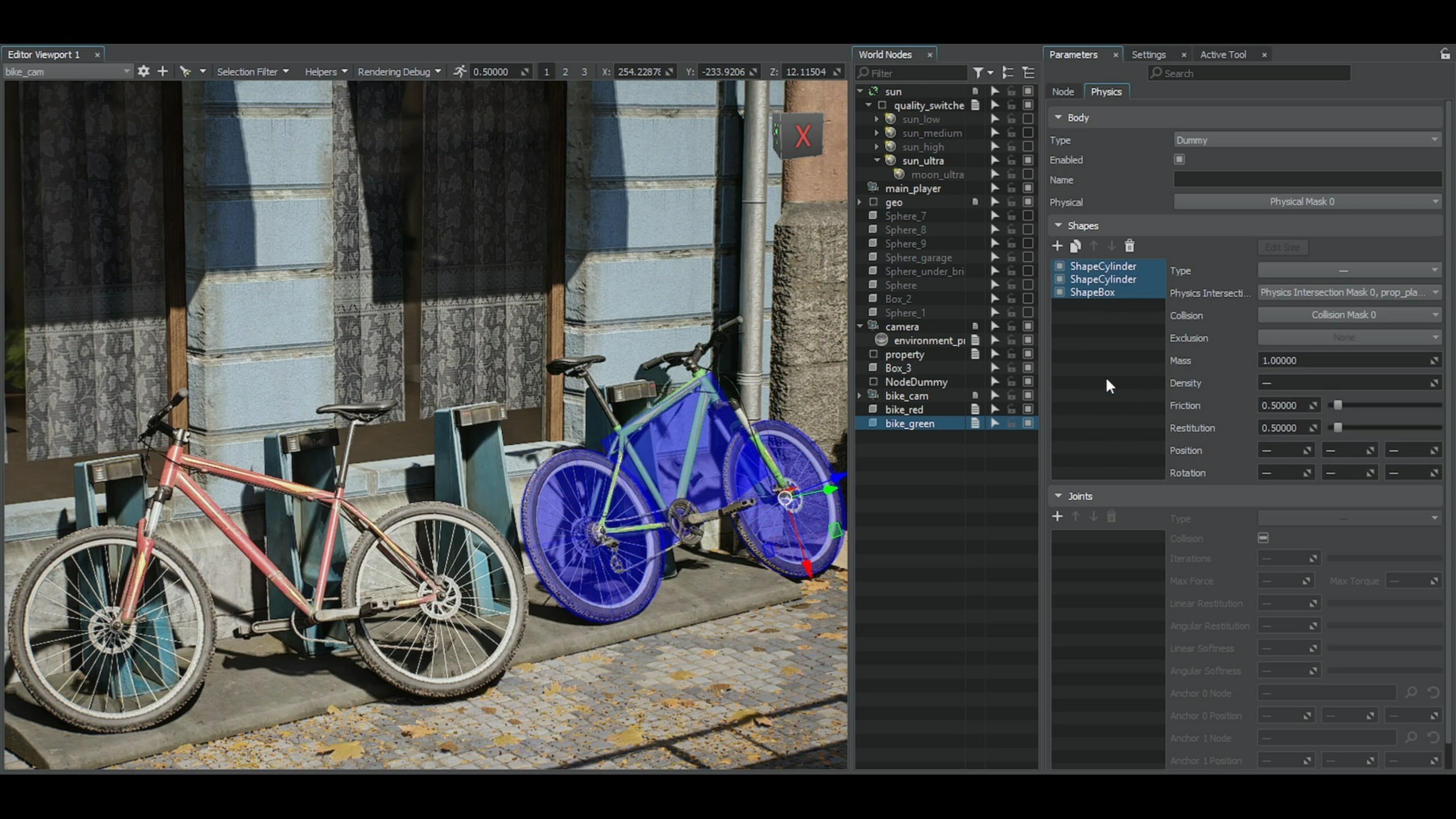
Editor, API, and Scripting: Fixes, Tweaks, and More Power
Unigine Editor gets a search overhaul, property panel speedup (5x faster), shadow baking that no longer tests your patience (up to 17x), improved window layout persistence, and better graph tools. The C# component workflow now supports interfaces, abstract classes, named access, and external libraries—good news for pipeline maintainers. Expect dozens of bug fixes, small usability upgrades, and a more stable scripting environment overall.
Terrain, Samples, Docs, and the Rest
Sandworm (terrain tool) gets memory and speed improvements, SpiderVision picks up line rendering, and the IG module adds CIGI packet support. C++ and C# sample code is now up-to-date on GitHub. Documentation, VR/MR/hand-tracking guides, API migration notes, and new video HowTos round out the update.
Platform and Pricing
Unigine 2.20 runs on Windows 10+ and Linux 4.19+, 64-bit only. The Community (Free) SDK remains free for non-commercial or sub-$100K projects; Community Pro costs $1,500/year. Engineering and Sim SDK pricing is available on request.
All innovations should be tested in non-critical environments before rolling into production—bleeding edge, after all, is still called bleeding for a reason. UNIGINE Devlog: 2.20 Release
