



The Blender Foundation is now developing a native Blender Ipad app for the iPad Pro—complete with Apple Pencil support and a multitouch interface aimed squarely at professional 3D artists. This will not be a “Blender Lite.” The project aims for the full desktop Blender experience, reworked for pen and touch workflows, while preserving the familiar Blender architecture.
The first iteration will cover sculpting and basic object manipulation, with features such as Grease Pencil, storyboarding, and animation scheduled for later releases. The Blender team made it clear: the goal is to maintain parity with the desktop version, just with a different input philosophy.
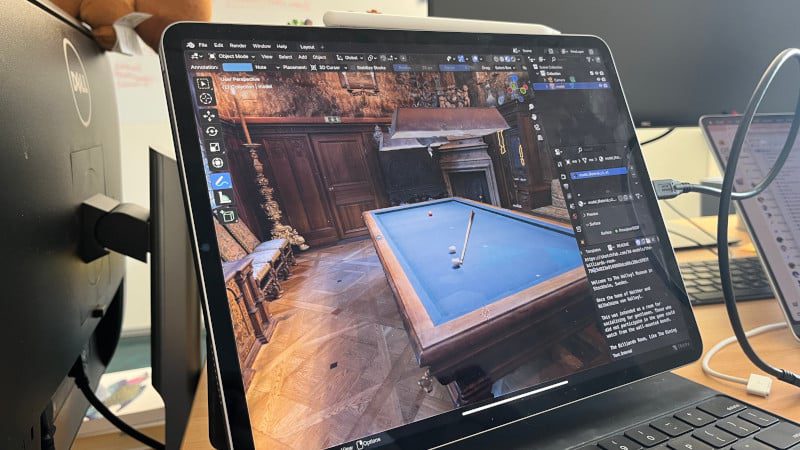
Interface Built for Touch, Without Dumbing Down
Designers at the Blender Foundation are rethinking the UI for a single-window workflow. There will be floating panels, context overlays, collapsed menus, and icon-driven sidebars—each tailored for pen and finger rather than mouse. Importantly, the UI is being built directly atop Blender’s core, not a mobile-only fork. This ensures compatibility and consistency, so desktop and tablet artists will share the same underlying toolset and development pipeline.
The project targets existing Blender users—no attempt to reinvent the app as an entry-level tool for hobbyists. The focus remains on enabling experienced artists to use familiar workflows with a different interface.

Roadmap and Timeline
No firm release date yet, but the Blender Foundation is planning a live tech demo for SIGGRAPH 2025 in Vancouver (August 10–14). Following that, Blender HQ in Amsterdam will host a design workshop to gather more community input, and additional sessions are on the agenda for Blender Conference 2025.
Once the Blender iPad Pro app is stable, the team plans to expand to other devices, including Microsoft Surface, Huawei MatePad, Wacom MovinkPad, and Android tablets. The goal is to address professional 3D workflows on the full spectrum of advanced tablets—eventually.
Feedback and Development Community Participation
The new “Beyond Mouse and Keyboard” branch on Blender’s developer forums is open for input, with the Foundation especially interested in designers experienced with multitouch and pen-based UIs. Add-ons are not on the priority list for initial builds, so plugin authors may have to wait until the core UI and workflows are stable.
What Tab-Specific Workflows Mean for Desktop Blender
UI improvements being developed for tablets—including a Quick Favorites editor, icon-driven sidebar, helper overlays, and wheel menus—are also planned for the desktop version of Blender 5.0. Touch-first R&D could soon benefit every Blender artist, regardless of platform.
