



RBF Manager v2.0: the star of the release
The most visible feature in mGear 5.1.0 is the upgrade of RBF Manager to version 2.0. RBF Manager is used to set up radial basis function-driven pose correctives. Maya Artists define a driver node (or multiple), assign attributes, and connect driven nodes such as animation controls. From there, poses can be created, mirrored, and stored.
The new solver in v2.0 addresses long-standing issues with duplicate driver poses and stability. According to the documentation, duplicate driver positions are now correctly handled, though duplicates should still be removed for clean rigs. The updated interface also improves usability: mirroring and deletion of poses are more predictable, and editing workflows are clearer.
The change integrates closely with the weightDriver fork (see below). Compatibility with Shapes, Brave Rabbit’s blendshape editor, is explicitly improved.
Notably, the GitHub log lists bug fix #514: “RBF Manager was not working correctly with the new weightDriver kernel.” This is now resolved.
WeightDriver change: SHAPES removed, mGear fork takes over
One structural shift in 5.1 is the replacement of the original weightDriver from SHAPES with a new mGearWeightDriver fork. The SHAPES version is no longer bundled with mGear.
Studios still dependent on SHAPES’ native weightDriver can install it manually, but mGear is now officially built on its own maintained fork. This reflects a standard move toward reducing external dependencies and ensuring long-term maintainability.
Shifter: incremental but important repairs
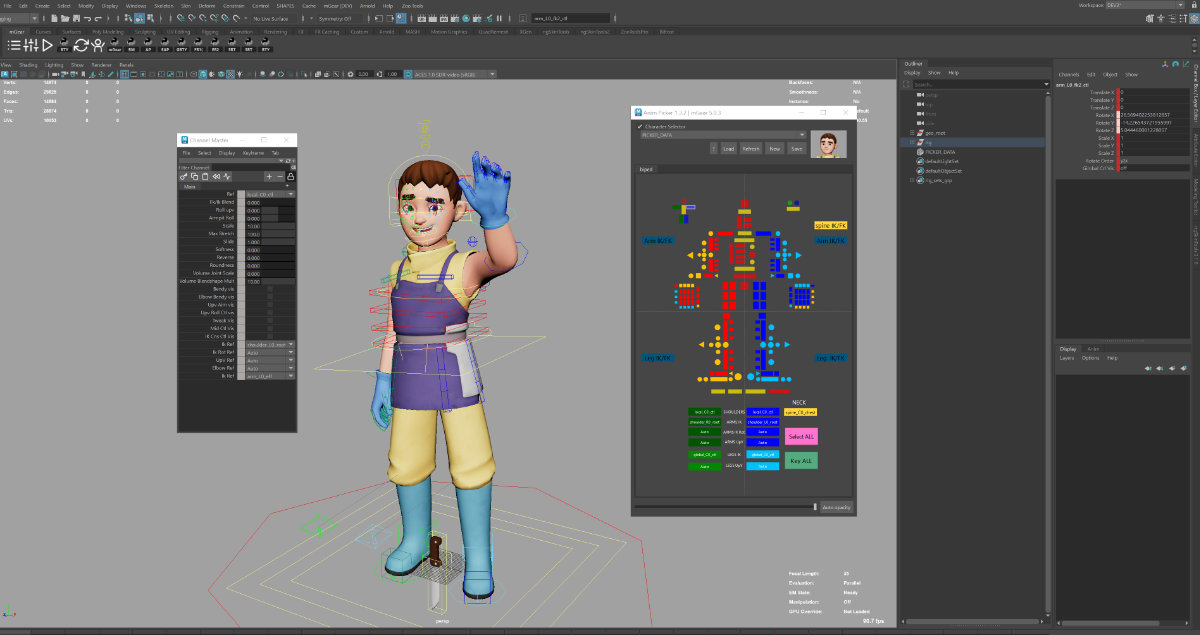
Shifter, mGear’s modular auto-rigging system, sees multiple updates:
- New functionality
Abackwards_ref_jntsetting has been added to theEPIC_control_01guide (#523). IK/FK matching for arms and legs is now more flexible. It supports arbitrary FK section lengths and correctly matches them against IK solvers (#501). This matters in pipelines where limb setups deviate from defaults. - Bug fixes
- Axis rotation:
EPIC_spine_02’s IK solver had a rotation bug (#510). - Color settings: Reset issues for control colours are resolved (#511).
- Pickwalk: Navigation failed if controls were missing; now patched (#524).
- Lock Orient Chest: The slider and spin box were out of sync; fixed (#516).
- Guide Manager: Errors in handling module data were fixed (#528).
- Axis rotation:
Together, these changes make Shifter less error-prone in day-to-day rig building.
Two notable fixes in the Core modules: DAG menu: Right-click context menus on DAG nodes sometimes failed to populate. This has been fixed (#526). Skin I/O: A rounding error occurred when meshes had more than ten skin influences. The fix (#538) ensures more reliable skin weight import/export across complex character rigs. These are subtle, but critical for riggers working with dense or production-scale assets.
Anim Utils: more flexible ParentSpaceTransfer
Anim Utils gains a small but useful enhancement. The ParentSpaceTransfer tool, used for transferring animation between different parent spaces, can now be executed outside of the Anim Picker (#552). This makes it easier to integrate into custom workflows without depending on the Picker UI.
Deprecation: Maya 2020 and older dropped
The release makes a decisive cut: support for Maya 2020 and all older versions has been dropped. This is clearly labelled in the release notes as “IMPORTANT”. Dropping legacy support is common in open-source pipelines. It reduces maintenance overhead and allows developers to focus on newer APIs and performance gains. Still, users with Maya 2020-era projects must either upgrade their environment or remain on an older mGear version. Studios should test pipeline compatibility thoroughly before adopting 5.1.0, especially where rigs need to straddle old and new Maya versions.
ueGear 1.0.4
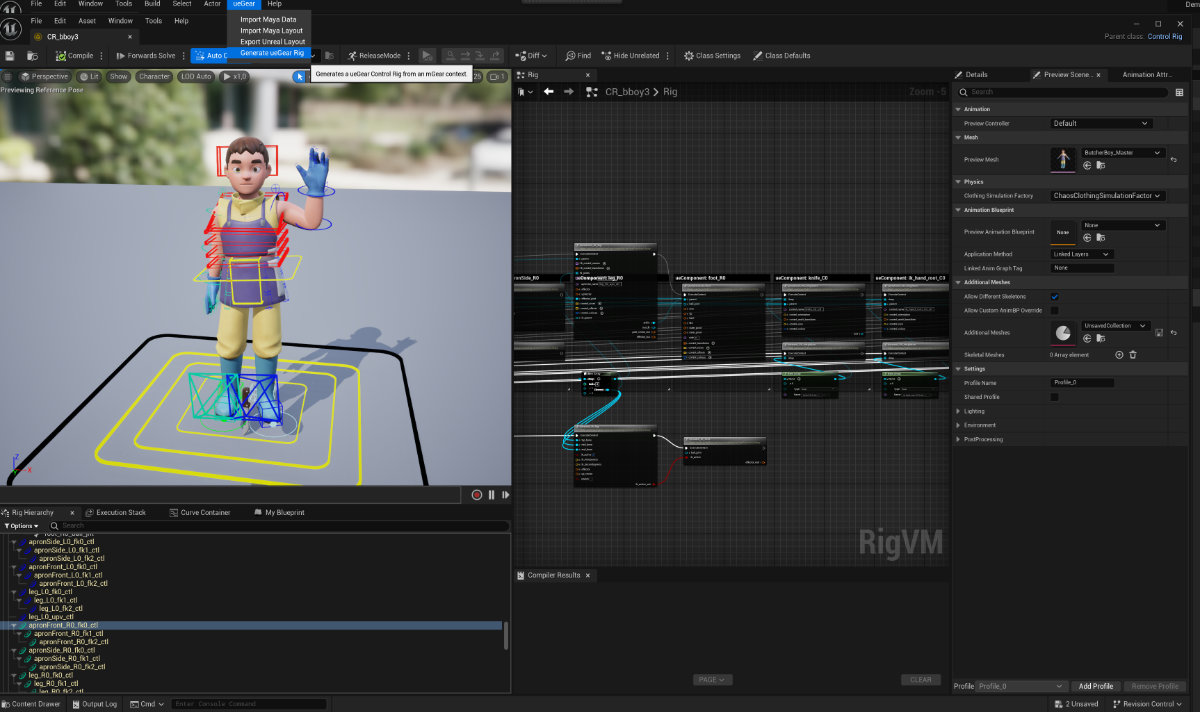
Alongside mGear 5.1.0, ueGear 1.0.4 was also released. ueGear is the Unreal Engine bridge, enabling rig data and animation workflows to flow between Maya and UE. While the release notes list it, no detailed changelog for ueGear 1.0.4 was available at press time.
The advice remains the same: test before rolling into production. For studios already working with Maya 2022+ and RBF-driven facial rigs, this release looks like a solid and safe adoption.
