



The wildest theories floated around in forums, like exklusive deals with others or Apple and BM not liking each other – even if Apple repeatedly used DaVinci Resolve to demo their newest hardware instead of their own NLE. Many claimed it would never happen. Now, after Apple’s presentation of the iPhone 17 and BM publishing DR 20.2 days before IBC, it’s clear that their cooperation is closer than ever.
Hardware support
Up to now, ProRes RAW (PRR for short) was mainly supported by Atomos‘ Ninja V recorder, with more and more manufacturers of hybrid cameras supporting it. After all, RAW data have to be supplied by the camera and transferred to such recorders. For a long time Red’s intellectual property (how intellectual that may ever have been) has made any internal compressed RAW recording impossible for others. Including even Apple, who went to court over it and failed. Now that Red was bought by Nikon, there’s a new game going on.
Whatever arrangements behind the curtains may be, Apple will support internal PRR in the top models of the iPhone 17, while the new Nikon ZR will offer three choices: a new version of the Red codec, called R3D NE, their own N-RAW, and PRR HQ – all in 12 bit.
A pretty attractive camera, BTW, looking at size, features, and price tag. BM is already supplying a beta firmware for one of their older models, the Pocket Cine 4K, which should be very interesting to compare BRAW and PRR directly. BM will not leave that slice of the cake to their archenemy Atomos, but their Video Assist 12G is going to get PRR recording soon, in particular from popular Sony cameras, like the FX3 and FX6.
Decoding is obviously already supported by specialised hardware in most of the Apple silicon machines, only the oldest ones without the ‘Pro’ denomination don’t have such units. The top models have even more than one unit, so they should be really fast when rendering from PRR into one of the other ProRes flavours. According to Apple, the hardware units have been improved over the years. We didn’t see any significant speed differences between ProRes HQ and PRR when playing back similar resolutions and frame rates on a M4 Pro.
Software support and shortcomings
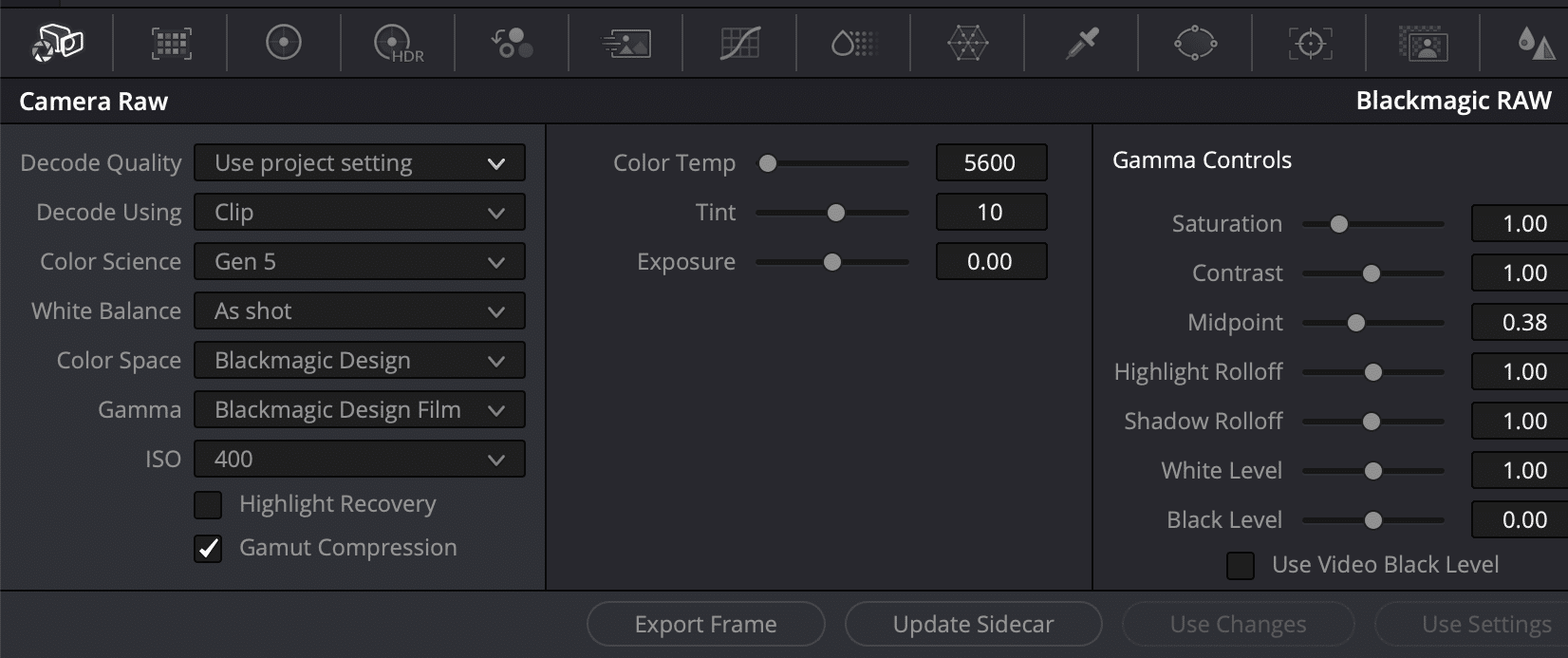
If you need to know more about PRR, look here, but you may want to know the data rates, at least. Similar to BRAW in its Q flavours (for constant quality), PRR is adaptive to image content. Data rates for the standard version are roughly comparable to ProRes 422 HQ, while PRR HQ ranges between 422 HQ and 4444. Both can be significantly lower for less demanding images, but BRAW is offering far more choices in fixed compression as well as constant quality.

Regarding image quality, we’ll soon try a direct comparison between PRR and BRAW with the same camera. In theory, PRR may have an edge here, since BRAW was developed while still under the restrictions of the Red patent. It is not using pure RAW data, but partial demosaicing. PRR only needs to store one single value per sensel, while a fully demosaiced image would need three times as much for RGB. Those who have reported some first hand viewing claim that PRR is a tad sharper, but more prone to aliasing. That makes sense, since BRAW is obviously receiving some filtering to alleviate compression.
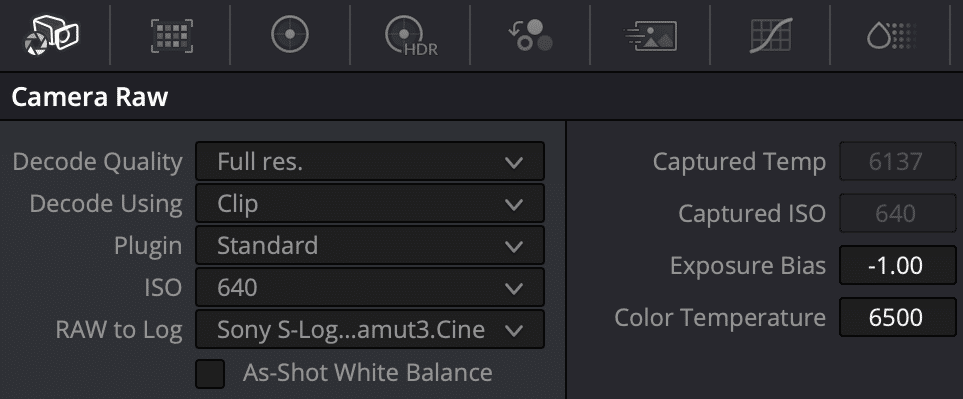
But the image quality of BRAW is generally described as quite pleasing, with a noise structure that’s pretty organic. Others may claim that PRR is the more ‘honest’ picture and your camera should have a proper OLPF. Now, there are other differences. Normally, you’d expect much more flexibility with RAW recordings, being mirrored by the range of adjustments offered. But just like Apple’s own Final Cut Pro X, the RAW tab in the Color page of DR only shows Exposure and Kelvin adjustments, not even Tint. If your Ninja was running an older firmware, you don’t even get those.
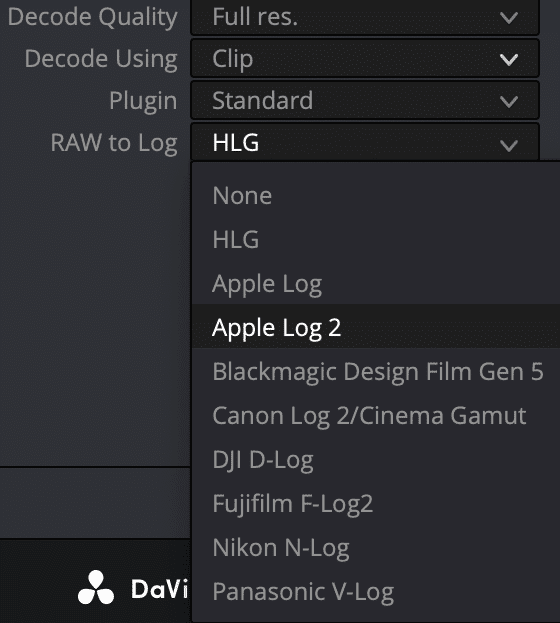
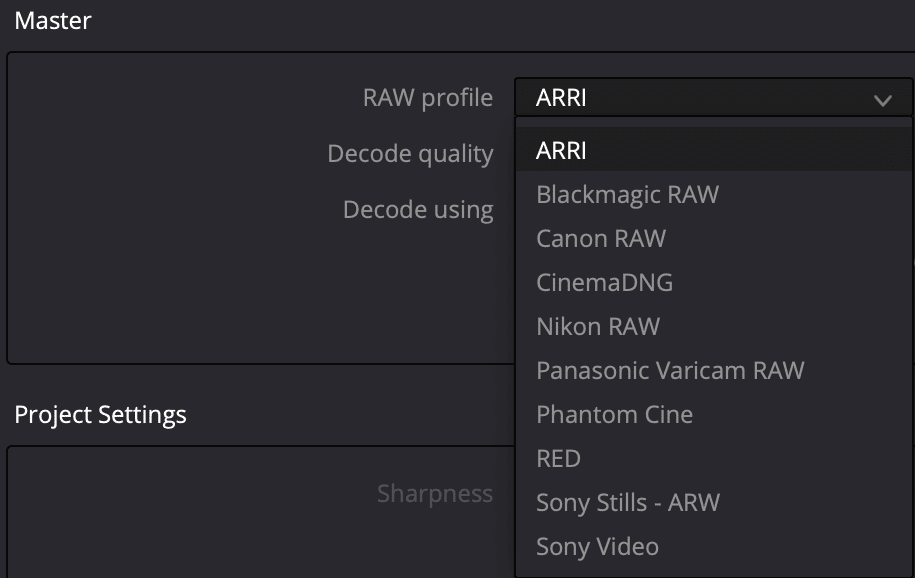
The choices on the left are there to tell DR how to interpret colors. There’s already Apple Log 2, a new, flatter profile to be used with the better bit depth of 12 bit where needed. ‘None’ is a bit misleading, it means Apple’s default, which is Rec. 2020. You should choose one of the others according to the camera that was recorded with a Ninja, for example. PRR support is still a bit immature, though. On BM’s Mini panel, when touching the RAW button, the screen will tell you that the clip is not RAW. In DR’s Master Settings PRR is not shown yet, so you can’t define a default interpretation for the whole project.
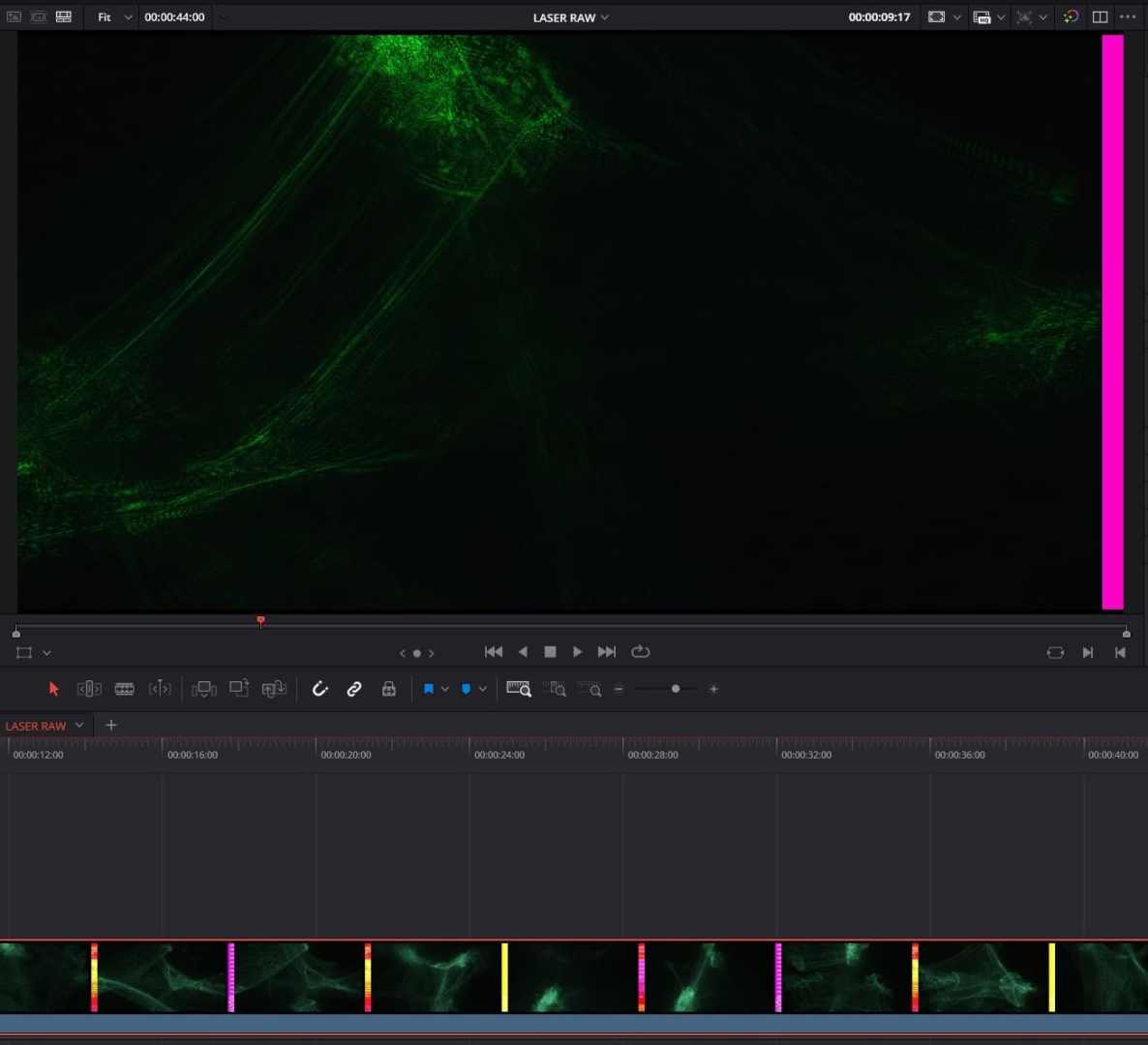
Finally, there are still some bugs. Under Windows, a clip from the Ninja shot at open gate, like from the Sony A7SIII, shows flickering, coloured lines on the side if not cropped. MediaInfo is telling us those are in 4264 by 2408 pixels, even if that camera has only 4240 sensels horizontally. That does not really explain those lines, which are black under MacOS. But it seems to be a bug in DR 20, since an EXR out of Assimilate Scratch doesn’t show those black bars, as checked by Mazze Aderholt. The bug was also seen by Mark Weiss in footage out of the Panasonic S1RII in 5.8K Prores RAW, recorded without a Ninja V.
Conclusion
Anyway, DR 20.2 may have been gone public pretty early for Apple’s presentation and IBC. It has other rough edges, and we can expect to get fixes pretty soon. Even Apple’s own product page doesn’t list DR as compatible with ProRes RAW as of today. But from now on, die-hard FCP-X or Premiere users may have lost another argument not to use DaVinci Resolve.

1 comment
Comments are closed.