



Table of Contents Show

It is kind of a ridiculous idea to make a 3D animated short film all by yourself, particularly if you are a perfectionist and you do not want the result to lean on stylisation as a shortcut. I am Maxim, 25, from Germany. I spent five years creating my animated short film SEN with almost no budget and countless hours of work. This is a rewind of that adventure.
senshortfilm.com | YouTube | Bluesky | LinkedIn
SEN is a 3D animated short film made entirely by one artist. Built with Maya, Houdini, Nuke, and Substance Painter, the project combines procedural VFX, detailed hard-surface modelling, and full compositing in a solo production pipeline.
Where I Started
It was early 2020. Covid was still “that virus over there”, at least from a European perspective. I was studying Media Design at a small university in rural Germany. We were tasked with creating a concept for a creative project and executing it the following semester. I had already made a few student short films and many small 3D projects, so an animated short film was the obvious choice.
I started preproduction around February 2020 with vague ideas. Very early on, it became clear that the main character should be a robot, since I have always enjoyed hard-surface work much more than organic creatures or characters. There is something about rusty metal and subtle surface imperfections that speaks to me, and the challenge of bringing an object to life pushed me to get to work.
First Concepts and Story Iterations
I developed story ideas while concepting the protagonist and environment. The first idea failed and was scrapped quickly. A second storyline centred on the protagonist and made it into the final film, though in altered form: a small mining robot escaping from a mining station it was attached to by cables. That original concept still survives in the final model as the cable stump detail on the robot’s back.
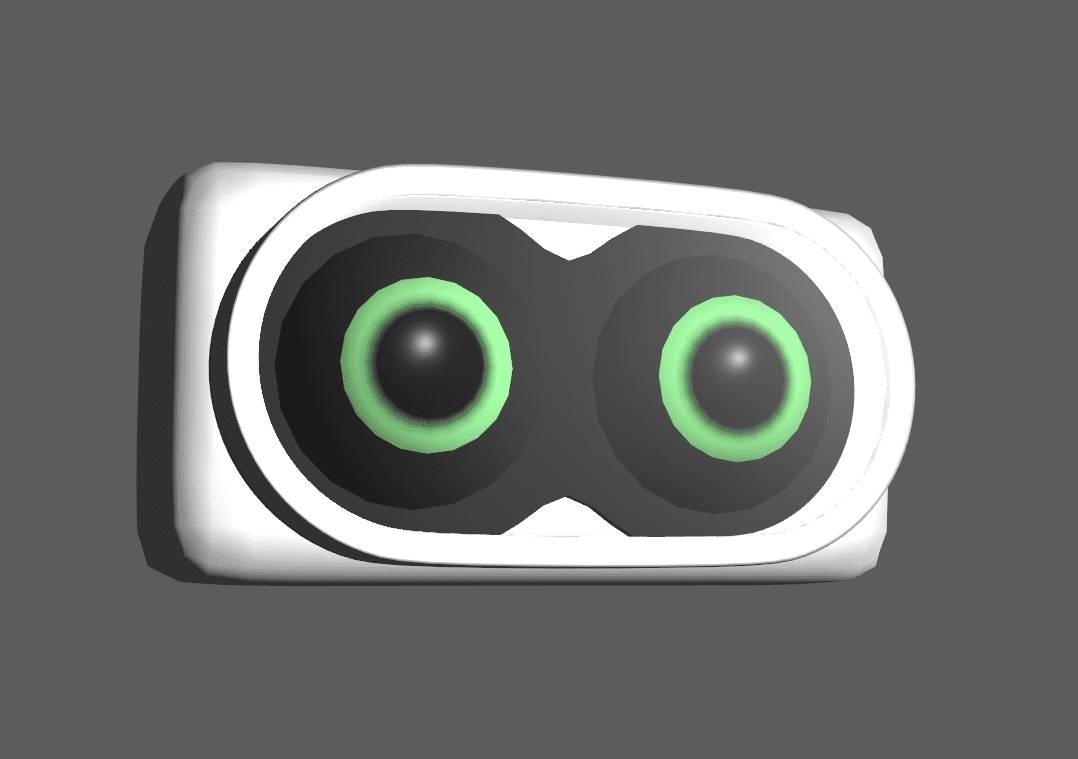
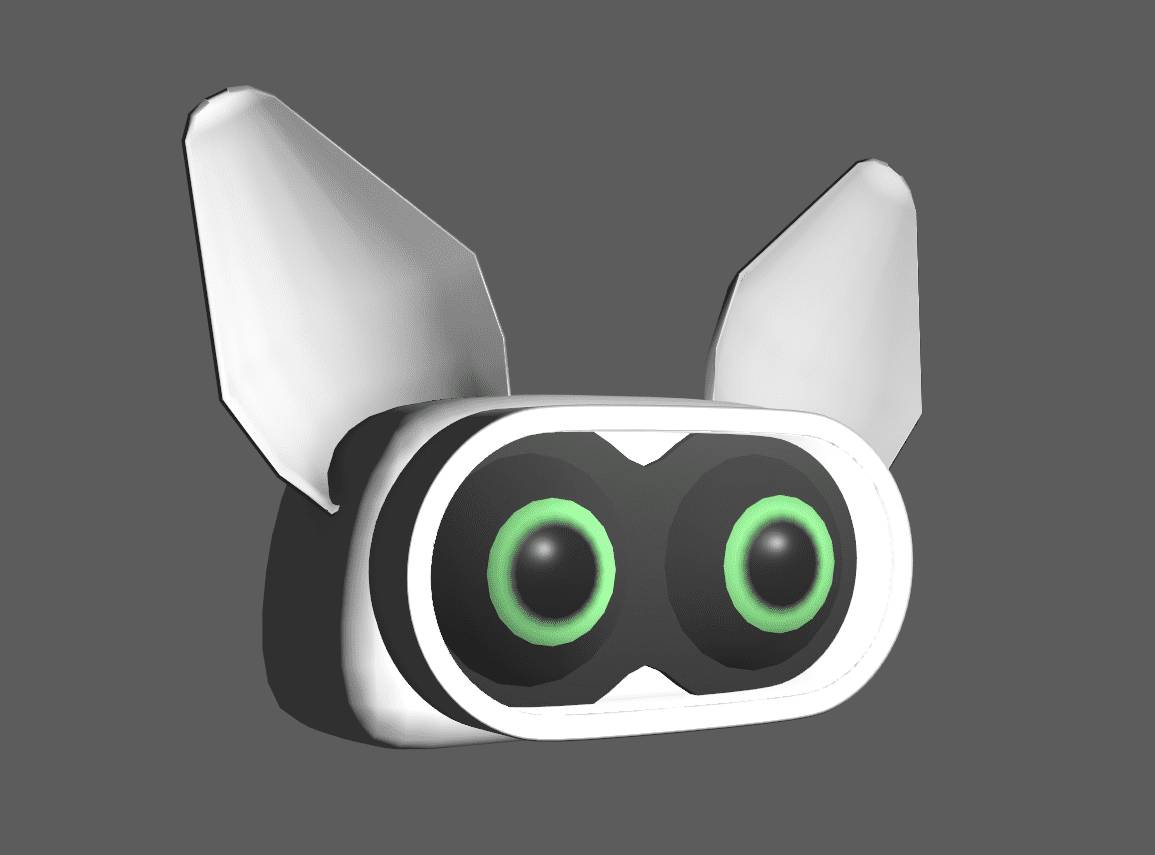
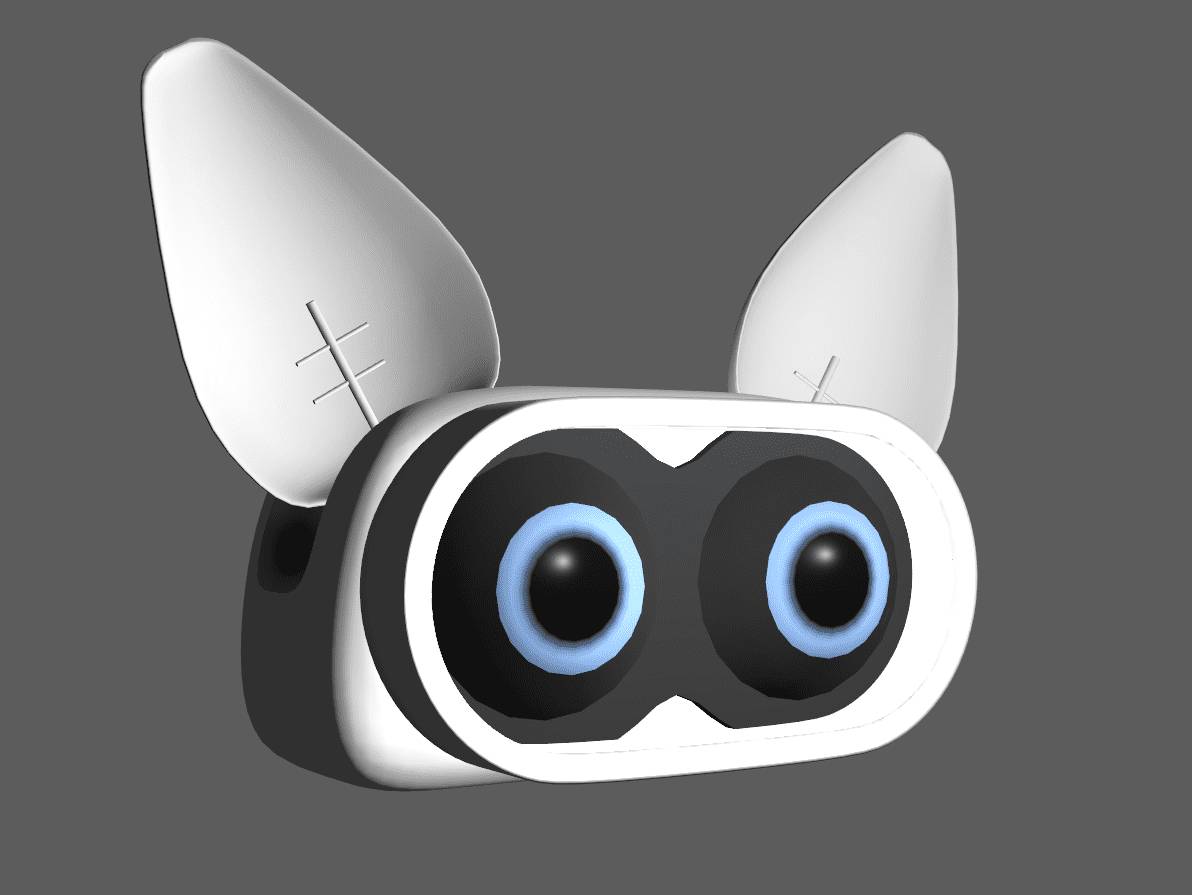
I was still not satisfied with the script. I wrote an entirely new screenplay in which the robot accidentally awakens a huge worm-like cave creature and traps it during a chase. Two months in, I had two robot stories, neither fully convincing.

A breakthrough came from a writing method I had learned in a lecture: asking “what if?” questions. The idea was to allow any thought, no filtering, no judgment, regardless of how implausible it seemed. What if he meets another robot? A mentor figure. What if the mentor is old and rusty? One further “what if?” unlocked the twist. I scrapped the previous storylines and wrote another script, the fourth or fifth by that point. I rewrote it dozens of times based on feedback from friends, my professors, and strangers online.
Rewriting and Planning
While rewriting, I planned the environment and visual logic: the portal design, the planet’s material identity, the crashed spaceship in an icy desert, and how the robot arrived there. Some answers carried over from earlier versions, and others were reworked to fit the new narrative. By mid-2020, the film’s core story and setting had stabilised.

Inspiration: Proof That Solo Is Possible
The new plot increased scope: large environments, distant views, FX, and more animation. I doubted whether I could finish it alone. I found Chris Jones’s blog, who made an animated short film in the early 2000s called “The Passenger”. Reading his production notes was the reality check I needed: if he could do it on early-2000s hardware, I could at least attempt it on modern technology.
Animatic: Solving the Edit Before Final Shots
In parallel with story development, I finished the robot concept, rigged it, and built basic set pieces. Once the script was ready, I created the first animatic. That first version was the hardest because it meant building cameras, scenes, and cuts from a blank slate, knowing none of it would appear in the final render. It felt like throwing time away, but it was necessary.

A total of 13 animatic versions and regular feedback rounds shaped edit and shot layout over the span of about a year, with production starting after the first few months. For an animated project like SEN, much of the final edit is effectively resolved in previz. My last animatic layout and the final edit are almost identical in shot lengths and rough camera positioning.


Discipline: The Real Production Infrastructure
The hardest part of a solo short is not a specific tool or technique. It is continuity. Many people abandon projects of this size, and I came close to doing so more than once. I want to share some tricks that I’ve used to keep myself going.
My favourite strategy is breaking tasks down into steps so small that your brain cannot argue with them. Some mornings my first task was simply “open the software.” Completing that gave a tiny dopamine reward and reduced friction.
Accountability was another tactic, the “sledgehammer method” of motivation: tell EVERYONE you are making the project. If you care about your reputation, you will feel pressure to deliver because people keep asking for progress. This comes with mental health risk, so I would only recommend it once you have fully committed. Routine mattered as well. Habits beat procrastination, and discipline is physical. Exercise kept me under pressure: daily jogging and daily workouts. I overdid it a bit and do not recommend the exact dosage – my knees and back had opinions at 25. Still, it helped.

Similarly, it can also really help to get someone else invested into the project. When Stuart Michael Thomas joined me in 2022 and scored the movie, that was a major motivation boost. No way can I not finish the film now that this amazing professional had spent so much time and effort on making a score for it! Thank you again, Stu!
The Schedule
About one year into the project (January 2021), I wrote a schedule that now reads as slightly unhinged: up at 6, tutorials and books until 9, then work until 9 PM. Weekends free. Later, I shifted to 8 PM plus Saturday hours. This was what it took to make speedy progress, but with additional responsibilities, this pace was not sustainable. There were weeks and months with little progress. During a three-month internship in Hamburg in 2021, I paused the film entirely. Once I started working full-time (late 2022), progress slowed dramatically. Luckily, I had pushed hard the previous years, and SEN was already 60 to 70 per cent complete by then.
Technical Details
Resolution: 1920×1080 raw renders, upscaled manually to 4K (no AI used for upscaling)
Runtime: 3:06 min
4,407 frames final, 100,000+ rendered EXRs
Colourspace: ACEScg
Sound: Dolby Atmos mix, downmixes to 5.1 and stereo
DCC: Maya
Renderer: Arnold
FX: Houdini (most), some initial Maya FX
Compositing: Nuke
Texturing: Substance Painter and Mari
Sculpting: ZBrush
Editing: DaVinci Resolve (after switching from Adobe Premiere mid-project)
Start: Ryzen 2700X, 32 GB RAM
Also used: 16 GB RAM notebook during travel and lectures (some modelling)
End: Ryzen 3900X (12 cores), 64 GB RAM (considering expansion)
Total project size: 7.2 TB
Rendered EXR sequences: about 2 TB
Houdini FX caches: about 2 TB
Workflow: Iteration and Feedback as a System
One key lesson: everything starts out looking bad until you iterate enough. Finding things wrong with an asset, shot or edit, then figuring out how to improve it is the main creative challenge. After that, execution just comes down to time plus technical knowledge.
Feedback was critical. Every time a piece reached a somewhat presentable state, I would collect notes from professors, friends, family, and online communities. Feedback improved the film and taught me why certain choices worked or did not.

I want to give a big shout-out to Melanie Beisswenger here, who was my professor when I started the project. She also became my bachelor’s thesis critic, and even after graduation, she continued to give valuable notes and feedback. Another big shoutout goes to Nikolai Neumetzler, another brave soul who joined to judge my bachelor’s thesis and also stuck around to give feedback afterwards. Also, he even animated one of the shots! Thank you, Melanie and Nik, for your contributions to the project!

Assets: Building a World That Holds Up in Closeups
Asset building was a comfortable area for me. I had experience from university projects, building most assets myself, so modelling, texturing, and shading were familiar territory. The two characters remained informally named “robot” and “rusty”. Environment assets followed. Everything went through multiple iterations across months or years. Some assets were hand-modelled, others sculpted, and some kitbashed.
Only a few assets were purchased online: lava rocks for the first shot background, a large cliff dividing the environment (internally called “DivHill”), and base geometry for the wreckage.


The wreckage relied heavily on procedural shaders, but I extracted the large surfaces, created quick UVs, and painted custom textures in Substance Painter. Photogrammetry scans also entered the pipeline. Snow clumps were based on scans I made in 2020 by spraying water on flour and clumping it.
Scene assembly strategy
Assets were loaded into shots as referenced Maya files. Most were placed in world space so they arrived in correct relative positions. I was not consistent with this rule, and the assets that did not follow it created extra “fun” in transform matching.


The crater asset rework
The crater went through major redevelopment. The first version used a complex procedural shader, leading to slow renders without holding up in close-ups. Later, I rebuilt it using tiling textures blended via hand-painted masks. Displacement remained complex but delivered good base detail. For close-ups, it was still not enough. I created mud clump assets from rock models found online, resculpted them in ZBrush to read as mud, textured them in Substance Painter, and then manually placed them to enhance detail and hide underlying weaknesses.

Placement was tricky because edges could break the illusion of a continuous surface. A lot more of those mudclumps were later added per-shot in the lighting stage. SEN ended up with 10 major assets, 5 minor assets (including snow and mud clumps) and roughly 87 million triangles across assets combined (excluding certain FX caches treated as assets)
Rigging: A Referenced Maya System for Swappable Geometry
Rigging is not my strongest suit, so it took time to arrive at a reliable setup for the characters. I started with the robot while developing the script and animatics, again following an iterative approach. Both the robot and Rusty rigs were based on Maya referencing, using two geometry workfiles per character: a low-resolution proxy for animatic, animation, and previews, and a high-resolution version with shaders and final detail.

The low-res and high-res files mirrored naming exactly, meaning any object in low-res existed in high-res under the same name. There was no hierarchy in the geometry files, with all geometry sitting at the root level of the outliner. The rig workfile referenced the low-res geometry and then created the hierarchy and control groups that the rig moved. Because naming matched, the low-res geometry could be swapped for high-res cleanly. Choosing robots avoided organic deformation, skin weighting, and the related rig complexity.
The robot rig took roughly six months to be fully rigged, although usable versions existed much earlier for animatic work. The biggest technical challenge was wheel rotation driven by translation. This breaks when the character turns 180 degrees, as wheels begin spinning backwards.
World Vectors to the rescue!
The solution was a world-vector wheel rig setup found via a tutorial after considerable time trying to solve it independently. The system compares the previous and current frame’s world-space positions and adjusts the wheel rotation based on the delta. The arms are driven by an IK setup, while all remaining controls operate in FK. The wheels include a suspension setup that drives the spring, damper, and gear rotations at the correct ratios and reacts inversely when the body banks.

For ground interaction, I considered constraining the wheels to the surface but ultimately chose to animate wheel height manually across all shots to retain control. In many cases, managing the amount of ground intersection was important for later FX work. For Rusty, large parts of the robot rig could be duplicated and adjusted rather than rebuilt from scratch.
How SEN Got a Professional Score
In mid-November 2020, after months of animatic iterations, I began planning the music. The film has no dialogue, so the score carries a large share of the narrative load. I posted on r/composer with the title “Looking for Shortfilm Score (Paid)”, offering $100 as a starting point for negotiation and sharing the animatic along with work-in-progress assets.

Stuart Michael Thomas, a professional composer, got in touch and offered to score the film on the condition that the money be donated to a charity instead. He worked on major studio franchises such as Iron Man, Avengers, and Fast & Furious. His involvement was creatively transformative and kept me motivated through the later stages of production.
Animation Process: Blocking to Spline Without Losing Your Mind
For me, animation is fun for about two weeks. After that, it becomes repetitive. Fortunately for me, there was a boatload of other tasks on my to-do list, so for most shot,s I could allow myself to take breaks from animating every few weeks and do other tasks. The general approach was consistent across shots:
- Set up the scene.
- Load the rig.
- Load or build low-res proxy environment geometry.
- Import camera from previz and optionally import robot from animatic as reference.
- Create a blocking pass.

Pose-first blocking
I often lay out key poses on single frames first to avoid having to deal with curve tangents immediately. I would stack the key poses in the first 10 frames of the shot, with keys on all controls, even if a control did not move. On a typical shot, I spent half a week refining poses, then spaced them out for timing and added in-between poses. Feedback cycles followed. I stayed in blocking because big changes are easiest there. Late in blocking, I retimed sections aggressively and began refining body parts independently. All of these blocking passes were done without any interpolations. This allowed me to craft strong key poses and lay a solid foundation.
The spline crash phase
When I finally splined, the shot entered the “crappy phase”. No matter how solid the blocking looked, the first spline pass always felt like rediscovering animation curves for the first time. The shot that previously held together suddenly looked broken, and the amount of work ahead became unclear. To stay sane during splining, I refined shots in 20- to 80-frame chunks, polishing one section at a time before moving on. This workflow repeated across all 11 shots.

Lighting: Making Snow Read and Renders Happen
Once motion worked, I moved into lighting, which had its own technical friction. Lighting robots differs from lighting faces, and classic portrait lighting rules apply differently. Doing lighting in Maya was also challenging for morale. Today I would likely light in Houdini, but switching mid-project was not feasible.
Early on, I created a “master light rig” – basically just a Maya file with a Skydome, directional Sunlight and an area light to fill in shadows. This was the starting point for all shots. I always made adjustments to these lights and added further shot-specific ones.


The snow problem and the cloud shadow solution
Snow is tricky. In photos, it often becomes a blown-out flat white field unless shadows create form. Shot 5, the exposition crater shot, forced the learning: cloud shadows. I created large grid meshes and drove opacity with noise textures to simulate clouds, then manually positioned them to cast landscape shadows.
These cloud shadows also make a landscape feel larger. But Iteration still ruled: light-by-light adjustments repeated until the shot held together, or Maya crashed and erased progress. Subsurface Scattering was used a lot for all the snow and some plastic parts of the robot, but the heaviest passes were probably the volumetric FX elements in the crater.
Batch rendering automation
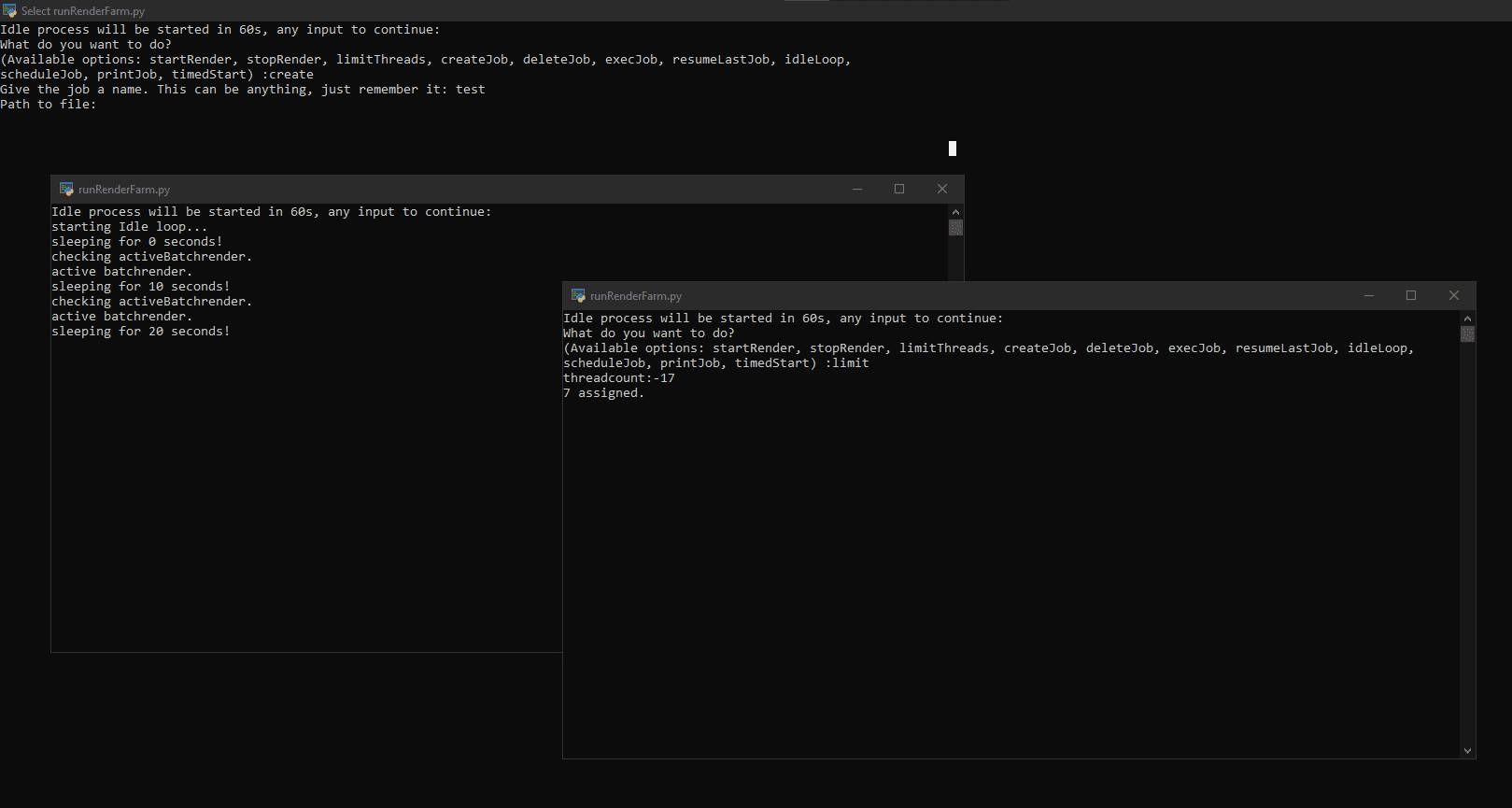
A key productivity tool was a Python script I wrote to generate and execute .bat files using Maya’s batch render command. In a display of unjustified ambition, I christened it “Renderfarm.py”. It also allowed me to limit render threads, so I could keep working while renders ran. Sometimes, renders ran in the background while I played games with friends, and I complained about frame rates as if it were anyone else’s fault.


FX: Houdini-First, With Strategic Cheats
FX is my favourite part of the pipeline: technical, varied, and rewarding. The story allowed for a lot of FX work, which was at least part of the reason for my excitement.
SEN includes smoke, snow and mud trails, snowfall, water droplets, ash, portal FX, stylized portal travel FX, and a timelapse decay effect for rusting metal. I started some FX in Maya (snowfall and ash from wreckage) but moved most FX to Houdini, which I had begun learning in early 2020. The film’s icicles were among my first Houdini projects, built as a procedural generator.


Smoke pipeline
The fire in the wreckage was faked using flicker-animated area lights and 2D elements in comp, while smoke was simulated in Houdini and exported as VDB sequences for rendering in Maya. The film uses two smoke passes: an older simulation visible in the wide crater introduction in shot 5, and a re-simulated version created in 2024 for the closer crater shots.


Portal FX construction
I wrote a creative description of the portal effect before implementation to define visual intent. I built two circular volumetric base elements by emitting particles from a sphere in one direction and giving them a 10-second lifespan to form a line. Then, bending the line into a circle, and emitting smoke from particles, once before and once after bending.


From these two bases, I created 15 elements total. Many were particle-based and relied on geometry-based SOP operations to bend or deform finished simulations. Some layers used advection by the base volumes.
The main plasma effect consisted of: Two circular particle elements, a third supporting particle element and finally a geometric particle layer resembling a UI, discovered through experimentation. Activation-specific elements included lightning strikes made in Maya using a rigged curve, plus two Houdini activation particle elements.


Environment interaction passes included two particle elements, four volumetric elements and two volumetric elements converted to polygons for heat distortion in compositing. I documented these FX in detail for my bachelor’s thesis, but that exceeds the scope here.
Compositing: AOV-Driven Look Development in Nuke
I broke renders down into multiple layers, which allowed selective re-renders of only parts of a shot. This was crucial without access to a dedicated render farm. Each layer included a full set of AOVs such as diffuse, specular, SSS, and others, enabling extensive look development in Nuke. I did not separate lights into light categories, as I did not yet know how to combine material channels and light categories in a single setup. As a result, lighting had to be locked before final rendering. Whenever possible, I fixed issues in comp to avoid re-rendering. Some of these workarounds made the Nuke scripts heavy and unstable, with crashes that occasionally halted progress.


How SEN Got Me to London
In 2022, living in Hamburg, I finished my bachelor’s degree, using the main shot of the film as the practical component. I was now officially finished with studying and ready to join the scary, exciting world of being a professional artist. With a reel largely built from SEN shots, I applied to multiple places, including Framestore’s Launchpad internship. I assumed I was not ready. To my surprise, I was invited to three online interviews.
Framestore struggled to place me because true generalism is rare, and it didn’t help that I was not certain what my strongest skill was. The interviews went well, then silence, then the email that changed everything: not an internship, but an offer for a Junior Generalist position. SEN had made an impression.
I moved to London, where I work at Framestore to this day (currently in my fourth year). Being flexible as a generalist helped to get some stability during strikes and broader industry turbulence, though my main focus continues to be FX work.

Reworks: Outgrowing Your Own Past Work
Long projects create a problem: you improve faster than your older shots. In 2021, I was proud of the teaser shots. By 2023, as an entry-level professional, those shots looked weak. That added rework load on top of new shots. Reworks included improved lighting, additional FX sims, environment cleanup, and better composition. Everything required re-rendering, pushing my PC hard for months. Flat-rate electricity helped me and devastated y landlord. The most reworked element was the crater asset, originally built in autumn 2020 and later rebuilt multiple times.

The main shot was also reworked. It was finalised in early 2022 due to time constraints on the bachelor’s thesis, which forced shortcuts and messy scripts. Revisiting it in 2024 required cleanup before progress could be made. Reminder: work as clean as time allows, because you may return years later.
Sound FX: Handing Off to Company3 Connections
Sound FX was unfamiliar territory. I built temporary SFX for teasers, but wanted professional work for the final film. Colleagues at Framestore connected me to people at Company3, a Framestore subsidiary focused on post-production. I allocated a roughly 1k budget, and they produced sound FX. Being on the client side was stressful because I had to give notes outside my expertise, but the team was strong, and I trusted them. They delivered an Atmos mix. I hope I implemented it correctly and did not break it in the edit…
Cut Content: What Did Not Make It
Several planned elements were cut to keep the film readable and the workload under control. Heavy snowfall across the entire film was reduced, as dense snowflakes would have obscured the environments and significantly complicated compositing due to overlap with smoke, ash, and portal effects. Light snowfall remains in the early shots, while the crater sequences use none.

A half-frozen waterfall never progressed beyond concept and RnD. It added visual complexity without contributing to the story, so further work on it was dropped. A Maya nParticle setup for snow landing on the robot and melting into droplets came close to working, then collapsed under technical instability and was cut as well. While this could likely have been rebuilt later in Houdini, doing so would have required additional renders and strict continuity tracking across shots, making it impractical at that stage.
Release: From Festival Run to Online Premiere
Over the course of 2025, SEN screened at six festivals. It did not win any awards, but that was never the objective. The goal was to find out whether I could complete a project of this scale, enjoy the process, and possibly inspire others to start their own long-form personal projects. Anything beyond that was a bonus.
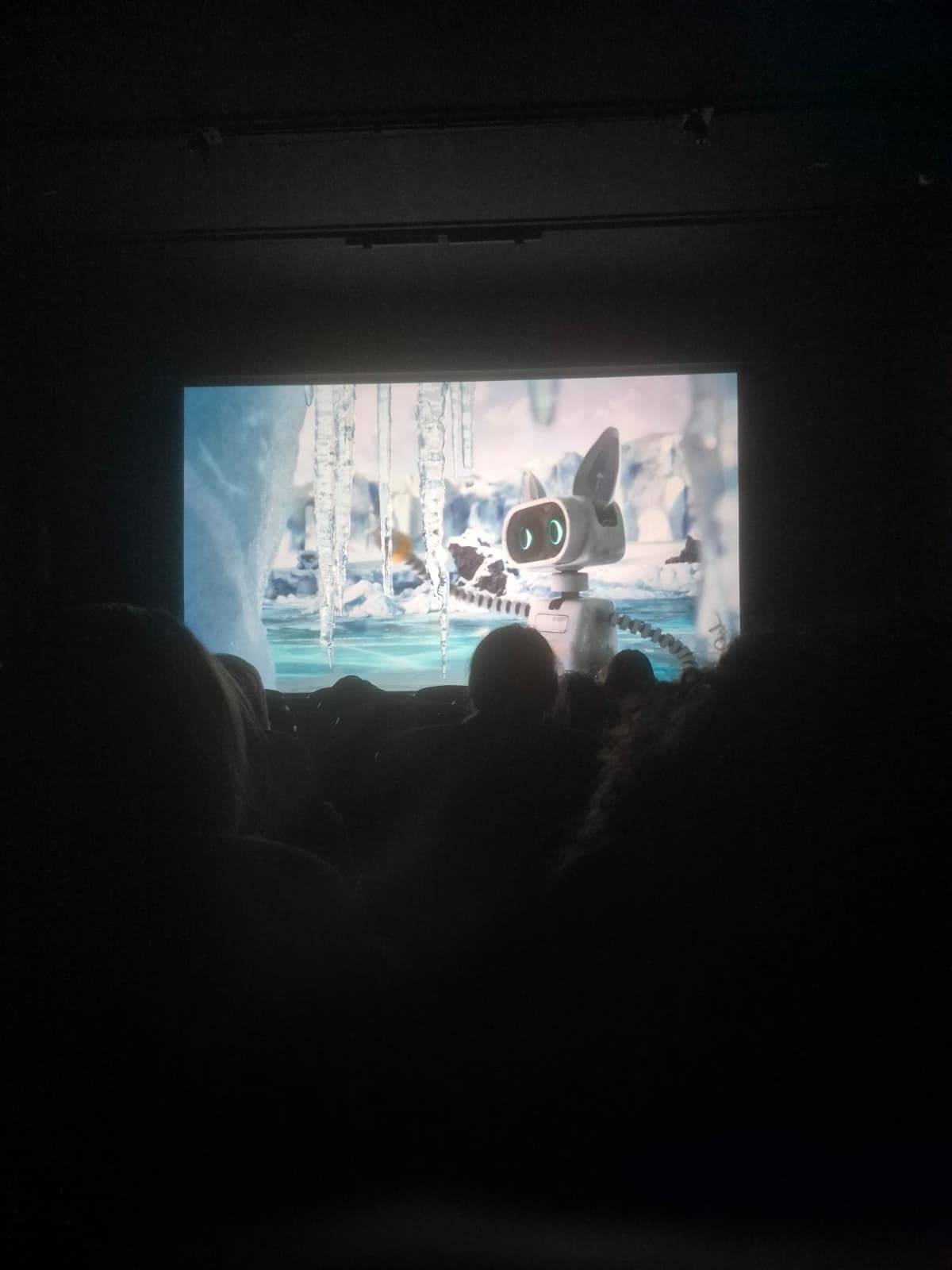
At the time of writing, I am preparing the online release. Marketing an online release is real work and easily the least enjoyable part of making a film: tailoring formats for different platforms, writing captions, and optimising for reach. Chatbots help with hashtags and surface-level optimisation, but they do not solve questions of taste or authenticity. Feedback from festival screenings was consistently positive, and it will be interesting to see how the film is received online. The public release link is here: Have a look on Youtube
Alongside this, Melanie Beisswenger suggested telling the story of the little robot further in the Digital Production, which means the article you are reading right now.
Will I Do Another One?
People have asked me about sequels or another animated short. Currently, there are no plans for further animation projects, since I want to try my hand at live action next. I miss having a personal project, but the next one will not be solo.

Should You Make a Film by Yourself? Is University Worth It?
If you are passionate, you should pursue it. The work requires time, dedication, discipline, and craft. You will not enjoy it if you do not love the process, but if you do, it can give your work direction and meaning.
University is a double-edged sword. It can be valuable for networking, structure, and protected time to learn, especially when supported by loans or grants. In Germany, student support can reduce financial pressure compared to other countries. You could learn everything online if you are disciplined and organised. My degree was in Media Design, a broad programme covering many aspects of media. It teaches fundamentals, but personal projects remain essential for building a portfolio. Do not expect to follow a curriculum and receive job offers automatically. A bachelor’s degree can help with visas and legal frameworks, but in media industry hiring, it carries limited weight. In practice, skills matter more than formal qualifications.

During university, I steered projects toward 3D and VFX whenever possible and reduced effort on areas less relevant to my goals, such as print. Making a solo film strengthened my generalist skills, at the cost of deeper specialisation. Demand for generalists may grow, but that is hard to predict. Generalists can be difficult to position, as their value is not always immediately obvious, but they often act as the connective tissue that holds projects together.
SEN taught me that passion projects are possible if you love the process. Make something awesome.

Topics
 3D & CGI721 postsBuild what the camera cannot find. Explore computer-generated imagery, digital worlds and production techniques that take an idea from its first rough shapes towards a convincing final frame.
 Rendering879 postsThe scene is ready; now the pixels have work to do. Follow rendering engines, optimisation and production workflows that balance image quality, iteration speed and the available computing budget.
 Interviews172 postsTalking to interesting people. Because everybody can teach you something, or at least tell you a joke.
 Blackmagic Design DaVinci Resolve175 postsOne application, several production hats. Explore DaVinci Resolve’s editing, colour, audio and finishing workflows, with updates and techniques for moving a project through its rooms without losing the creative thread.
 Foundry Nuke174 postsFollow the nodes and watch a shot come together. Explore Nuke compositing, pipeline developments and practical techniques for integrating imagery, managing complex scripts and keeping the final illusion convincingly intact.
 Maxon ZBrush29 postsTrade the polygon-by-polygon approach for a digital sculptor’s bench. Explore ZBrush tools, character work and detailing techniques that turn broad forms into expressive creatures, props and production-ready sculpted assets.
 SideFX Houdini356 postsBuild the recipe, then see what it can cook. Explore Houdini’s procedural workflows, simulations and effects techniques, where interconnected operations turn creative rules into detailed, adjustable production assets and shots.
Article details
- Published
- Author
- Bela Beier
- Reading time
- About 22 min
- Word count
- 4,292