



For those who don’t know the tool: Character DNA Addon plugs into Blender for editing MetaHuman DNA based rigs, then routes updates back into a Unreal Engine pipeline without leaving your DCC.
The headline feature: body correctives, now editable
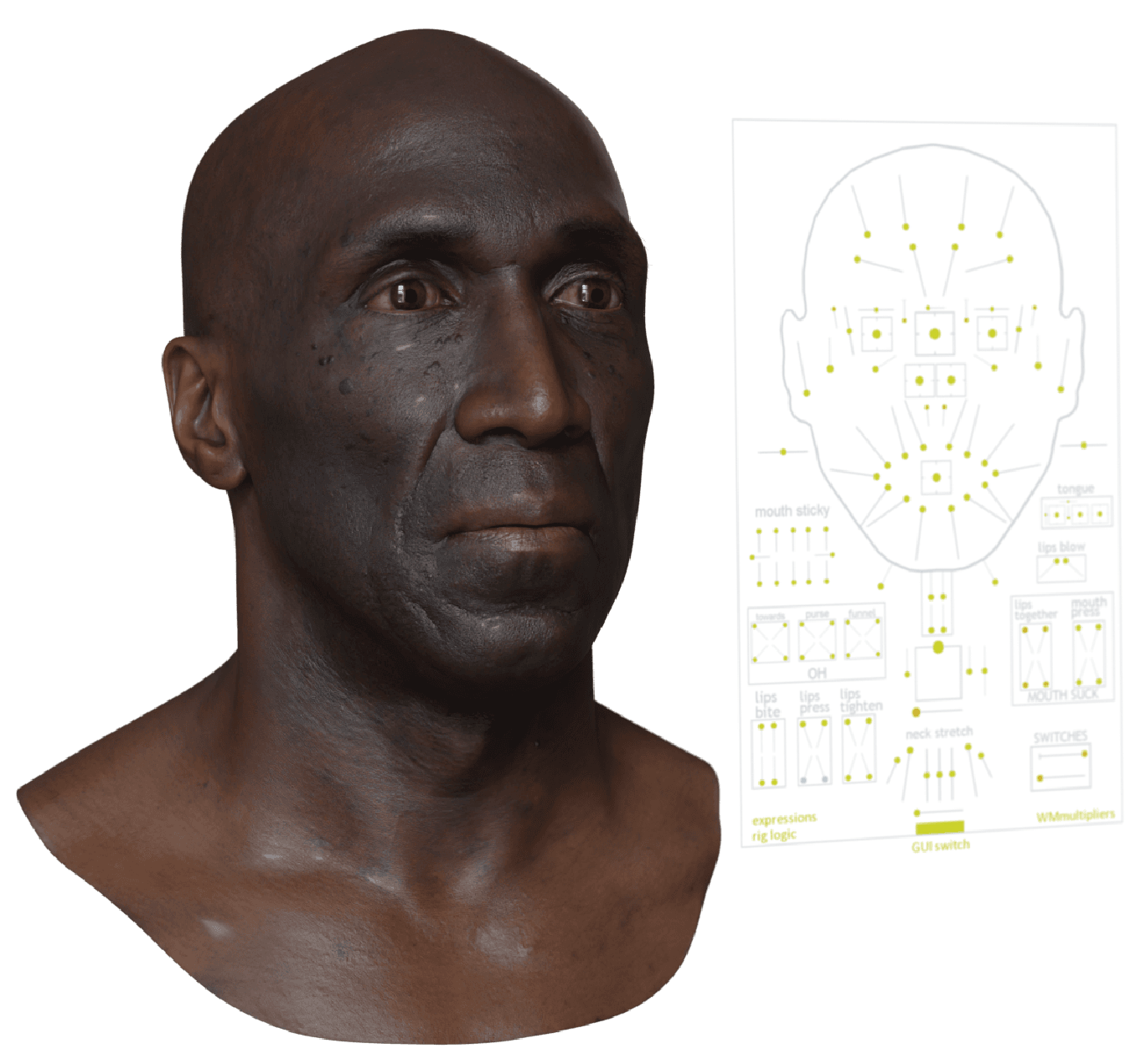
Version 0.6.2 adds an RBF Editor for editing RBF poses on the MetaHuman body rig. MetaHuman body rigs use radial basis function solvers that let the rotation of one joint drive the position, rotation, or scale of another joint. A key use is driving corrective bones to prevent artifacts like volume loss at elbows and shoulders as a limb flexes or rotates. The new editor focuses on making those correctives visible and practical. It makes it possible to visualize RBF poses in a MetaHuman rig, then edit the corrective bones to modify how the rig behaves during animation. For artists, that means fewer blind tweaks and less guesswork when a shoulder collapses in a turn or an elbow caves in during a tight bend.
The practical impact lands in the part of character work that usually feels like plumbing. You only notice it when it breaks. With an editor that targets body correctives directly, the toolchain moves one step closer to treating those fixes like first class animation data instead of hidden rig magic.
Backup Manager: fearless iteration with a parachute
The same release introduces a Backup Manager that automatically backs up DNA files whenever a user makes changes. The point is simple: experiment freely, then roll back to a previous state when needed.
That matters because DNA edits can cascade. A small change can ripple through a face board solve, a body corrective, or a downstream export step. Automatic backups turn that risk into something you can manage, not something you avoid. When the tool saves copies as you work, iteration stops feeling like gambling with your last known good file.
This is also the sort of feature that helps teams even when a single artist uses the add-on. If a file changes hands, a clear backup trail can keep pipeline debugging from turning into archeology.
Compatibility targets: new MetaHumans, new Blender
The 0.6.2 release is listed as compatible with MetaHuman DNA files created in Unreal Engine 5.6 and 5.7, and with Blender 4.5 and 5.0. The same release notes list tests passing on MetaHuman Creator version 6.0.0, Blender 4.5 and 5.0 installed from blender.org, and Unreal 5.6 and 5.7.
There is also a blunt compatibility warning. With Unreal 5.6 changes, MetaHumans v6, and the add-on still in beta, there is no backward support for earlier versions. If you need older versions, the guidance is to use an older add-on release.
That combination sets expectations. This release aims at current MetaHuman and Unreal workflows, not legacy support. If your show or game locks to older builds, you will want to evaluate version choices early, before a character pipeline hardens around an incompatible pairing.
Patch fixes: less time fighting the rig
Alongside the two major additions, 0.6.2 includes a set of patch changes aimed at stability and workflow friction.
Fixes include an invalid pose bone keyframe issue on face board import. There is also a fix for the body rig resetting after adjusting and undoing the head board rig. Another fix targets pushing down a face board action in the NLA editor breaking the rig and bones connection. The release also lists fixes for render crash issues, a migrate legacy data error, and an error exporting a manifest when running the Convert to DNA operator.
Installation and first contact inside Blender
The quick start workflow uses a zip install. You drag and drop the downloaded zip file into an open window of Blender to install it. After installation, Blender shows a tab on the right side of the 3D Viewport bar called Meta-Human DNA. Panels appear grayed out with warning messages until there is an active RigLogic instance, at which point they become active.
For importing, the simplest path is dragging and dropping a DNA file into the Blender scene. If a maps folder exists alongside the DNA file, the importer links textures that follow the same naming conventions as the MetaHuman source assets.
Character DNA files and what they represent
DNA files are a proprietary file format created by Epic Games. DNA is integral to the MetaHuman identity, and DNA files encode details of the shape and rig for MetaHuman heads. The tool itself leans into DNA as the pivot point for workflow. This release adds an automatic backup system for DNA edits, and it frames body rig correctives through an editor that works on the MetaHuman body rig.
For production, the takeaway is that this is not a generic character add-on. It is a workflow that assumes DNA sits at the center, and it treats editing DNA driven rigs as the primary job.
A note on compilation and licensing reality
Because of the terms of the Unreal Engine EULA, the add-on has to be compiled from source, even though an automated build tool exists to help with the process.
That is not just an installation footnote, it has pipeline consequences. Build steps affect IT support, artist onboarding, and version management. They also affect how fast you can update mid-project. If you run a facility pipeline, you will likely want to treat the build as a managed dependency, not an artist side hobby. For individual artists, compilation can still be fine, but it is one more reason to test on a spare machine or a sandbox environment before you bring it into a mission critical workstation.
Pricing and licensing: clear numbers, no treasure hunt
An individual perpetual license costs $79. Team licenses start at $259 and enterprise for $699. The add-on is available in beta. That matters for expectations around change frequency and backwards compatibility. It also means you should treat upgrades like any other pipeline change: evaluate, validate, then roll out.
https://www.polyhammer.com/
https://github.com/poly-hammer/meta-human-dna-addon/releases/tag/0.6.2
