



With over two decades of experience spanning Hollywood blockbusters, Netflix series, one of the editing teams favourite animated movies, and award-winning game animations, co-owners Jonas Ussing and Stine Sørensen have established a reputation for delivering top-tier visual storytelling.
Official Website: spaceoffice.dk | LinkedIn: Space Office VFX | YouTube Channel: Space Office VFX
Jonas Ussing: An Emmy-nominated VFX supervisor, Jonas brings a wealth of knowledge and expertise to the studio. Also, he worked on the brilliant “Cowboys vs. Aliens”
Stine Sørensen: An experienced feature film animator, Stine’s creative vision and animation skills have been instrumental in shaping movies like the evergreen “Ronald the Barbarian“
DP: How did you get involved in this project?
Stine Sørensen: We have several great projects for Flashbulb Games behind us, so when they continue to return to us for new game trailers, we’re already in. This time we were especially excited because the setting was sci-fi and spaceships, a genre very dear to our hearts.
The story was fleshed out roughly by Flashbulb, and they knew it would need to explain how the player ends up precisely where he does at the beginning of the game, because the trailer would also function as the game’s opening cinematic.
Our first step was to take their rough idea and focus entirely on the story and character. They had a lot of exposition they wanted to cover in very little time, so we needed a lot of quick shots that would quickly explain in simple images what was going on.
During the iterations of the story reel, we would sometimes stray too far away from the game’s core concepts, and Flashbulb would guide us back, to make sure the trailer experience wasn’t too far removed from the gaming experience.

DP: Can you give us an overview of the team that worked on this?
Stine Sørensen: Our team was a mix of in-house talent and specialized freelancers, which allowed us to remain agile. We handled storyboarding, layout, animation and shot assembly/rendering internally while bringing in additional expertise for easily outsourceable tasks like character modelling, rigging and hard surface asset creation. Working as a boutique studio meant we could make fast creative decisions, avoiding the slow turnaround times that can come with larger teams.
We use Ftrack to handle all artists, shots and tasks, as well as upload turntables, renders and storyreel as review sessions for the client.
DP: How long did the whole process take from pitch to final delivery?
Jonas Ussing: We only had four months from start till deadline, so we had to hit the ground running and immediately started assembling an animated storyboard on a timeline. Nailing a tight storyboard that hits every beat you need is crucial in animation, because this is literally the movie itself you’re creating, and if there are story problems here they won’t be solved by great animation or effects farther down the pipeline, so you really can’t allow animation to start before the story reel is perfect.
Stine Sørensen: To finish in four months, we needed to keep things moving in parallel, so we started up on assets while storyboarding – this is always risky because as long as the individual story beats are being discussed, anything might go, so we don’t know for sure which assets will be needed.
The one asset we were certain would be in the final film was the hero Trailmaker, so we had one modeller up-ressing his hard-surface props while another completely redid the organic modelling, updating him to look like a character in a big studio animation feature film, while keeping him “on model” with the game. For instance it’s unclear in the game exactly how human-like the facial features of the Trailmakers are up-close, so there was some look development in cooperation with Flashbulb.
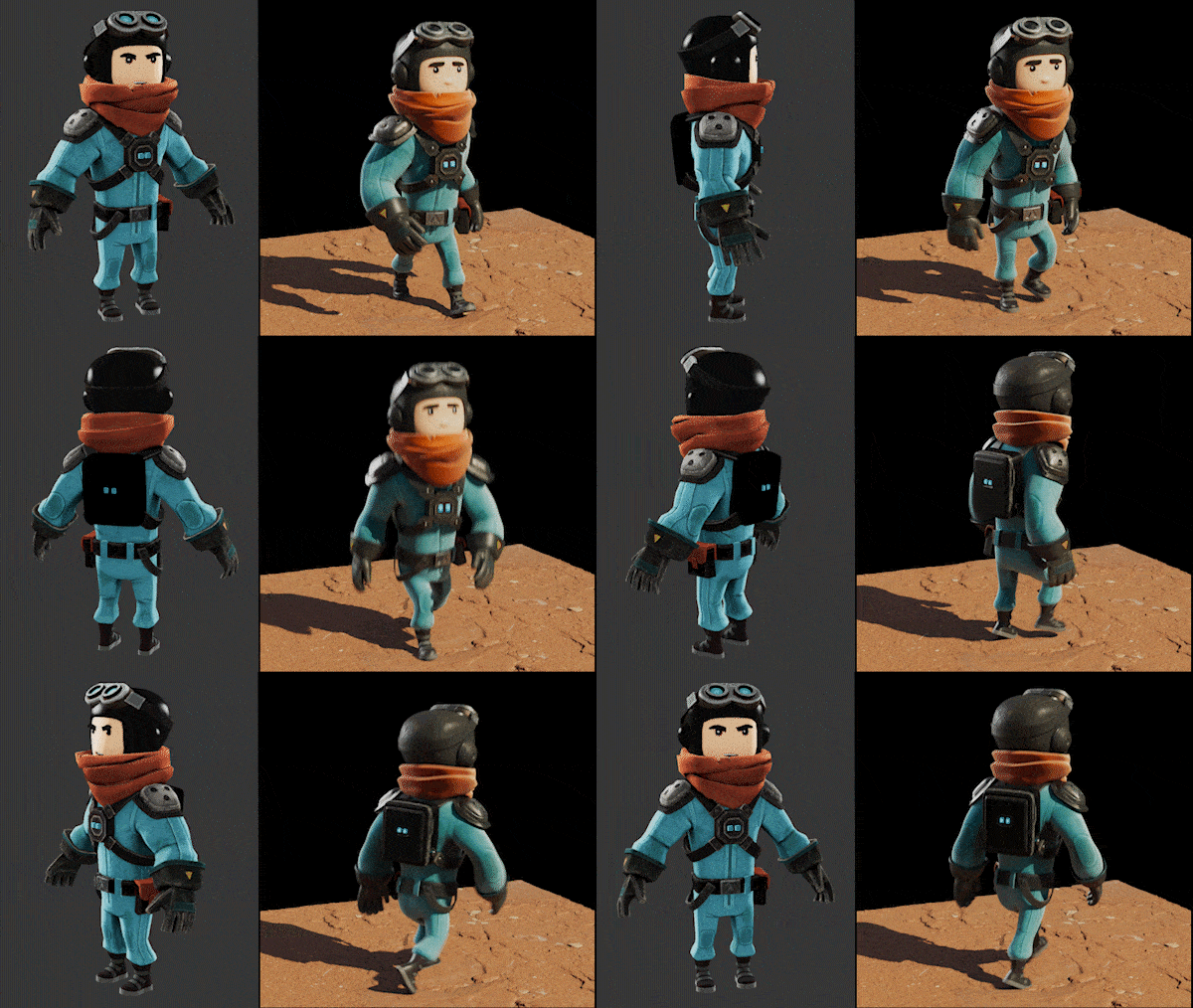
“Pioneers” is not a new game, it’s an update for “Trailmakers” which has been out for 7 years, and it has a remarkably large fanbase who know every little detail of the characters and the props, which we don’t, so it was extremely important that our hi-res assets not deviate too far from the game’s aesthetics, and we were constantly getting feedback from the game’s art director, making sure we always stayed on track.
DP: What kind of assets did Flashbulb Games provide, and in what formats?
Jonas Ussing: With a finished Trailmaker model, we updated the in-game texture to a hi-res PBR material, and had a few versions of a turntable before the model was approved, and it could move on to rigging.
However, while all this took place, we started 3D blocking using the in-game character and other assets lifted directly from the game.
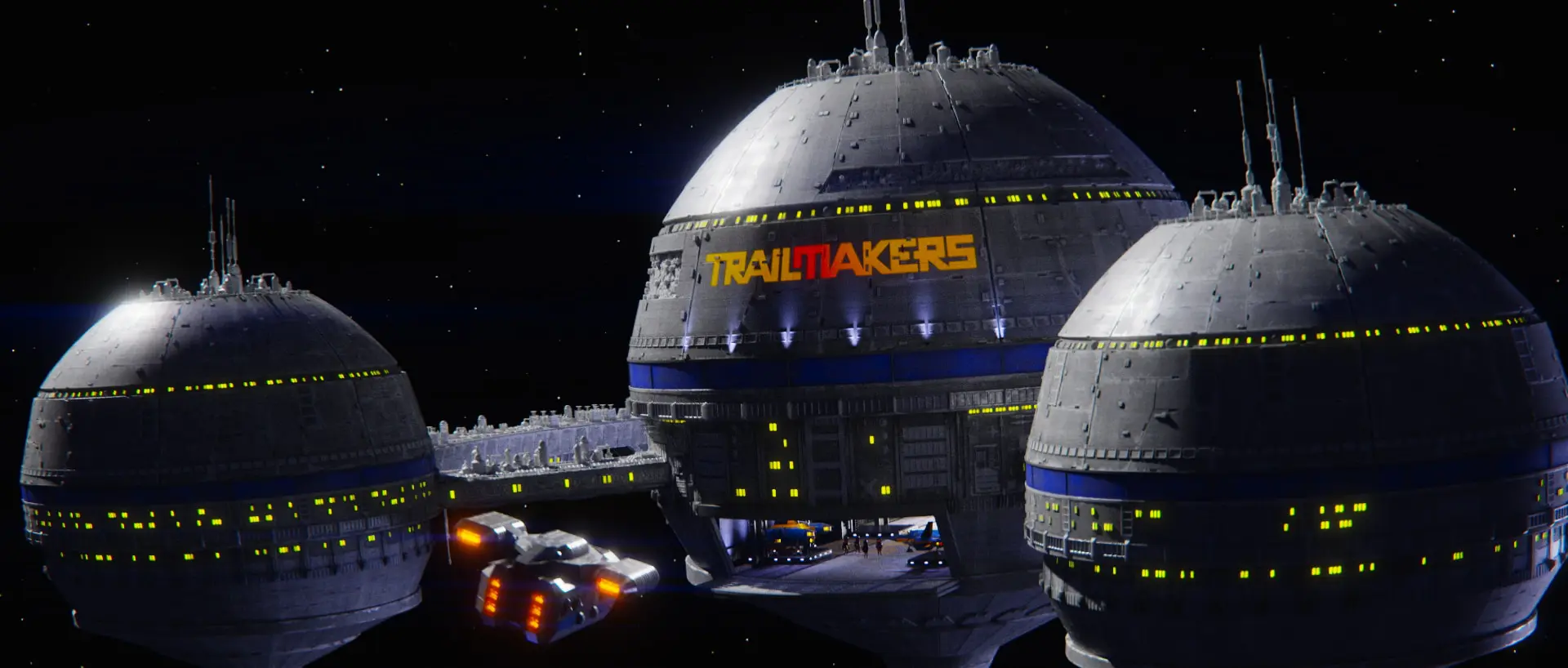
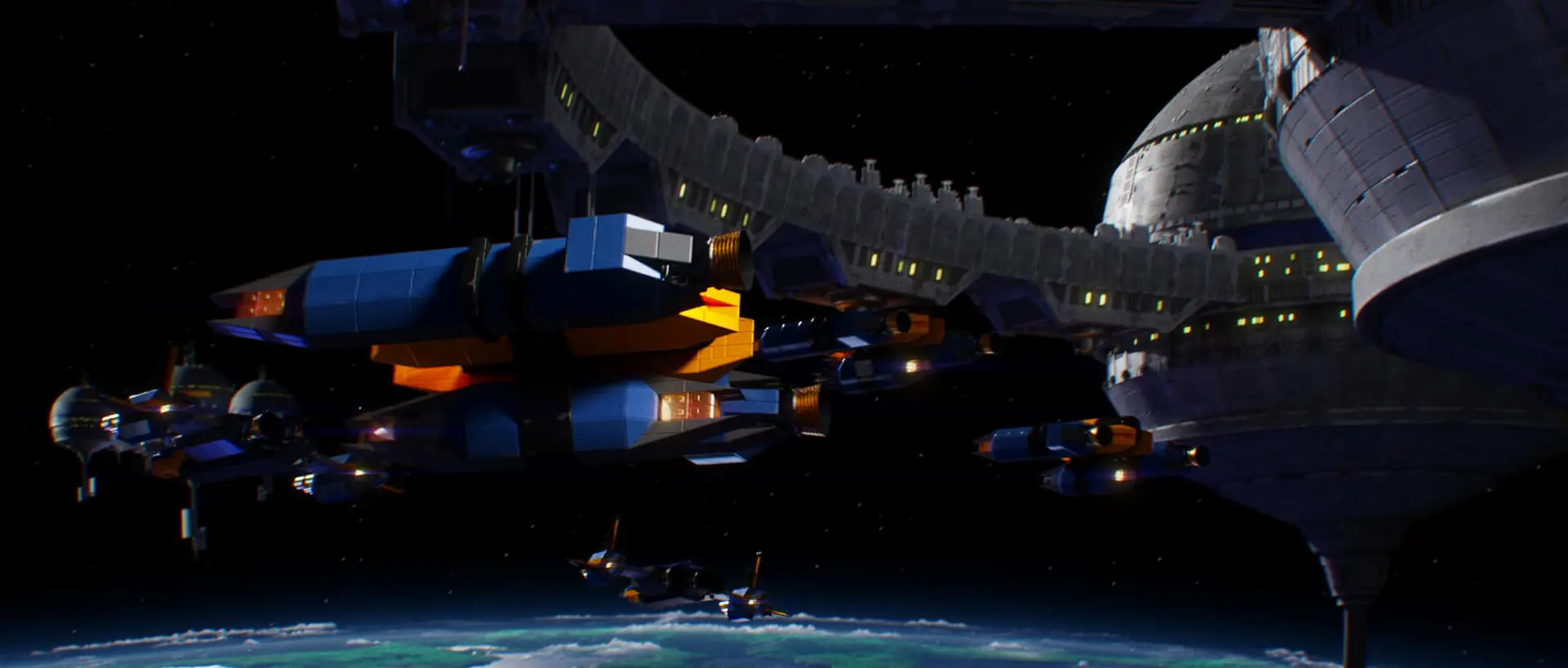
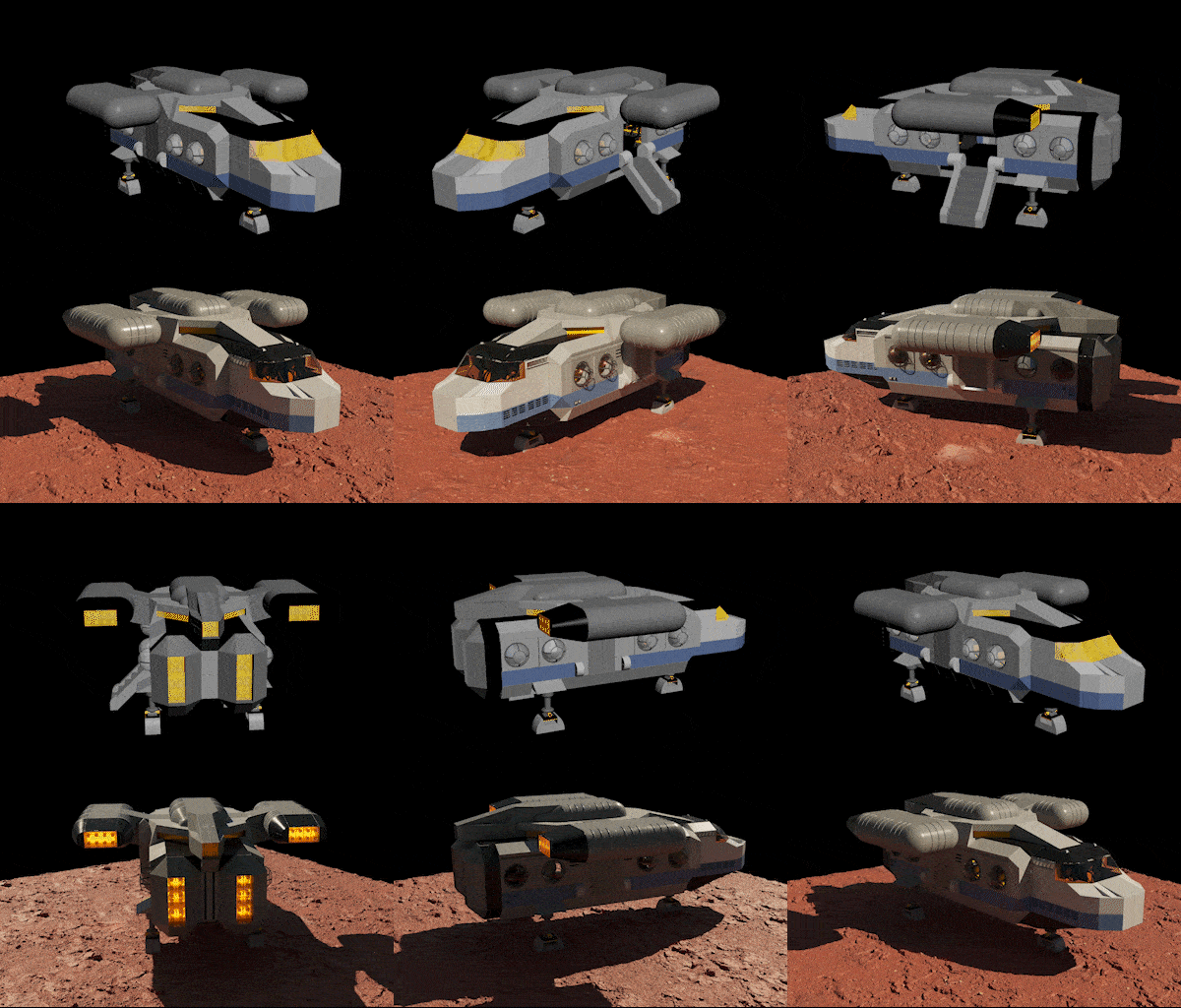
Several spaceships were custom built for the trailer at in-game detail level by Flashbulb, and sent to our hard-surface modeller for up-ressing, while unique environments such as the space station exterior were almost completely rebuilt.
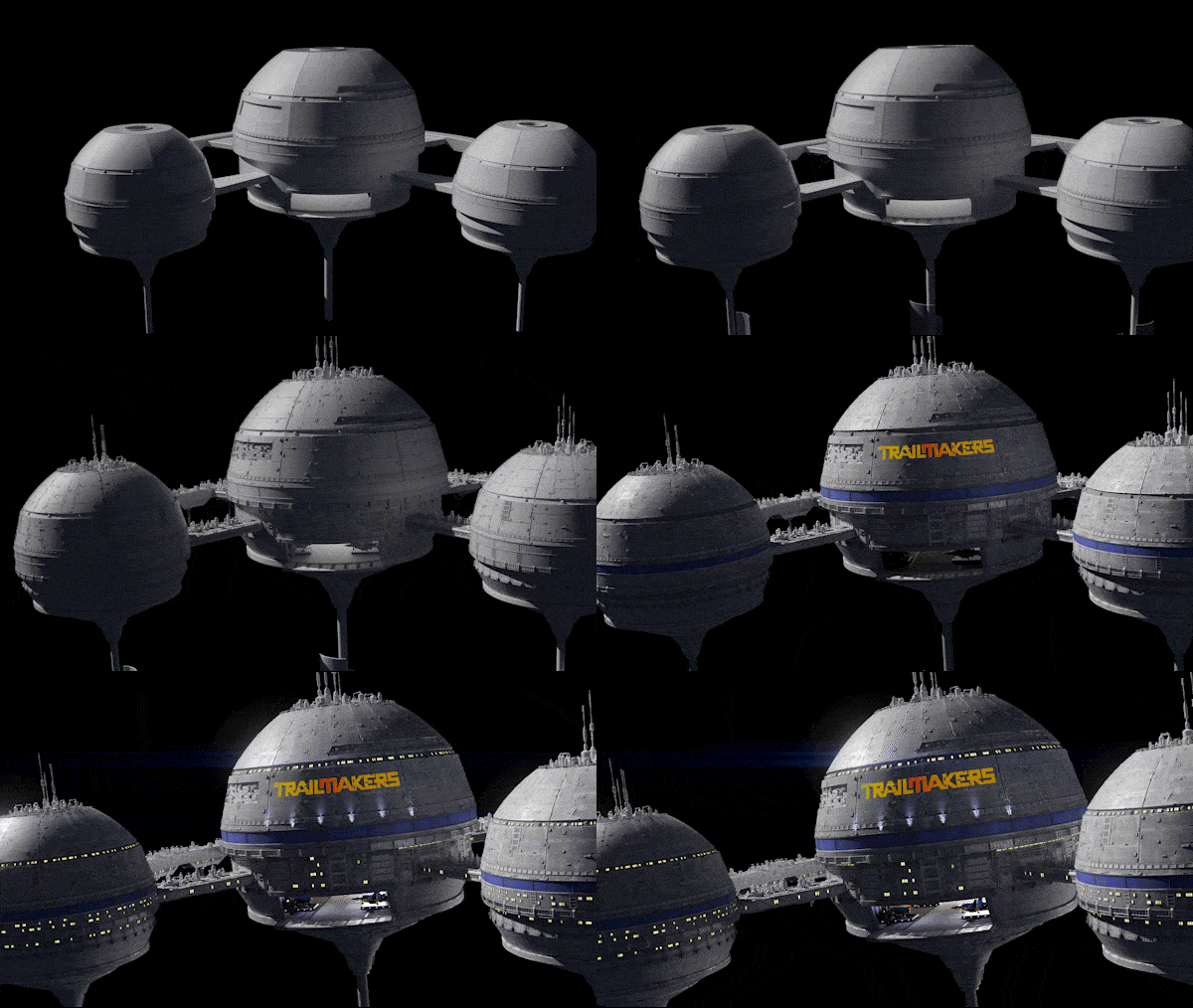
We have a custom set of Star Wars type greeblies that our space station modeller used for kitbashing the exterior surface. It’s no secret that Star Wars is the hallmark of movie spaceships, and inspired by the star destroyers in Rogue One, we even applied a bit of V-Ray sub surface scattering to the space station to mimic the look of small-scale polystyrene used for spaceship miniatures.
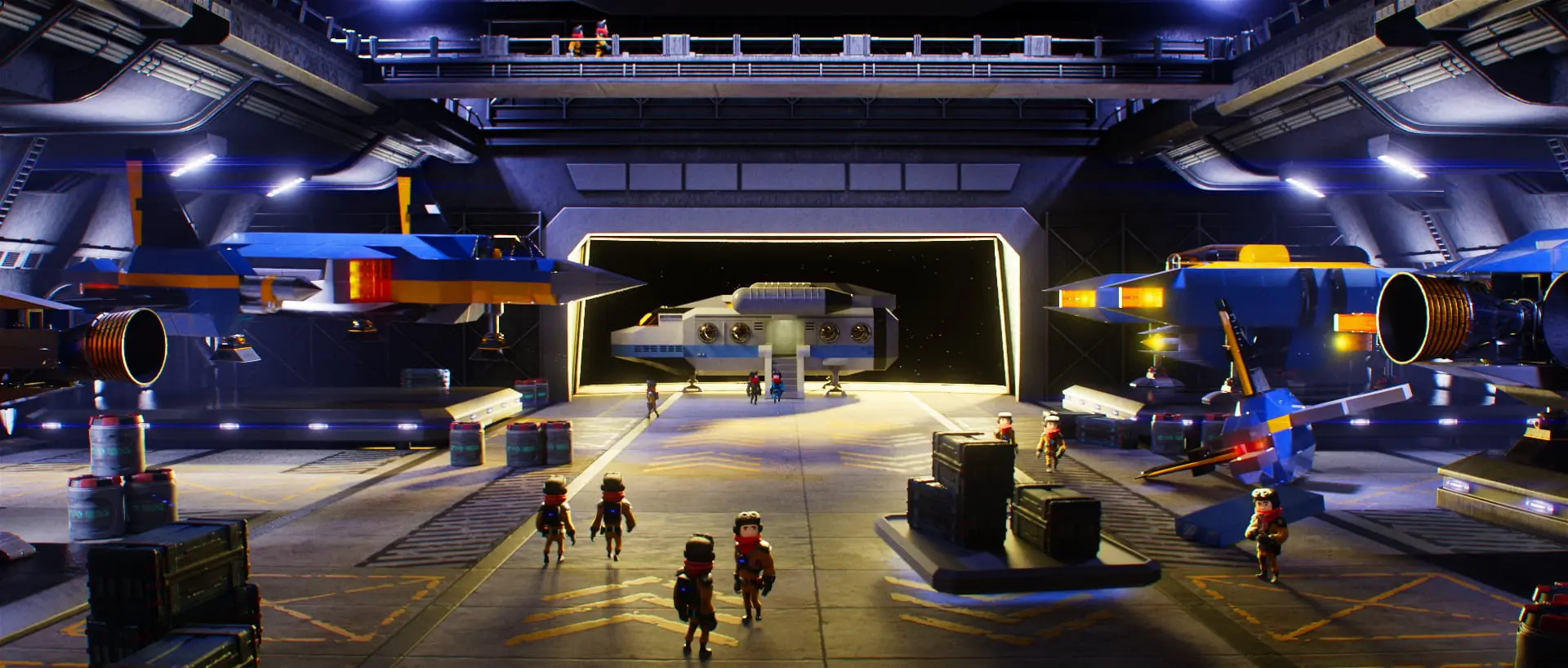
Flashbulb gave us some interior sci fi assets to get the hangar set up and running, but we added so many custom assets it’s almost entirely built from scratch.
DP: From storyboard to final previz—how did you iterate?
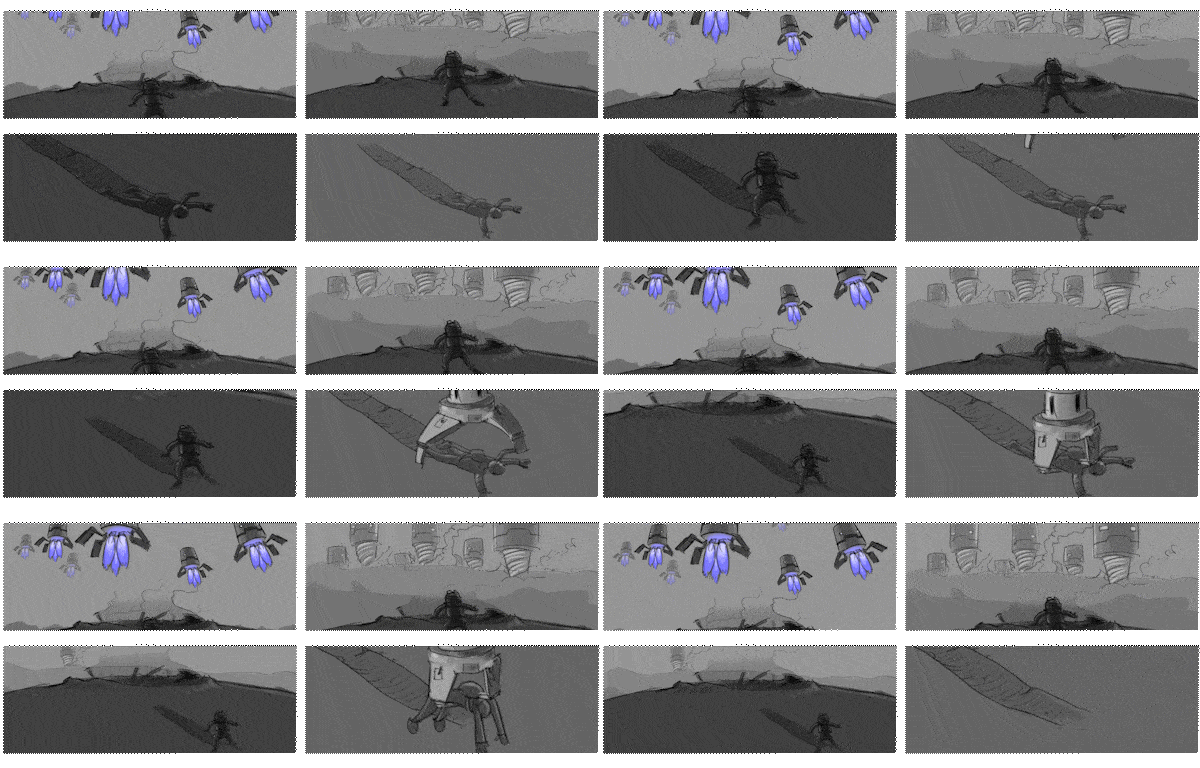
Jonas Ussing: We focused our storyboard drawings on clearly and simply representing camera angles, motion and story beats, as opposed to maybe more time consuming “pretty storyboards”. This way, we could shoot out dozens of panels per day, and every week upload several completely new versions of the story reel on Ftrack for client feedback, including new ideas or requests from the client, ironing out things that needed to work better, and sometimes omitting shots that were redundant or just getting in the way of storytelling.
Because cinematic decisions like blocking, camera angles and camera lenses are already taken into account in our storyboards, translating each panel to 3D is fairly straightforward, and creating a complete 3D blocking for approval is super fast.
DP: Moving from previz to rendering—what challenges did you face using both 3ds Max and Maya?
Stine Sørensen: Once approved, animation is cached as alembic and brought into a 3ds Max/V-ray render scene, where we can also load cached Tyflow or Chaos Phoenix simulations.
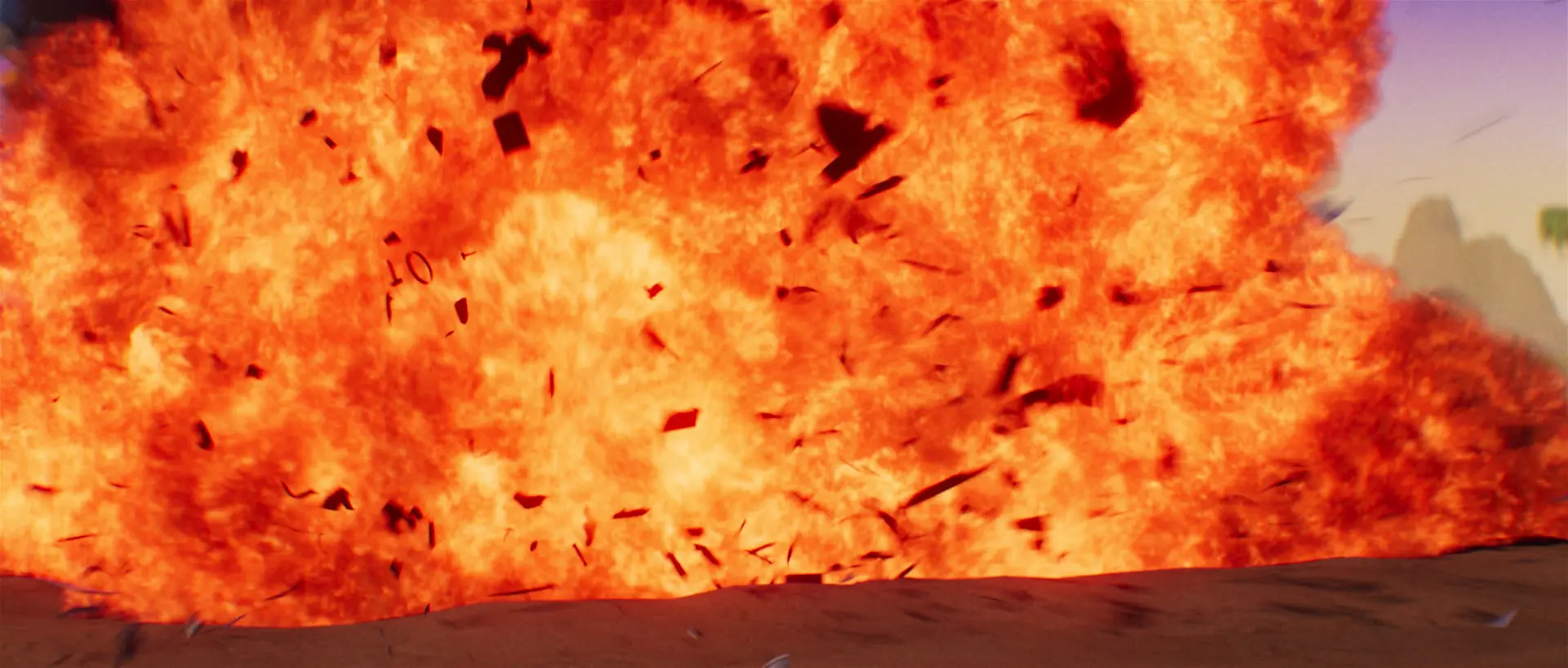
It’s essential for a small studio that per-shot handling is reduced to the absolute minimum, so we can’t afford rendering everything separately per shot, so having all animation caches render in the same pass as Tyflow environments, destruction and Phoenix fire elements is great for us.
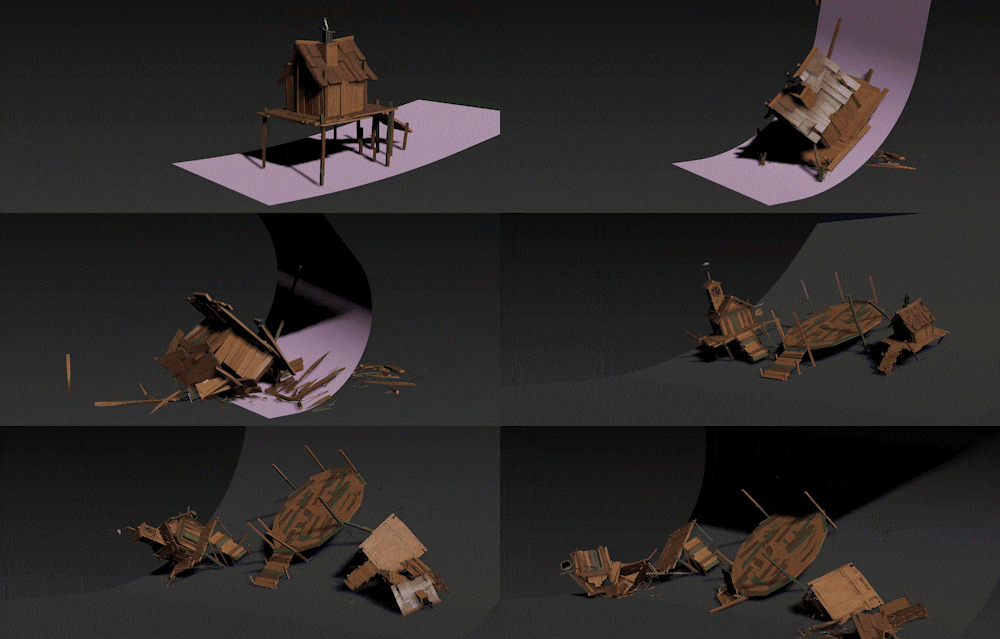
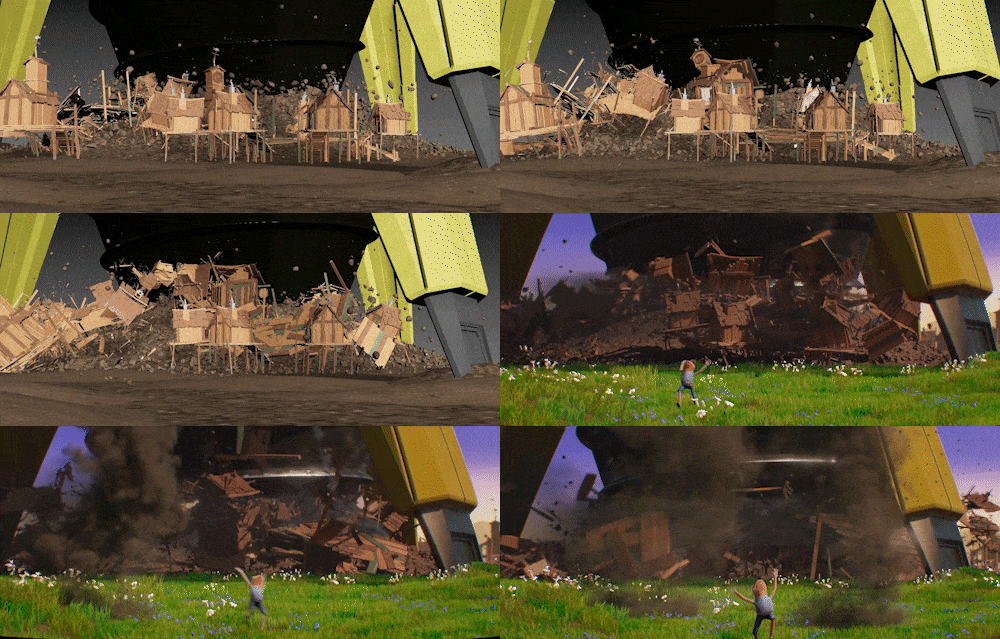
Jonas Ussing: We have followed Tyflow since before its official releases and it’s absolutely the go-to tool for all things related to destruction and complex particle work in 3ds Max, not to mention its frequent updates and new features, such as the landscape generator, which generates hi-res, textured landscapes with erosion simulation in mere minutes, and they run realtime in the viewport so they can be a part of the early playblasts instead of a low-poly placeholder.
DP: What was your experience rendering with Chaos Cloud, and how did you approach final image quality?
Jonas Ussing: Cloud rendering is essential for a small studio like ours to render high quality frames and deliver on time, particularly when the schedule is as tight as this and all rendering will be done in the last few weeks.
When you upload a shot to Chaos Cloud, the first thing that happens is essentially the same as when you render locally – every frame is converted to Chaos’ proprietary Vray Scene format, completely stripping the scene of any plugins or software specifics, reducing it to only what Vray needs to know to render the frame, and this stack of V-ray scenes is then uploaded to their render farm. This means there is a significant per-frame per-vertex cost in creating and uploading these scenes, which for a heavy shot might take much longer than actually rendering it!
The process is optimized by Chaos as much as possible, so for instance an asset of non-deforming geometry such as a spaceship only needs to have the geometry uploaded once per shot, not per frame, and then the subsequent per-frame transformations will be applied server-side. But a geometry-deforming animation, such as a cached character or a destruction simulation, is entirely uploaded per-vertex per-frame, which can be really time consuming. We therefore lean towards optimizing polygon count and work instead with the V-Ray materials to add the subtle details.
Chaos Cloud also identifies Phoenix cache files, so if you repeatedly submit a shot with the same 300gb Phoenix explosion, it will only be uploaded the first time, and subsequently be identified as already existing server side, saving you hours of upload time.
For the first upload of a shot, we initially select very low render settings, which produces a shot that, while too noisy for final delivery, is good enough for comments on look and lighting, and even some compositing.

Rather than use the typical AOV render passes for compositing (reflection, specular, lighting etc) we almost exclusively use Lightmix – which splits up every light source into its own element. This element then includes all light contributions from that light source, including GI, SSS, reflections, specular, etc.
Basically this means we treat the scene more like photography than an artificial computer rendering – we simply trust the approved assets to look as intended, and instead use the V-Ray Lightmix passes in Nuke to tweak each light source individually – a character might be rendered with a key light, a fill light and a rim light, and by adjusting these in compositing we can art direct or completely re-invent the shot in minutes.
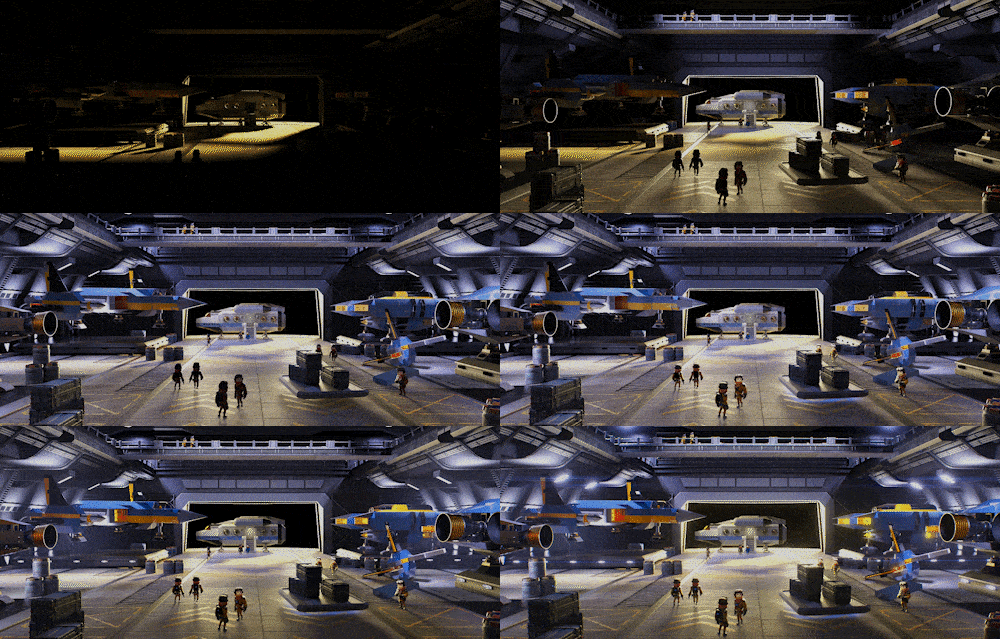
Light sources are named from a naming convention, and our Nuke template is set up to receive these, so the shot is immediately “done” in a default version upon opening the Nuke script for the first time, and things like lens distortion, chromatic aberration, light source glow and flares are all set up in a default version that usually needs no tweaking. If the shot calls for an animated light source like the flickering light from the tesla coil on the Trailmaker’s “maker gun”, we will render this as a constant light source, and animate its intensity in Nuke.
We use ACES colorspace for compositing – not so much because we need the colorspace to match across multiple inputs and outputs, as is really its main purpose, but simply because it produces a filmic color response with a celluloid-like “shoulder”. This means that flares, engine glow, lamps, sparks and highlights, all essential components of science fiction, immediately look like James Cameron filmed them on 35mm, with a nice soft rolloff, instead of us having to worry about softclipping or highlight tweaking.
We also render motion blur and depth of field directly in 3D, as opposed to using motion vectors and depth passes to do it in compositing, which means we don’t have to worry about the usual compositing artifacts with edges, transparent materials, reflections, shadows etc.
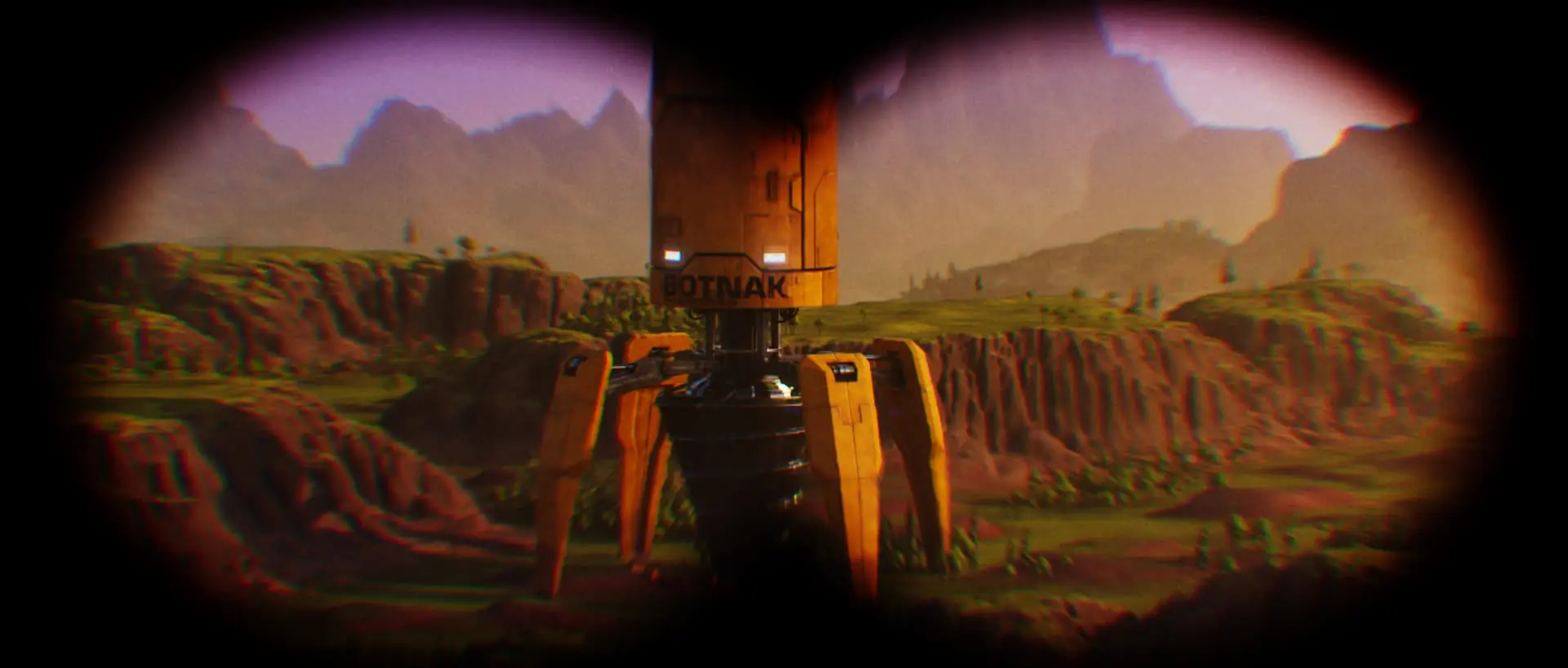
Once the look of a shot is approved, all we have to do to get the final hi-res version is to duplicate the job on Chaos Cloud and increase the render settings. The shot will then be finished in a few hours, in perfect high resolution and quality, ready to download and replace the old render in compositing, and inserted in the main timeline.
DP: What was your approach to character animation and rigging, given the mix of in-game and cinematic assets?
Stine Sørensen: When we received the Trailmaker character from Flashbulb it was only rigged with bones and no controls. As the gamer spends most of the time building vehicles or riding in said vehicles there are very few character animations needed in the game and therefore Flashbulb had opted to just code the run cycles and a few movements. We had one of our go-to freelancers rig the character from scratch. He has built his own rigging system for 3D Studio Max and we are very familiar with his rigs.
For this project we also needed facial animation so I drew different facial expressions to give our rigger an idea of what was needed. He created about 20 different morph targets that combined could give us the necessary expressions.
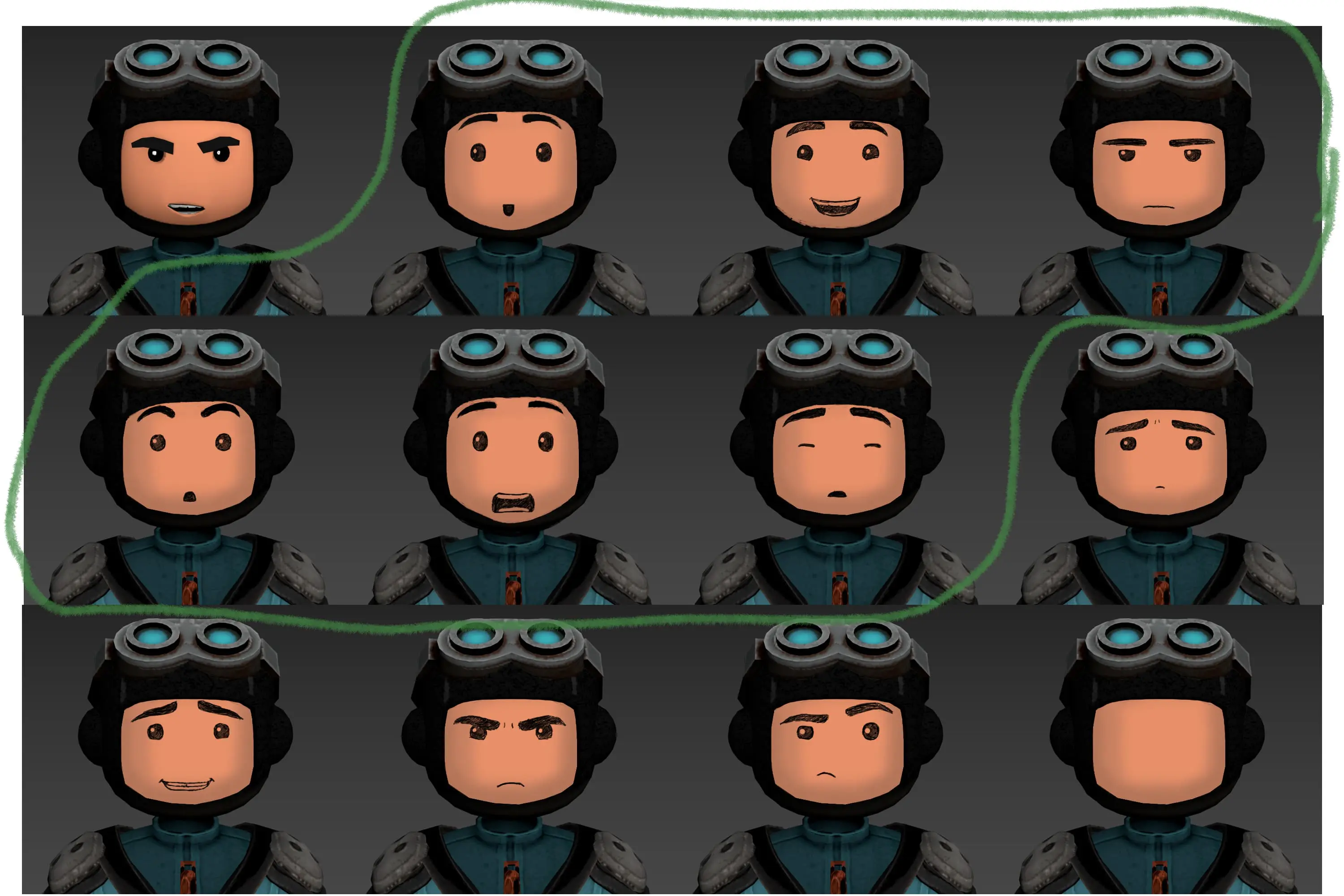
We only had one character rigged but we did some variations in textures and some morph targets to change the body size to make the background characters.
For animation we use SmartRef which is an external plug-in system for 3D Studio Max that makes it possible to reference objects into a scene similar to how Maya’s reference system works. If it were not for this plug-in it would be virtually impossible for us to have an animation pipeline with multiple shots and assets as 3ds Max’s own Xref system can’t be used for animating objects that have been referenced into the scene. Over all 3ds Max is not ideal for character animation as it is very hard to find any plug-ins for saving poses and animation and the curve editor hasn’t been updated for at least 15 years. But on this project we deemed it feasible because only half the shot contains character animation and the shots would be assembled in 3ds Max anyways for lighting in Vray and destruction with Tyflow. Thus we could cut out a whole part of the pipeline compared to if we had animated the shots in Maya and cached them out to transfer to Max.
DP: What’s your most memorable shot from this trailer?
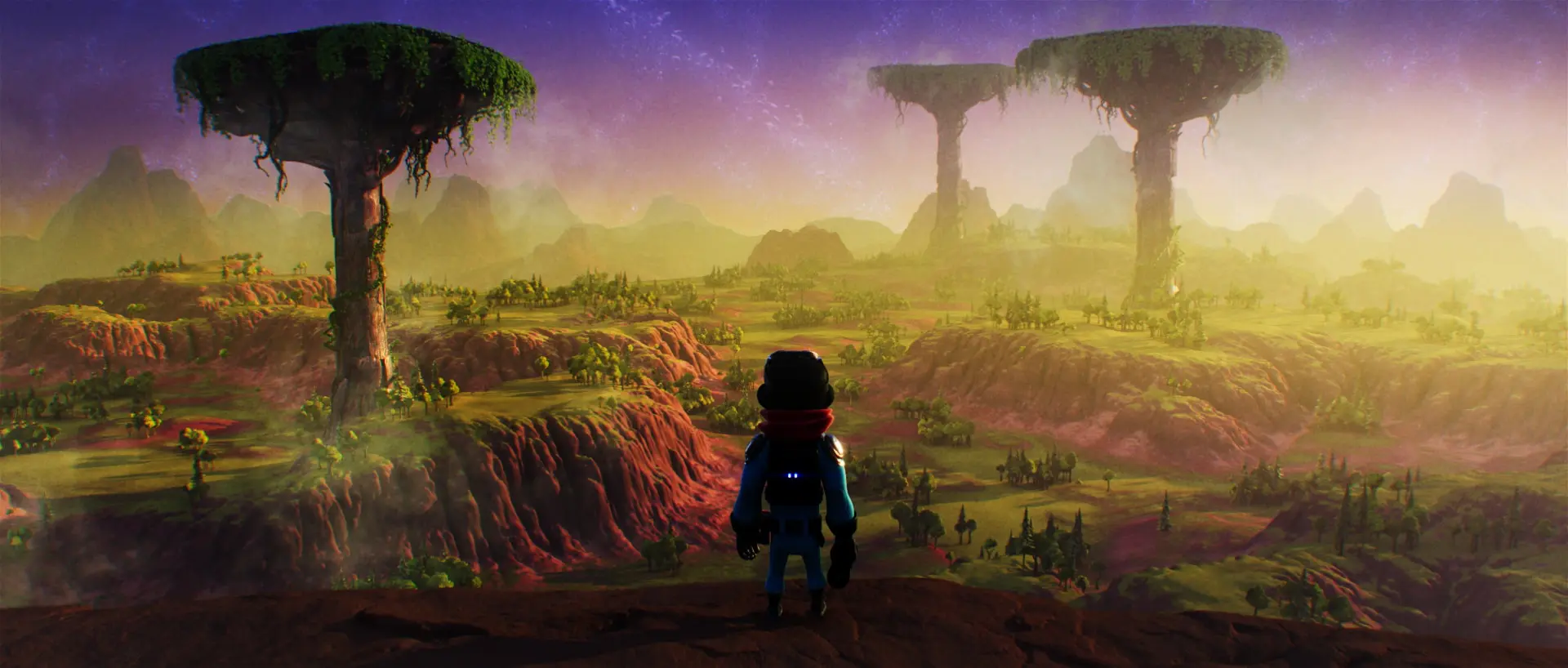
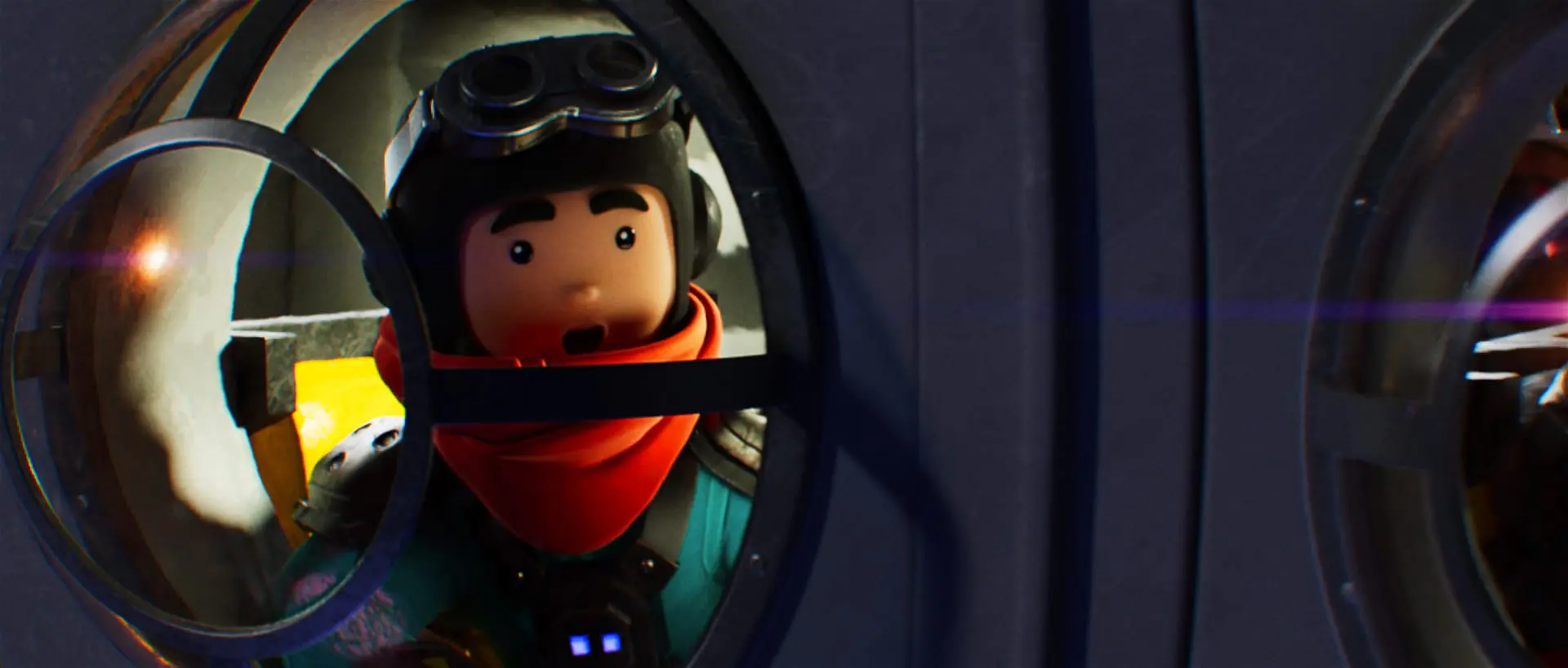
Stine: I’m a character animator through and through so any scene where I can convey a feeling or work with facial expressions is always the most fun for me. The character design from the game has just two black dots for eyes so that didn’t leave much to work with. But I do think that with the morph targets we did for the facial rigging we ended up with something quite decent. If I have to choose a shot it would probably be the very first shot of the Trailmaker where he is looking out of the window with awe at the Space Station.
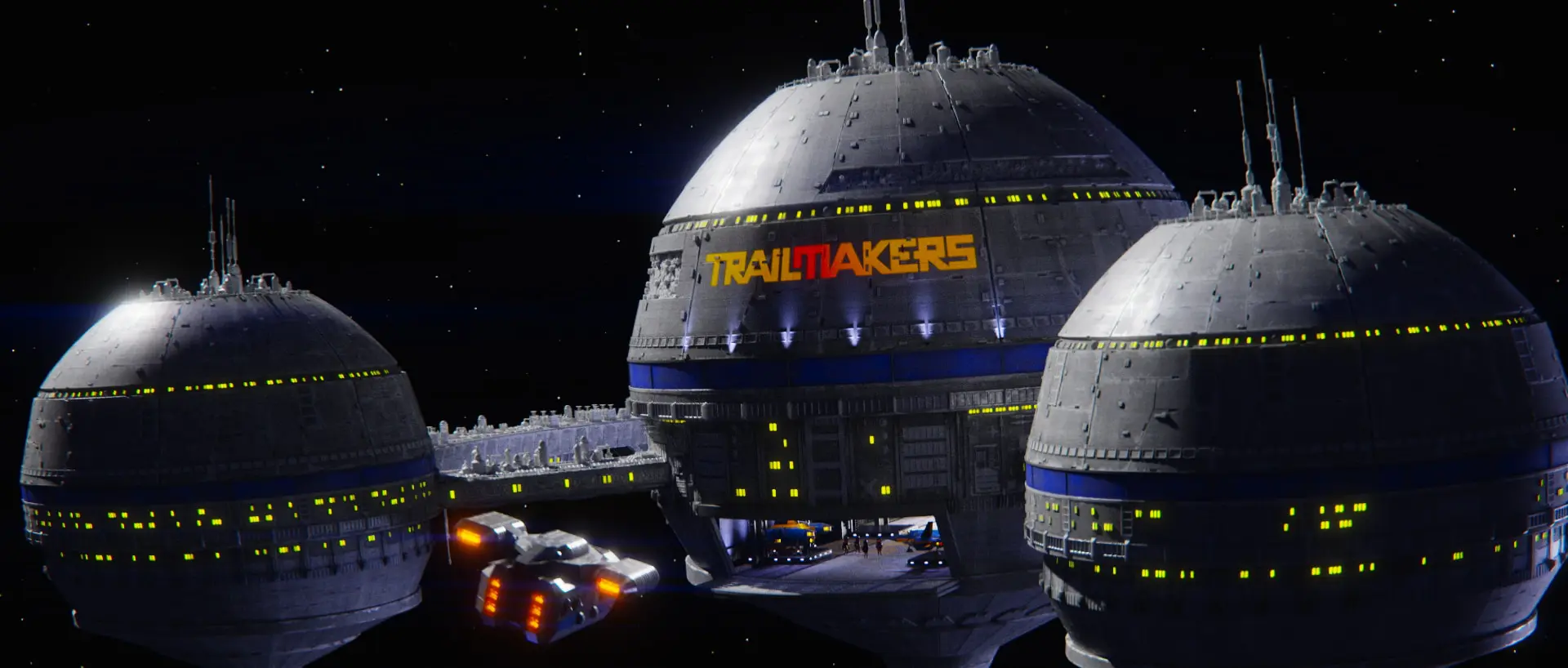
Jonas: There are so many little moments and details to choose from, but if I were to choose any one frame to print in poster resolution and hang on the wall, it would be the establishing shot of the Space Station. Star Wars is the very DNA of why I do what I do and I just love the look and feel of that greeblie filled massive space station with a detailed texture and space lighting.
DP: What was the biggest lesson learned from this project?
Stine Sørensen: Finding riggers and animators for 3ds Max is very difficult, and the animation tools in Max are hopelessly outdated and under-maintained, and since we bring in Alembic caches in the render scene anyway, our next project will likely be animated in Maya. We have done this on an earlier project, and the process was very smooth.
DP: What’s next for Space Office?
Stine Sørensen: We also do visual effects for live-action and television, but this is typically a handful of sequences on a film where we are very far removed from the storytelling process – and while this can be a lot of fun, creating entire game trailers from storyboarding to final frames is a whole new level, and this is absolutely what we’re looking to focus on.
