



Pomfort has released Silverstack XT v9.0, a significant update focused on real‑world workflow automation for DITs and data managers. Built on version 9’s unified workflow concept, XT now enables chaining of offload, backup, verification, upload, and reporting tasks into a single custom pipeline. This consolidates previously separate wizards into one UI, simplifying launch and enabling repeatable presets.
Jobs View: Real‑Time Task Tracking
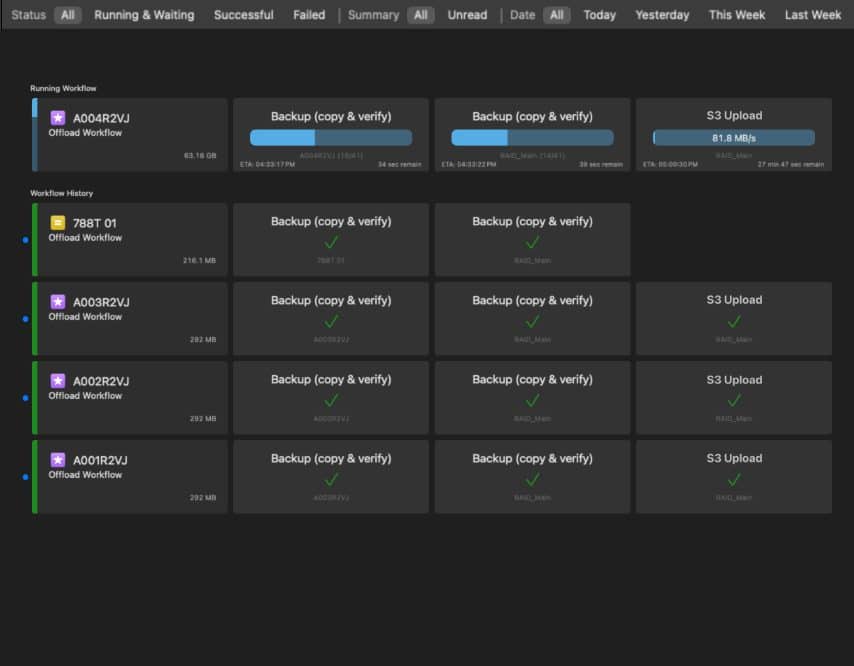
XT’s new Jobs View offers live visibility into workflows, jobs, and individual clip‑level tasks. Historically, tracking offload and backup progress across cards required manual oversight. Now, Silverstack XT shows execution order, progress, warnings, and history in a single pane.
Parallel, Interleaved Processing
For faster execution, the software processes jobs in parallel—offloading, backing up, uploading, and reporting at once. Silverstack automatically manages dependencies and optimises the order of execution across clips. This interleaved processing applies at clip level, allowing cascading operations before full offload completion.
Drive Management and Media Naming
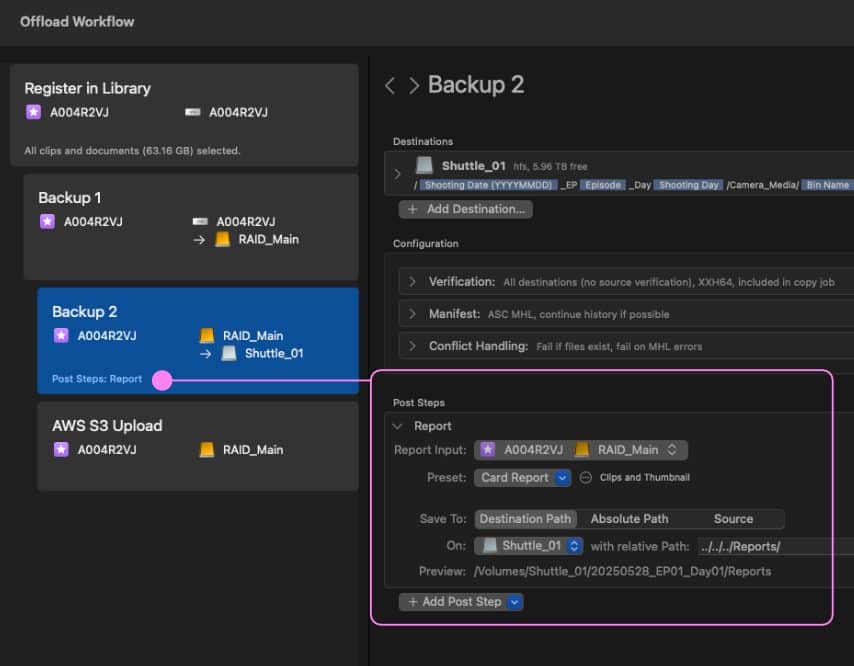
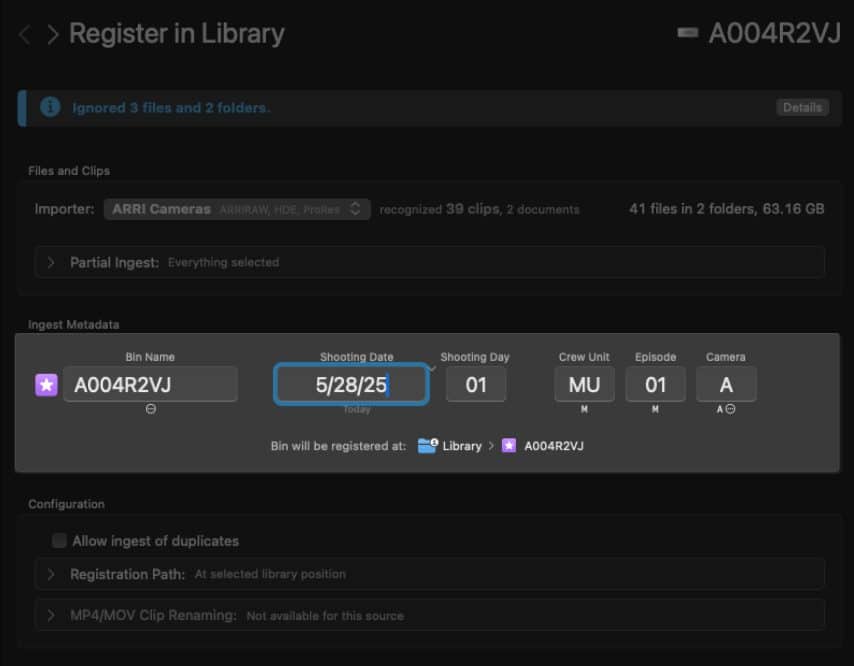
Users gain enhanced drive controls: define parallel task limits per drive, activate shuttle drive rotation (swap destination drives mid‑workflow), and remedy generic “Untitled” card names for simultaneous card processing. Metadata for shooting date, camera, episode, and crew unit can be pre-defined and used in path structures.

Undo, Stream Deck, Playback Enhancements
Version 9 adds library and grading edit undo capabilities. XT now integrates with Elgato Stream Deck, letting users configure and trigger actions via hardware keys. Playback features include up to 12‑clip Grid View and Wipe View comparisons—XT exclusives.
Format and Lab‑Only Features
XT v9 mirrors Lab’s updates, including false‑color modes with EL Zone exposure and new transcoding presets for full‑resolution dailies, bypassing anamorphic desqueeze and crop. Lab retains exclusive color‑tagging options based on primaries, transfer curves, and metric coefficients.
Stability, Integrations, and Ecosystem
Under‑the‑hood improvements include bug fixes, performance gains, and UI refinements. XT also supports Apple Silicon natively and maintains tight integration with editing tools and Pomfort’s ShotHub service for cloud‑based metadata sync.
System Compatibility and Caution
Silverstack XT v9.0 requires macOS 14 or newer. Pomfort explicitly warns against switching software versions in the middle of an active production due to the fundamental UX and architecture changes. A license cost around 800 € per Year.
Moire info? Go here: Meet the next evolution of Silverstack Lab and XT
