



Table of Contents Show
Very soon after making that big arctic wave with DaVinci Resolve (DR for short) version 20.2 supporting ProRes RAW, Blackmagic (BM for short) has fixed some of the most annoying bugs with 20.2.1. Now we can truly explore ProRes RAW from an iPhone 17 and other sources. Clips from an iPhone 17 were kindly supplied by Kurt Friis Hansen from Denmark, who shot some tests with all three lenses, carefully framed and exposed. These are night shots, so we have very high contrast and low-light. We are of course very curious when it comes to noise from that small sensor, and the influence of compression and pre-filtering (if any). So his footage should be perfect to check these – but there was one hurdle.
System requirements for MacOS
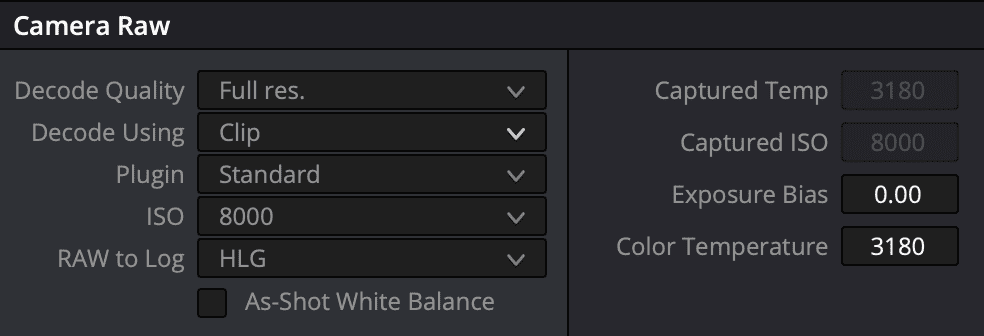
While DR is still running fine under MacOS Sonoma 14.8, you’ll not get access to all the advanced adjustments you may expect from a true RAW format. There’s simply no choice under the entry “Plugin” other than “Standard”, so you can only adjust exposure and white balance. After all, in many cases that may already be enough, if you don’t decide to stick to the camera metadata anyway. The decoding from RAW should be set to HLG, as this is the iPhone’s color space, at least it’s not labeled „none“ anymore. But you’ll have the option of decoding into Apple Log or Log 2 (yes, a new, flatter version).
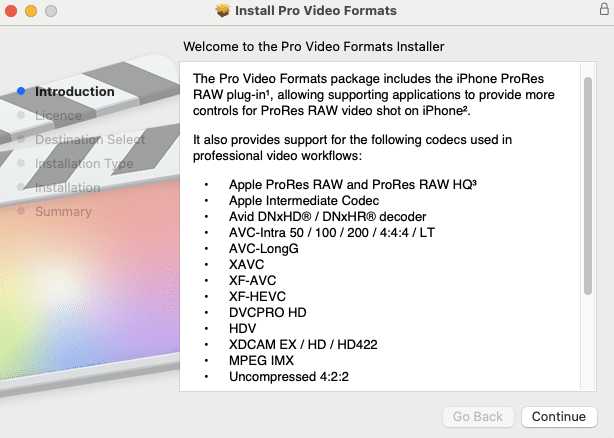
But where is the rest? Well, it was obviously up to Apple to care for that, since it all showed up on a machine with MacOS Sequoia 15.7 installed. Even the current versions of Apple’s Compressor (4.11) and Final Cut Pro (11.2) need Sequoia to receive the updates. Final Cut Pro, or FCP in short, BTW has lost the “X”, just like the new MacOS naming. On a system with those already present and with DR updated to 20.2.1 we had access to all the parameters you’d expect from a serious RAW format. Now, this system had already receiced Apple’s recent Pro Video Formats update and was showing all new features right away. After receiving information from others, who were not as lucky, we needed to dig deeper.
Problems upgrading projects
To check things, we made a virgin installation of Sequoia 15.7, adding only Apple’s video codecs and DR. When trying to copy and open one of our existing projects, we were back to square one: no RAW parameters. We carefully went through many iterations of installing fresh systems, and combinations of DR installed first or after Apple’s codec pack. What worked in the end was starting a fresh project in DR, importing PRR clips and voilá – all parameters availble! We got confirmation that it should work from Sequoia 15.6.1 upwards. But an existing project doesn’t show these when simply adding PRR clips, you need an empty project and import some PRR footage first. After that, you can also import timelines from other projects. Having test clips shot open gate, we configured our project for DCI 4K at 25 fps and scaled full with crop
True RAW, finally
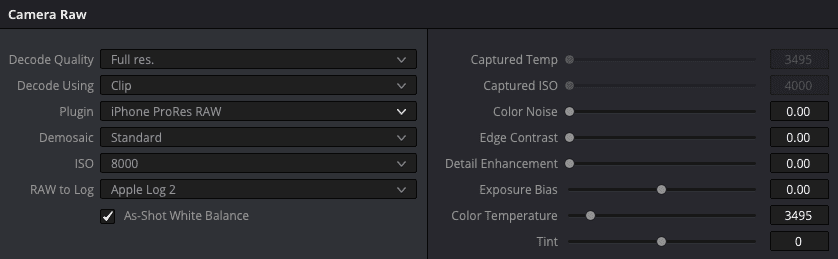
Now it’s all there, even if there’s a minor cosmetic error: as long as Demosaic is set to Standard you can’t really use the three sliders on top of the right side. They should be greyed out, since they only become workable after switching Demosaic to Custom, and they only work on clips from an iPhone 17. What’s more annoying: you still can’t define RAW presets for PRR under Camera RAW in the project settings, so you’ll need to change them one by one. At least, they get copied by using gallery stills. We found all information about those three sliders in the help files for FCP, but not yet in DR.
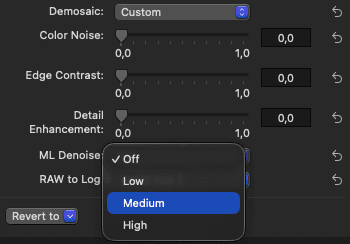
Color Noise will not increase it, but reduce – of course. The other two are doing pretty much what the name implies: enhance only edges, and/or apply sharpening. As usual, use with discretion, and they can also slow down playback in high resolutions. On our very noisy test shots at night they are pretty useless, color noise didn’t do much and the other two look ugly, as you’d expect. There is another option in Compressor, which Apple seems to keep for themselves: ML Denoise (yes, machine learning) at three levels. It’s not even in FCP 11.2, but Compressor is not expensive, and we’ll do further testing.
The hardware
There’s not really much in the metadata, just the camera, its manufacturer, plus location and date of the shot. You don’t even see which lens was used in the metadata in DR or the shutter angle, even if the latter exists in the file. A bit depth of 16 for video seems slightly exaggerated, even Nikon is just claiming 12 bit for all three of the codecs offered in their new ZR.
Audio in the iPhone is limited to 16 bit and ProRes RAW internally to the standard version, HQ needs external recording. Some claim that you can trick it into using that, by setting up with an external SSD and then removing it. But do you really want such massive data inside the phone? Even if our noisy night shots may be at the upper limit, while ProRes RAW is quite variable, see here.
The data rate for video in our test samples in ProRes RAW open gate (4224 by 3024) is quite high at around 1200 mbps, recording at 25 fps. The best news here: this is constant frame rate! True, there is a beta version of Mavis Camera with CFR, even on older iPhones. But only for the iPhone 17 it’s officially announced. And before you start bothering BM: no, that will not come to older iPhones, you need extra hardware in the phone for this. We got that ‘straight from the horse’s mouth’, as they say. Now, that hardware also allows BM to add their Camera ProDock, which offers the connections needed for professional work, like timecode and genlock. Only SDI output is missing, you’ll need to use HDMI. But for a price of 325,- US$ that’s still impressive.
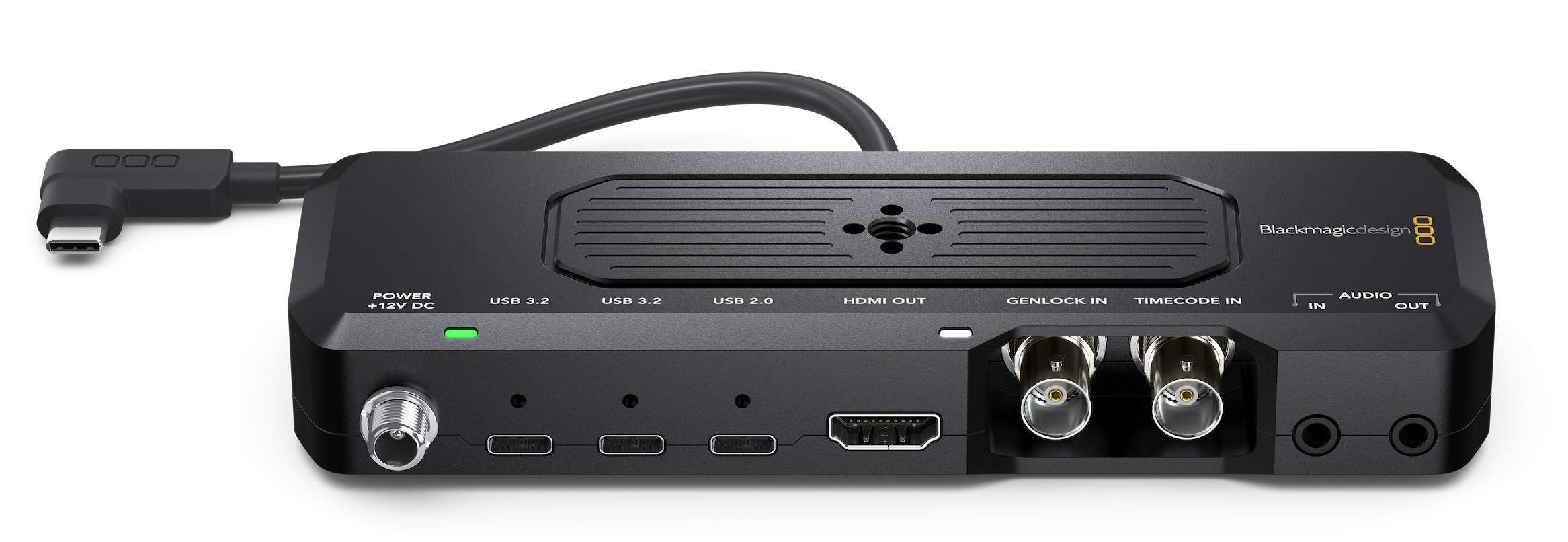
Image quality

Right from the start, the samples taken don’t look all the same quality wise, even if taken under identical conditions and all set to ISO 5000 in the RAW tab. According to Apple, all the sensors now have 48 megasensels. Yes, I refuse to call them pixels, since this is RAW and pixels only exist after debayering (aka demosaicing) anyway. While the new wide and tele shots have far better resolution than the 12 ‘mpx’ ones in older models, at closer inspection they are slightly worse than from the 24mm f equivalent still called the main camera for good reason.
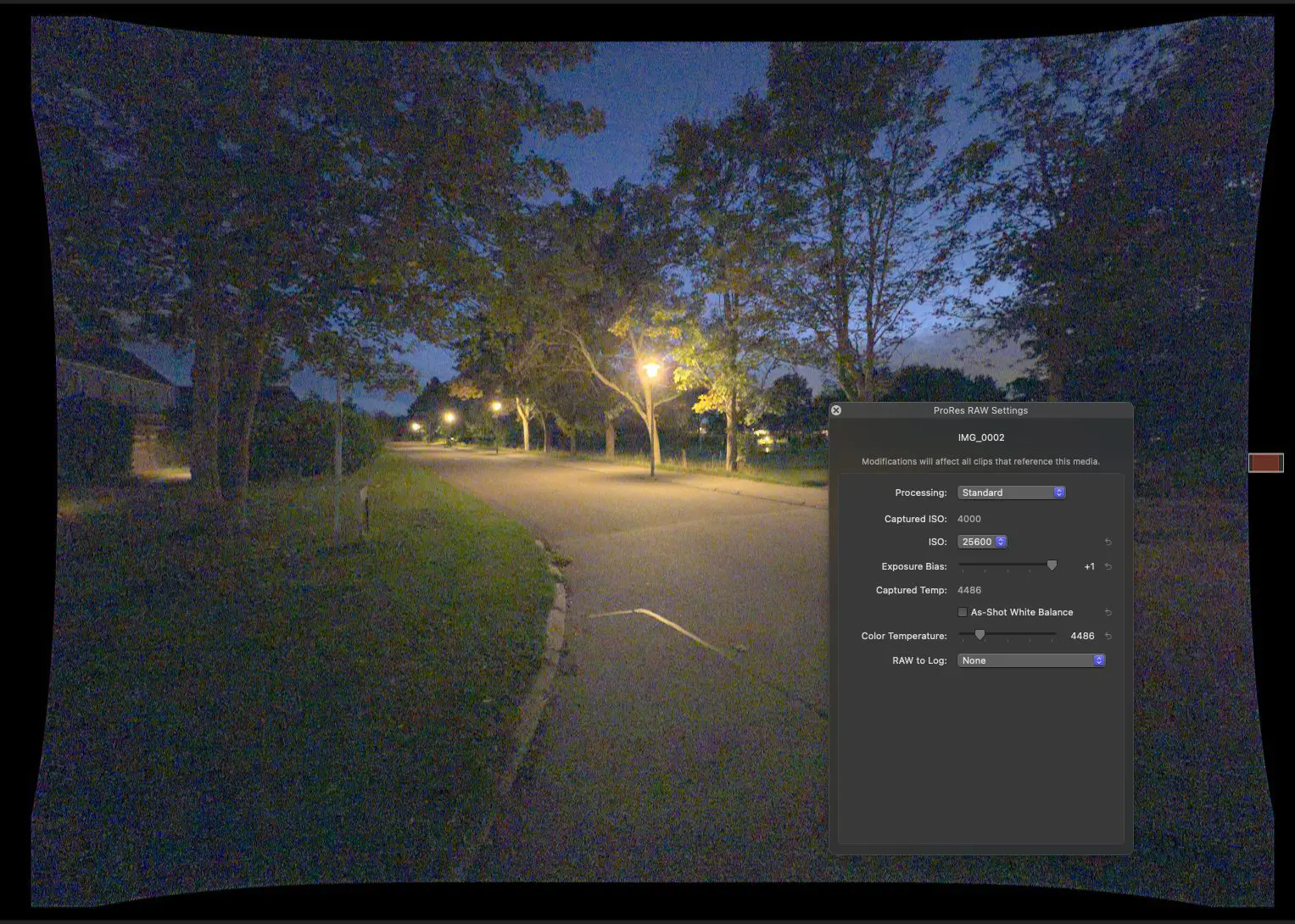
The wide, a 13mm equivalent, has about 120 degrees of view and one would expect serious distortion from such a tiny ultrawide. It’s actually there, but automatically corrected when Processing is set to “iPhone ProRes RAW”. The correction and the resulting cropping nevertheless result in some loss of resolution, since it can’t use all the sensels at open gate. At f 2.2 it’s a bit slower too, but that does not result in much more noise. If raised from log to good contrast in post, it also vignettes.
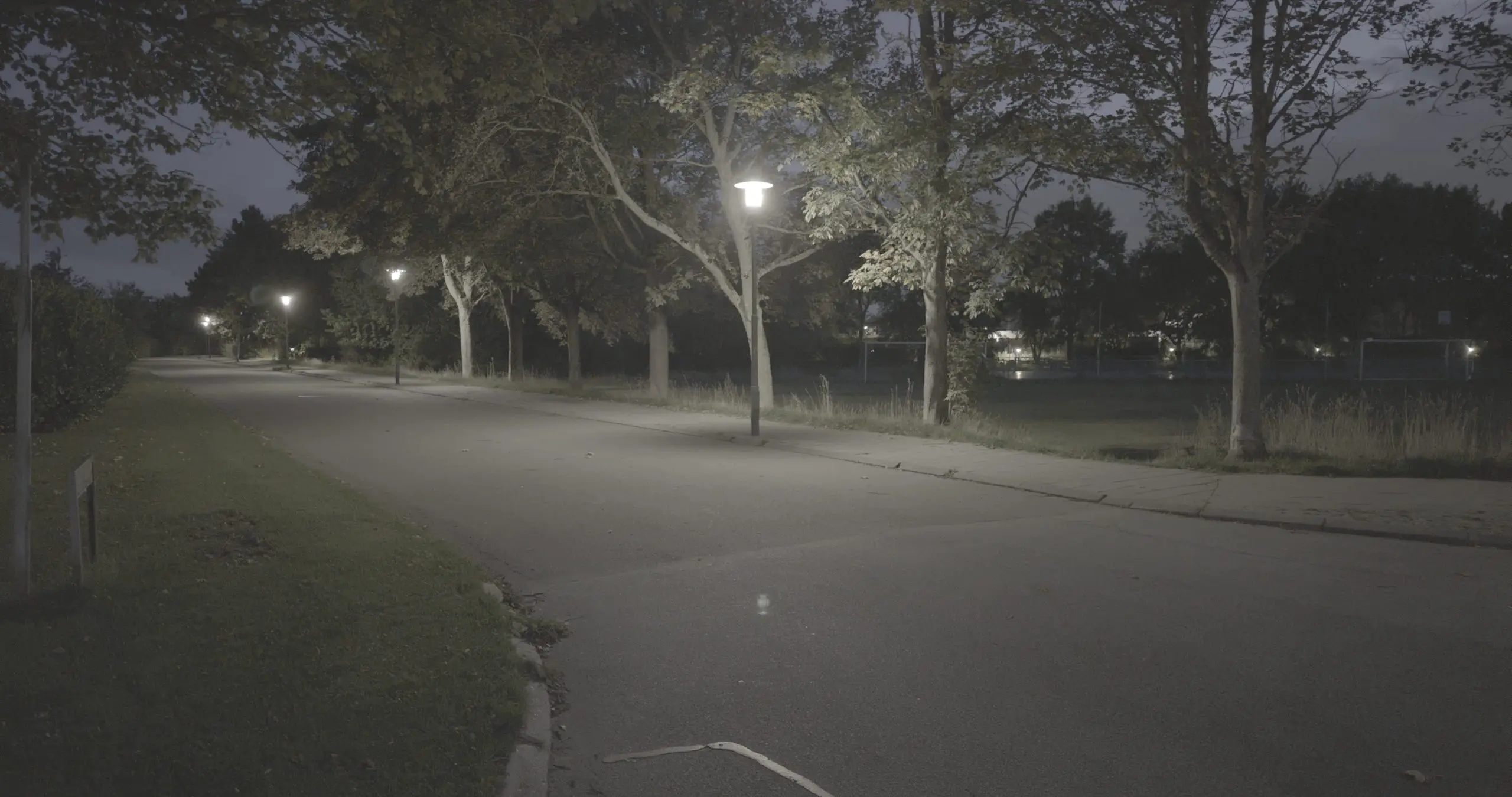
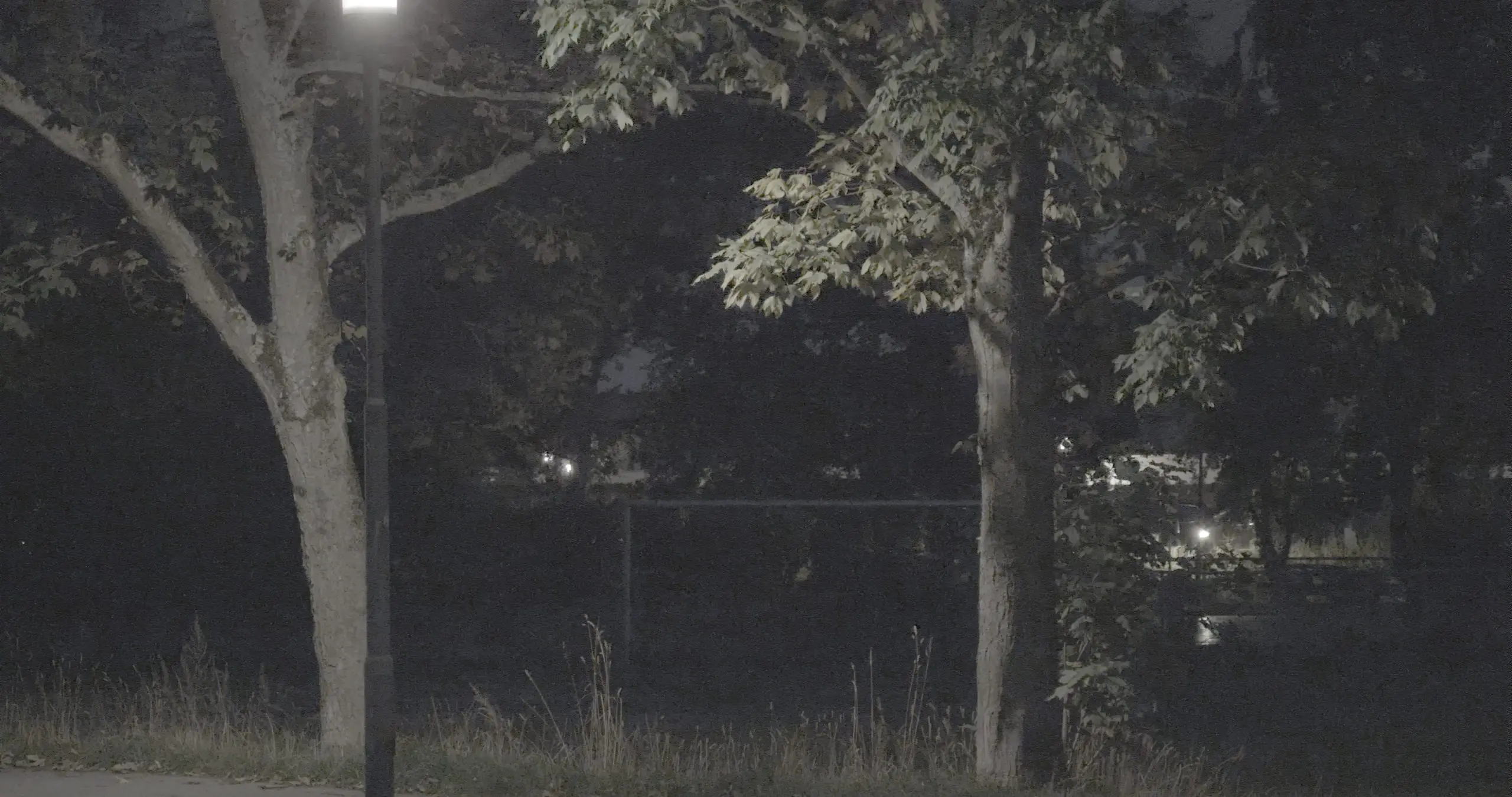
Photographers, like Lux Camera, are pretty impressed with the tele, a 100mm equivalent. They even enjoy it when zoomed in further by what Apple calls “optical” zoom quality, while that is not of much interest when filming. Since the stabilization in the iPhone is not working when shooting PRR, a 200mm equivalent would need a tripod made of concrete. Even at its true resolution, the tele is softer than the main lens. Our clip at dark night is also clearly showing the fact that this lens is more than one stop slower at f 2.8.
Conclusion
We don’t expect anybody to replace an Arri Alexa with an iPhone for a major production. But for the first time a smartphone can be teamed-up in a professional environment with reliable synchronisation and serious grading options. No more fiddling with asynchronous sound, no more guesswork where a shot belongs in time or fighting compression artefacts. You can get into really small spaces, hand that phone to actors, or hang it on a pretty small drone. Heck, for that price you can even risk to crash it, if needed to get that perfect shot.
And other cameras, like the BMPCC or the Nikon ZR? We are seeing a shift of paradigm here, away from clunky external solutions, to recording compressed RAW in cameras. Red’s monopoly seems to be gone, and it’s good to have choices! Of course, we’ll have a closer look at BRAW vs. PRR and also at denoising those extreme night shots above.

1 comment
Comments are closed.