



On the one hand, this is due to the growing functional scope of the host programmes, which already offer increasingly powerful functions with or without AI support. On the other hand, a wave of stock footage and template platforms such as envato/Video Hive, which offer unlimited downloads for as little as 15€ per month, has overrun us in an almost inflationary fashion. So why design effects yourself when one click is enough to move almost anything imaginable to your local computer?
However, some manufacturers are still bucking this trend, including the aescripts plugins portal. Aescripts is not so much a manufacturer as a platform where interested users can obtain effects from various companies, usually at very reasonable prices. The company Real Creations from Greece, for example, offers self-made scripts for creating geometric shapes, HUDs and dashboards, among other things. The so-called RealFX Bundle comprises six effects, which can be purchased individually for USD 30 to USD 40 or as a complete package for USD 140. We will take a closer look at the contents of this package in two parts.

circuitFX: PCBs at the touch of a button

It may sound a little surprising, but the circuitFX plug-in creates virtual PCBs. These are not physically or electrotechnically correct construction plans, but rather randomly created designs, either with or without components. The user first creates a composition, selects the size of the desired circuit board, the number of connections, optionally clicks on the insertion of any number of chips, capacitors and resistors, and the circuit board is ready.
Basically, the script only generates shapes and lines that can be found as one element in the comp. Using the effect control, the user can customise the individual elements of the design to their own taste: From the size of the components and the width of the connections to the colouring and size of the end points. If you don’t like the original design, simply click on “Create Circuit” again and a new proposal will be created. As these are, as mentioned, separate layers, you can easily switch back and forth between new designs until you have found the design you want.
To create logos or other visual content, cut-outs and masks are also available, the contents of which can be filled with other elements. Each individual object on the circuit board can be animated via the effect control using keyframes and even distorted with additional filters to simulate interesting illusions such as flowing electricity or the temporal structure of a circuit board.
Conclusion
As with most plug-ins, it is a bit of a mystery as to which applications circuitFX can actually be used for. Until the moment when the script becomes really useful. For USD 30, the plug-in is not too expensive and very easy to use. If the worst comes to the worst, it saves the user the considerable effort of having to build circuit boards using their own moulds.
Real Creations – circuitFX
circuitFX 1.9: 30 Us-Dollars
Host application: After Effects CC
Further information: https://aescripts.com/after-effects/design-tools/circuitfx
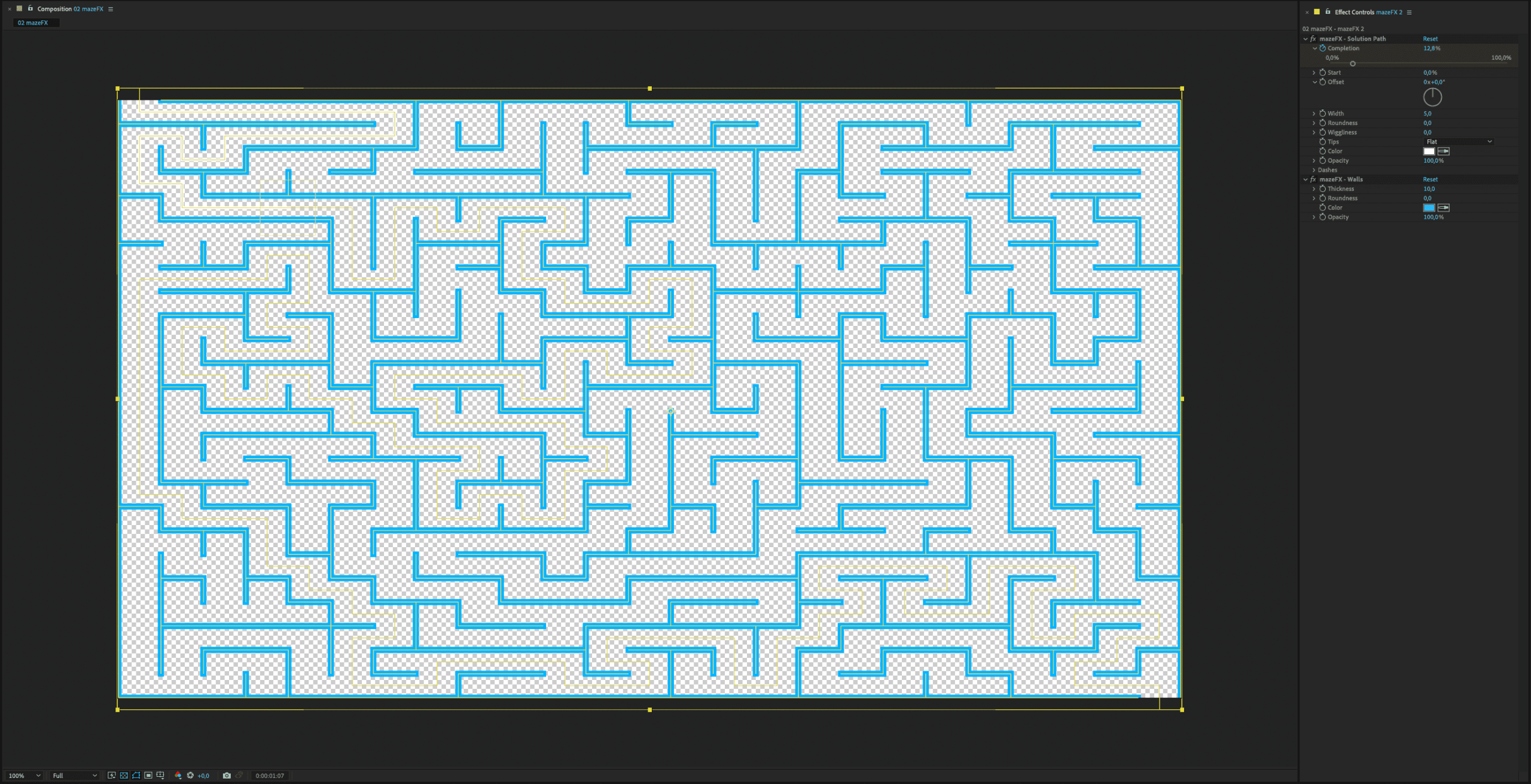
mazeFX: mazes with one click
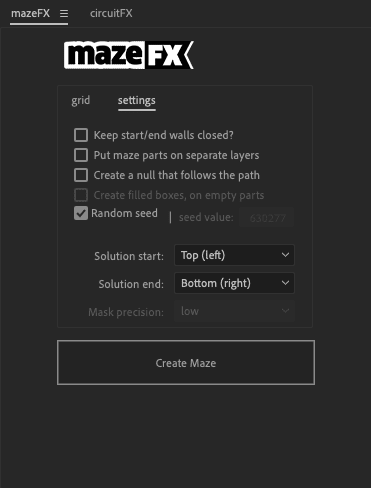
MazeFX works in a very similar way to circuitFX, although it does not generate circuit boards but mazes: You create a comp, select the size of the maze and optionally a null object which follows the path through the maze, and click on “Create Maze”. The script then creates a new shape layer in the sequence, which contains both the walls and a “solution” that you can display and animate to your own taste. The width and roundness of the walls, colours and other options can be defined via the effect settings.
If an optional null object is selected, it can be animated over time using keyframes and any objects can follow the null object through the maze. The maze is also a shape layer, which appears as an independent element in the composition. Clicking on “Create Maze” again and again generates new mazes from which you can select a favourite for further processing.
Conclusion
Once again, the question arises: Have I ever needed a maze in the last few decades? If the answer to this question is “yes”, mazeFX is a cost-effective, recommendable and extremely easy-to-use solution at USD 30.
Real Creations – mazeFX
mazeFX 1.4: 30 US-Dollars
Host application: After Effects CC
Further information: https://aescripts.com/mazefx

quadrateFX: Random rectangles

If you need a more or less random number of rectangles instead of (or in addition to) circuit boards and labyrinths, quadrateFX is the tool of your choice. Similar to mazeFX and circuitFX, quadrateFX consists of a separate window in which you define the basic settings, such as the number of rectangles required, the randomness of the shapes and the distribution of horizontal and vertical elements. Optionally, you can also generate a separate layer for each rectangle, as well as numbers and texts within the rectangles (as separate text elements, as it were). Finally, simply click on “Generate random Quads” and the desired number of rectangles will appear. If you don’t like the first layout, simply press the button again, and again, and again, until the desired effect appears.
The elements generated by quadrateFX are again independent layers in the timeline: The user can choose whether all rectangles are assigned to a layer, or whether each rectangle should be an independent comp element (which definitely gets a bit confusing if you still have text layers added). The great advantage of combining into one layer is the optional settings: Here you can define the distances between the rectangles and the colour of the lines as well as their width and opacity.
A feature that has only been added since the new version 1.5 is the option to use external sources for the colouring of the rectangles. If you select an element from the composition in the “sampled quads” area, quadrateFX analyses the image and creates the rectangles according to the values defined by the user: The more colour differences there are in the image, the more rectangles are generated at this point. Any existing sky is therefore depicted with larger areas, whereas the actual motif appears smaller. The effect of using samples is therefore particularly suitable for transition or reveal effects, for example.
Conclusion
quadrateFX is a simple script that is very quick to learn and only costs USD 30 for the individual version. Anyone who often has to deal with the display of values or is looking for interesting image effects will find quadrateFX a helpful tool. The only disadvantage: Unfortunately, it is not possible to generate rectangles based on figures, for example external tables. If you want to visualise concrete values, quadrateFX also requires a lot of manual work and calculation.
Real Creations – quadrateFX
quadrateFX 1.5: 30 US-Dollars
Host application: After Effects CC
Further information: https://aescripts.com/quadratefx
