



For those who don’t know the tool: D5 Works is a new marketplace from Dimension 5 built to feed D5 Render through D5 Launcher, with creators also uploading from DCCs like SketchUp and 3ds Max.

Inventory: the numbers D5 leads with
On its storefront UI, D5 Works currently advertises “3D Models 42K” and “Materials 2.2K”. Those are live catalogue counters, not a published audit, but they are the platform’s headline spec. And for a start, just under 45,000 assets, including environments, interiors, furniture, plants, humans, animals, and vehicles is not bad – especially if you can actually find them (He said while looking sad at his own unsorted heaping drive of ious footage and assets).

Zero commission, not zero deductions
D5’s documentation includes a “0% Commission” page stating it does not take commission on sales and aims to return value to creators via the platform design. The more mechanical wording in the creator rules states that proceeds are the full net sales amount, calculated as what the user actually paid after discounts, coupons, or membership pricing adjustments, and are subject to deductions for bank transaction fees and other applicable charges. So the platform claims no cut, but the payout base can be reduced by pricing mechanics and payment rail fees.
Those same rules set a $100 minimum before withdrawals can be processed and describe enforcement actions, including deductions or restricted withdrawal eligibility, for listed violations like model theft, unauthorised re-creation, multiple accounts per user, or bots. Dimension 5 says 0% commission will remain “at least in the foreseeable future”. That is a forward-looking statement, not a contractual guarantee in the sources supplied here.
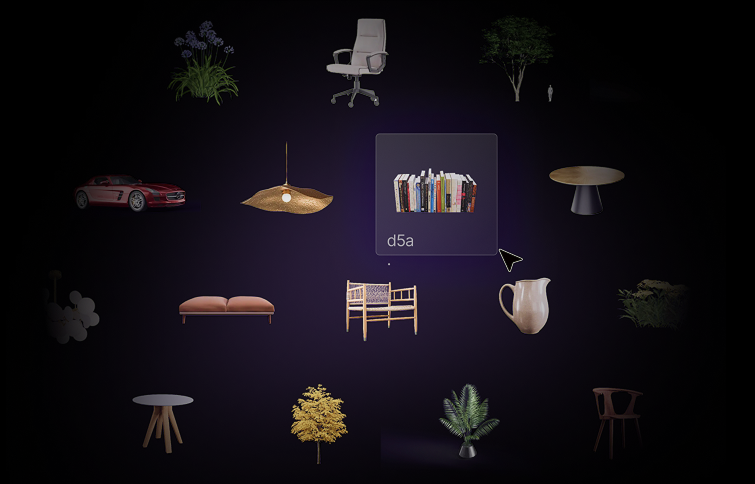
Formats: D5A models, D5M materials, Windows-first hooks
D5 Works documentation defines D5-native delivery as .d5a for models and .d5m for materials, described as the official formats supported by D5 Render and D5 Lite. Creator-side conversion is described as: import a model into D5 Render, then use “Add to Local” in the Inspector to convert it into .d5a, saved under ‘D5 WorkSpace\model’. It is a very literal pipeline: your asset becomes D5-shaped and lands in a predictable folder.

Buyer-side behaviour splits between creator uploads and “D5 official assets”. The docs say creator-uploaded D5-format assets can be downloaded in a browser and imported into D5, while official assets expose a “Use in D5” route and appear in the D5 Material Library.
The “From Works To D5” doc states the full integration is intended for Windows and D5 Render versions greater than 2.11, and describes “Use in D5” deep-linking that can start a material download if it is not already local. Dimension 5’s own blog post claims drag-and-drop into SketchUp or D5 Render and automatic background conversion via D5 Launcher. It describes the intended behaviour but does not publish interchange guarantees for units, material translation, or conversion fidelity. Not independently verified at press time.

Licensing and availability: archive like an adult
D5 Works’ licence summary describes two options: Personal License for non-commercial use, and Project License for commercial work and client deliverables, with restrictions on reselling source files, redistribution where the asset is the primary value, sublicensing, and seat sharing. It also states the creator is the licensor and D5 Works is not a party to the licence agreement.
One operational note is blunt: if an item is removed due to copyright issues, it will no longer be available for download, and users are told to save and back up purchased items locally. If you want deterministic rebuilds, treat downloads as ingest, not a permalink.
// D5 Works storefront
https://www.d5works.com/
// D5 Works download guide
https://d5-render.gitbook.io/d5-works/buy-assets-on-works/download-assets-from-works
// Dimension 5 blog post about D5 Works
https://www.d5render.com/posts/d5-works-aec-3d-models
