



Table of Contents Show
DaVinci Resolve 20.1 is out, bringing a slate of updates for editing, VFX, color, and sound. But, as ever, there’s a catch: Don’t touch that project library until you’ve made a backup. While Blackmagic Design promises compatibility with project libraries from Resolve 19.1.4, any project opened in 20.1 becomes inaccessible to the previous version. The recommended path: backup both project libraries and individual projects before you update, unless you enjoy living dangerously.
Apple Vision Pro and Immersive Video: Support Arrives on MacOS
If you’re curious about the spatial and immersive video bandwagon, Resolve 20.1 now gets direct support for Apple Vision Pro workflows on macOS. That includes spatial and immersive video editing, direct monitoring to the headset, and support for the Apple Spatial Audio Format. The actual “wow” factor depends on whether your facility needs to serve the handful of Vision Pro users, but it’s an industry first for Resolve.
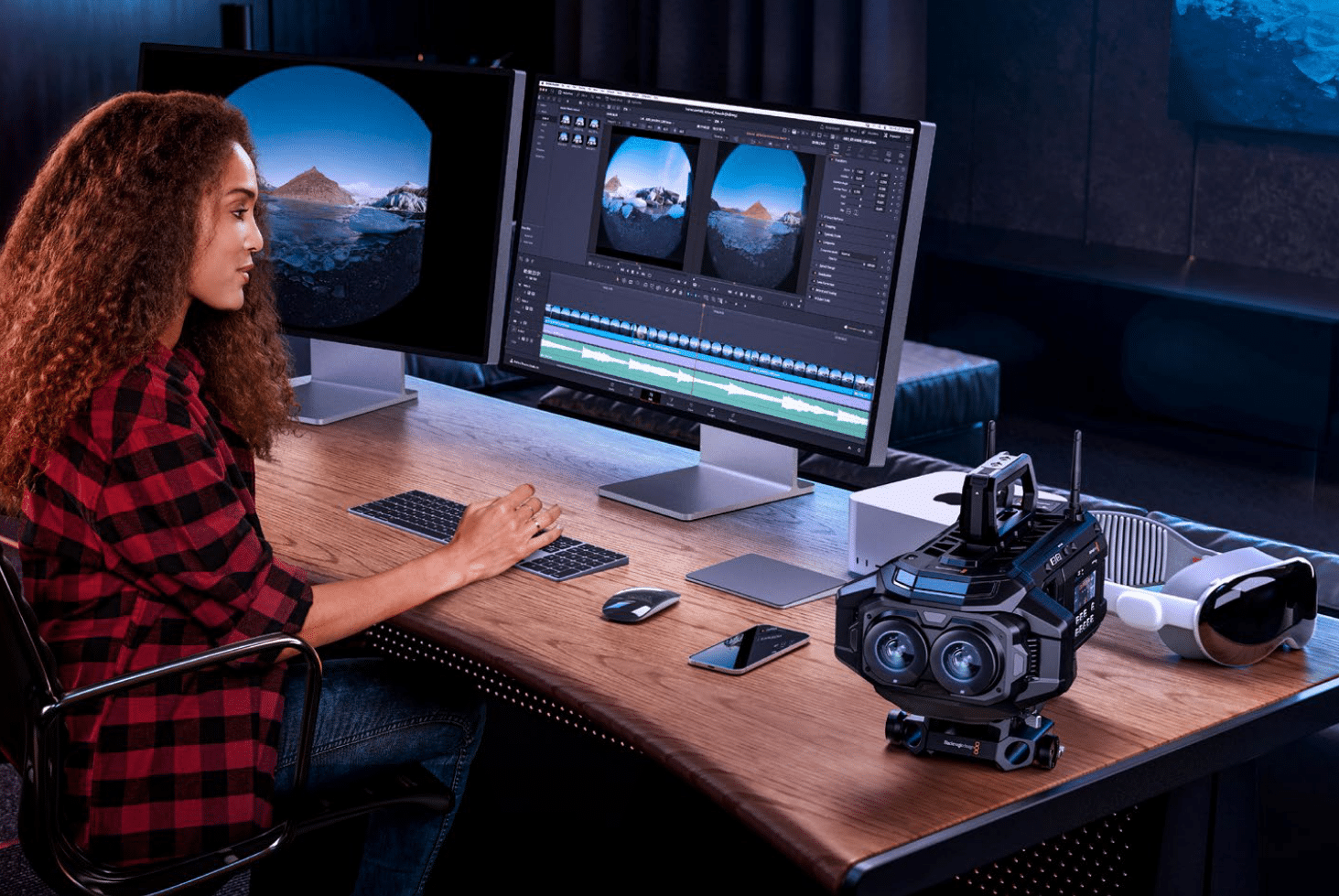
And, supporting that, the “DaVinci Resolve Immersive Workflow Guide” has been released – which provides an introduction to working with immersive footage in Resolve, including specs and settings, as well as tips and “considerations” for producing immersive video content.
Edit Page: Keyframe and Curve Handling Actually Makes Sense
The Cut and Edit pages see a long list of overdue usability tweaks. Keyframes can now be viewed beyond clip edit points, and curve editors allow adjustments from the timeline. For anyone fighting with inconsistent curve easing: this version introduces more consistent easing, new custom zoom options, and improved handling of active curves and locked parameters. MultiText fans now get per-character and per-paragraph styling, CSV import, and a few more controls. Meanwhile, the playhead can be sent directly to the mouse pointer with a C-key shortcut, if your fingers ever get tired of scrubbing.

Fusion Page: Magic Mask v2, Deep Compositing Caching, and Immersive Tools
On the Fusion front, the headline item is Magic Mask v2 support, which, according to Blackmagic Design, enhances masking precision inside Fusion composites. There’s also a new immersive patcher tool and options for 360 Views in the viewer. Deep composite artists can cache composites to disk, downscale clip comps to the timeline resolution, and leverage improvements to DoD (Domain of Definition) and RoI (Region of Interest) in deep image compositing tools. USD renderer overscan and regular expression support in Cryptomatte make an appearance, as does the ability to edit individual tool controls from the inspector context menu—a workflow improvement as small as it is overdue.

Color Page: Fast Switches, ACES 2.0, and Smarter Masking
Resolve 20.1 lets colorists switch timeline resolution on the fly from the color viewer, potentially speeding up look development for multi-resolution deliveries. Cache retention and Magic Mask retention have been improved for copied timelines. ACES 2.0 Core support for DCTL is now official. These updates may not be glamorous, but they address real workflow pain points for color facilities managing multiple timelines, stills, and LUTs.

Resolve FX: More Light, Less Noise
New tools include the ColorTone Diffuser, emulating light-based lens filters. The Film Look Creator adds “natural” and “strong” split tone modes, while light rays and glow now offer separate RGB sliders and atmosphere controls. Glow gets a secondary option, face refinement can regrain skin smoothing areas, and other tweaks address long-standing requests from working colorists and online finishers.
Fairlight: 32-Bit Recording, Faster Analysis, and Accurate Waveforms
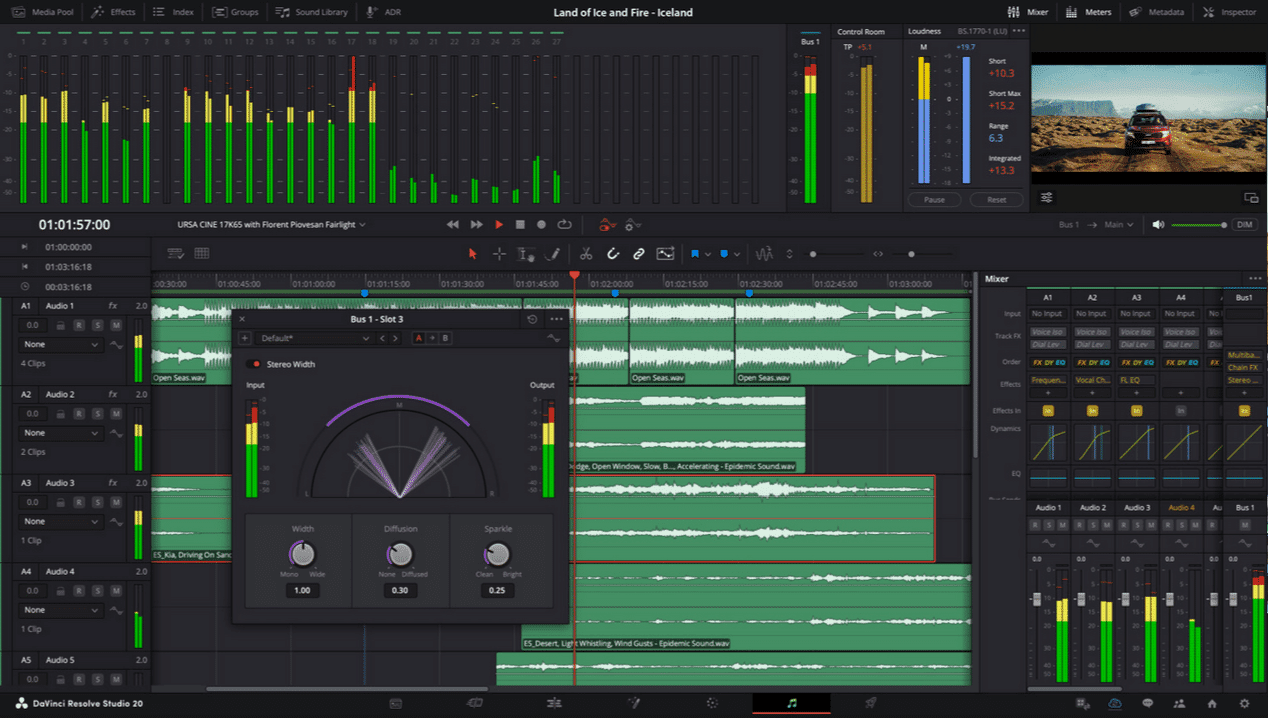
The Fairlight audio page gains support for half-speed timeline playback and 32-bit floating-point recording, good news for dynamic range obsessives. Waveforms are now accurate during recording, and new context actions allow for quick waveform profile regeneration. The Audio Assistant gets faster analysis and improved UI visibility for effects. Dialogue matcher sees improvements, and busses can now be deleted directly from track headers or index. Fine scrubbing is possible via shift/command modifiers.
Codec and IO: WebP, DNx, H.264, and More
Resolve 20.1 supports the Blackmagic RAW 5.0 SDK, brings faster decodes for URSA Cine 12K LF and 17K 65 clips, and now reads and writes WebP images. DNx gets 12-bit support and custom quality controls. The system can encode H.264 and H.265 in MXF Op1A, decode Samsung APV, and improves native Windows bit rate controls for H.264/H.265. There’s a new delivery preset for Tencent video uploads, presumably for anyone aiming at the Chinese streaming market.
General Improvements: Layouts, Scripting, and Performance
There are better layouts for small, dual-screen, and vertical video scenarios. System bin layouts are retained per machine for multi-user projects. The Shift+Space shortcut now brings up the effects search on every page. Effects searching is possible in both English and the application’s language, which should keep the international crowd happy. The scripting API picks up support for voice isolation, and the Electron update (to 36.3.2) lays groundwork for future workflow integrations. Javascript promises are now supported in the API for asynchronous workflow operations, a win for pipeline TDs and workflow integrators.
System Requirements: The Hardware Diet Continues
Minimum system requirements are predictably strict. macOS 14 Sonoma is needed on Apple Silicon or Metal-capable GPUs, with 8GB RAM (16GB for Fusion). Windows users need 16GB RAM (32GB for Fusion), a GPU with at least 4GB VRAM, and support for OpenCL 1.2 or CUDA 12.8. Linux means Rocky Linux 8.6, 32GB RAM, and similar GPU requirements. Windows for ARM is now officially supported on Snapdragon X Elite chips.
Free vs. Studio: You Get What You Pay For
The free version of DaVinci Resolve 20 uses the same processing engine as Studio and supports unlimited resolution media files, but project mastering and output are limited to Ultra HD, and only a single GPU is supported on Windows and Linux. Studio unlocks multiple GPUs, 4K+ output, advanced noise reduction, motion blur effects, AI features, 3D tools, surround sound, immersive audio, and remote rendering.
And the studio version gets what?
For facilities requiring advanced workflows, DaVinci Resolve 20 Studio unlocks the full power of the software’s hardware acceleration and high-end feature set. Studio supports multiple GPUs for both Windows and Linux, enabling faster processing of complex timelines and higher resolutions beyond Ultra HD. In addition, only Studio users can access advanced HDR grading tools, AI-powered features such as voice isolation and scene cut detection, comprehensive temporal and spatial noise reduction, motion blur effects, remote rendering, and stereoscopic 3D toolsets. Surround sound, immersive audio formats, and the full range of Resolve FX are also Studio-only perks, along with support for camera tracking, in-depth Fairlight audio workflows, and multi-user collaboration tools.
These Studio-exclusive capabilities are not mere bells and whistles. Multiple GPU support is critical for facilities working with high frame rate, high resolution, or HDR content, and features like Magic Mask’s advanced AI tracking and 3D stereoscopic editing are essential for VFX , finishing, and theatrical mastering. Facilities with dedicated mastering, colour, or online departments will find the Studio version indispensable for its expanded output options, workflow automation, and remote rendering features, which are simply not available in the free edition.
Installation: Standard Procedures (With a Hint of Nostalgia)
Installers remain straightforward across macOS, Windows, and Linux. Uninstallation is just as simple. If you’re the cautious type, the included Blackmagic Proxy Generator and RAW Player may be ignored unless your workflow needs them.
Always Test Before Production
Despite new features, production environments should always test new software versions before deploying on client projects. Even Blackmagic Design recommends a full backup of project libraries and individual projects before upgrading.
A quick addendum: You will also need to download and install the latest Blackmagic Design Desktop Video software for monitoring with your Blackmagic Design video hardware. Desktop Video is available from www.blackmagicdesign.com/support.
