



The developer Nevercenter has released version Silo 2026.0, introducing a significant new feature: the Silo Blender Bridge plugin, linking Silo with the open-source 3D tool Blender.
The new bridge
The Silo Blender Bridge enables users to select one or more objects in Blender, send them to Silo for editing, and automatically see updates back in Blender whenever they save. It also supports creating new objects in Silo that instantly appear inside Blender. The workflow provides Blender users access to Silo’s responsive and lightweight modelling environment, while Silo users gain easier entry into Blender’s full suite of rigging, animation, and rendering tools.
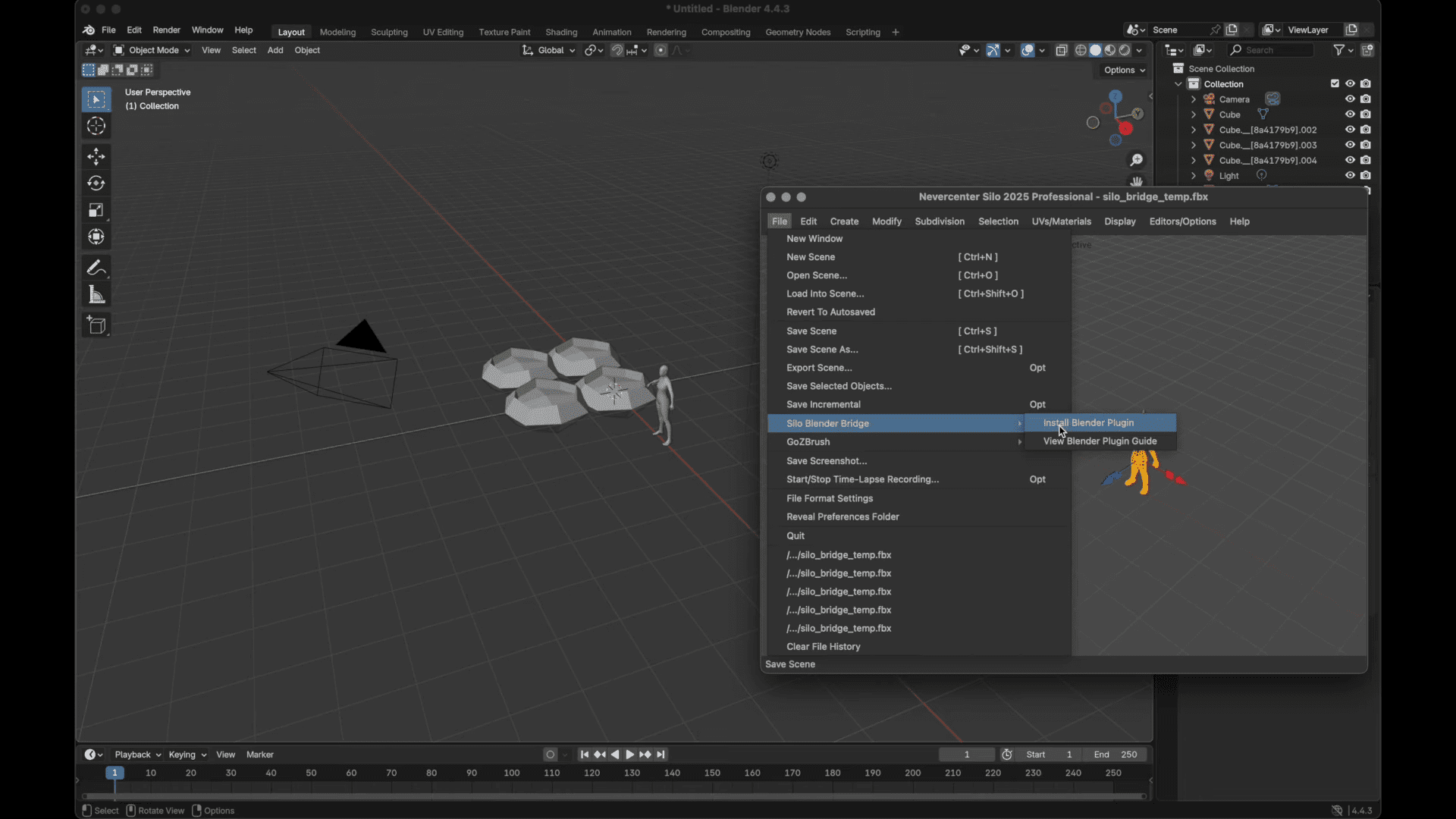
At present, the bridge exchanges geometry using temporary FBX files, which both programs can read and write. Nevercenter notes this may limit certain Blender-specific features, such as modifiers, but the company plans to evaluate more direct communication in future versions depending on user feedback. Installation can be done directly from within Silo via the “Silo Blender Bridge” menu, which automatically installs the plugin to Blender’s add-ons folder. Alternatively, users can download and install it manually. Once installed, it must be enabled under Edit → Preferences → Add-ons inside Blender.
Platform support and licensing
Silo 2026.0 runs on Windows 10 (64-bit) and macOS 12.0 or newer, supporting both Intel and Apple Silicon systems. The perpetual licence is priced at USD 159, covering both Silo and the Milo real-time renderer. The update is free for anyone who purchased Silo within the past year from Nevercenter’s website. Existing users can check or renew their licence at nevercenter.com/upgrade.
The update can be downloaded directly from nevercenter.com/silo/download, with a free trial available for new users. Nevercenter encourages artists to share feedback through email, social channels, or the official Silo User Forums on Discord, where the team collects feature requests and user experiences for future improvements.
Why this update matters
Silo has maintained a small but loyal user base since its first release in 2003 (Fuuuuuck, we are getting old!), appreciated for its speed and uncluttered approach to 3D modelling. By integrating with Blender, Nevercenter opens Silo to a much broader workflow context. The bridge allows production artists to model quickly in Silo’s clean environment and then hand off to Blender for layout, rigging, or rendering — all without repeated exporting and importing.
This integration marks a practical expansion rather than a reinvention: the bridge keeps Silo’s strengths intact while offering Blender users a new way to handle sub-D geometry editing. Nevercenter has explicitly framed this release as a first step, asking users to test the bridge and provide feedback before further development toward a deeper connection.
Workflow cautions
Since the plugin relies on FBX as an intermediary, certain limitations remain. Modifiers and Blender-specific data such as vertex groups or custom materials may not fully survive the round-trip. Users should also expect the bridge to handle static geometry best, rather than complex animated or rigged assets. As with all new integrations, Nevercenter advises testing the plugin thoroughly before relying on it for production work.
Community and feedback
The developer is actively soliciting user input, encouraging modelers to share their experiences on the Silo User Discord, as well as via Facebook, X, Instagram, and YouTube. This feedback will guide the next stage of development and possible refinements to the bridge’s internal communication system.
Bottom line
The Silo Blender Bridge in Silo 2026.0 offers a practical, lightweight link between Silo’s modelling environment and Blender’s broader toolset. The workflow is not yet a live-sync system, but it substantially reduces friction between the two applications. For modelers seeking Silo’s fast, focused interface without leaving their Blender pipeline, this release provides a simple but effective bridge, literally and figuratively. As always, test the workflow on sample scenes before using it in production.
