



Luxion has released KeyShot Studio 2025.3, the latest version of its CPU- and GPU-based visualisation and rendering tool. Formerly known simply as KeyShot, the application has been rebranded as KeyShot Studio, now forming part of Luxion’s wider product design-to-market suite alongside KeyShot Dock, its digital asset management system.
While still heavily used for product design and technical visualisation, KeyShot remains a go-to tool for artists seeking quick, photorealistic renders of CAD or DCC geometry. The 2025.3 update focuses on pipeline connectivity, compositing control, and AI-assisted creative workflows.
Cryptomatte and OpenPBR join the party
Two of the release’s headline features, Cryptomatte and OpenPBR, both target interoperability between visualisation and postproduction pipelines. Cryptomatte, an open-source matte ID system widely used in VFX compositing, allows KeyShot renders to carry per-object or per-material ID information directly into postproduction tools such as After Effects or Nuke. Artists can now isolate parts of an image or animation for colour correction or retouching with precision. According to Luxion’s demo, Cryptomatte support extends to both stills and animations, with EXR output formats supported.
OpenPBR, the emerging open standard for physically based materials, is now supported within KeyShot’s importer and plugin ecosystem. Users can import glTF and .glb files, including those originating from Blender or Rhino, while preserving original material parameters. This allows consistent material behaviour across applications and enables direct use of third-party texture resources such as Polyhaven’s PBR libraries.
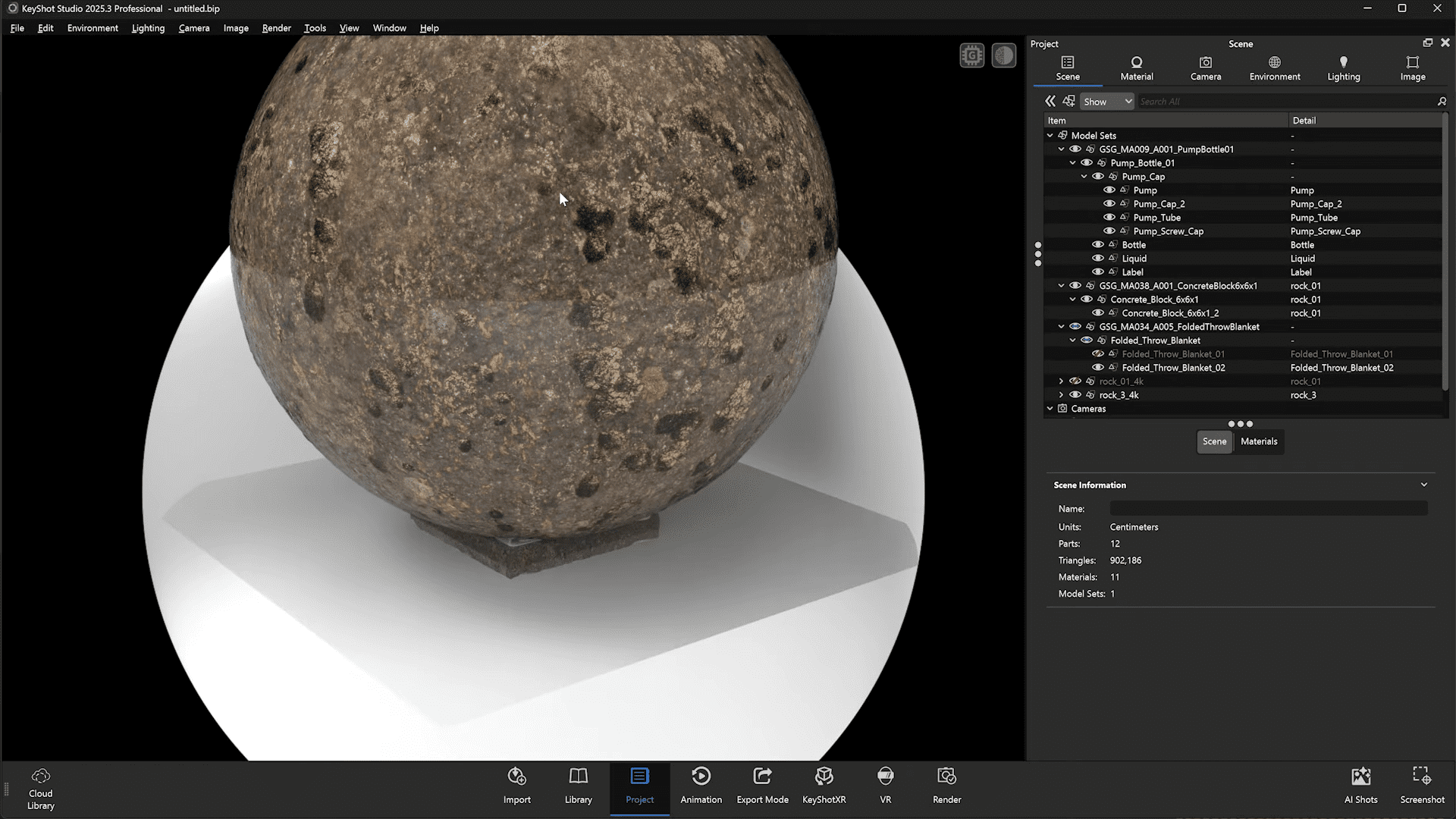
OpenPBR in action
In Luxion’s demo workflow, OpenPBR materials were imported directly from glTF files and applied via simple Shift-click operations within the KeyShot viewport. Material scaling and UV adjustments can be performed interactively, with full control over reflectance and surface detail. The feature integrates tightly with KeyShot’s Material Graph, ensuring imported PBR assets behave predictably, without requiring manual node rebuilds. This brings KeyShot closer to real-time tools in interoperability, particularly for artists switching between DCCs and renderers.
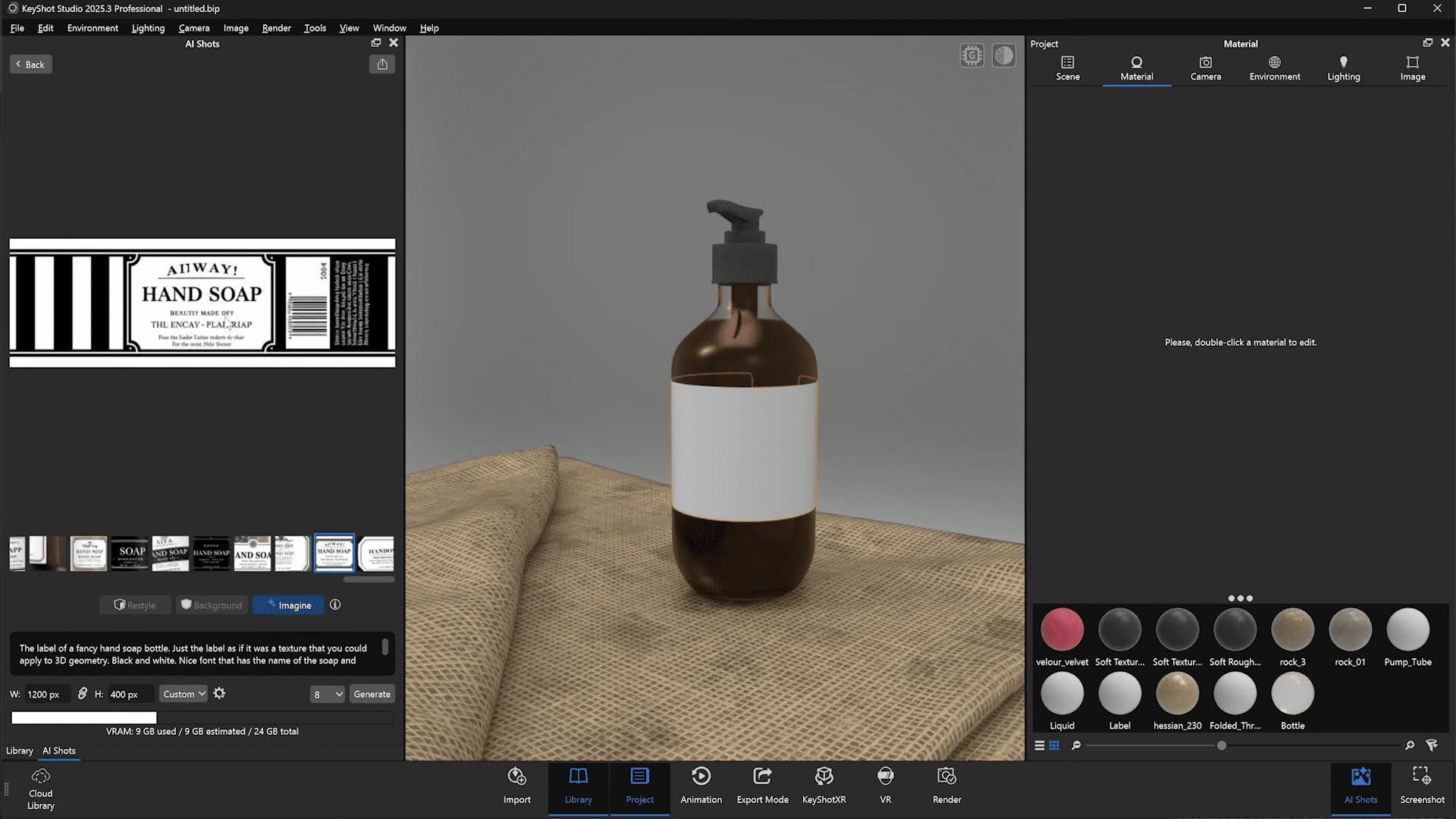
AI Shots: now useful for labels and backdrops
AI Shots, introduced in KeyShot 2025.2, continues to evolve. The tool uses text prompts to generate concept imagery directly inside KeyShot’s UI. In version 2025.3, the interface gains better session management: all previous AI generations are now listed in a panel for easy retrieval. In practice, AI Shots can be used to generate quick placeholder textures or mockups, such as label artwork for packaging visualisation. The prompt-based system benefits from highly specific inputs, and output quality depends heavily on GPU performance. The demo showcased AI-generated label textures applied to a product bottle, later refined through mapping adjustments. AI Shots can also generate backgrounds or scene backplates, providing context imagery for product renders without leaving the application. Generated images can be saved, reused, or dragged directly into the render environment.
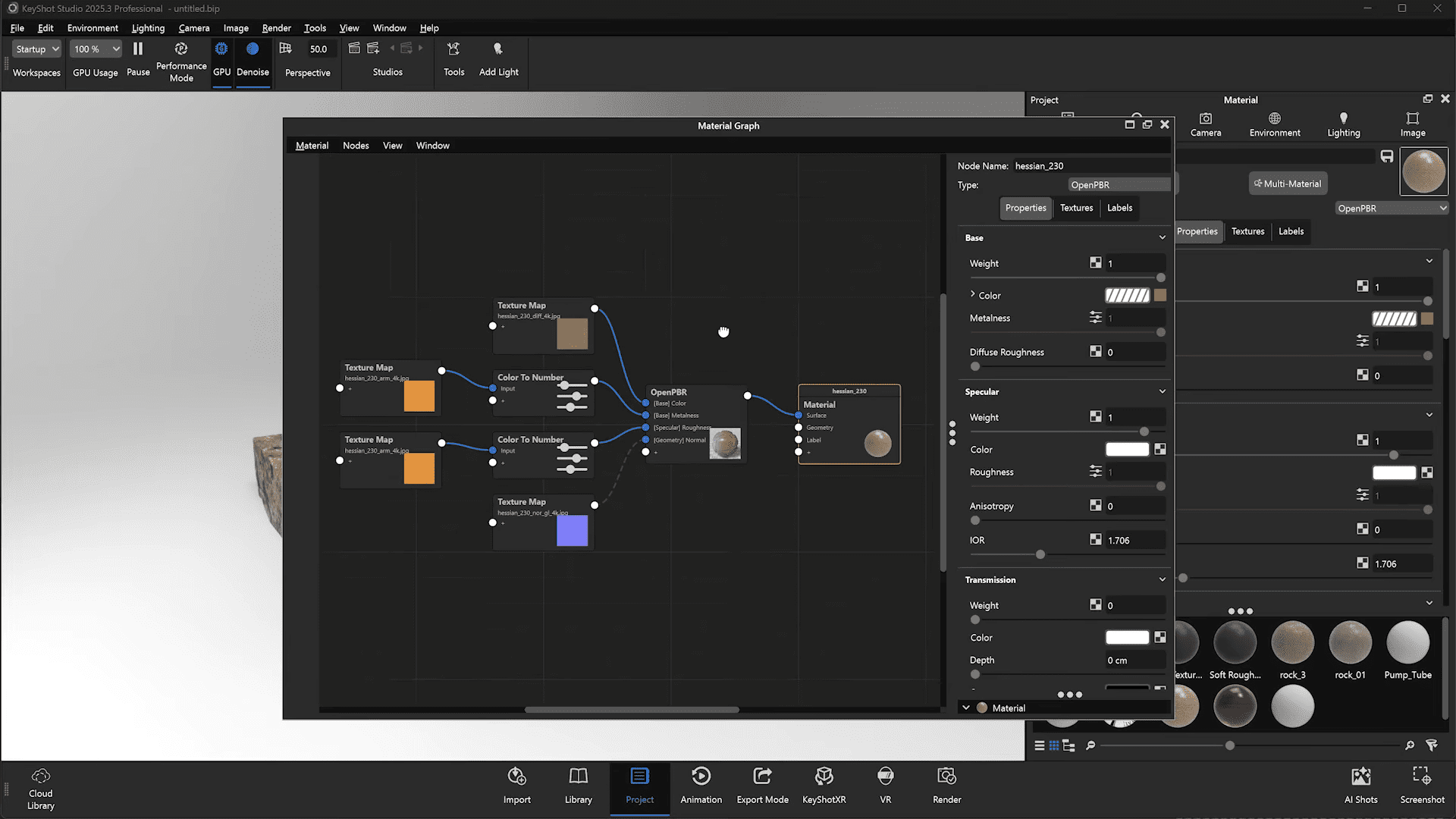
Material Graph: freer navigation, finer control
The Material Graph interface has gained several usability upgrades. The workspace can now be freely repositioned and zoomed relative to the cursor, significantly improving navigation in complex node trees. Two new options, Show Grid and Snap to Grid, help organise node layouts, and the window can now be docked within KeyShot’s main UI. These quality-of-life improvements make the graph feel more integrated and less like an external editor. The demo also highlighted quick-search functionality using the Q shortcut to insert nodes such as Color Adjust between existing connections. These incremental enhancements make procedural texturing workflows smoother, especially when handling imported OpenPBR networks.
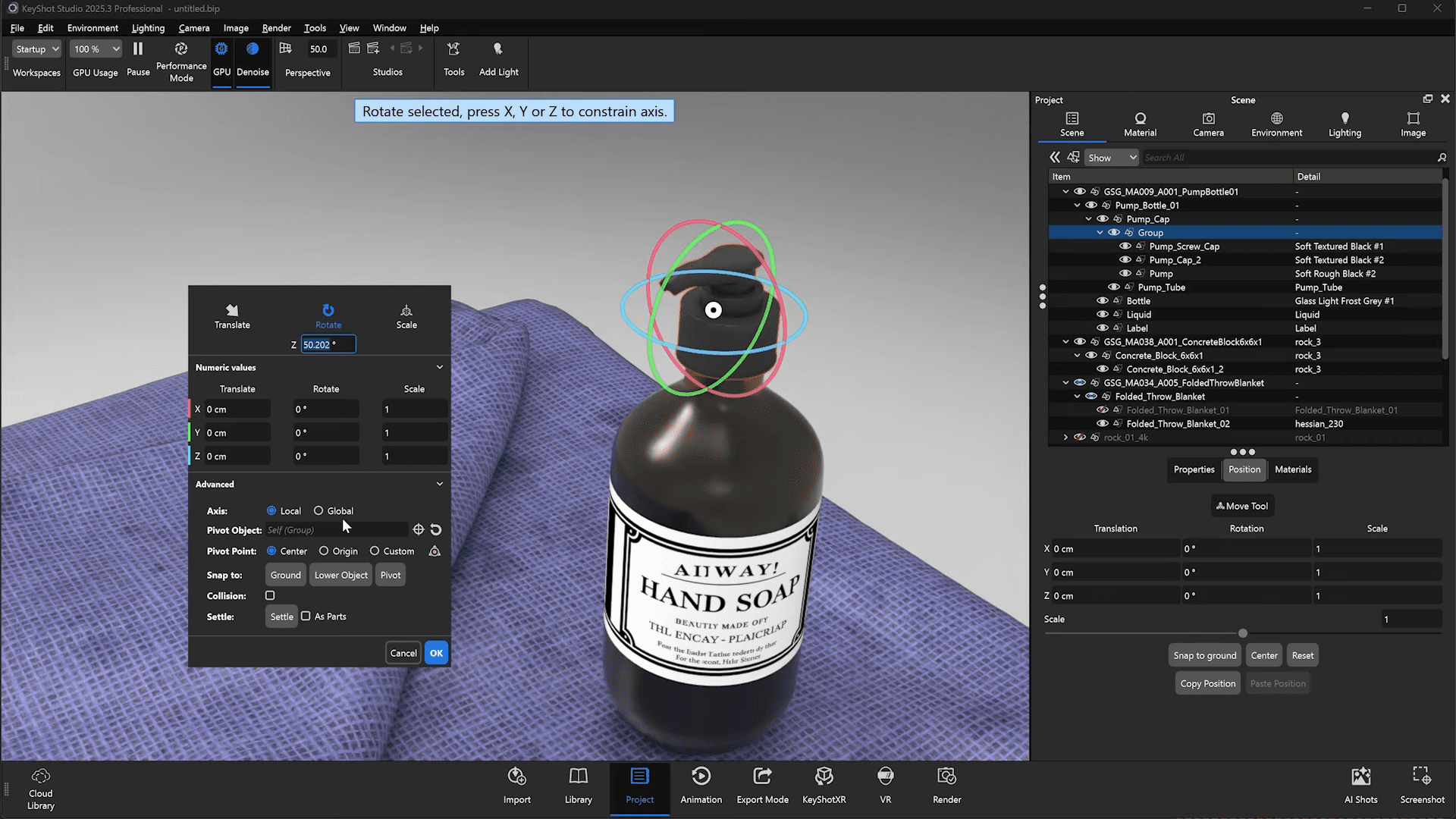
Custom pivots and grouping hotkeys
Modelling-origin pivot points have long been a nuisance for KeyShot users importing CAD data. The new Custom Pivot feature solves that by letting users redefine pivot points directly within KeyShot. Pivot placement can be defined via three modes (Cylinder, Corner, Sphere), allowing accurate local rotation and animation without returning to the source application. This helps particularly with mechanical assemblies and jointed geometry. Grouping has also been simplified: artists can now use Ctrl+G to group selected components within the scene tree, mirroring conventions from DCC applications. The feature speeds up model organisation before applying custom pivots or animation transforms.

Lighting updates: precision and control
Lighting setup in KeyShot 2025.3 benefits from several new controls and refinements. The Orbit Mode for lights now includes a Lock Axis option, enabling constrained rotations for symmetrical lighting setups. Light Layers, introduced previously, are showcased here for more granular lighting management. Artists can assign lights to specific scene elements—such as bottle, pump, or label—and toggle visibility or colour temperature per layer. This is particularly valuable for rendering passes or creating attention-focused compositions. Light intensity can be adjusted directly in the viewport using Ctrl+Shift+Mouse Wheel, and highlights can be repositioned interactively by clicking in highlight mode.
Integration and availability
KeyShot Studio 2025.3 supports Windows 10+ and macOS 11.7+. Integration plugins are available for major DCC and CAD tools including 3ds Max, Blender, Cinema 4D, Maya, SketchUp, PTC Creo, SolidWorks, CATIA, and Siemens NX. The software remains rental-only, priced at $1,299/year, an increase of $111 over the previous version.
Stability before artistry
As always, users should test new features thoroughly before committing them to production workflows. While new standards like OpenPBR promise smoother interoperability, stability and output consistency remain the deciding factors in professional rendering pipelines.
