



For those who don’t know the tool: Chaos builds V-Ray, a production renderer used across architecture, VFX, and animation. It plugs into DCCs such as Blender, Maya, 3ds Max, and Houdini, offering physically-based rendering and global illumination with CPU and GPU engines. Chaos also runs the Chaos Cosmos asset library and Chaos Cloud, tying rendering and collaboration together inside a single ecosystem.
macOS joins the party
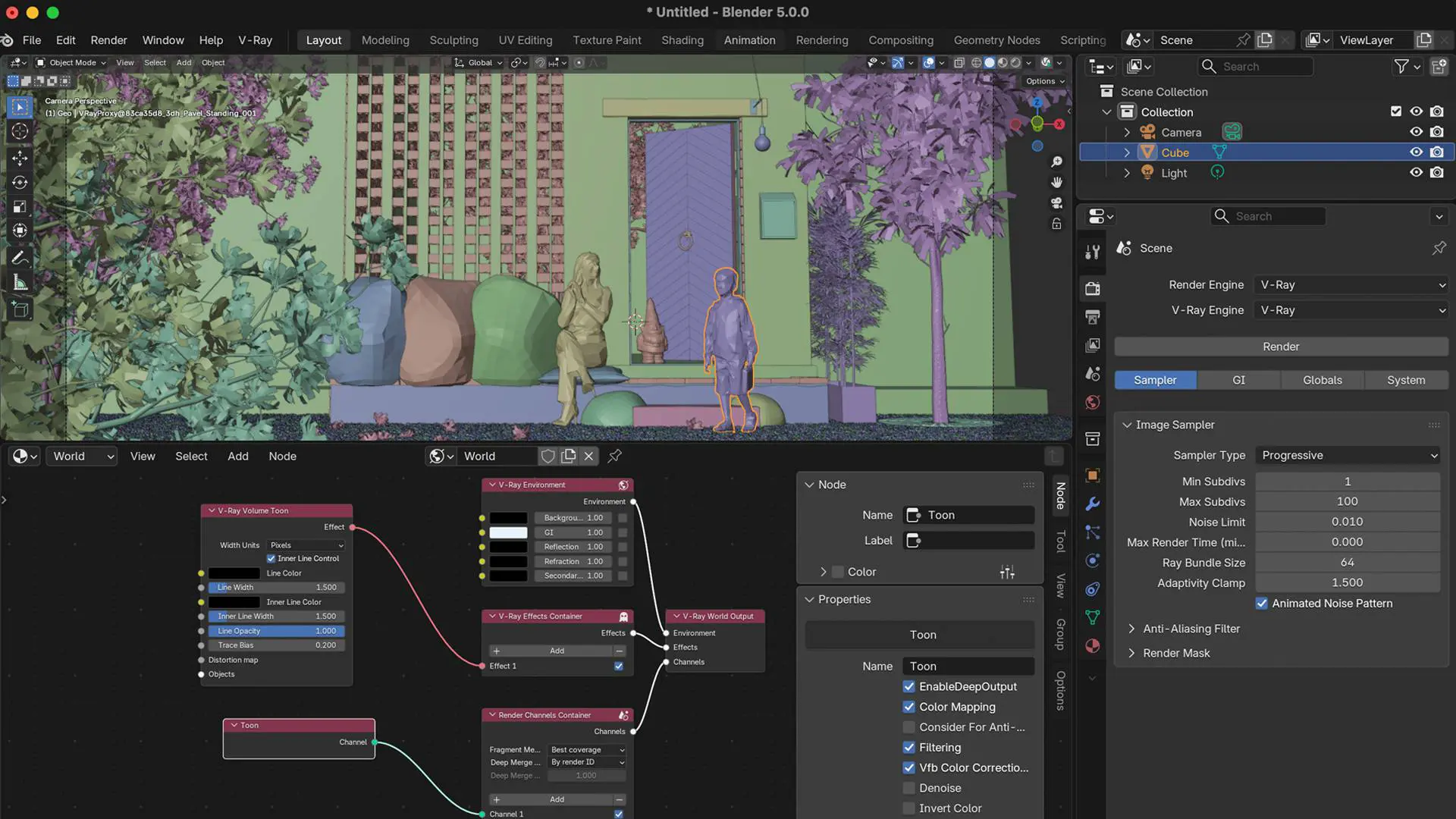
After years of waiting, V-Ray for Blender now runs natively on macOS 11.0 and newer with full speed and feature parity. The renderer matches its Windows 10/11 counterpart, finally letting Mac-based studios use the same shading, lighting, and AI toolchain without workarounds. Update 2 also supports Blender 5.0, maintaining full compatibility with current scene formats and node systems. Official release notes confirm the update as part of V-Ray 7, Update 2, dated 10 December 2025. (Chaos Docs)
AI tools: less grind, more render
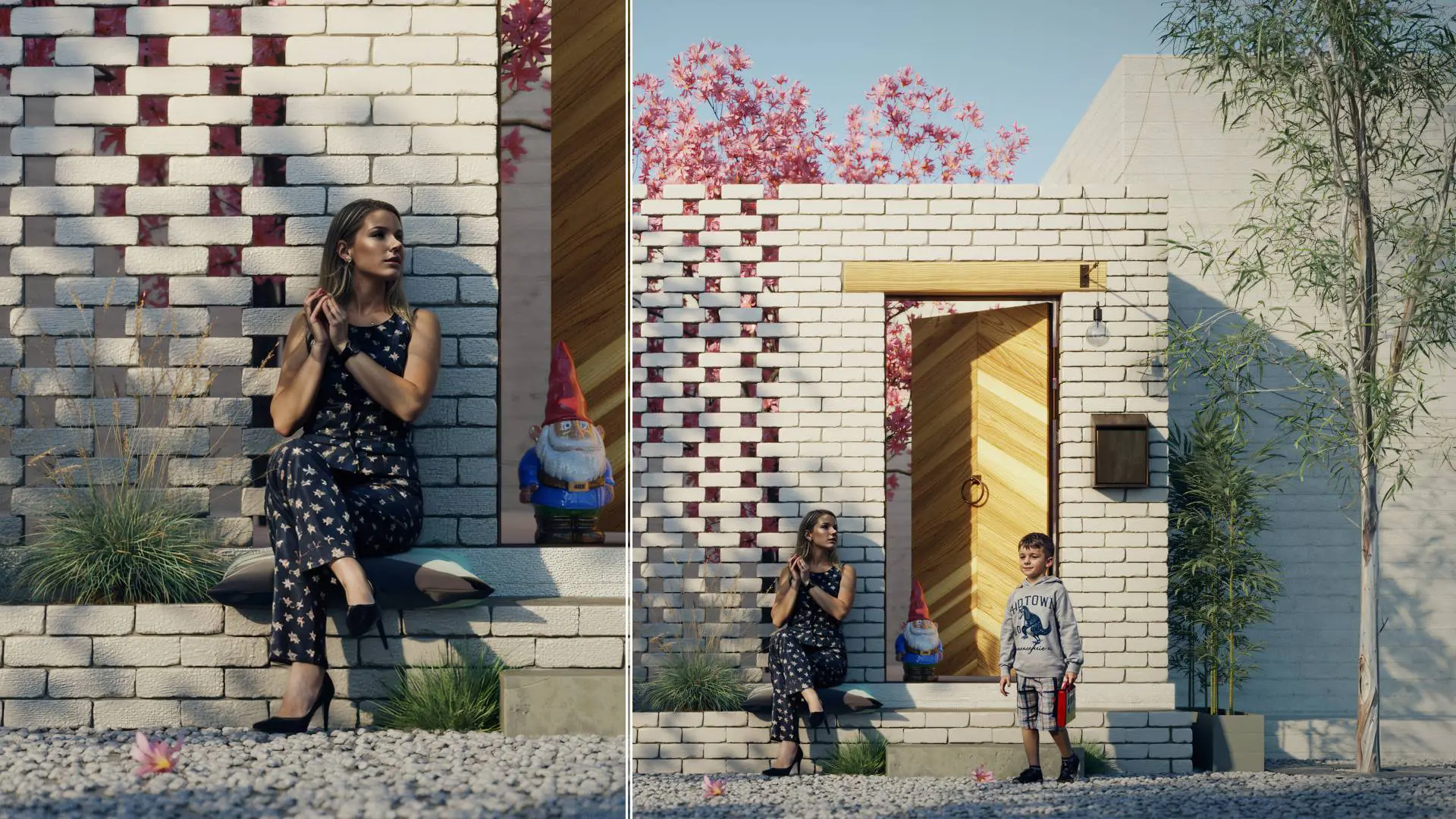
Three new AI-assisted tools headline the release. The AI Enhancer adds small-scale realism to background elements, without re-rendering. It can target specific objects, such as fabric or foliage, and integrates directly into the V-Ray Frame Buffer with Chaos Cloud Collaboration support.
The AI Material Generator, linked with Chaos Cosmos, turns a single surface photo into a fully mapped PBR (physically-based rendering) material, complete with diffuse, normal, and roughness maps. Ideal for populating environments with believable secondary materials when deadlines bite.
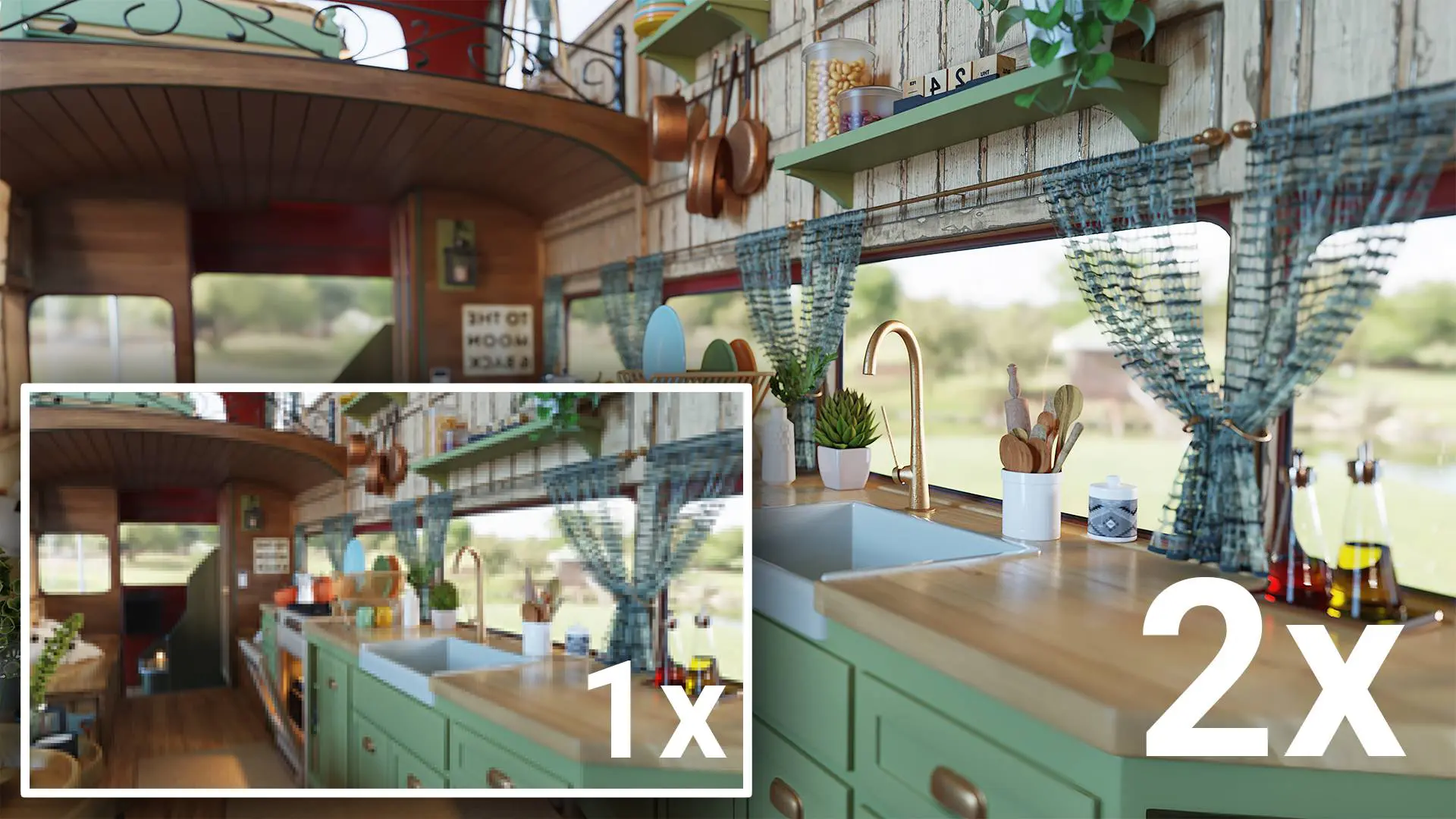
The AI Upscaler handles resolution boosts from HD to 4K (or even 16K) without full re-rendering. Integrated through Chaos Cloud, it enhances textures and micro-details while preserving lighting accuracy. All three AI tools are confirmed by Chaos as part of the official release, but remain beta features; large sequence processing may require manual setup.
Distributed Rendering v2: the network works harder
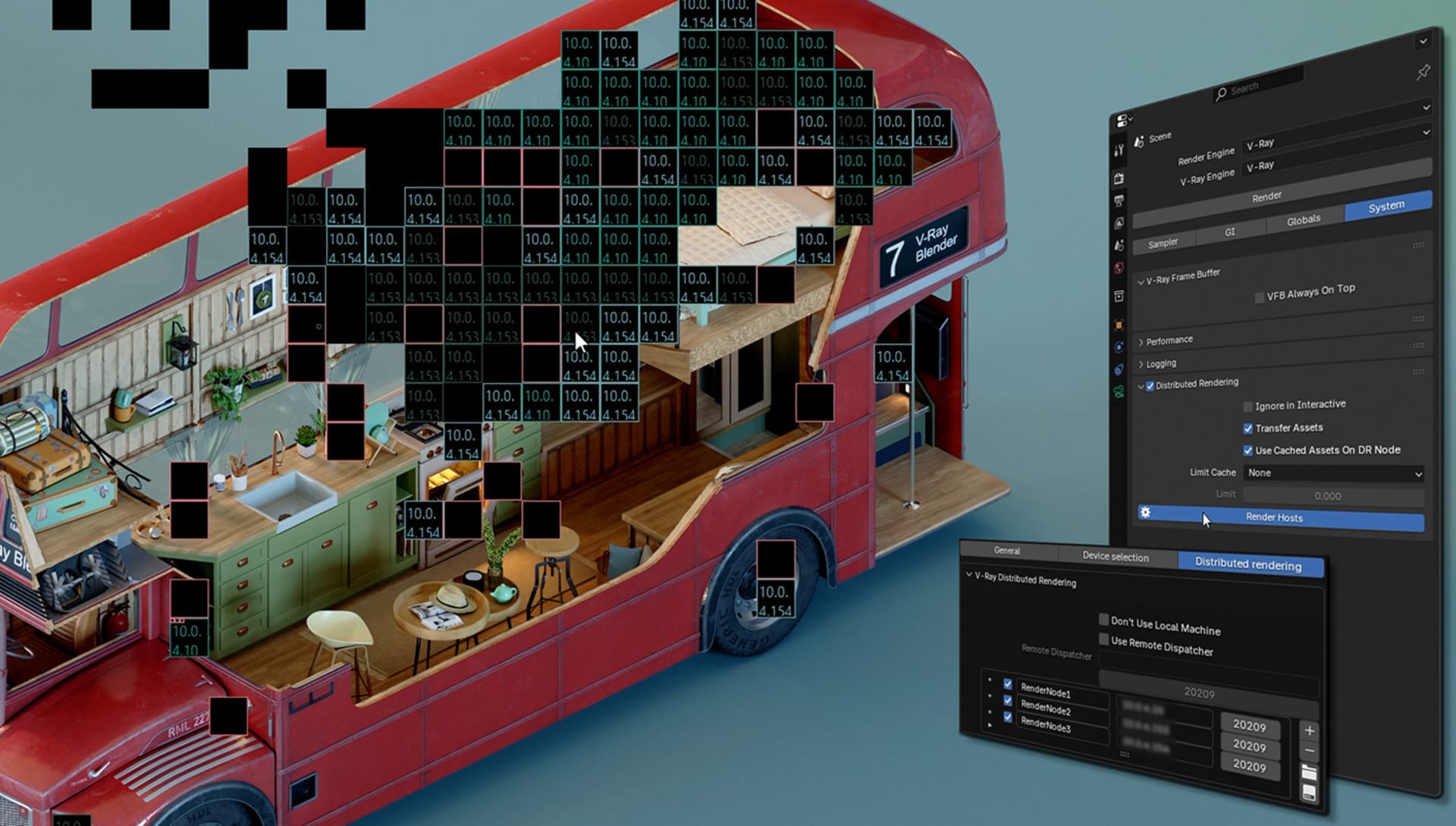
Update 2 introduces Distributed Rendering v2 (DR2), replacing the previous network system with a new Dispatcher component. It coordinates tasks more efficiently across multiple nodes and can be configured directly inside Blender’s V-Ray render settings. Performance tests from Chaos show improved load distribution and better handling of dynamic geometry, particularly when mixing CPU and GPU render devices.
Returning heroes: V-Ray Fur, Cosmos, and UI clean-ups
Procedural hair, grass, and carpets return through V-Ray Fur, with improved instancing performance and cleaner parameter layouts. Combined with AI Enhancer and Upscaler, it can produce complex natural scenes faster than previous builds. The V-Ray Frame Buffer gains new Filter Presets, better Caustics control, and links from every property panel to online documentation. Chaos also refined the GPU Device Selection list and improved the layout of several texture nodes, fixing cluttered parameter groups that previously slowed down look-dev work. Interactive rendering performance has been significantly improved, and dynamic geometry, such as proxies or scattered meshes, now updates more reliably.

Modified and extended features
According to the official changelog, several internal systems were reworked. The User Color node now supports colour attributes; the Normal Map node introduces resolution-independent bump mapping; and a new Include/Exclude list allows finer control when the Render Mask Type is set to Objects. The renderer also supports USD scene loading and renders Cycles’ Translucent BSDF correctly after conversion. Users can drag-and-drop bitmaps directly into the node editor and parent the V-Ray Frame Buffer window to Blender’s main interface—small but welcome quality-of-life changes.
Quality-of-life fixes galore
The official documentation lists over forty bug fixes. Highlights include:
Viewport freezes when starting interactive rendering without a valid license are resolved.
Depth-of-field now updates correctly in both viewport and production renders.
Chaos Cloud exports .EXR sequences properly even when output paths are missing.
Cosmos asset import errors in non-English file paths are fixed.
Motion blur again works with multiple cameras and V-Ray Proxy objects.
Proxy scaling, negative transforms, and instancing via Collection Info nodes now behave as expected.
The Viewport Denoiser correctly applies to worlds with node trees.
In addition, interactive rendering no longer stops responding when node connections change mid-render—a long-standing production annoyance.

Update 1 recap
For those catching up, Update 1 (mid-2025) added V-Ray Scanned Materials for physically measured shaders, Cycles-to-V-Ray material conversion, and a redesigned Material UI. Those features remain available in Update 2, with improved node naming after Cosmos imports and smoother drag-and-drop creation of bitmaps.
Mac performance and GPU tweaks
The update includes GPU engine changes: removal of Subdivs parameters for certain settings, adjusted light-intensity limits based on units, and performance improvements for interactive GPU sessions. Dynamic geometry loading has been optimised, reducing stutter during viewport updates.
Ecosystem position
Inside Chaos’s wider portfolio, this release tightens integration between Blender and Chaos Cloud, bringing Blender artists closer to the workflows long available in V-Ray for Maya or 3ds Max. Combined with the Dispatcher system and AI tools, Chaos is clearly aligning all DCC integrations under a shared cloud and material ecosystem.
Pricing and availability
V-Ray for Blender Update 2 is available now for Windows 10/11 and macOS 11.0 or newer. Licences can be purchased as a Blender-only subscription or included in any V-Ray Collection. Educational licences remain discounted. Pricing details are listed on the Chaos V-Ray for Blender page.
Reality check
As always, test new builds before production deployment. AI features and distributed rendering changes should be validated in-house for consistency across render nodes, especially in animation pipelines or asset-heavy scenes.
