



For those who don’t know the tool: Export Helper Pro is a Blender add-on sitting at the very end of asset creation, handling outbound exports to game engines like Unity, Unreal and Godot, with presets that reduce clicks and regret. It lives alongside Blender’s native exporters and does not replace them.
A familiar itch
A newly released free Blender add-on called Export Helper Pro aims to remove friction from one of the least glamorous but most repeated tasks in realtime asset production: exporting meshes out of Blender and into a game engine. The tool is authored by Michael Bridges and distributed via Gumroad as a free download. According to the author, the current version is rebuilt for Blender 5 and is open for public testing.
The add-on has attracted attention partly because of its origin story. Bridges references an abandoned internal Blender plug-in originally developed by Embark Studios, the studio behind Arc Raiders. That internal tool has not been updated for over six years. After examining its code, Bridges revisited their own earlier export tool and rebuilt it with a broader scope.
This context matters mainly as motivation. Export Helper Pro is not a continuation of Embark’s tool, nor is it affiliated with the studio. It is a separate project, written independently, and positioned as a general-purpose utility rather than a studio-specific pipeline component.
What the add-on actually does
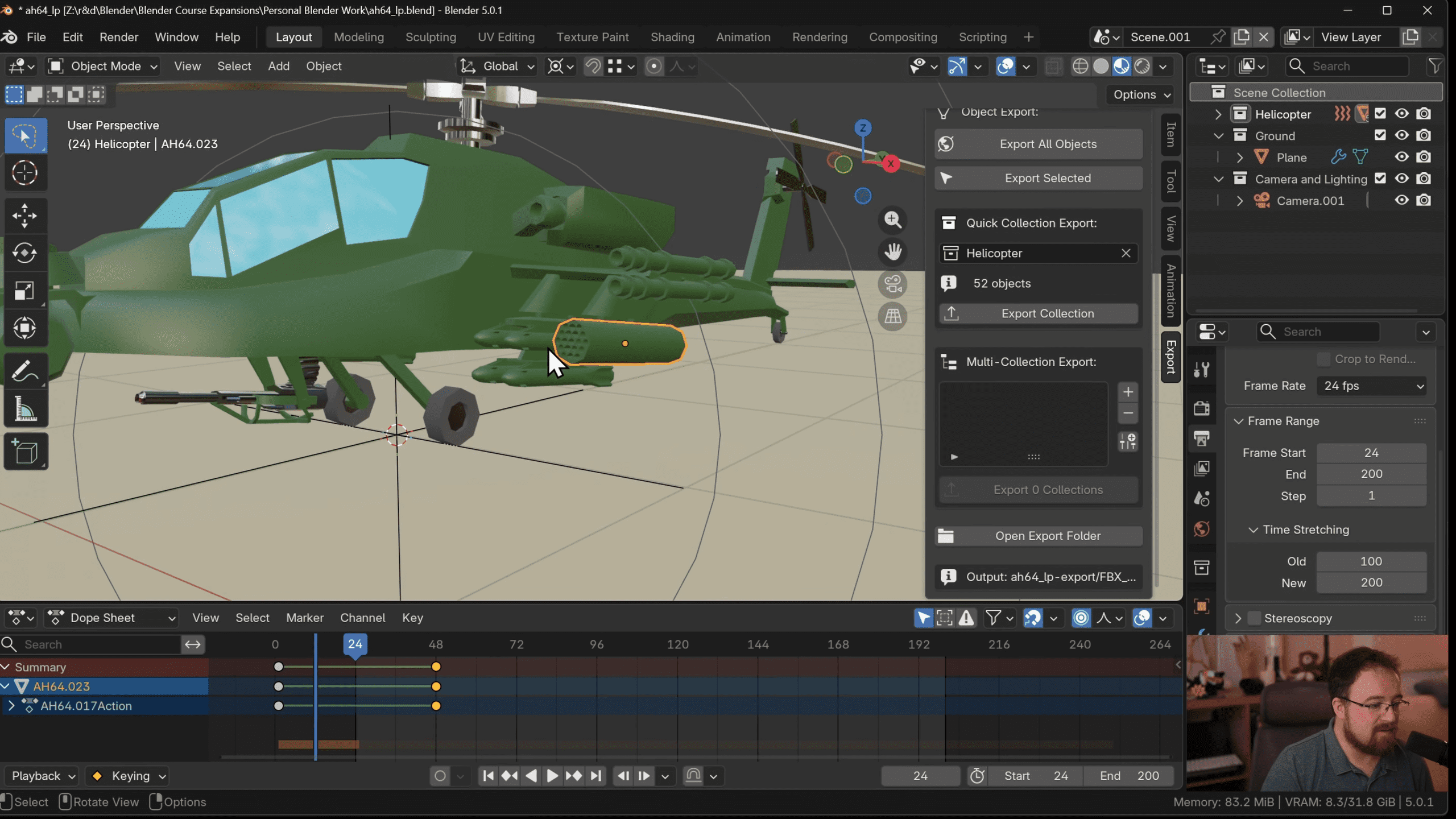
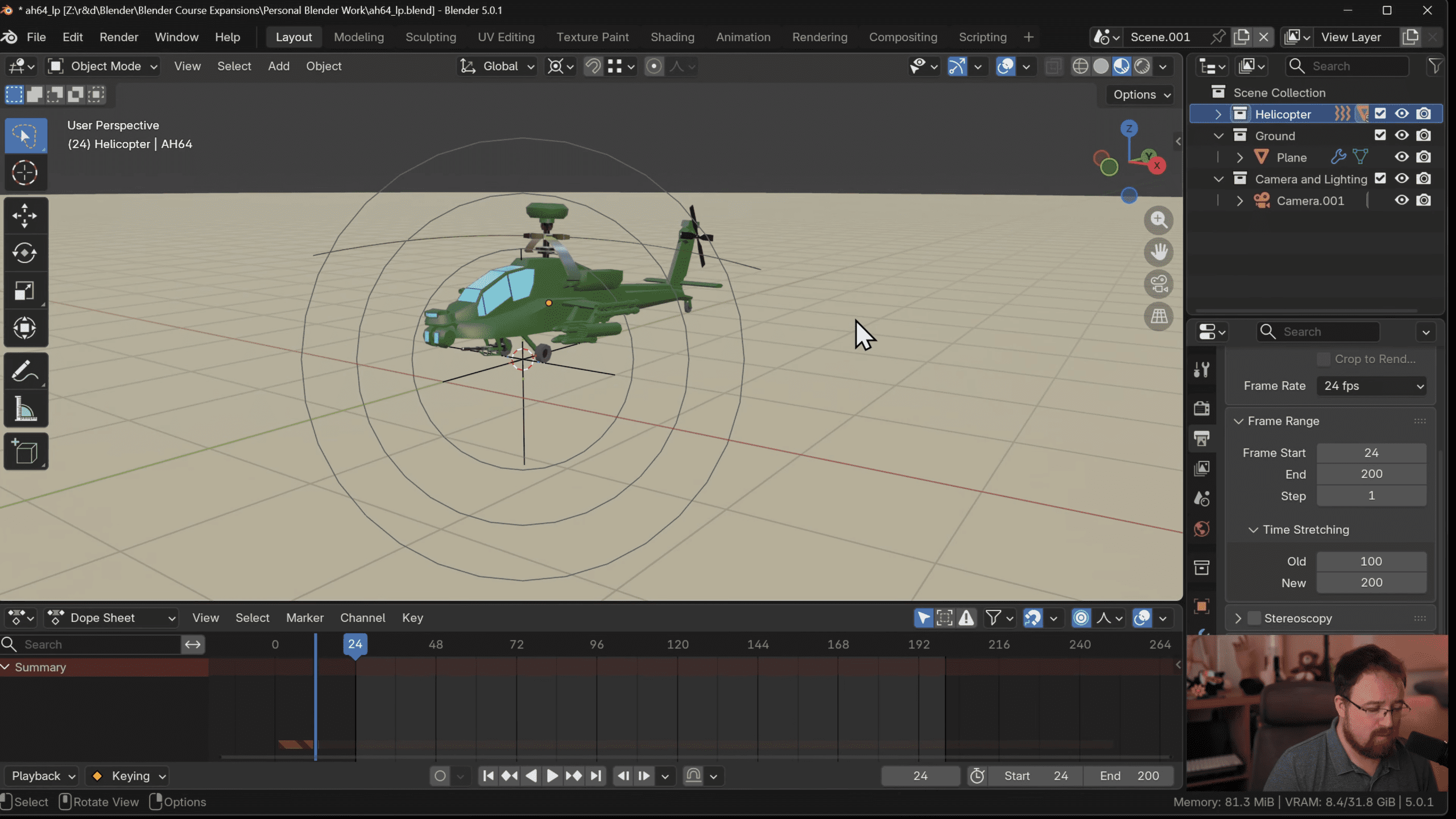
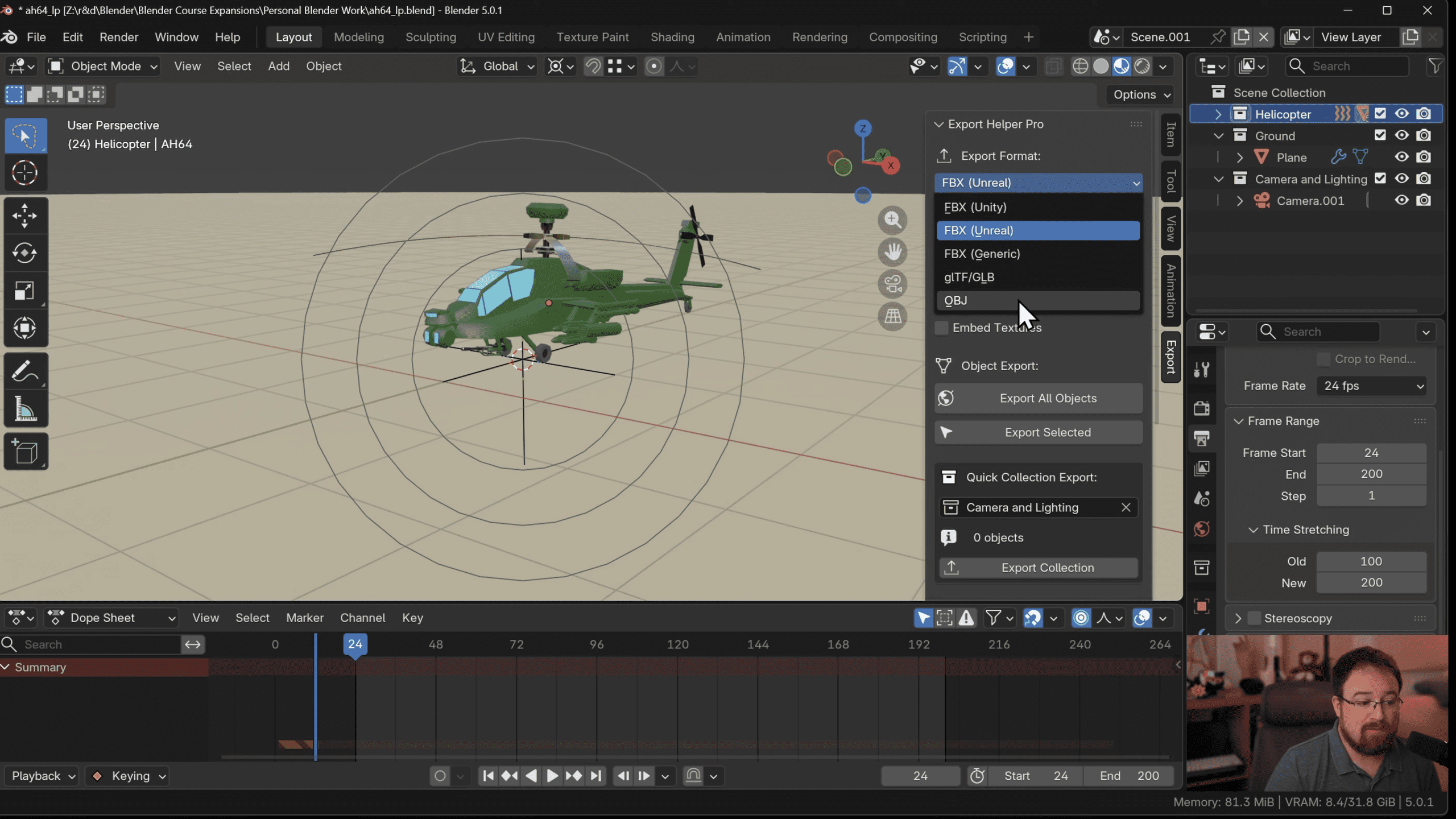
Export Helper Pro adds a dedicated Export tab to Blender’s right-hand N-panel in the 3D Viewport. From there, users can export assets using a small set of clearly scoped options without navigating Blender’s standard export dialogs each time.
The core function is batch-style exporting based on context. Users can export all objects in a scene, only selected objects, or one or more named collections. This is intended for modular asset workflows where collections represent discrete export units.
Supported export formats include FBX, glTF and OBJ. FBX is positioned for Unity and Unreal workflows, while glTF is intended for Godot. OBJ is included as a fallback for maximum compatibility, though the author notes it exposes fewer options than the other formats.
Export Helper Pro does not introduce a new file format or a custom exporter. It wraps Blender’s existing exporters and exposes commonly used settings in a single panel. As such, the quality and limitations of the output are those of Blender’s native export code.
Selection, collections and intent
One of the add-on’s central features is collection-based export. Instead of exporting an entire scene or manually selecting objects each time, users can designate a collection and export it directly. This allows assets to be structured semantically in Blender and exported accordingly.
In a demonstrated example, a helicopter asset consisting of 52 objects is exported as a single FBX file by selecting its parent collection. The resulting file contains all objects merged into a single export operation. This behaviour is consistent with Blender’s standard FBX exporter and does not automatically instance repeated meshes.
The author explicitly notes that this is not a substitute for proper instancing or asset optimisation. Export Helper Pro does not analyse meshes for duplication or attempt to restructure assets. It simply automates the act of exporting what the user has already organised.
Origin handling and viewport colour conversion
Among the exposed options is the ability to centre object origins before export. This can be useful when assets need consistent pivots for placement in an engine. The centring operation is applied at export time and does not permanently modify the Blender scene, based on the information provided.
Another option is conevrsion of viewport colours to exportable colour data. This is intended for workflows where meshes are coloured directly in the viewport rather than via materials. When enabled, these colours are baked into the export so they remain visible in the target engine.
Armatures, textures and embedded data
Export Helper Pro includes toggles to include armatures when exporting animated rigs. This aligns with standard FBX and glTF export options in Blender and does not introduce custom rig handling. The add-on also exposes options to embed textures directly into FBX or glTF files. Embedded textures can simplify handoff at the cost of larger file sizes and reduced flexibility. As with other options, this relies on Blender’s built-in exporters and inherits their constraints.

Installation and availability
The add-on is distributed via Gumroad here. It is currently free to download. Installation follows standard Blender practice. Users download the add-on archive, open Blender Preferences, choose to install from disk, and enable the add-on. Once installed, the Export tab appears in the 3D Viewport sidebar.
The author states that the tool has not been tested in every scenario and invites users to report bugs or suggest improvements. This positions the release clearly as an open testing phase rather than a finished commercial product.
Engines and expectations
The add-on explicitly targets Unity, Unreal and Godot. These targets are defined by export format rather than deep engine integration. There is no engine-side plugin, no automated import configuration, and no engine metadata generation. For Unreal and Unity, FBX is the intended format. For Godot, glTF is recommended. This reflects common practice rather than bespoke support.
What it is not
Export Helper Pro does not claim to be a pipeline manager, asset tracker, or versioning system. It does not replace Blender’s exporters, and it does not attempt to standardise asset naming or directory structures. It also does not attempt to solve instancing, LOD generation, collision mesh creation, or any of the other problems often bundled into export tools by marketing departments.
Its stated goal is narrower: reduce repetitive UI actions and make exports faster and more predictable.
Sensible expectations
For asset artists working solo or in small teams, Export Helper Pro offers a way to shave time off repetitive exports without introducing heavy infrastructure. For larger studios with established pipelines, it is unlikely to replace custom tooling. Its value lies in being small, direct and honest about its scope. It does one thing, and it does it in front of you, in a panel you can see.
As always, new tools and workflow changes should be tested carefully before being introduced into production environments.
// Export Helper Pro Gumroad page
// https://michaelbridges.gumroad.com/l/ExportHelperPro
