



Unity Studio is now officially released after a beta that started last autumn. The product sits inside a browser and targets teams that want interactive real time 3D outcomes without turning every review cycle into a software install party.
The tool frames itself as a simplified counterpart to the Unity Editor. The split reads like this. Unity Studio focuses on quick creation and sharing of interactive 3D applications in a web-based workspace. The Unity Editor covers advanced development for complex applications.
Unity Studio is designed for people who work with 3D data but do not necessarily live in code all day, including designers, artists, training and marketeers, industrial engineers, and sales teams. That audience definition matters because it shapes almost every feature choice, from visual logic blocks to one click publishing.
The interface aims for familiar, not fearless
The day to day experience centers on a canvas with panels that list project contents and expose settings and controls for building and sharing. The tutorial material breaks the UI down into a Hierarchy panel, a Project panel, a Scene view, and an Inspector panel, plus a Camera Preview for framing the final view.
Navigation and inspection are built in so you can look at scenes, models, and assets from different angles. Lighting controls exist for mood and readability, which helps when you need to communicate intent rather than chase photoreal.
Unity Studio also supports building drafts as an initial working state. Drafts and projects live in the cloud and are accessible within an organization. The asset pipeline stays tightly connected to Unity Asset Manager, which stores uploaded assets, tracks versions of drafts, and keeps a version history you can browse.
Import and formats, with a cloud converter doing extra work
Asset ingest starts with upload and import flows that pass through Unity Asset Manager. The supported formats story splits into two layers.
On the direct import side, Unity Studio supports 3D model file formats including glTF in GLB form, FBX, and OBJ, plus supported image types like PNG and JPEG and supported audio types like WAV, MP3, AIFF, AIF, and OGG.
On the conversion side, the Asset Manager can convert additional formats into supported formats. The conversion list includes CAD oriented extensions such as STEP variants, and it includes OpenUSD variants such as USD, USDA, USDC, and USDZ, plus glTF, GLB, PXZ, and others.
The asset optimization angle hooks into Unity Asset Transformer. The Asset Manager uses that tool to optimize complex industry files, including CAD assets, so you can visualize and interact with them in a web browesr without extra software installs.
There is also a size related behavior worth knowing early. When an asset exceeds 200 MB, Unity Studio uses a preview GLB file instead of the original GLB, OBJ, or FBX file for that content.

Animation and UI, built for explanation
A lot of industrial and training content needs motion because motion explains behavior. Unity Studio includes animation tools that cover individual object animation and more complex sequences. The feature overview material describes an animation director that coordinates movements on a shared timeline using keyframes, with examples like fluid flows or mechanical sequences.
UI authoring sits on a UI canvas so you can place functional interfaces directly over the 3D scene. The feature set explicitly calls out buttons, readouts, and text, and the tutorial content includes creating UI text elements as part of an interaction example. That pairing matters because a lot of review workflows depend on guided UI, not just orbit and zoom.
Material work also shows up in the tutorial path. You can create new materials and edit existing ones, and you can duplicate an imported material into an editable copy so changes apply only to a specific object.
Logic, the no code promise in one word
Interactivity in Unity Studio centers on a visual scripting system called “Logik”, uhm, no. logic. Relax, Flame-Users! The Logic editor uses a node library and a builder area where you drag and connect building blocks. The goal is to create interactive behaviors without writing code.
Publishing and sharing: the review link is the deliverable
Publishing is built into the workflow. Unity Studio publishes applications to the web, and web is currently the only available platform option. The publish flow includes selecting Publish, choosing Web, entering a title, and optionally entering a password to restrict access. Publishing generates a Project Web URL you can share.
Sharing a published project is essentially sharing that link. Anyone with the link can access the application. Updating a published application pushes the latest changes to the live version via an Update action. Unpublishing takes the application offline so it is no longer accessible via the web link.
That set of actions lines up neatly with design review reality. You send one link, you iterate, and you do not play whack a mole with new attachments every time a stakeholder asks for a different camera angle.

Use cases: HMI, configurators, simulations, training
The product messaging and documentation focus on industrial and enterprise style scenarios that benefit from fast iteration.
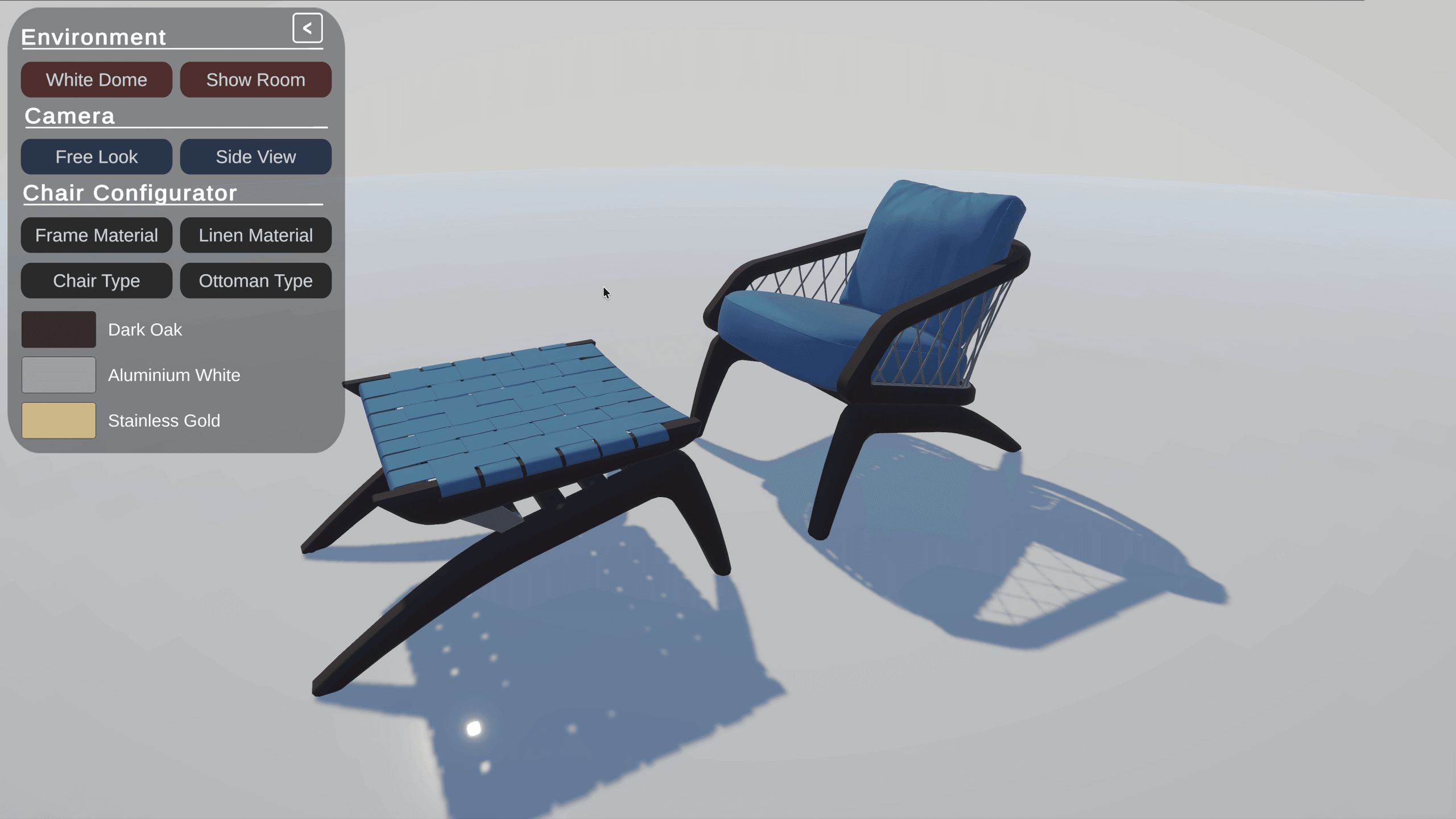
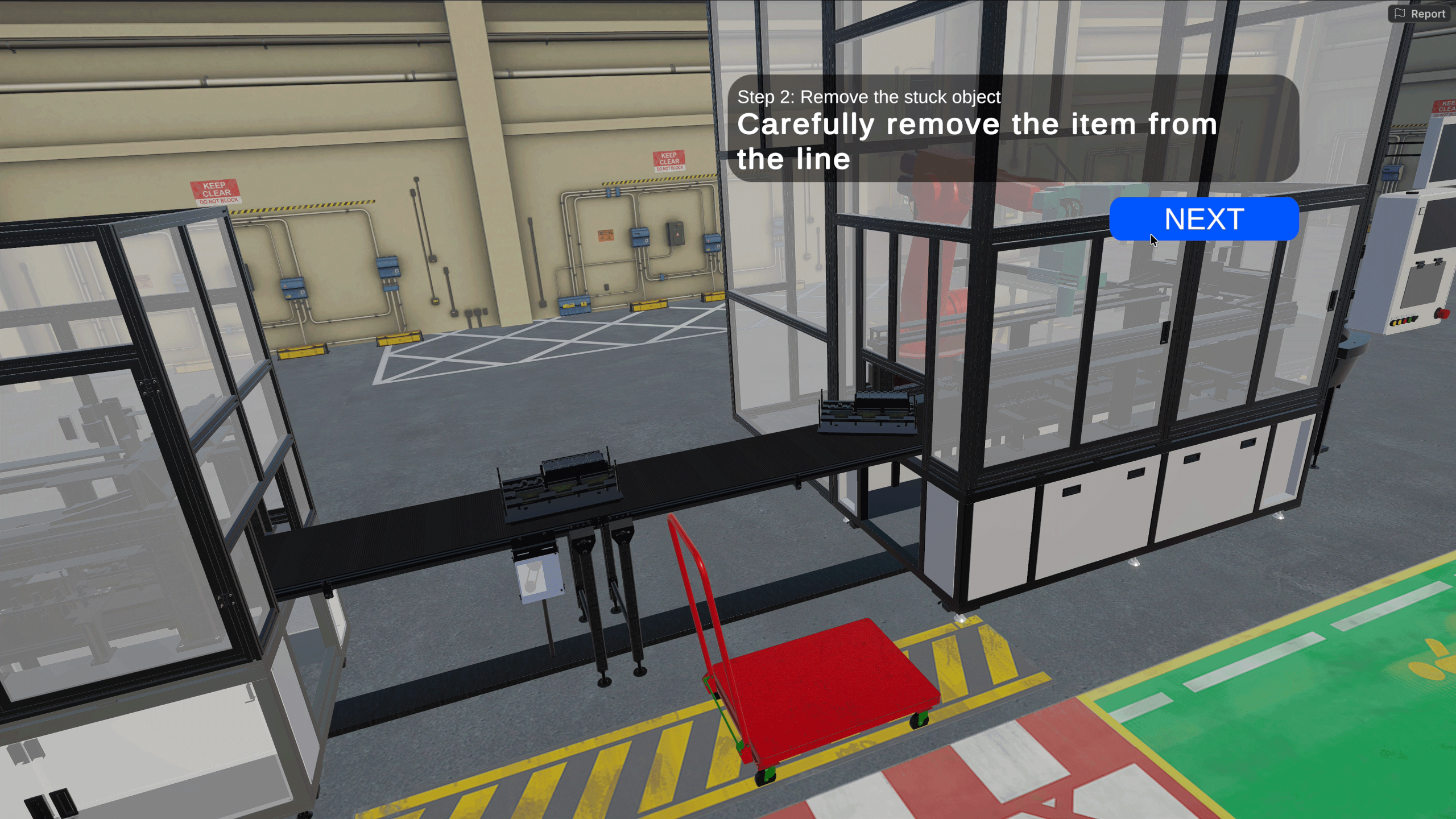
The tool targets HMI prototyping for automotive and industrial dashboards. It targets product configurators where teams adjust colors and swap components in real time. It also targets step by step demonstrations of machine behavior in a browser. Training apps for operators are also in scope, and the product page calls out building 3D training experiences with assets, UI instructions, and live updates.
The docs also describe building configurators, designing HMI layouts, creating step by step training scenarios, and exporting work as a web application for customers or external partners to review. Across those tasks, the common thread stays the same: interactive review, short loops, and fewer handoffs.
Pricing and quotas, with the cloud meter clearly visible
Unity Studio is priced at $799 USD per seat, per year. There is a 30 day free trial with no credit card required.
Each seat includes 120 GB of cloud storage for assets and content in Unity Asset Manager. Each organization also gets 10 GB per month of bandwidth for deployed Studio applications for Studio app hosting. Additional storage can be purchased at $0.75 per GB per month and additional bandwidth at $0.50 per GB per month.
Deployment builds and hosts the application in the company cloud so teams can access it on the web without server management. Hosting uses bandwidth, so treat published links like any other hosted deliverable and keep an eye on how widely they travel.
A production minded reality check
Unity Studio aims to shrink the distance between a 3D idea and a clickable decision. It does that with browser delivery, visual Logic, and built in publishing. Those are strong levers for review and training pipelines where time disappears into coordination rather than creation.
Still, every new tool belongs in a staging lane first. Test it with representative assets, representative reviewers, and the same network conditions you expect in the real world. New tools and innovations should always be tested before use in production.
https://unity.com/products/unity-studio// Requirements and compatibility, browser versions, WebGPU notes, mobile browser limitation
