



The new Clothy3D tool promises to make character pipelines more flexible, at no cost, at least for now. The software is designed to auto-fit and rig clothing models across a wide range of 3D characters and platforms, offering a set of converters that could connect otherwise separate workflows.
What It Does
Clothy3D can auto-fit and rig clothes from sources like Marvelous Designer, Daz3D, or iClone Character Creator, and also supports 18 body types of Metahuman. It transfers skeletons and skin weights between characters, rigs static meshes with existing skeletons, and even wraps mesh topology and textures from one character to another. Input and output are handled in FBX, and the devs mention support for OBJ and DXF in converters.
Why It’s Interesting
The tool effectively acts as a universal adapter: skeleton transfers, mesh wrapping, and skin-weight conversions could be used to move assets across different ecosystems without tedious manual setup. For pipelines that juggle assets between Unreal Engine, Daz, or Marvelous Designer, that flexibility might save hours.

On top of that, there’s a marketplace attached, where assets can be discovered, bought, and sold. Right now, content is sparse, but the structure is in place and depending on adoption, this could grow into a useful exchange hub.

Caveats
All of this comes with a big asterisk: Clothy3D is brand new and still in a beta-like state. It’s free to use at the moment, but untested in production environments. While the promise of “fit anything to anything” is tempting, reliability across real-world projects remains to be seen. If you’re looking for a weekend experiment or if your pipeline involves a lot of cross-platform character work, Clothy3D might be worth a spin. Just don’t expect the stability of a battle-tested DCC plugin yet.
Interface, Scenes & Exports
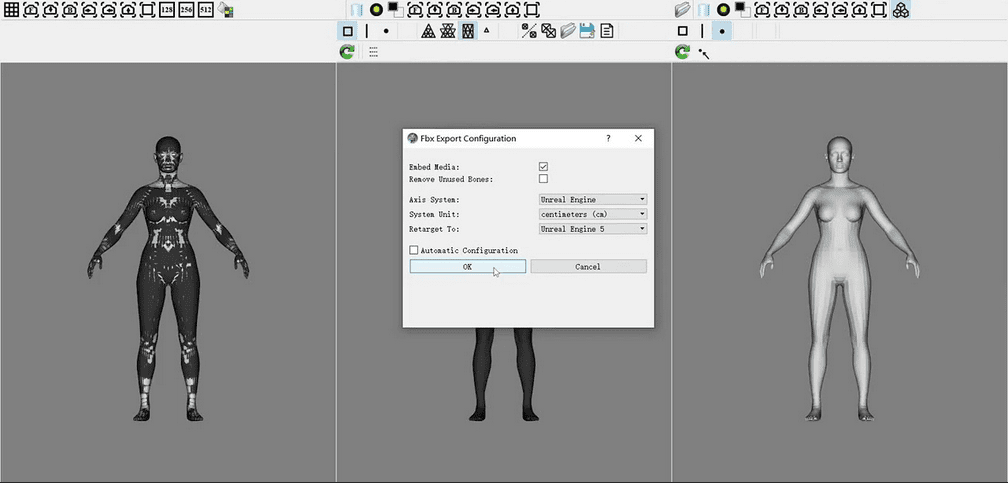
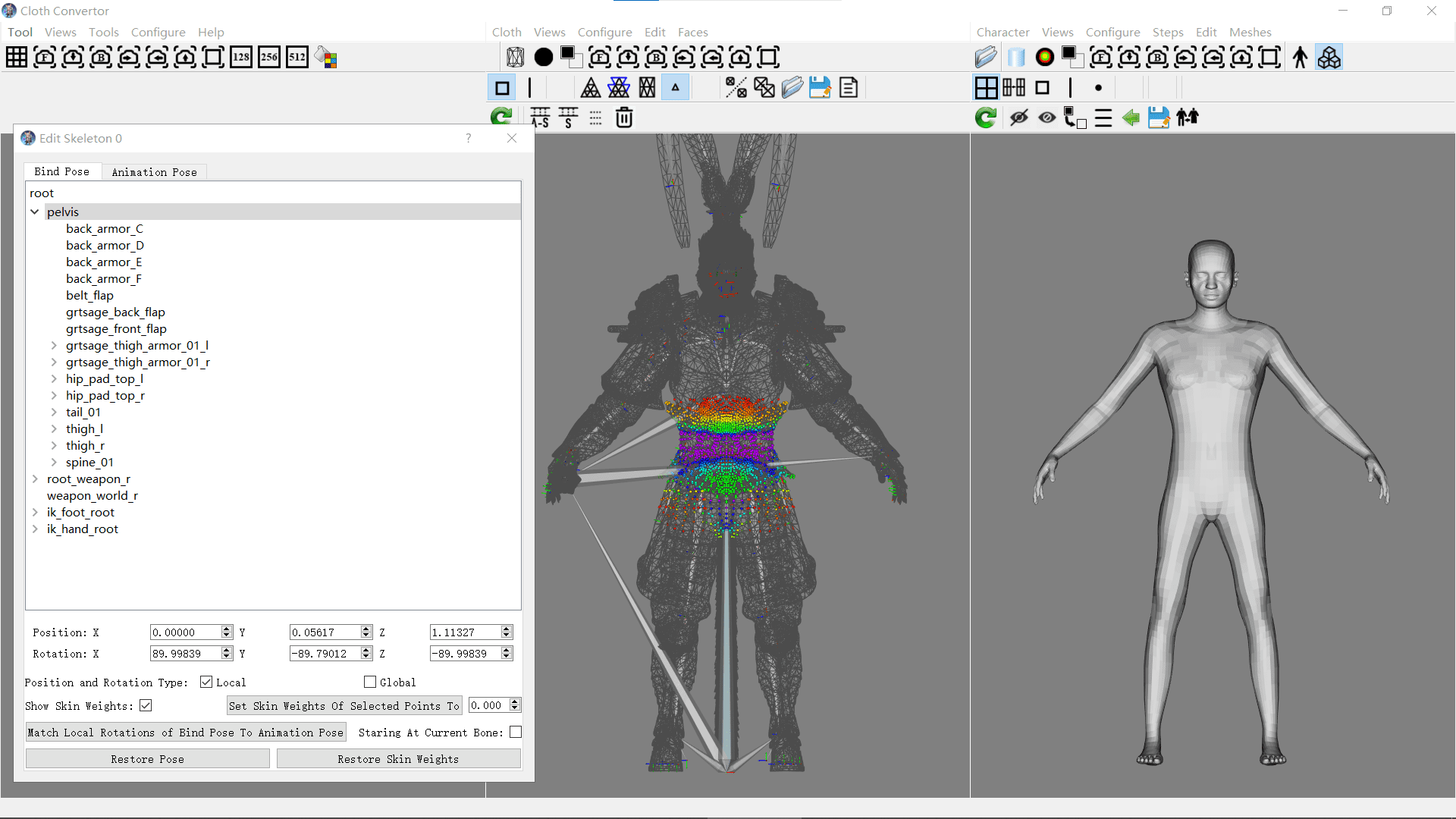
Clothy3D’s UI is built around a three-scene viewport layout: left, middle, and right scenes all sharing a synchronized camera view so you always see from the same angle. The left scene acts as a composite view, reflecting the combination of whatever is imported in the middle and right scenes; the right and middle scenes remain independent and each can host its own models or assets. Depending on which tool you’re using (Cloth Convertor, Character Convertor, etc.), the roles of these scenes adapt accordingly. For example, the middle may show cloth, the right the base character, and the left their merged result.
In terms of the UI controls: it features a layered tool-button system, so choosing a top-level action shows context-sensitive button sets beneath it. Hovering on a tool button triggers a tooltip after a moment, helping with discoverability. You can also control viewing options such as whether faces are rendered front/back, or switch the “Color Mode” (normal color, black, or white) to enforce consistent visibility, especially useful for transparent meshes or to show stitching faces.
Mouse navigation is standard: left-drag orbits, middle-drag pans, mouse wheel zooms; the right button largely is reserved for editing mesh elements (faces, vertices, edges) in the middle and right scenes, or for panning in the left view.
Regarding import/export: the middle and right scenes can each independently import and export their own models or assets. The left scene doesn’t allow direct imports (it’s purely an aggregation), but whenever something is loaded into middle or right, it also appears in left. In the “Account & Import/Export” section, you can also see your user account info (e-mail, remaining monthly exports). Export is capped, users get a limited number of exports per month.
Thus the interface is designed to provide parallel views (source / target / result) in lockstep, while keeping editing tools, visibility toggles, and import/export flows relatively consistent across the different modules.

Character Convertor
The Character Convertor tool lets you ingest an arbitrary rigged tetrapod base character (in FBX or DAE format) and produce a standardized interchangeable base character asset. First, you import your rigged base character into the middle scene. Optionally, you can clean up or edit that character, for example, delete unused meshes like clothes or weapons, duplicate or align meshes, hide faces, adjust vertex positions, or even tweak skeletons and skin weights.

Then you wrap a target interchangeable base character (in the right scene) to match the imported rig. Two wrapping approaches exist: applying an existing deformer template (faster, if one matches the character topology) or manually deforming via point/face matching (with a Character Builder or import of partial shapes, then matching points/faces). As you wrap, you can iteratively adjust both source and target geometry to improve the match. After wrapping, you configure parameters in the processing flow, run automatic steps, and finally export your new interchangeable base character to disk.
In effect, the Character Convertor acts as a bridge: you bring in a rig you want to preserve or reuse, deform a canonical interchangeable skeleton mesh to match it, and output a version you can reliably use in downstream tools like cloth fitting, skeleton transfers, or asset marketplaces.
Tutorials
Clothy3D already comes with a sizeable set of tutorials to help users ramp up. There’s a Studio Quickstart that introduces the core UI and navigation, along with dedicated quickstarts for Character Convertor, Cloth Convertor, Dress3D, Skeleton Transfer, and Deform3D. Beyond the basics, workflow guides walk through Unreal Engine integration (UE5.4), building characters via the Character Builder, wrapping and matching meshes, and using deformer templates for quicker results.
The clothing workflow is covered extensively: tutorials explain converting standard garments, preparing clothes for Metahuman, simulating and rendering cloth, working with Marvelous Designer assets, managing double-sided or layered clothing, and fine-tuning shape control points. Other deep dives address transfer points for skin weights, keeping selected parts rigid, smoothing weights, or adding auxiliary bones. There are also lessons on editing and converting skeletons, rigging static characters, handling complex footwear like high-heel shoes, and preparing/publishing assets to the marketplace.
