



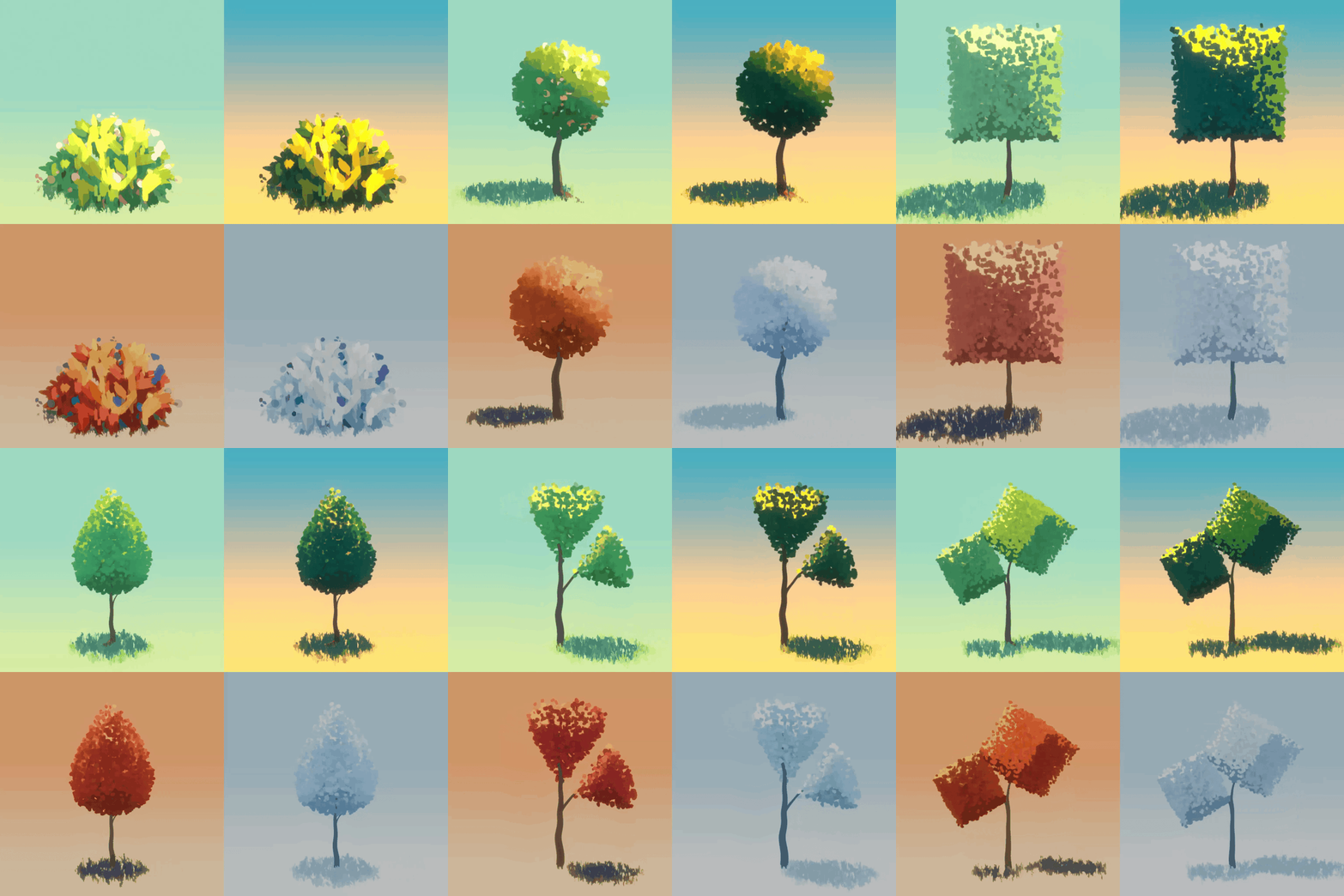
Tradigital3D describes ShapeScape Studio as “a comprehensive toolkit for the digital painter.” It merges procedural generation with manual artistic control. Users can either pick from included presets or import their own meshes and texture maps to generate foliage in a custom, hand-painted style. The system allows procedural generation from any mesh, letting artists feed trees, bushes, or grass models through the modifier setup to create stylised structures. Hand-painted textures can be applied directly, either from the six included foliage texture presets or from user-created sheets.
The shader and colour parameters are fully adjustable, making it possible to simulate different seasons or moods by editing colour gradients and hue ramps. Built-in animation parameters allow for wind-driven motion, producing stylised movement in EEVEE renders. While the vendor claims “life-like simulation,” the exact deformation method is not documented and has not been independently verified at press time. The system remains fully non-destructive: artists can replace meshes, adjust textures, or retune shaders at any time without rebuilding the scene, thanks to its procedural node design.
What’s in the package
The toolkit includes more than 100 ready-to-use base models of trees, bushes, and grasses, and six NPR texture presets that can be freely replaced with personal hand-painted textures. ShapeScape operates as a node-based procedural system built on Blender’s modifier stack, including shader variations for trunk and leaf layers. Wind animation is built directly into the node graph and works in EEVEE without external plug-ins. The product supports Blender version 5.0 and newer, and requires no dependencies beyond the default Blender installation.
According to the vendor, the setup is lightweight enough for real-time viewport previews in EEVEE. Compatibility with Cycles is not confirmed, though Blender’s shared shader architecture would likely allow it to function with minor adjustments.

Technical implementation
ShapeScape Studio runs entirely within Blender’s native node framework, with no compiled Python components. It behaves as a modifier-based geometry nodes system, allowing users to inspect and modify the procedural graph directly. Textures are standard image maps, mapped via shader nodes to define the look of foliage and bark. Artists can tweak colour gradients, saturation, and value contrast to produce painterly light effects.
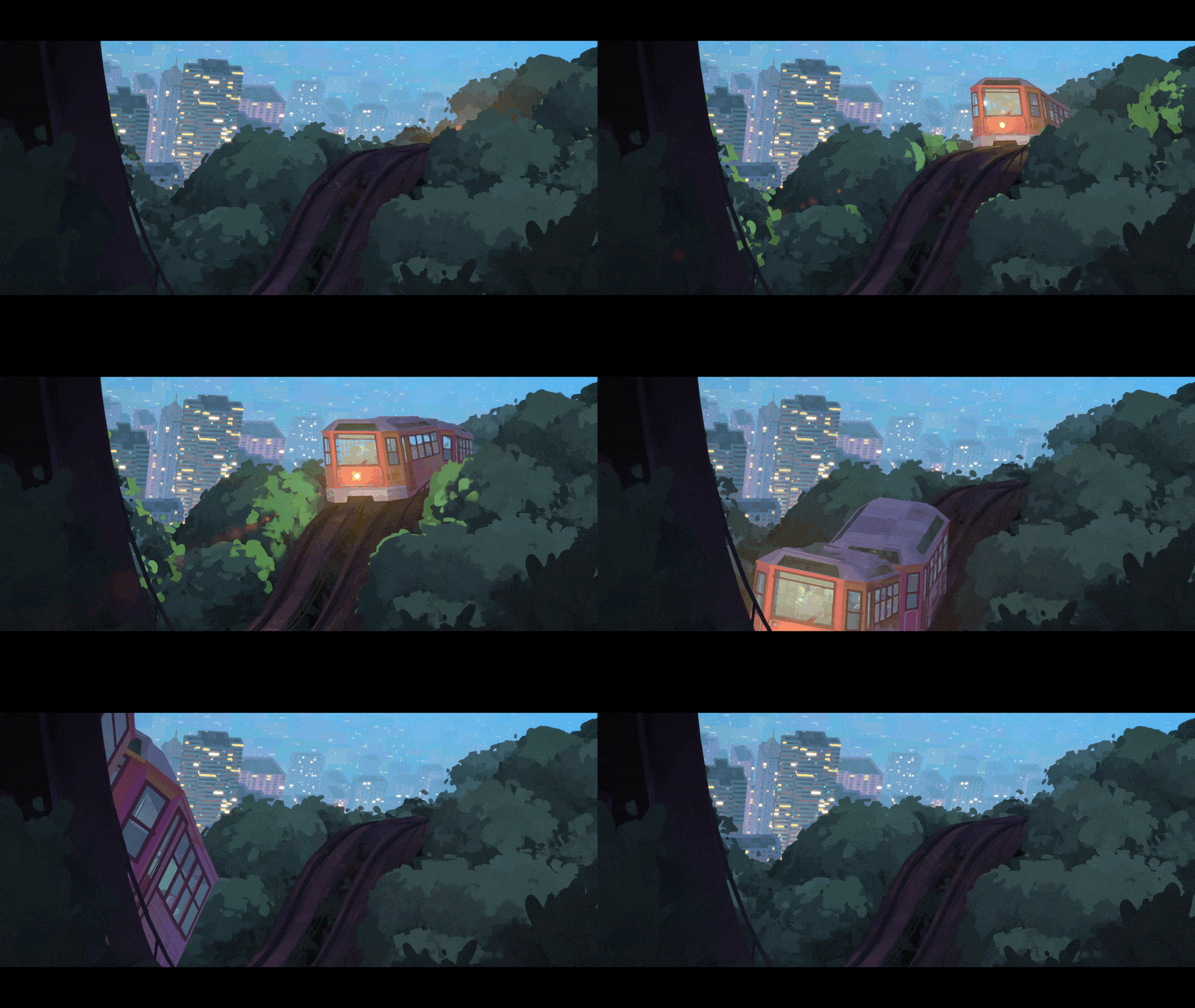
Wind animation appears to rely on procedural deformation using mathematical nodes, probably sine wave oscillation, allowing stylised motion at minimal computational cost. Because these parameters live inside the node tree, users can keyframe amplitude or speed values to tune movement per asset. The non-destructive nature of the setup means that animation can be disabled or modified without rebuilding the asset, making it easy to repurpose trees for static illustrations or stylised environments.

Workflow integration
ShapeScape Studio integrates cleanly into existing Blender projects. Artists can append the modifier setup or node group from the provided file into their own scenes and then replace the base meshes or materials with project-specific assets. Since it relies on EEVEE’s lightweight shading model, it is particularly well suited to stylised game backgrounds, animated short films, or concept visualisation.
Its workflow encourages NPR-style shading, prioritising brushstroke simulation, colour layering, and painterly gradients over physically based rendering. This makes it distinct from realism-driven vegetation tools such as Botaniq or Graswald, which focus on physically accurate materials and light scattering.
Pricing and licences
ShapeScape Studio is sold on Superhive Market under three licence tiers. The Editorial / Personal Licence costs USD 30 and is restricted to non-commercial use, suitable for hobbyists, students, and personal experiments. The Freelancer / Indie Commercial Licence, priced at USD 60, covers one artist for commercial or monetised projects, including commissions and freelance work. The Studio / Multi-Seat Commercial Licence, at USD 120, grants unlimited seats within a single organisation and allows full commercial deployment in professional productions.
All licence tiers include the same content and features; only the usage terms differ. The product page reports more than forty sales and lists the release date as nine days ago, indicating recent release and early adoption within Blender’s stylised-art community.
Context and ecosystem
ShapeScape Studio enters a well-populated ecosystem of Blender vegetation tools. Most existing packages such as Botaniq or MTree focus on physically based realism, aiming to match real-world botanical appearance. ShapeScape differentiates itself through its painterly focus and non-photorealistic shader design, offering a bridge between traditional digital painting and 3D environment construction.
For concept artists, illustrators, and stylised animators, the toolkit presents a fast way to populate scenes with vegetation that matches hand-painted backgrounds. Its procedural node foundation also makes it a useful teaching example for artists studying Blender’s geometry nodes system or non-destructive workflows.
Test before you grow
As with any procedural add-on, production users should test ShapeScape Studio in-house before applying it to commercial projects. Shader appearance, wind animation consistency, and modifier performance should be validated on target render pipelines and hardware setups. NPR toolkits often behave differently under different lighting models, and EEVEE’s approximation-based rendering may produce colour deviations that require manual compensation.
