



For those who don’t know the tool: DroneSiteBuilder is a script for Autodesk 3ds Max that reads drone photo metadata to assemble terrain, map context, and matched cameras, bundling GeoBuild and CameraMatch and supporting handoff to Blender, SketchUp, and Autodesk Maya.
What DroneSiteBuilder is trying to fix
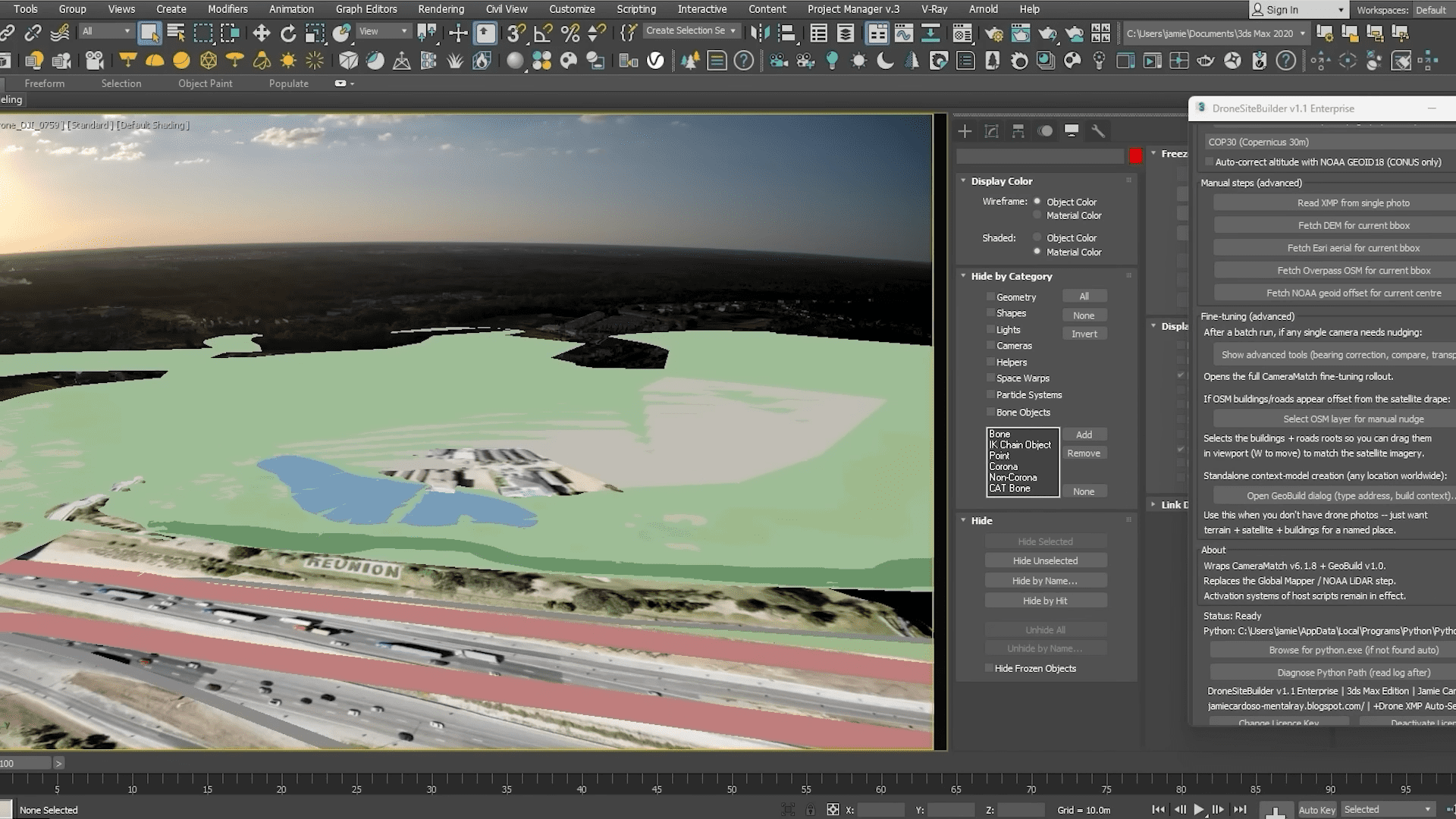
DroneSiteBuilder Enterprise turns a folder of drone photos into a full site context scene inside the 3ds Max ecosystem: terrain, aerial drape, buildings, roads, land cover features, points of interest, and one matched camera per photo.
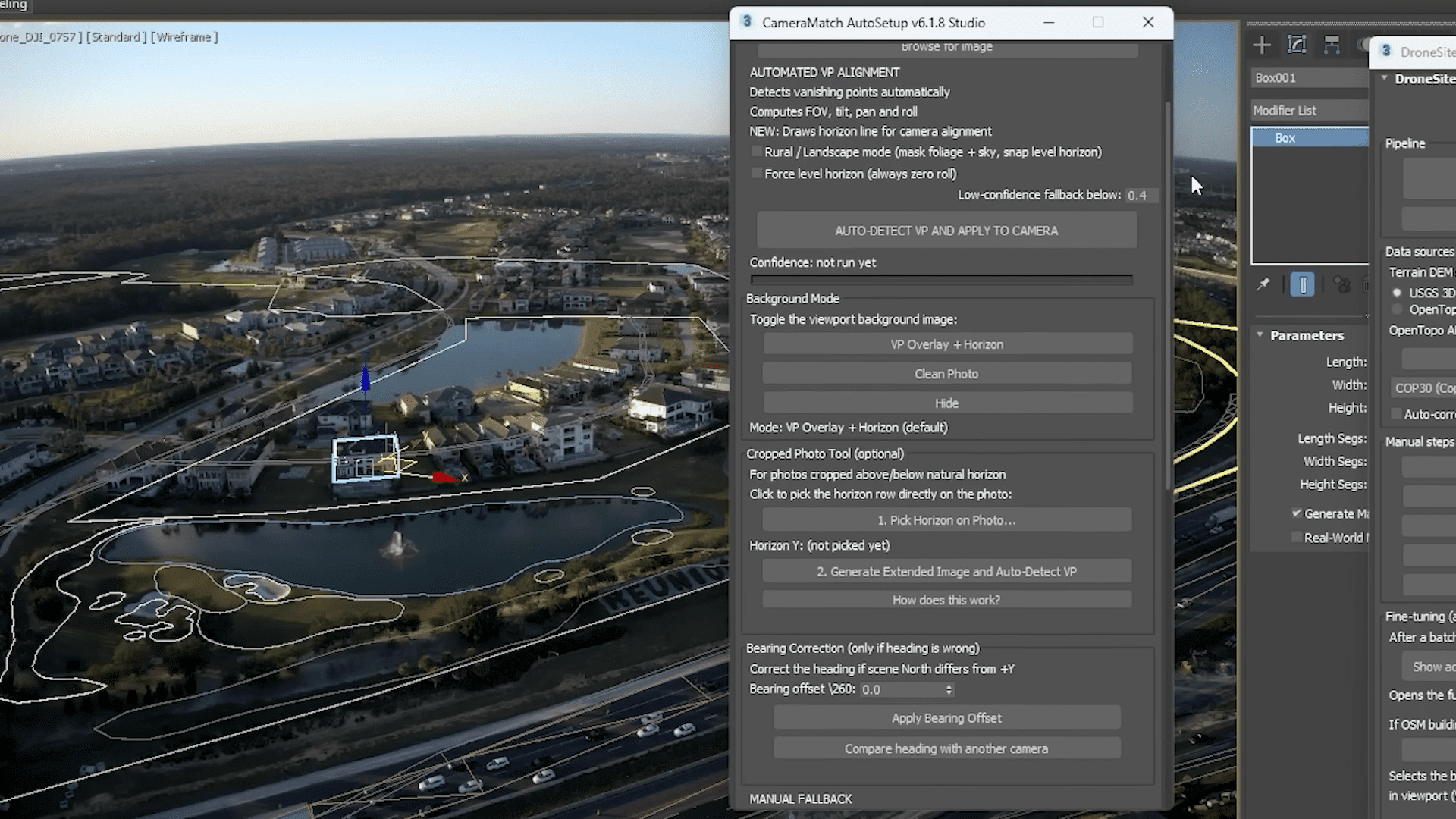
The pipeline reads XMP metadata per image and uses it to place helpers at ground level and flight altitude, then creates a renderer-aware camera per photo and refines orientation using vanishing point detection. The tool targets 3ds Max 2020 or newer on Windows and uses Python 3.9 through 3.12 with NumPy and OpenCV, plus optional modules for the Google path.
First use, abbreviated
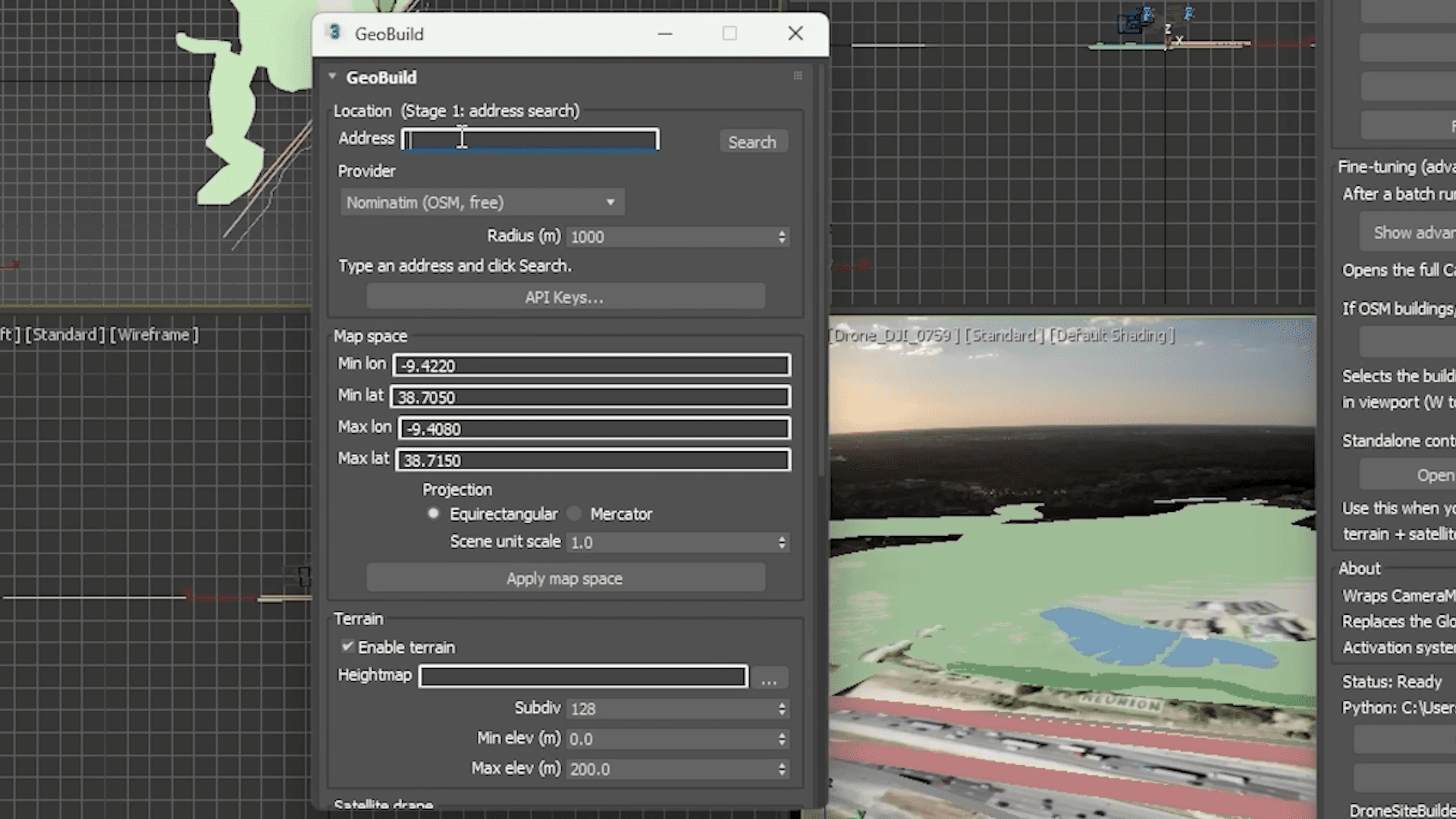
Install a standalone Python build and make sure Add Python to PATH is enabled during install, because the tool does not rely on the 3ds Max built-in Python. Place DroneSiteBuilder_Enterprise.ms and vp_detector.py in the same folder and do not install under Program Files, since Windows blocks writes there.
Launch 3ds Max and load the script via drag-and-drop into a viewport or via Scripting > Run Script. Paste your licence key into the activation dialogue and activate, with support for an Enterprise key format and existing CameraMatch Studio keys. After activation the key caches locally for thirty days and the rollout opens.
For the first build, keep original DNG or JPEG drone files in a single folder, keep filenames ending in digits, and keep an internet connection available for the auto fetch steps. Pick a terrain DEM source, keep NOAA GEOID18 enabled for continental US sites and disabled outside the US, then run Process Folder of Drone Photos and accept the summary dialogue. Inspect the result by comparing a matched camera view against the source photo.
The new checkbox: Google Photorealistic 3D Tiles
Enterprise v1.2 adds an opt in mode that fetches Google Photorealistic 3D Tiles and imports them into 3ds Max as a single merged glb, covering the photo bounding box. The intention is simple: pull a photogrammetric backdrop mesh with terrain, textures, and buildings baked into one continuous model, using the same dataset shown in Google Earth.
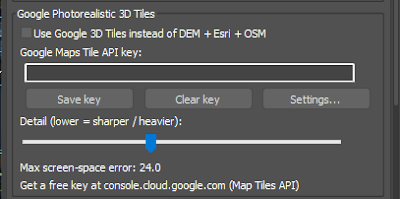


The Google path requires a Google Maps Platform project with billing enabled and the Map Tiles API enabled, plus a saved API key in the rollout. The manual describes 1,000 root tileset requests per month free and a per 1,000 price after that, with one DroneSiteBuilder run treated as one root tileset request. If the fetch fails, the tool reports common causes like missing API enablement, low coverage, EEA billed accounts being blocked for this endpoint, missing Python modules, and older 3ds Max builds needing a glTF importer.
This is also where the gaudrrails get real: the Google import produces mesh only content with baked textures, so you do not get separate terrain, buildings, roads, and features objects to isolate, re material, or hide by category.
The standard path is still the controllable one
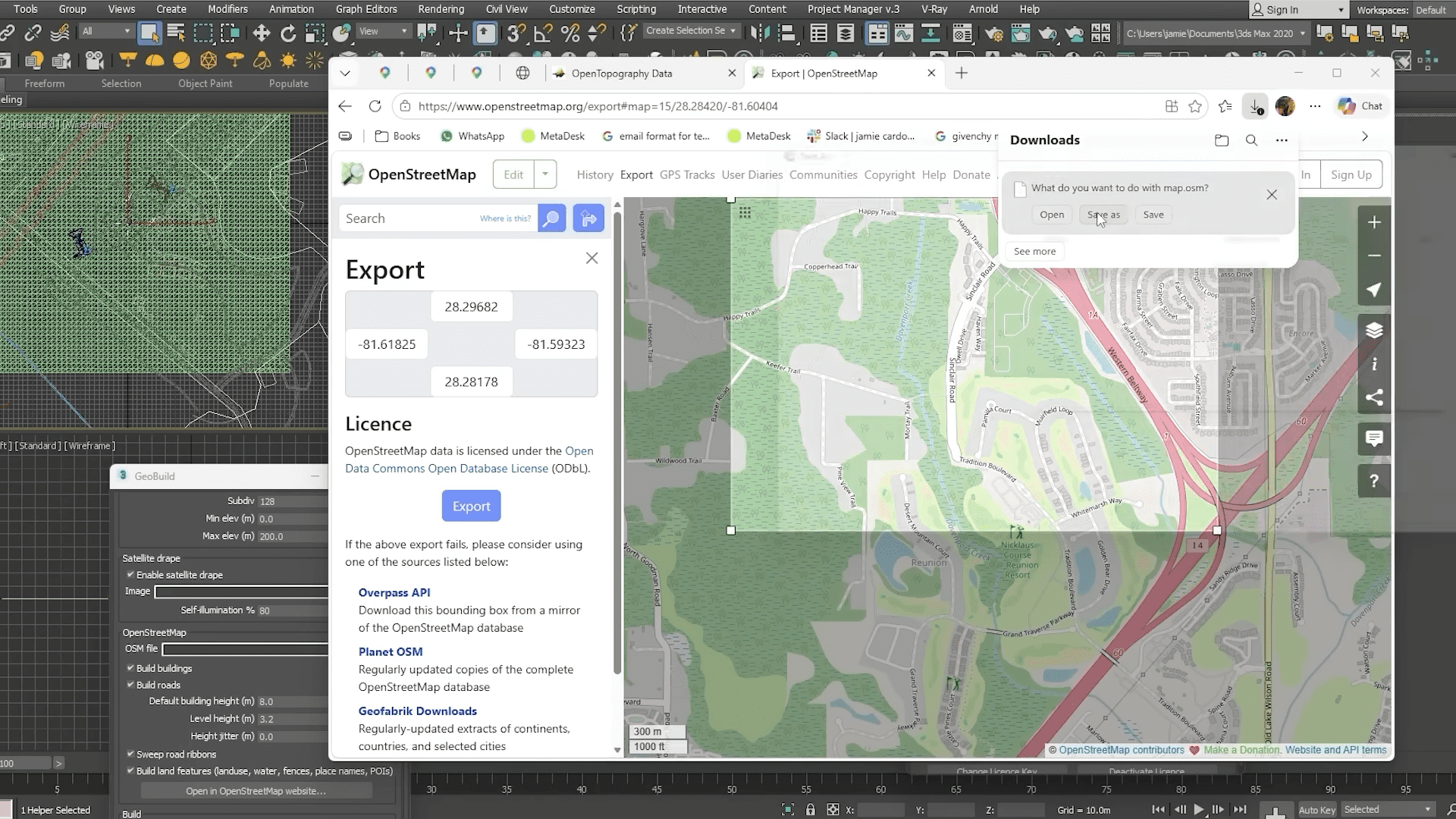
If you leave the Google option off, the pipeline builds a layered context using public services. Terrain comes from USGS 3DEP in the US or OpenTopography worldwide, aerial imagery comes from Esri World Imagery as a single bounding box JPEG, and vector context comes from OpenStreetMap via Overpass.
The scene builds under a single root helper so you can move, rotate, or scale the entire site as one unit, while cameras intentionally sit outside that parent chain to support camera transplant between scenes. If buildings and roads fail to appear on a run, the manual provides a manual Overpass refetch button that rebuilds buildings, roads, and land features without disturbing terrain, drape, helpers, or cameras.
OpenStreetMap accuracy varies by location and that the resulting geometry accuracy for this context layer sits in the one to six meter range. It contrasts that with paid city model providers such as AccuCities when millimeter level detail matters.
Export and handoff from 3ds Max
DroneSiteBuilder does not change how 3ds Max exports, but it does influence what you export. The standard path creates distinct terrain, buildings, roads, and feature objects you can selectively include in deliverables, while the Google path imports a tile based mesh group that is already baked.
For broad DCC and engine handoffs, 3ds Max includes a built in exporter for glTF and supports export workflows for USD, with export options available through File export and USD and USDZ format selection when the USD tooling is installed. For USD pipelines, the official OpenUSD plugin for 3ds Max is published on GitHub, and Autodesk documentation describes supported USD content types including meshes and cameras.
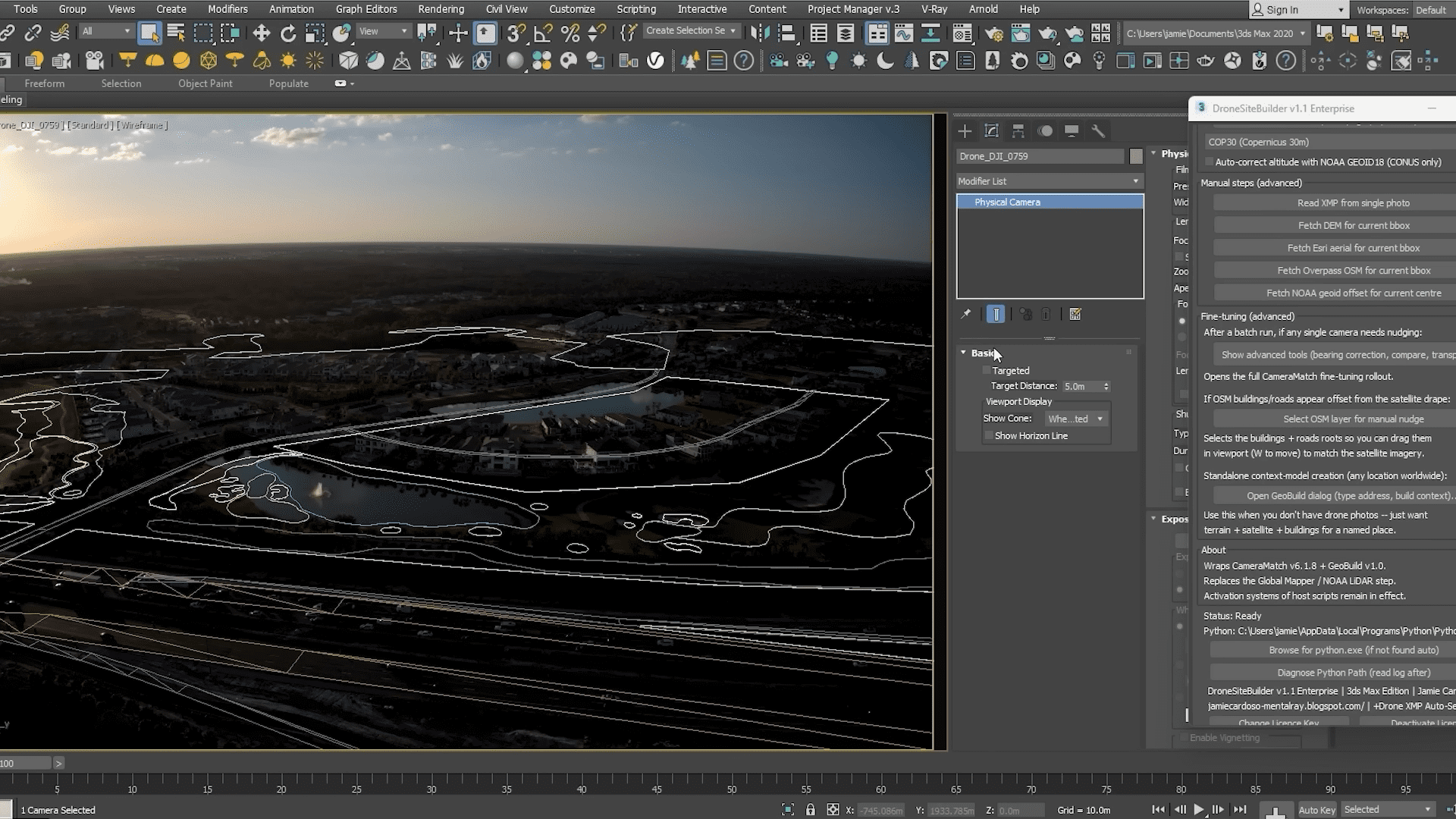
If your downstream is realtime, glTF targets web and interactive use cases, and you can also push common interchange paths like FBX into engines such as Unity and Epic Unreal Engine, depending on your studio conventions. For camera and layout continuity between scenes, the bundle includes a camera transplant workflow that exports camera data to JSON and recreates it with full precision in another scene.
Practical reality check
This toolkit aims to comperss a traditional drone to 3D context workflow into a short unattended run. The promise stands or falls on your input photos keeping XMP metadata intact, on your site area having decent public map coverage, and on you verifying the result against the plate before trusting it.
We don’t know the price yet, but if you already own the camera match tool in the Studio version, you get it for free, apparently. Quoting: Existing CameraMatch Studio licence keys activate the full DroneSiteBuilder bundle. Studio holders do not pay twice.
Try both context modes on a test job: the standard layered build when you need controllable components and re-lighting freedom, the Google mesh mode when you need a fast photogrammetry backdrop and can live with mesh-only content and licensing constraints.
https://jamiecardoso-mentalray.blogspot.com/2026/03/dronesitebuilder-enterprise-v12-one.html
