



Table of Contents Show
For those who don’t know the tool: InstaLOD from Abstract is a geometry optimisation layer sitting between DCC tools such as Blender and engines like Unreal Engine. It turns CAD, scans and DCC exports into predictable, well-behaving real-time assets without asking you to babysit every mesh.
VR as a first class citizen
With InstaLOD 2026, Abstract adds a dedicated VR target inside Delivery Optimization. Instead of nudging triangle counts and texture sizes mesh by mesh, users can now choose VR as the destination and let the system evaluate scene-wide constraints. InstaLOD accounts for triangle density, material complexity, texture resolution and runtime constraints when preparing assets for immersive devices or web deployment. Delivery Optimization can still run interactively, as reusable profiles or as rule based batch operations.
The difference is philosophical as much as technical. Rather than tweaking assets one at a time, teams define a policy and apply it everywhere. For large libraries sourced from CAD, scans and assorted DCC exports, that shift is more than cosmetic. It is also a reminder that XR performance budgets do not care how lovingly a mesh was modelled.
Raytraced shadows, fewer surprises
InstaLOD Studio’s physically accurate viewport now renders raytraced shadows using its deferred renderer, enabled by default. Raytracing can be toggled in Viewport Settings under Raytraced Effects. This is not pitched as a final render solution, but a sanity check. Evaluating silhouettes, normal fidelity and shading response under raytraced lighting during optimisation reduces the need to bounce assets back and forth to an external renderer. Translucency, bloom and transparency handling have also been improved.
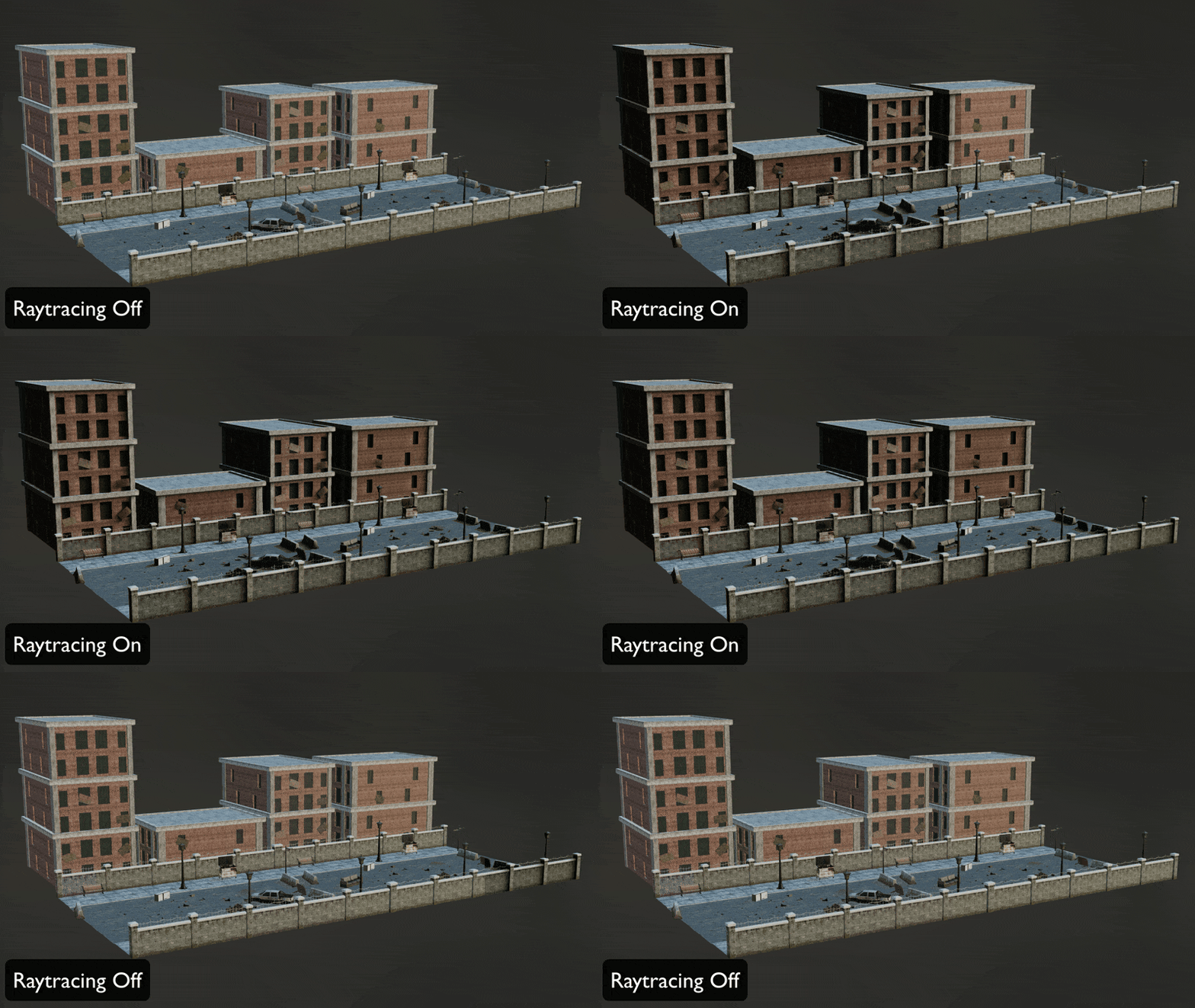
Full scene wireframe rendering, adjustable opacity for filtered selections, corrected bloom and depth behaviour, and updated gizmo controls push the viewport closer to a diagnostic tool than a passive preview. The deferred renderer stays on by default, raytrcaing is optional. Less guesswork, fewer late night re-exports.
UVs without the ritual
UV Unwrap gains primitive based projection. Users can project from planes, cylinders, spheres in several variants, or boxes. Projection can be fitted to selected geometry via Adjust To Selection or aligned to bounding volumes using Fit To Bounding Box.
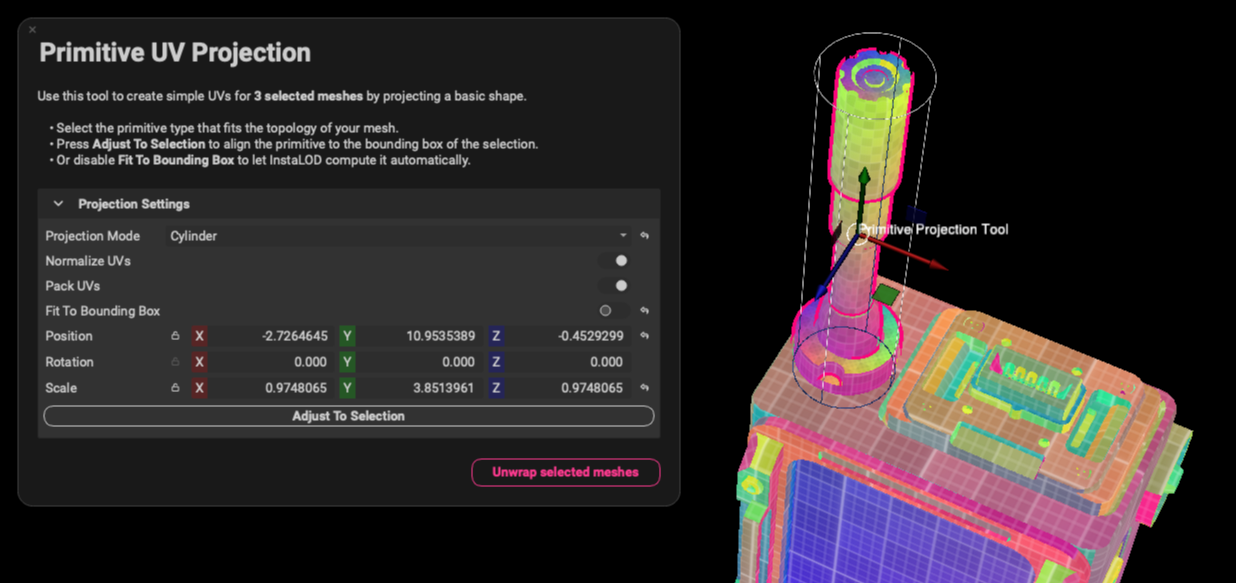
The feature is available from the Mesh menu, as a dedicated window or embedded in scene rules. When executed as a mesh operation, the projection adapts per mesh without manual parameter tweaks.
For large CAD imports or scan datasets, this means repeatable UV layouts without a custom setup per object. It will not replace hero asset unwrapping but works greatly for primitive geometry so you don’t have to unwrap the same bolt for the fiftieth time. For more complex geometries, InstaLOD’s already-existing UV algorithms can be applied.

Fixing geometry before it bites
Abstract states that the tool can fully reconstruct face orientation rather than simply flipping detected backfaces. For anyone who has chased blank faces through a pipeline at 2am, that promise alone will be appealing. Whether it resolves every pathological import case still depends on asset testing. So, now the Mesh Toolkit expands with Mesh Smoothing and a reworked Fix Winding Order. MMesh Smoothing is most useful for fixing messy scan data, not so much for CAD.
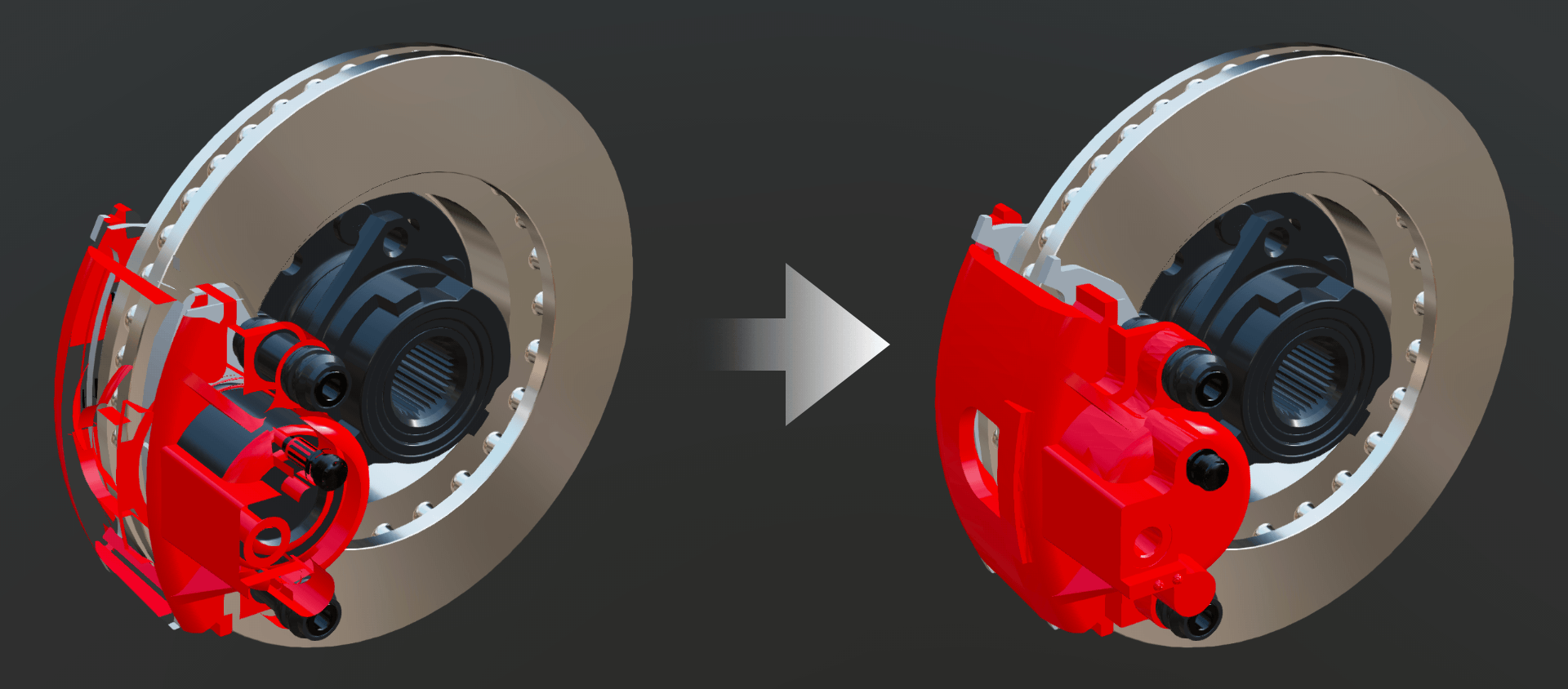
Fix Winding Order is the most helpful one for fixing broken CAD data. Fix Winding Order introduces a new algorithm that recomputes polygon orientation when normals are inconsistent or flipped. It is accessible in the Mesh Toolkit, Mesh menu, CAD import dialogue and CAD Live Link panel.
Bakers that trade triangles for pixels
Two new texture bakers extend surface detail workflows. Disk Sampling Curvature replaces previous curvature sampling approaches. The vendor states that it provides more stable and accurate curvature maps across varying art styles and geometric densities. It is enabled by selecting the Curvature baker and choosing Disk Sampling in the Texture Output panel.
The Bevel Normals baker generates rounded edge information directly into a normal map. Instead of adding subdivisions, it simulates bevelled edges in shading space. For low poly assets heading into real-time engines, this allows visually softer edges without increasing triangle counts.
The principle is familiar. If detail can live in a map instead of the mesh, the GPU will usually thank you. The art director may also stop asking why everything looks razor sharp.
Animation stays intact
InstaLOD 2026 extends animation support across GLTF, USD and FBX. GLTF and USD now support skeletal meshes, blend shapes and both skeletal and object based animations. FBX export introduces more granular control over skeletons, animations and blend shapes, with improved compatibility across DCC tools. The headline here is preservation. Optimisation does not automatically mean animation loss. InstaLOD positions itself as a geometry processing layer that respects rigs and deformation data rather than flattening them into static meshes. That is a meaningful distinction in pipelines where animation is not optional.
USD
USD workflows support polygonal meshes without forced triangulation, improved handling of stage metadata such as metersPerUnit, and removal of the default USDRoot node in exports. Material handling has been corrected for cases involving emissive colours or naming conflicts.
Polyverse inside the tool
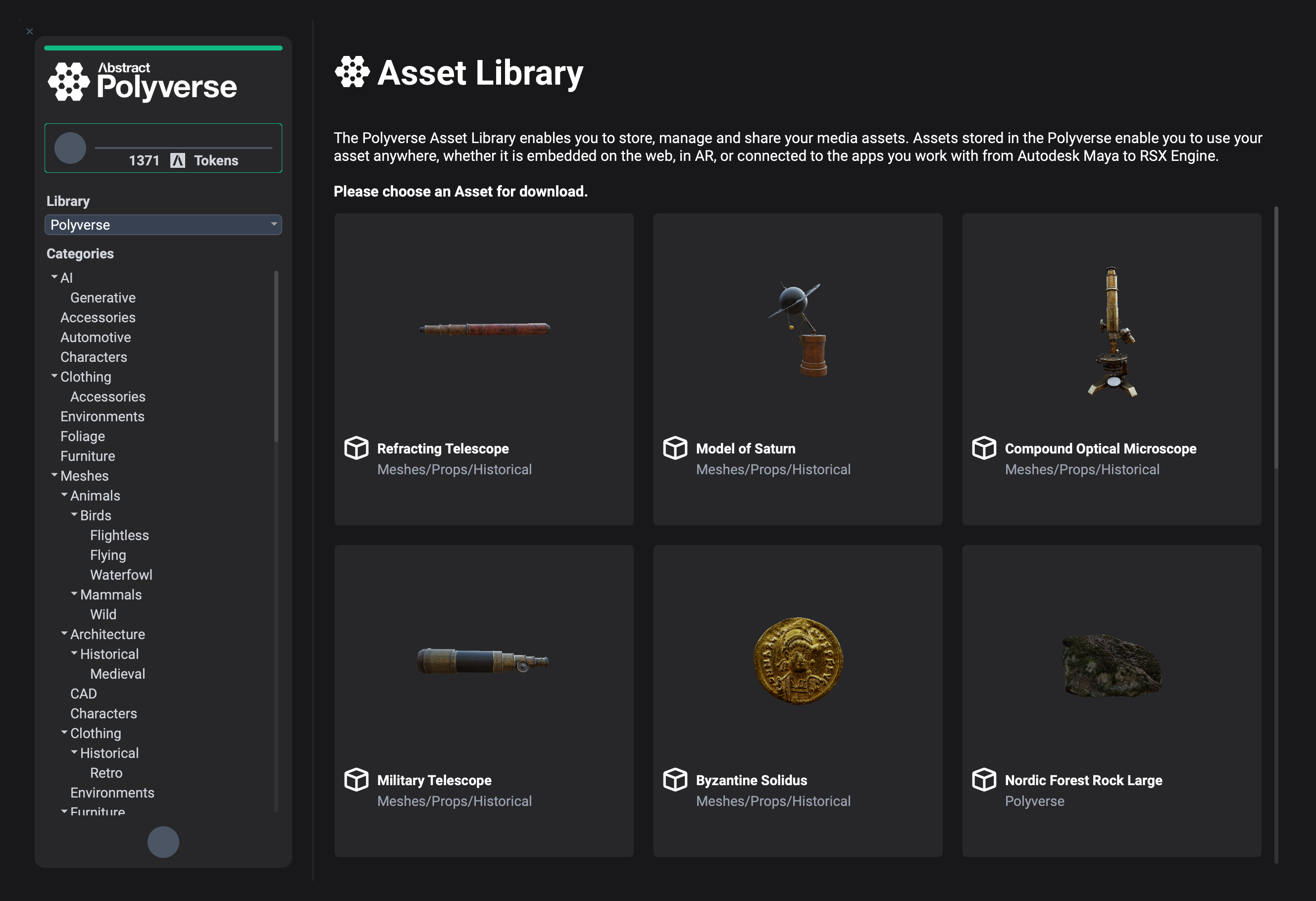
Deeper Polyverse integration brings a built in asset browser into InstaLOD Studio. Users can download and import original meshes and automatically generated LODs directly inside the application. Authentication tokens are stored to reduce repeated logins. Assets can be previewed or opened in a web browser from within the interface.
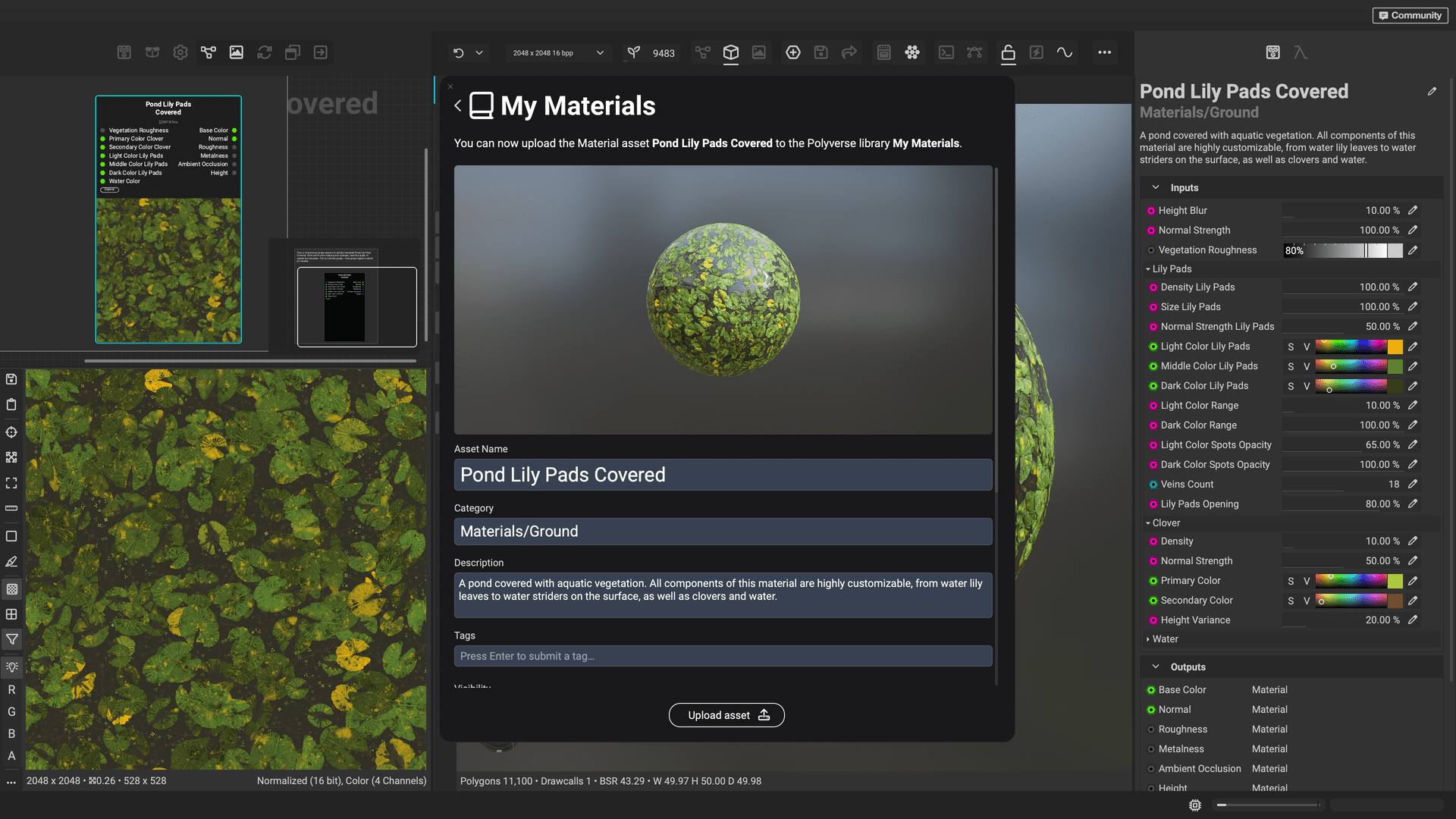
The practical effect is fewer open tabs and less manual file shuffling. Asset discovery, LOD retrieval and optimisation now sit in a contiguous workflow. It is not glamorous, but it is the kind of friction reduction that accumulates over long productions.
Formats and host apps covered
CAD support now includes DWG and DGN. SolidWorks configurations are supported with optimised retessellation. Winding order correction is available during import. OBJ import and export have been reworked. GLTF vertex colour support has been extended. USDZ embedded texture path sanitisation is included.

Plugin compatibility extends to Blender up to 5.0, Unreal Engine up to 5.7 with improved Nanite fallback LOD quality, Autodesk Maya 2026, Autodesk 3ds Max 2026 and Autodesk VRED 2026.1.
In 3ds Max, Abstract reports execution time reductions by several orders of magnitude, bringing performance closer to InstaLOD Pipeline. This claim is vendor stated and not independently verified at press time. Unreal integration removes deprecated API calls and addresses previous instability around Skeletal Mesh editors and hardware ray tracing. On macOS, the Pipeline build ships as a notarised DMG. The compatibility list reads like a checklist of common production pain points. If your DCC of choice is on it, that is one fewer integration hurdle to clear.
Small updates, fewer surprises
The release also adds machine translated UI localisation, an automatic update system, improved selection performance on high poly meshes, new export settings for animation data, improved material name preservation in Delivery Optimization and warning systems for unsupported DCC versions. Individually, these are incremental. Collectively, they aim to make the tool less likely to annoy you at inconvenient moments. In production, predictability often beats novelty.
For teams working across games, XR, enterprise visualisation and virtual production, that middle layer is frequently a patchwork of scripts and manual cleanup. Abstract is consolidating it into a unified environment.
InstaLOD 2026 is available now from Abstract. As always, new pipeline components should be tested on real production assets before being rolled into active shows. Even the tidiest mesh can hide a suprise if you do not look closely.
