



For those who don’t know the tool: Maya is a core DCC for modeling, rigging, animation, FX, and rendering, with Maya Creative as a leaner sibling. It plugs into USD workflows, Arnold rendering, and FX via Bifrost, with a shortcut out to Flow Studio when you need the cloud.
The 2027 drop hits modeling, animation, FX, and pipeline
Autodesk has released Maya 2027 and Maya Creative 2027, with updates spanning modeling, character work, animation, simulation, rendering, and interoperability. Maya Creative gets the same new features as Maya except for Bifrost 3.0. A tech preview of an in-product help chatbot called Autodesk Assistant ships in this release. It searches product documentation and answers workflow questions inside the app.
Smart Bevel wants your Booleans to calm down
A new modeling feature called Smart Bevel (Also available in 3ds Max) generates bevels by following the surface shape rather than the underlying topology. That matters most when topology gets uneven, especially after Boolean modeling. The tool is positioned as producing more predictable results on irregular meshes, including at Boolean intersections, where classic bevel workflows often demand extra cleanup.
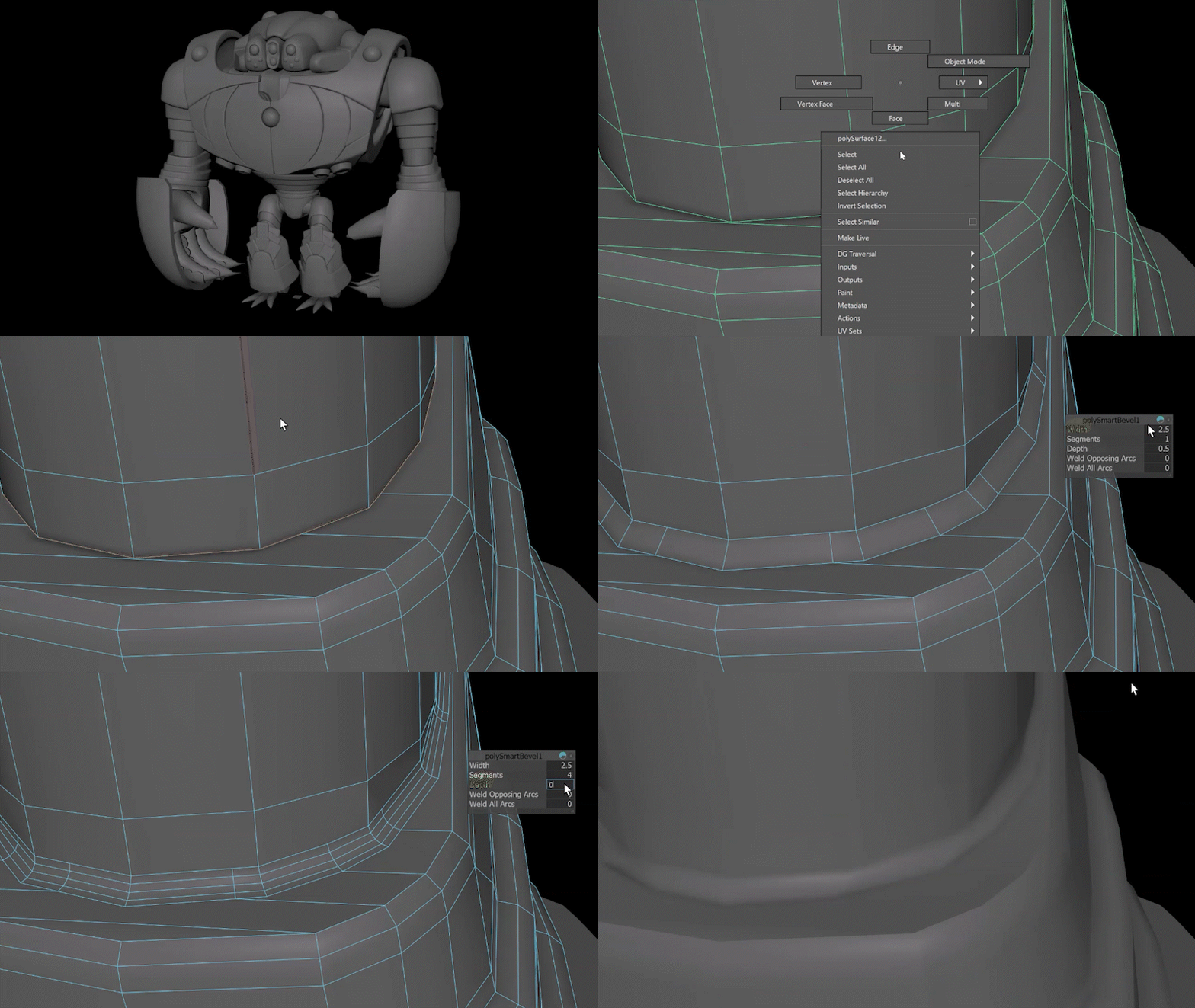
It is also non-destructive, keeping construction history so you can continue to refine the result. That makes it easier to treat beveling as part of the modeling flow, not a final bake-and-pray step.
MotionMaker teaches horses new tricks
A new horse archetype lands in MotionMaker, aimed at one of animation’s oldest time sinks: believable quadruped locomotion. The horse archetype can generate a believable base motion for horses in seconds. It covers core gait work, including trots and gallops, and it can generate transitions between them. The point is not just getting a loop, but getting the in-between that usually eats hours of tweaking, like moving from trot to catner without the rhythm falling apart. And since we only heard the phrase, but don’t know what it is: The special island Pony gait of “Tölt” isn’t covered, as far as we can see. But considering we all don’t know what that exactly is, we shouldn’t be too annoyed.
The horse joins existing motion styles for bipeds and canines inside the growing MotionMaker library. The workflow framing stays consistent: generate a base, then push performance choices yourself, like changing speed while keeping a natural gait, or adjusting action beats without rebuilding the whole setup from scratch.
If you have ever watched a horse walk cycle drift into floating-hoof limbo, you already know why this matters. Still, treat it like any new tool: test thier output on real shots before you bet a delivery on it.
Sequencer gets rebuilt for shot work, not nostalgia
The Sequencer has been modernized, with changes aimed at previs and layout artists cutting multi-shot sequences. Shot trimming and time scaling are now edge-driven interactions. You drag a shot edge to trim, and you use a time scale mode to scale by dragging the edge. The interface adds custom labels, color coding, automatic thumbnails, and smarter grouping behavior.
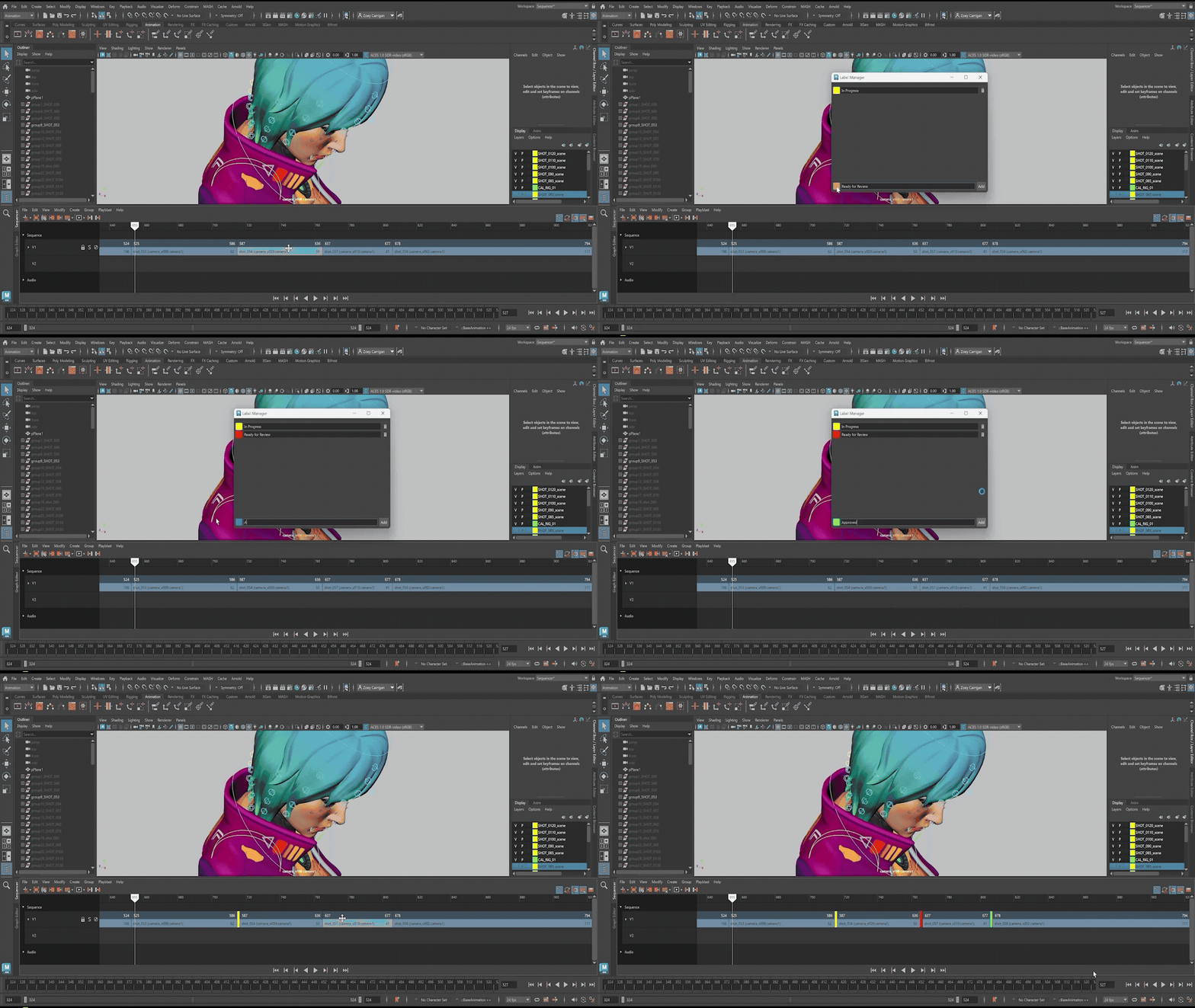
Playblasting gets its own menu and supports playblasting selected shots, all shots on a track, or the entire sequence. There is also a re-playblast option for a selected shot. File naming templates add support for a Scene keyword, and unsupported filename characters get replaced with underscores. A dedicated Sequencer workspace ships as well, and playblast output is described as improved with viewport-matching results, scene names, and full audio.
Bifrost 3.0 adds surface tension and scalable destruction tooling
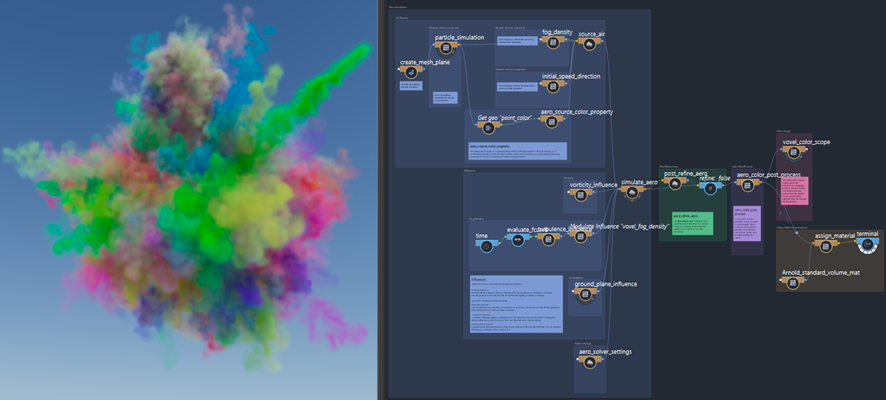
Bifrost 3.0 introduces surface tension settings for liquid simulations, aimed at more realistic droplets and splashes at high resolution. Rigid Body Dynamics workflows also get attention, with performance improvements and a push toward procedural iteration. The destruction workflow is described as fully procedural, with the ability to adjust physics, tweak constraints, refine fractures, and re-simulate without rebuilding the setup. There is also a cloud option called Flow Wedging that can generate multiple variations in parallel directly from Bifrost.
OpenUSD authoring gets more guided inside the DCC
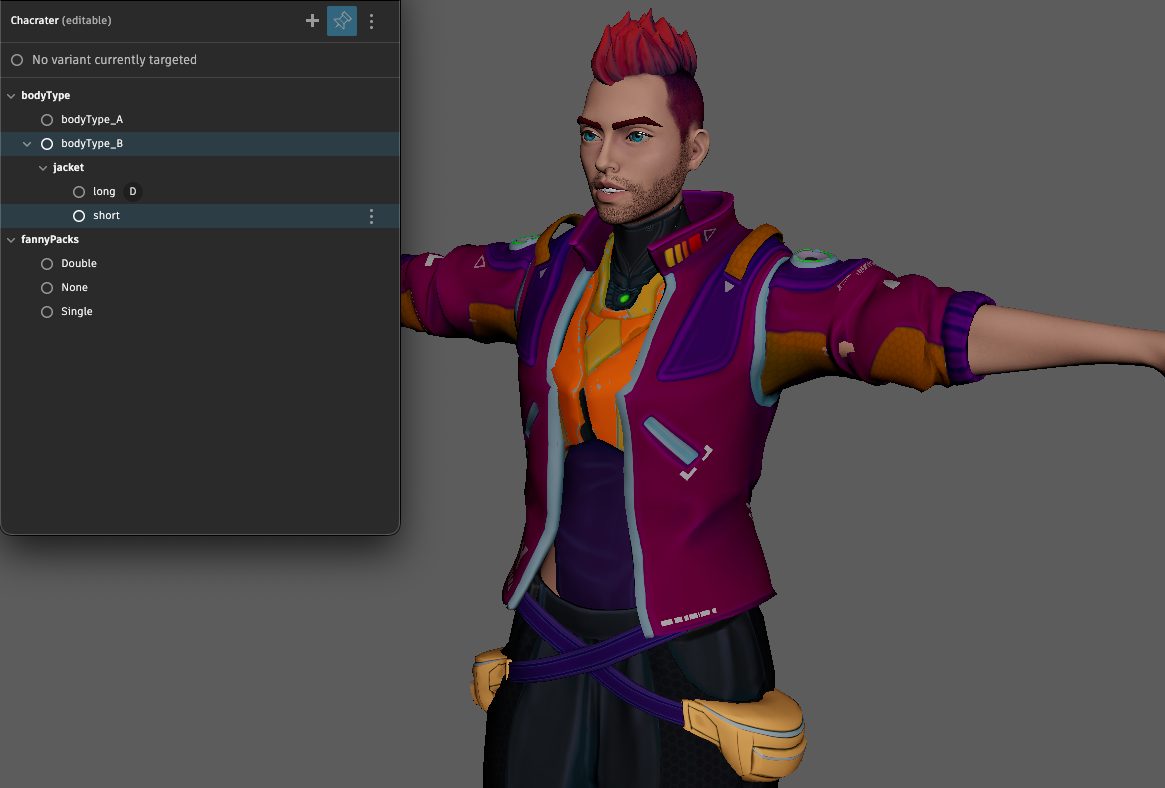
The release adds tools intended to simplify asset authoring for OpenUSD pipelines, where correctness and consistency matter as much as creativity. A guided workflow called Component Creator can build USD components through an interface designed to help structure assets properly from the start. A related Variant Manager helps define and manage asset variations.
On the 3ds Max side, an Asset Resolver is described as helping keep asset resolution stable by giving more control and visibility over how assets resolve and how paths map. It is framed as a way to reduce guesswork when something fails to load or appears changed. But more on Max tomorrow, it’s late.
Rendering and lookdev: speed, style, and portable graphs
Rendering updates focus on speed and creative control in Arnold, with improvements described for complex scenes and volumes like smoke or clouds, including GPU and volume rendering areas.

New shading tools include a stylised line option and a nearest points shader for point-based effects and data-driven shading. Hair is described as looking more natural in close-ups, and bloom rendering is described as more refined for realistic and stylised lens effects.
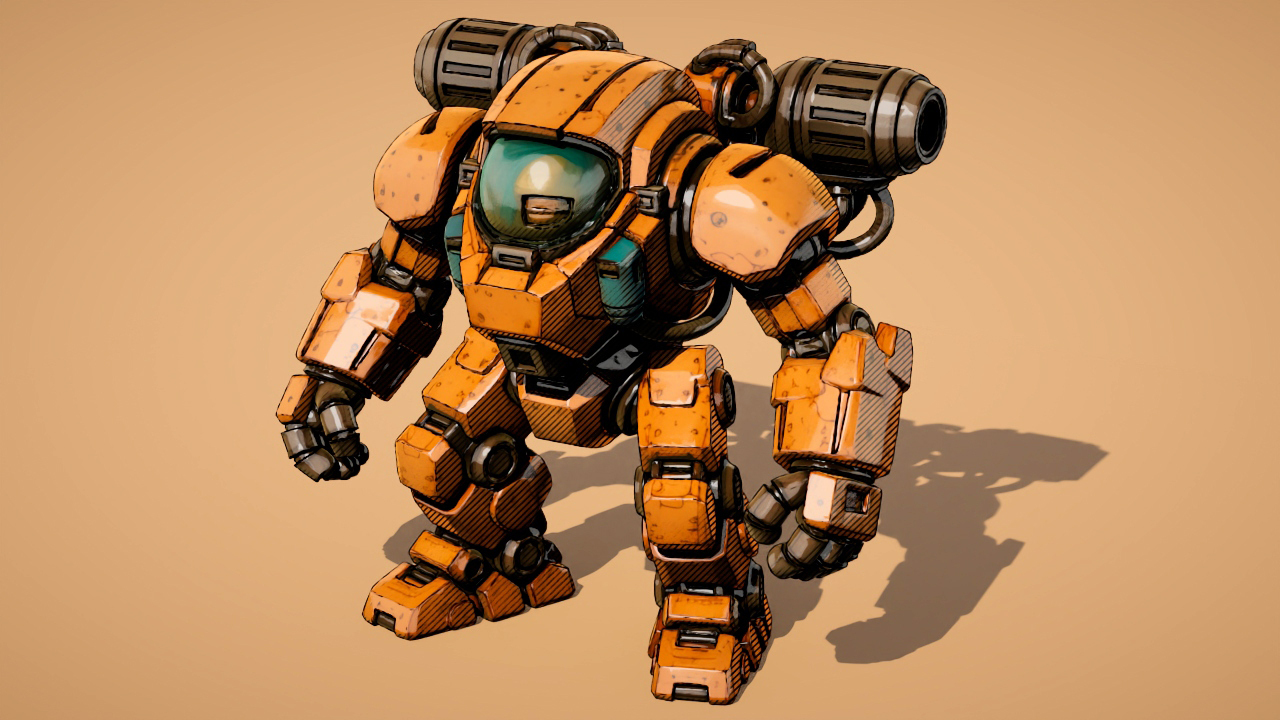
On the lookdev side, there is support for plugging third-party solutions into LookdevX for AI-driven generative texturing. This is presented as a workflow connection rather than a single locked-in generator. For interchange and portability, MaterialX workflows in LookdevX add support for relative paths in documents, with options to make paths relative to the scene file or workspace, and tools to toggle between relative and absolute paths.
Flow Studio gets a front door inside Maya
A new button in the Status Line can open Flow Studio directly from inside Maya. The release notes also call out Wonder 3D in Flow Studio, described as a generative AI model that can quickly generate 3D characters or objects from a text prompt or reference image, with export paths to Maya, 3ds Max, Blender, and Unreal Engine.
Pricing and system requirements
Maya is rental-only, with subscriptions listed at US$255 per month or US$2,010 per year. Maya Indie is listed as priced at US$330 per year for qualifying artists earning under US$100,000 per year and working on projects valued under US$100,000 per year. Maya Creative is pay-as-you-go, with pricing starting at US$3 per day and a minimum spend of US$300 per year.
Maya 2027.0 is available for Windows 11, macOS 14.0 or later, and Linux distributions including RHEL and Rocky Linux. Whatever part of the pipeline you touch, put the new features through your usual validation before they enter production, especially anything that changes core geometry, rig weighting, USD structure, or render outputs.
https://blogs.autodesk.com/media-and-entertainment/2026/03/25/whats-new-in-maya-and-3ds-max/
