



For those who don’t know the tool: Blender is the free all in one DCC for modeling, animation, rendering, and export tasks like USD, with Eevee for realtime previews, Cycles for finals, and a Compositor that keeps quietly expanding its job description.
The release vibe: refine, then refine again
Blender 5.1 arrives with a clear theme: make everyday work feel lighter. The focus sits on quality of life improvements, stability, and polish, following a “Winter of Quality” push that solved 350 important issues and also cleaned up code to make future improvements easier.
That mindset shows up everywhere. Some changes are the sort you notice instantly. Others only reveal themselves after a week, when you realize you have not sworn at a dialog box even once. Progress comes in many forms. It is still the same familiar toolset. The difference is how often it gets out of your way.
Raycast: a shader node that likes to ask questions
A new Raycast shader node lands in the material system, built around a simple idea: shoot a ray, get useful surface information back, and use it to drive looks. That unlocks effects that rely on the closest point on a surface from the ray source, or the distance to it. There are demo files showing setups like toon shading and an X ray render effect.
There is also a practical warning: Raycast can be computationally expensive, and baking its output is suggested as a way to improve render times when needed.
Rendering: faster compiles, leaner memory, quicker frames
On the realtime side, Eevee speeds up material compilation by pre processing shader sources. In the standard Barbershop text scene benchmark, GPU shaders compile 25 to 50 percent faster across operating systems. Memory also gets attention. Eevee reduces texture memory use via texture pooling, helping scenes fit into less VRAM.
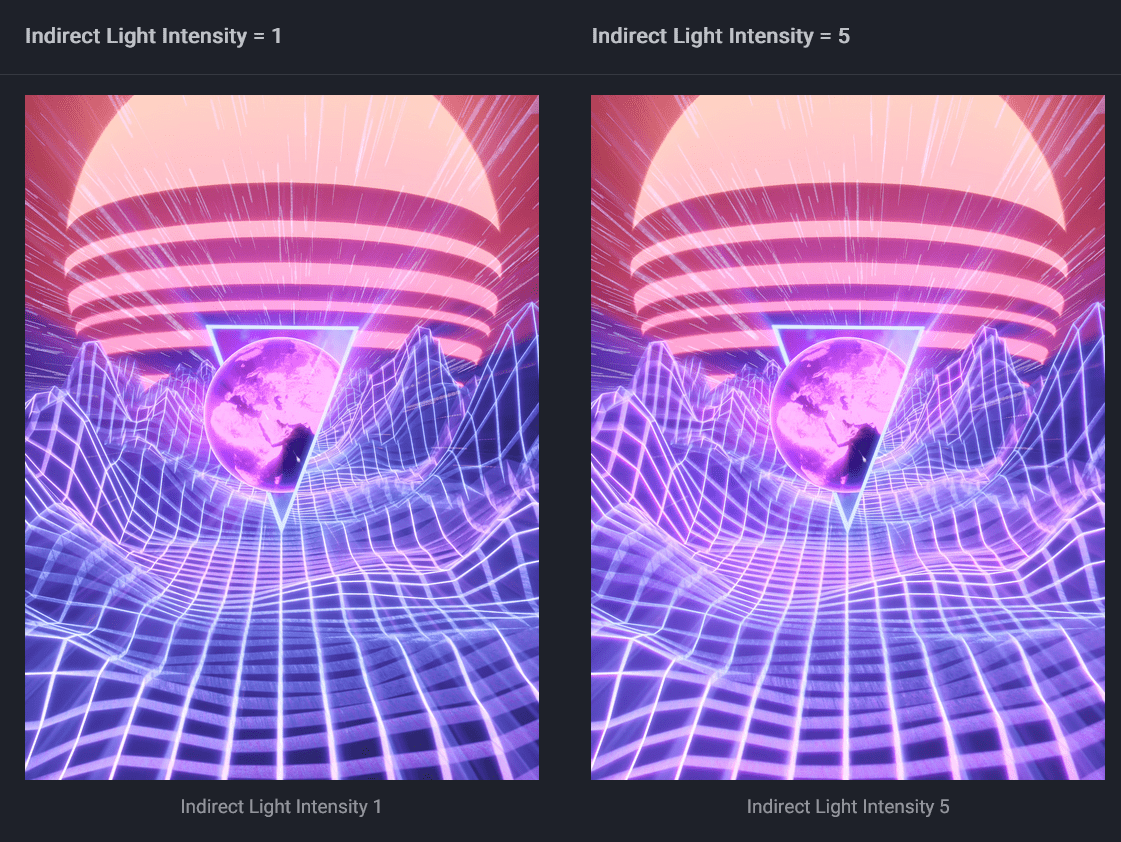
Cycles picks up performance gains too. GPU rendering improves by about 5 to 10 percent for many scenes, and HIP RT ray tracing is enabled by default on AMD GPUs. If your day includes lots of lookdev iteration, the combined effect is straightforward: fewer pauses between decisions.
Animation and rigging: the biggest speed win in the room
If you care about playback, Blender 5.1 comes with a headline worthy improvement: actions and shape keys evaluate significantly faster, with reported gains ranging from 4 percent to 304 percent in frames per second depending on the file. For cleanup work, the Graph Editor adds a Gaussian smoothing modifier that smooths curves non destructively. It is also explicitly described as resource heavy, with guidance not to use it on too many curves at once.
There are also small but practical timeline and editor touches that help animation feel less fiddly, like interpolation line colors indicating interpolation type in the Dope Sheet and menus.

Compositing and editorial: nodes that earn their keep
The built in Compositor adds a Mask to SDF node. It converts a mask into a Signed Distance Field by computing the distance of each pixel from the mask edges. That supports effects like edge glows, eroding or dilating mask edges, and distance based effects like procedural blurs.
The compositor also gains utility nodes including Boolean, Integer, Vector, and Index Switch, plus support for the existing Radial Tiling node. Speed matters here too. Several key nodes are faster, including Blur, Directional Blur, Vector Blur, Glare, Lens Distortion, and Anti Aliasing, described as 1.2x to 2x faster.
In the Sequencer, the Blade tool adds a box gesture that supports ripple editing, aimed at quicker cutting. Taken together, the message is clear: the VFX and video toolsets are being treated like first class citizens, not the side quest you only visit when your shot count gets scary.

Modeling and sculpt: a pile of small wins
Modeling sees a mix of performance and wrokflow tweaks. Filling for text objects improves, expanding the types of fonts that behave well as 3D text. Filling in general is up to five times faster, especially for n gons with many sides. Snapping adds an option to snap to the center of faces. In sculpt and paint, one visible addition is a Blur brush for blurring surface colors in Sculpt mode.

Grease Pencil: holes, at last
Grease Pencil gets notable workflow improvements, including better handling of strokes and fills and new ways to cut holes in shapes. Holes in fills can be created either via new operators that perform Boolean style operations or via the SVG importer. The draw here is practical: importing SVG and PDF content becomes easier to integrate without the same fill weirdness described in the feature overview. If you have ever built a workaround stack just to preserve negative space, this one lands with a satisfying thud.
Geometry Nodes: more rig friendly, more volume friendly
Geometry Nodes adds a Bone Info node that makes it possible to access bone position data. There are also new nodes for working with volume grids, including nodes for dilating, eroding, and clipping volume grids.

UI, file I O, and pipeline glue
The UI picks up just under 100 fixes and feature improvements, including the ability to search for controls by name in Preferences. Other practical UI touches include resizing quad views interactively by dragging the center point, and copying and pasting nodes between separate instances. On file formats, new options include AVIF export. Updates also land for USD, glTF, and FBX, with FBX files now including Shape Key normals for better compatibility with game engines like Unity.
For pipeline integration, support includes Python 3.13 and OpenColorIO 2.5, matching the CY2026 spec for the VFX Reference Platform. For virtual reality projects, the arc teleportation system is described as completely rewritten, and OpenXR is supported on macOS.
Availability and licensing
Blender 5.1 is a free download. The source code is available under the GPLv3 license. That free and open model is not new, but it still matters. It shapes how fast features get tested in the wild, how quickly workflows spread through studios, and how often a random late night fix becomes a shared win by morning.
The only remaining job is the boring one: install, test, validate, and only then roll it into serious work. Even a tool with a good mood still deserves a proper pipeline check. And yes, the Blender Foundation clearly wants this release to feel like a calm upgrade, not a reinvention.
