



Table of Contents Show
This article appeared in issue 01 : 07.
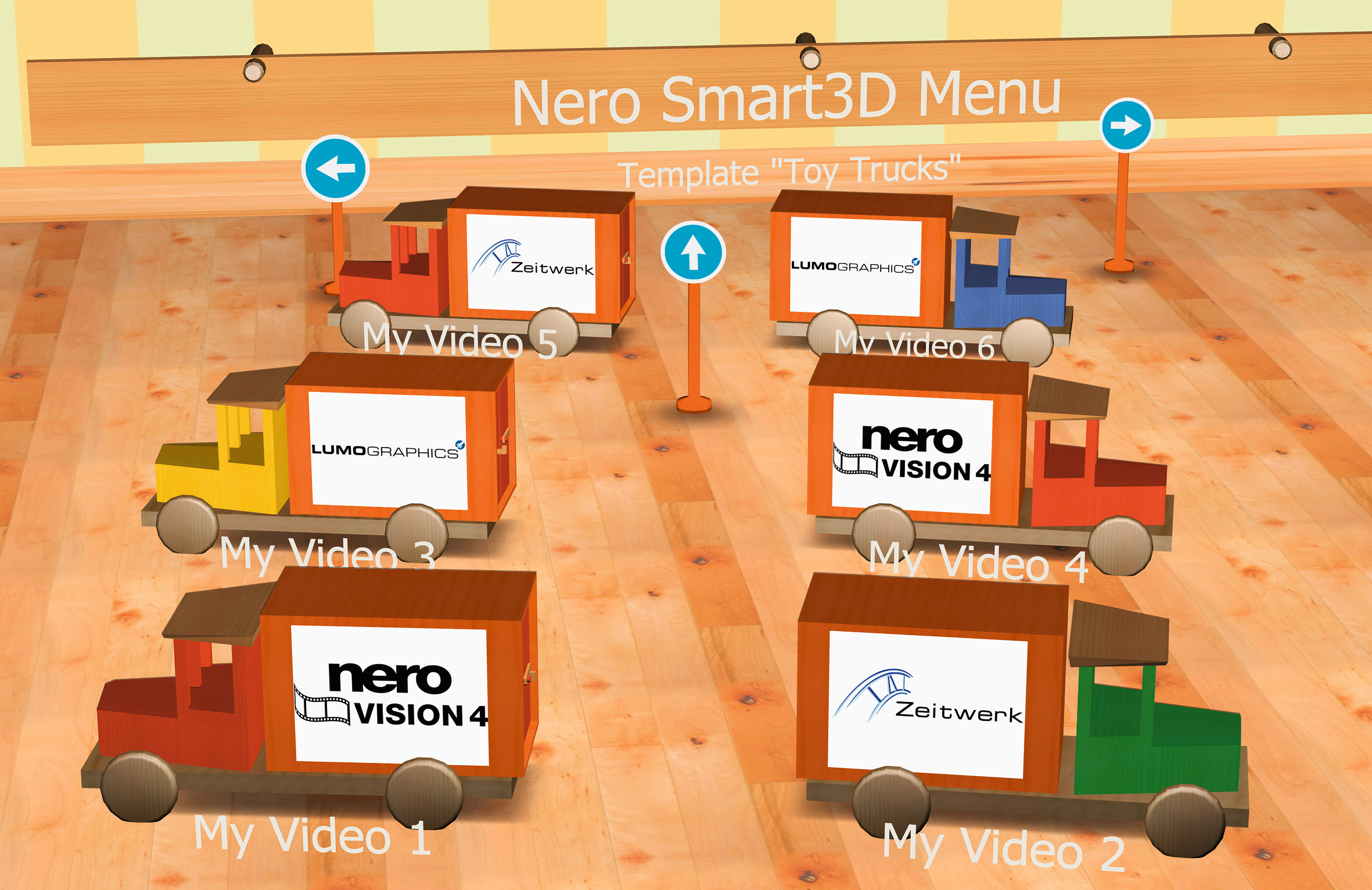
Nero Vision 4 is an application that makes editing your own films child’s play. Videos can be transferred directly from DV cameras or other external video devices, edited and then burnt to DVD. As a special bonus, the programme offers a selection of menus with animated page transitions – although their design posed very different challenges for those involved in their development.
From the idea to the requirements profile
It all started with Nero’s desire to offer an authoring programme for editing video films with the new version of Nero Vision, which would enable ambitious videographers to achieve professional results with little effort and little technical knowledge. “Our product had to be different from the DVD authoring programmes on the market, which generally offer static menus and therefore only allow hard cuts,” explains Nero Product Manager Frank Glatt. This requirement profile meant adding dynamism to the menus with attractive transitions and integrating the option of descriptive text input. As a special feature, 3D animations were to be used. Fixed, inflexible programming of the 3D graphics, which would have required additional programming effort for each new 3D menu, was out of the question. In order to ensure the desired dynamic presentation, it was decided to develop a customised 3D engine based on a scene graph.
Development of a 3D engine
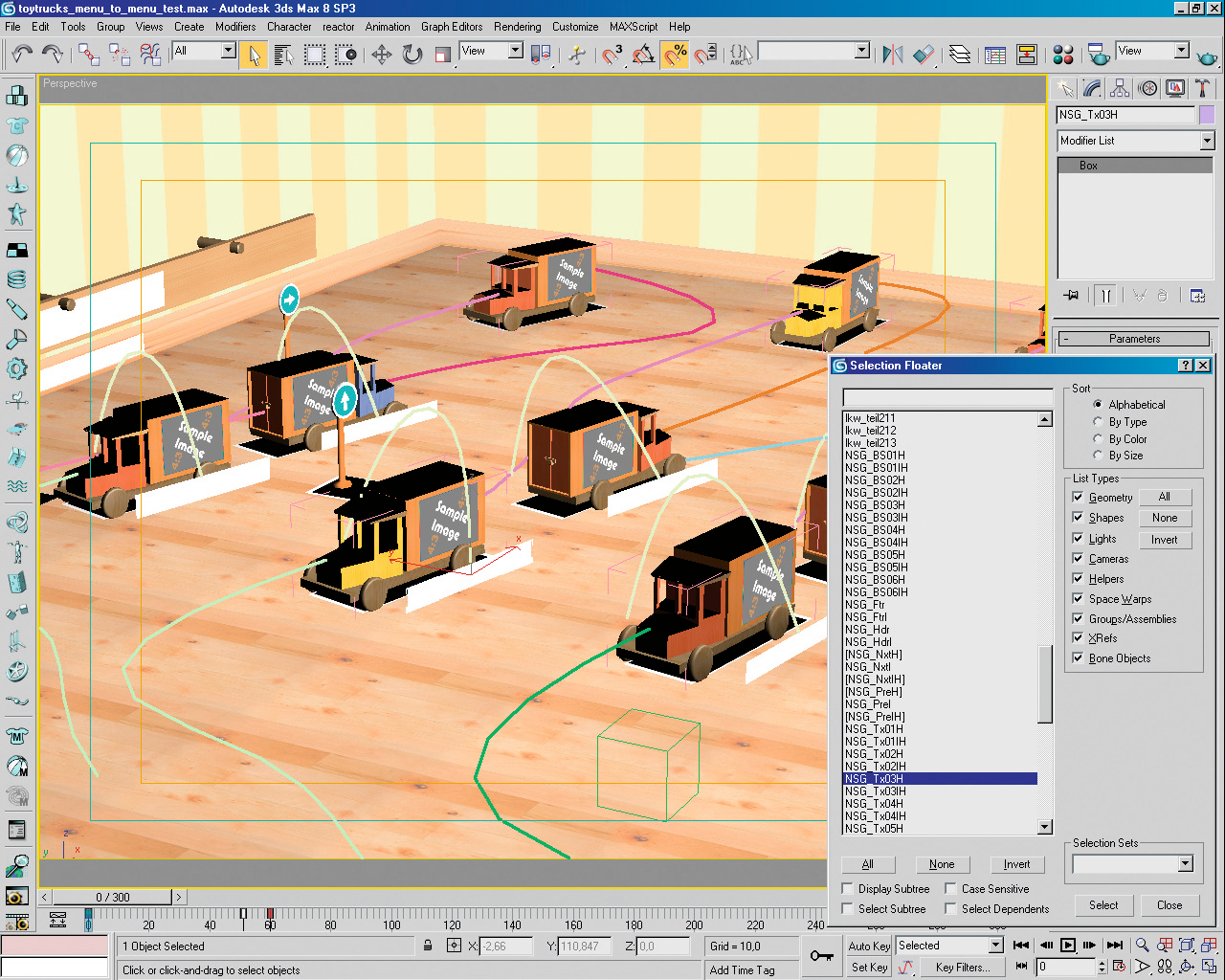
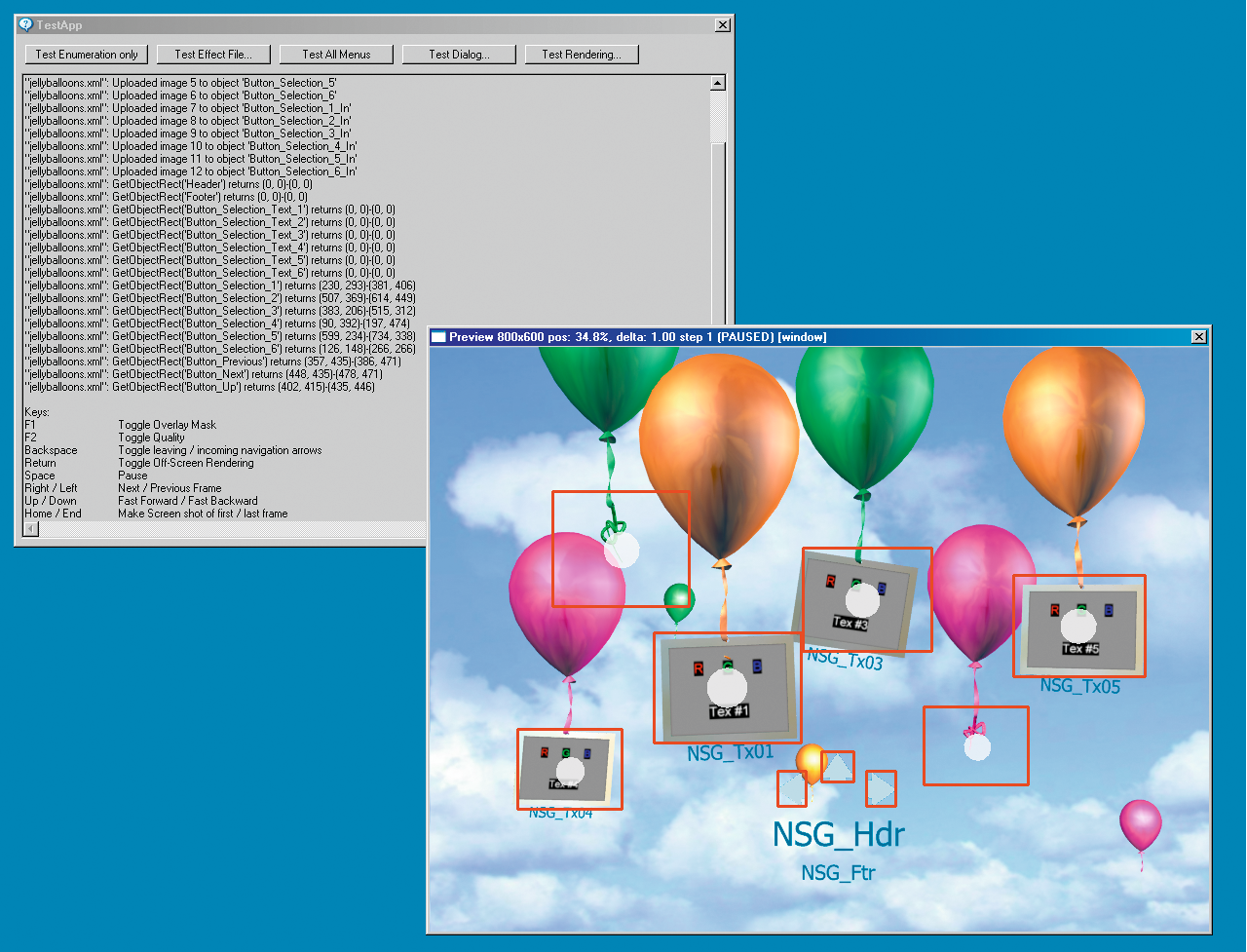
The 3D engine developed by Nero is based on its own data format, which – supplemented by a special importer – can insert 3DS files. This resulted in some special technical features for 3D modelling: The generic 3DS export was to be used for the export to 3DS format in order to avoid having to deal with any incompatibilities between different exporters. To ensure that the correct objects were recognised by the Nero 3D engine as buttons or video textures, a certain naming convention had to be adhered to. “We supplemented our own file format by importing 3DS, an openly documented file format,” explains Dr Torsten Blank, the developer responsible at Nero. “This made it possible to transfer a whole range of information, even if the animation of individual material properties such as colour or visibility remained unaffected and forced us to use a few tricks.” For example, the importer could not fulfil the requirement to bring movement into the respective background graphics. Therefore, the team coded animations in the XML file that had an effect on objects from the imported 3DS scene. Several planes were modelled in the background and made transparent “from the outside” one after the other. Background movement, in turn, was a requirement to increase the attractiveness of the views, as static pages quickly generate boredom. For this reason, the creators of the software attached great importance to ensuring that the menus remain in motion even after the respective intro has ended.
Another rule for creating the 3D animations was that the user should be able to switch from this loop of the main menu to another menu level at any time without interruption. This had to be taken into account above all in the graphic design of the individual video menus. For capacity reasons and because it is not one of its own core competences, Nero enlisted the support of Lumo Graphics and Zeitwerk. Zeitwerk, a specialist for cross-media and multimedia solutions, developed ideas and concepts for the graphic implementation of the video menus and realised them in close cooperation with the Karlsruhe-based 3D visualisation professionals from Lumo Graphics. The cooperation was particularly necessary in terms of feasibility, data volume and processing speed: according to Nero’s specifications, the models had to be kept as small as possible and the number of lights minimised as far as possible. However, the 3D real-time engine enables the import of geometry data, materials, cameras, lights and animation keyframes.

The set of rules
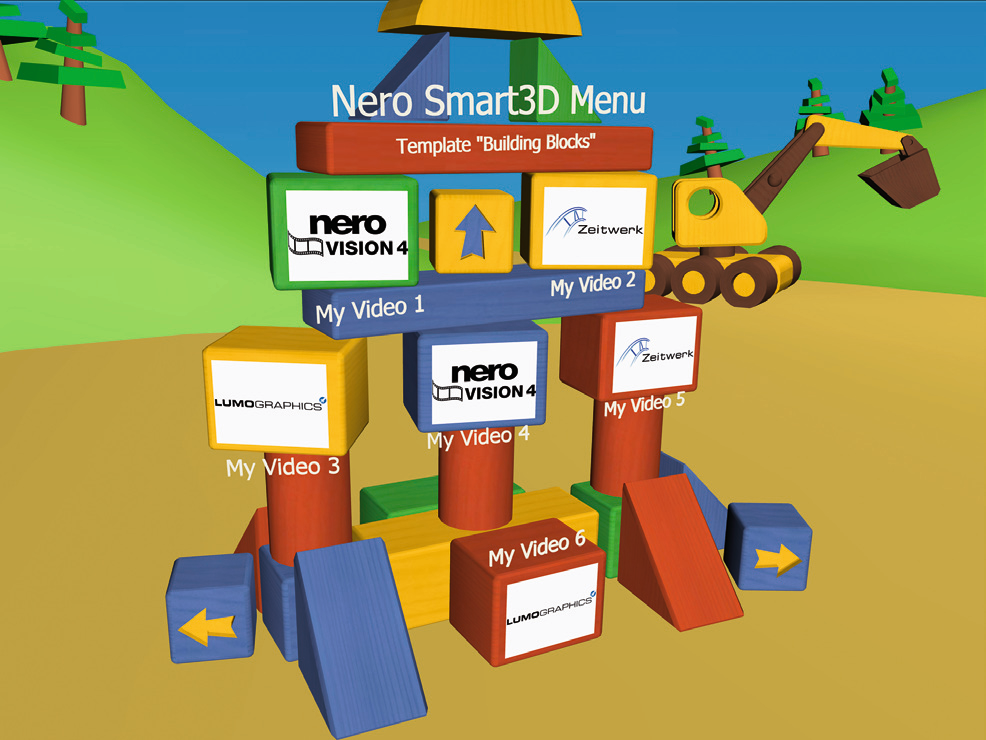
In addition to the technical requirements, the menu structure defined by Nero and the desired interactivity resulted in a series of rules that had to be observed when designing and creating the 3D animations. The basic structure should be based on a maximum of two hierarchical menu levels. A 3D animated intro leads the user into the room with the respective main menu, which was deliberately limited to six possible menu items per screen view. However, the user can also generate additional menu items if required. These are then located next to the initial menu and can be moved sideways across the screen if required. This means that each menu level can consist of any number of menu pages, which can be called up with special 3D buttons for “right” and “left” – a so-called multipage menu.
Each of these menu pages can in turn contain up to six video buttons with text subtitles. These video buttons either lead to a stored video or – if you are on the upper menu level – to the submenu, in which the 3D buttons represent various entry markers in the respective video title. Submenus may also consist of any number of menu pages, but may not contain any other submenus. As a result, the main menus have a right and a left button in addition to the six video buttons, while the submenus have a right, a left and a back button. The latter enables the user to return from a submenu to the associated main menu.
All menus also have a title and a footnote made of 3D text, which are generated from text input by the user. For the graphics, the question arose as to which motifs best fulfil these requirements. This was not a problem for the abstract versions, but for the concrete topics such as “Travel and holidays”, “Children and family”, “Celebrations and festivities” or “Business”, convincing and credible illustrations had to be found first. From the 3D modellers’ point of view, these also had to be suitable for the various menu transition sequences. For Lumo Graphics, the particular difficulty lay in combining the 3D animations with the demands of interactivity: “Designing a creative solution within the possibilities provided by the real-time engine was one of the biggest challenges in the graphic realisation,” admits Managing Director Thomas Rühlemann.
Content-related search for motifs and graphic fine-tuning
Once the technical features had been largely clarified, the content framework had to be defined. Zeitwerk was responsible for developing suitable concepts to realise the specifications and, according to communication designer Annette Bitterle, this was not so easy at first, as the rules and regulations set some limits. In the first step, she put herself in the target group’s shoes to understand their wishes for possible video menus. The result was the categories “Holidays”, “Children”, “Family celebrations”, “General” and “Abstract”. The first basic ideas were developed on this basis. The team decided to start with abstract variants because they are versatile and allow more freedom in terms of design. The best example: the cube as a geometric figure proved to be particularly suitable because it can be turned or tilted to all sides. Switching from one level to another works by tilting the cube forwards and backwards. A transition to a video title could use one of the sides of the cube as a video surface.
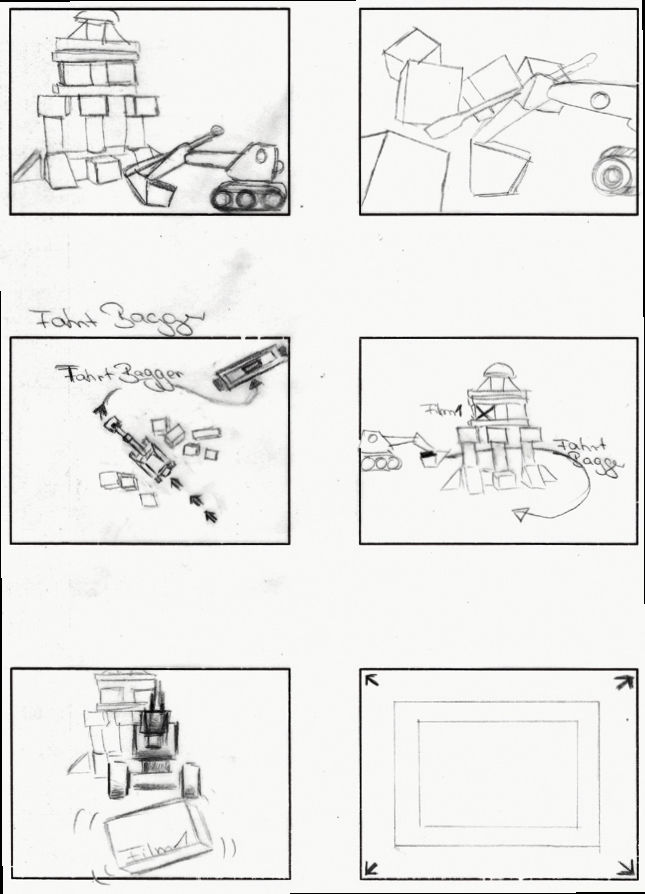
Annette Bitterle developed a scribbled storyboard from the basic idea, which Lumo Graphics used to realise the 3D animation. “Designing the views two-dimensionally in Photoshop and having 3D in mind was the biggest difficulty for me at the beginning,” says Annette Bitterle, “but the deeper I got into it, the more exciting it became and my eye for feasible subtleties was sharpened.” As with the cube, the square and rectangular formats were subsequently used for other motif variants, as this is the best way for the viewer to see the scene and the added text. Suitcases on a luggage conveyor belt refer to travel and holidays, picture frames to family celebrations. There are at least 15 sequences per motif: a main menu loop in which the selection phase is shown, an intro that leads from a blank screen to the main menu, a transition from one menu to the menu “next to it” on the same level, six transitions from the menu to a submenu associated with each button and six transitions from the menu to the start of one of the six videos.
The music makes the animation
The soundtrack should not be neglected. For example, some motifs only really came into their own with the background music, which was adapted to the images. The interplay of dynamic image elements and soundtrack provides variety and entertainment when watching the video menus. The makers relied on the services of Andreas Köhler from Comtune, who composed short pieces to match the image sequences. Zeitwerk integrated the sound in post-production in synchronisation with the animation sequences.
Finally, the various video menus underwent various test runs in the Nero labs, in which the practicality in particular was scrutinised once again. The size and legibility of the 3D texts, which should be displayed convincingly on a wide variety of television sets, had to be subsequently adjusted for some menus.
The result is a selection of around a dozen 3D-animated video menus that ambitious DVD and video fans can use to put their own films and productions in a professional-looking context without any programming effort. Further interesting 3D menus and extensions are planned for future versions of Nero. Examples of the 3D menus can be found on the booklet DVD and at http://www.zeitwerk.de/zeitwerk/www_ root/projectsheets/nero.
3D video menus for Nero Vision 4
- Client: Nero AG
- Production: Lumo Graphics, Zeitwerk
- Sound: Andreas Köhler, Comtune
- Concept/design: Annette Bitterle, Thomas Braunagel Project management: Thomas Rühlemann
- Modelling and textures: Sebastian Witt
Founded in 1995, Zeitwerk GmbH has consistently made the transition from a pure web agency to a cross-media communications service provider in recent years. Its client list includes renowned companies such as Bilfinger Berger, Campina, Harman/Becker Automotive Systems, Berner, Heidelberger Druckmaschinen and Deka Immobilien Investment.
Lumo Graphics has been offering solutions for visualisation in product configuration and photorealistic representation of variant products since 1998. The customer list of the software manufacturer and 3D service provider includes Mercedes-Benz buses, ThyssenKrupp Aufzugswerke, Kögel-Fahrzeugwerke, Schöck Bauteile and T-Systems.

Article details
- Published
- Author
- Archive
- Reading time
- About 9 min
- Word count
- 1,700