



Table of Contents Show
TL;DR: The Meet Flip combines a genuinely tiny 37.7 g body with good 4K video, simple USB-C plug-and-play operation and mechanical lens privacy. OBSBOT Centre adds a teleprompter, gaze correction, auto framing, backgrounds, Virtual camera, and a suspiciously useful 30-second meeting loop.
Some products make the clever bit an AI model, a cloud service, or something described as “revolutionary” in six consecutive paragraphs of the press release. With the OBSBOT Meet Flip, the clever bit is considerably simpler.
You close it. And closed means closed.
The camera folds physically into its own body, covering the lens and putting the device into standby. This sounds almost comically obvious until you have seen a webcam light come on when you were certain you hadn’t asked the browser, operating system, or anything else to access it. With the Meet Flip, there is no argument. No code in the world can decide to unfold the camera for you. Sometimes the best security feature is still a hinge.
Small enough to actually travel
The other rather important feature is size. The Meet Flip weighs just 37.7 grams and measures 41.6 × 44.9 × 18.8 mm when folded. Opened, it measures 41.6 × 36.9 × 31.9 mm. In less scientific DP units, that is roughly one and a half matchboxes. That makes it useful as a travel webcam rather than merely a webcam you can technically transport if you devote sufficient luggage space to it.


The folding mechanism doubles as the mounting system. It clips onto a laptop or monitor; it can simply stand on a desk, and there is a standard UNC 1/4 “-20 thread underneath if a tripod or other mounting hardware is available. One USB-C connection provides both power and data.

Even better, no OBSBOT software is required for basic operation. Connect the Meet Flip, and it behaves like a normal UVC webcam. Windows or macOS recognises it; you select it in Zoom, Teams, OBS, VMix, Google Meet, Jitsi or whatever meeting software you’ve chosen to ruin the next hour, and off you go. That sounds mundane. It is also exactly what you want from something living permanently in a laptop bag.


The actual camera
Inside the Meet Flip is a 1/2-inch stacked CMOS sensor with 48 megapixels and an f/1.8 lens. Maximum output is 3840 × 2160 at 30 fps or 1920 × 1080 at 60 fps. It supports HDR, PDAF autofocus, manual focus, and up to 4x digital zoom. The diagonal field of view is 72 degrees in 16:9 and 79.1 degrees in 4:3. focus runs from approximately 10 cm to infinity. For those who want to fiddle properly, the specified ISO range is 100 to 6400, exposure compensation is ±3 EV, shutter speed runs from 1/12,800 to 1/30 second and white balance from 2000 to 10,000 K.
And the picture is good. For normal meetings, it is frankly more camera than most people need. But it is also good enough that we would happily use it for the occasional streaming show, remote interview, presenter feed or other production where the convenience of a webcam outweighs the need for a larger camera.

The autofocus behaved properly during our testing; the image was clean, and the camera generally required remarkably little persuasion to produce something usable. There is no motorised PTZ system here. Automatic framing is done digitally inside the available image. This obviously means that aggressive reframing and digital zoom eventually cost resolution, but within sensible limits it works very well.
OBSBOT Centre has grown up
The more surprising part of the package is OBSBOT Centre. Webcam software used to be the application where you changed the brightness, wondered why it had forgotten the setting, and eventually installed OBS instead. OBSBOT Centre is something rather different. Quite a few functions built into it would have been developer fever dreams before COVID, and over the last few years we have assembled similar workflows ourselves using virtual cameras, plugins, browser tools and various pieces of digital duct tape. Now much of that machinery comes with the webcam.
There is also one small behaviour we appreciated enormously during testing: close OBSBOT Centre and it stays closed. It does not mysteriously reappear somewhere simply because another application has become interested in cameras. We shall refrain from staring too conspicuously in Logitech’s direction.
For basic work, none of this matters because the Meet Flip remains a normal UVC camera. But launch OBSBOT Centre and the little thing suddenly grows quite a production department.

It offers detailed controls for exposure, white balance, focus, zoom, and framing, plus backgrounds, background blur, overlays, Picture-in-Picture, and Virtual Camera output. The software also supports more elaborate integration through OSC and API workflows.
We found the more extensive Pro controls sufficient in roughly nine out of ten normal situations to get a clean signal out without building a small television studio underneath the desk.
There is a teleprompter.
Yes, there is a teleprompter built into the webcam software. Text can be loaded into OBSBOT Centre and displayed with adjustable formatting and scrolling. OBSBOT has continued developing this feature, including controls for text alignment, spacing, display area and scrolling speed. It is not going to replace a dedicated prompting system on a proper shoot. It does not need to.

If you occasionally need to read an intro, announcement, presentation or scripted piece to camera, it is already there, and it works. One less application, one less browser window and one less reason to wonder why the text has disappeared five seconds before recording. That is useful.
Look at me when I’m enjoying cat pictures. ures
OBSBOT Centre also provides Smart Eye Tracking, essentially gaze correction intended to maintain apparent eye contact even when you are looking somewhere other than directly into the lens. You’ll need to download the Nvidia AR SDK for that.
For normal people, that means you can read notes without obviously staring somewhere below the camera. For professionals, it means you can check what the render farm is doing during an eternal meeting while continuing to project unwavering personal commitment to the discussion. Or browse Reddit. We are not here to judge.
Beauty is in the eye of the slider.
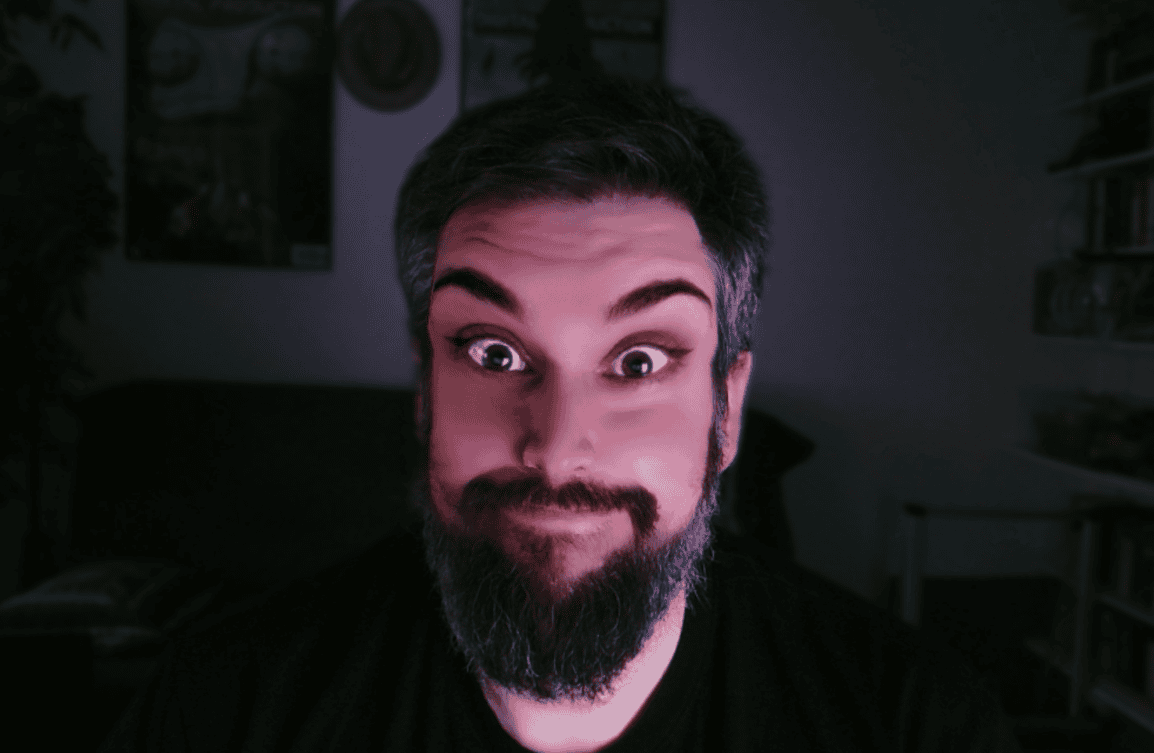
The camera also provides appearance adjustments and beauty features. These are best approached with restraint. A little correction may be useful. Setting every available controller to 100% makes you look less like somebody attending a production meeting and more like somebody about to explain a 172-step sponsored skincare routine to three million duckfaced followers. Do not click this Link to see an Image of the result.
The Art Director Loop

Then there is Loop Recording. OBSBOT added the feature to Centre in April. It lets you record a clip of up to 30 seconds and replay it continuously as your camera feed. Record yourself nodding thoughtfully. Look briefly concerned. Perhaps produce a tiny approving smile suggesting that the Art Director’s eleventh explanation of why the logo should be two pixels larger has fundamentally altered your understanding of visual communication. Then loop it.
We are obviously not suggesting that anyone misuse this feature during meetings. We are merely reporting, with strict technical accuracy, that the feature exists.
AI framing that is actually useful
Some of the less mischievous AI functions are genuinely practical. AI Auto Framing analyses the people in the picture and automatically changes the Crop. If somebody else enters the shot, it can widen the composition. If you are alone, it can frame more tightly. OBSBOT offers several framing options and supports automatic composition in both horizontal and vertical formats.
At first this can be slightly disconcerting. You are sitting there behaving normally, and suddenly the webcam starts recomposing your existence. Once you get used to it, however, it works. Particularly for presentations, interviews or calls where people move in and out of frame, it is considerably more useful than manually adjusting a webcam every few minutes.
It also supports gesture control for functions including auto framing and zoom, so you can operate the camera without returning to the software interface if you are talking with your hands a lot (Hello, my Italian Friends! You might want to turn that off).
Privacy, again

OBSBOT Centre can also replace the camera output with a background or predefined image. Background replacement itself is hardly revolutionary anymore, but combined with the Meet Flip’s physical design it becomes quite practical. If you spend all day in meetings, you can leave a suitable holding image instead of a live view while you are temporarily unavailable. And when you actually want privacy, close the camera. Software backgrounds are convenient. The folded camera is privacy. When it is shut, it is shut.
The microphones: physics remains undefeated
The weakest part of the Meet Flip is the audio, although that needs some context and a qualifier. It is comparatively weak, but completely acceptable for its intended use. The camera is just punching way above its weight class. BSBOT uses an intelligent dual-microphone system consisting of one omnidirectional and one directional microphone. Four operating modes are available: Directional, Dual-Directional, Smart Omni and Pure Audio. AI noise reduction and automatic gain processing are available for the processed modes. And the noise reduction works.

This is not one of those AI checkboxes whose main measurable effect is adding the letter“I” to the specifications table. Environmental noise is noticeably reduced, and for calls, ordinary meetings, and general speech, the integrated microphones are perfectly usable. They are still microphones attached to something weighing 37.7 grams. For a Zoom call, fine. For the weekly project meeting, fine. For quickly calling somebody from a hotel room, absolutely fine. For a recorded programme, podcast, important interview or anything intended for a larger audience, we would still use an external microphone.

Try the test files and see if it is a dealbreaker for you when you record in almost perfect conditions in “Screen-Distance” – a proper microphone should be placed so close to the mouth that it would be… niche interest to have video from that distance as well.
Versus our “reference” for day-to-day use, the Beyerdynamic Fox:
Verdict
The OBSBOT Meet Flip is a camera for a particular kind of person, and for that person it is pretty much the webcam we have been waiting for. The key is not any single spectacular feature. It is that all the boring practical things have been dealt with properly.
It is tiny enough to remain permanently in a laptop bag. It weighs virtually nothing. It needs one USB-C cable. It works without proprietary software as an ordinary UVC webcam. It has an integrated stand, a monitor clamp and a standard tripod thread. The picture is genuinely good. The autofocus works. And closing it physically covers the lens.
Then, if you want more, OBSBOT Centre is now mature enough to add a surprisingly substantial production layer: detailed image controls, Virtual Camera output, backgrounds, overlays, Picture-in-Picture, teleprompter, eye tracking, automatic framing, gesture controls and, for the particularly meeting-fatigued, a 30-second loop of yourself pretending to listen.
At a price of €129 including VAT, the package is very easy to like.

Tech Specs for the OBSBOT Meet Flip
| Item | OBSBOT Meet Flip specification |
|---|---|
| Product | OBSBOT Meet Flip |
| Type | Foldable 4K UVC webcam |
| Sensor | 1/2-inch stacked CMOS, 48 MP |
| Lens | f/1.8 |
| Maximum resolution | 3840 × 2160 at 30 fps |
| Full HD | 1920 × 1080 at up to 60 fps |
| HDR | Yes |
| Focus | PDAF autofocus and manual focus |
| Focus range | 10 cm to infinity |
| Field of view | 79.1° diagonal at 4:3, 72° at 16:9 |
| Digital zoom | Up to 4x |
| ISO | 100 to 6400 |
| Shutter speed | 1/12,800 to 1/30 s |
| Exposure compensation | ±3 EV |
| White balance | 2000 to 10,000 K |
| Microphones | One omnidirectional and one directional microphone |
| Audio modes | Directional, Dual-Directional, Smart Omni, Pure Audio |
| Noise reduction | AI noise reduction |
| Connection | USB-C |
| Interface | USB 2.0 |
| Mounting | Integrated folding stand/monitor mount, UNC 1/4″-20 thread |
| Dimensions open | 41.6 × 36.9 × 31.9 mm |
| Dimensions folded | 41.6 × 44.9 × 18.8 mm |
| Weight | 37.7 g |
| Software | OBSBOT Center |
| Plug-and-play | UVC operation without OBSBOT Center |
| Operating systems | Windows 10 64-bit or newer, macOS 11 or newer |
| Software features | Virtual Camera, background replacement, PiP, overlays, Teleprompter, Smart Eye Tracking, Loop Recording |
| AI functions | Auto Framing, gesture control, AI Magic Notes |
| AI Magic Notes | 120 complimentary transcription minutes, subscription required afterwards |
| Price | €129 including VAT |
| Website | https://www.obsbot.com/de/obsbot-meet-flip-foldable-4k-webcam |

Article details
- Published
- Author
- Bela Beier
- Reading time
- About 10 min
- Word count
- 1,873