



Table of Contents Show
For those who don’t know the tool: SGO develops the Mistika production-tool family and the Mistika Workflows automation ecosystem. Workflows Slate is its browser-based template designer for burn-ins and head or tail slates. The layouts are consumed by Workflows Creator or exposed through Workflows Runner, so Slate sits between production metadata and the human-readable graphics attached to dailies, VFX pulls, review media and deliverables. In short, it gives the database a small sign to hold up in front of the camera.
Metadata gets a visible job
Burn-ins are not glamorous. Nobody has ever arrived at work saying, “Today I shall revolutionise the lower-left corner.” They are nevertheless rather difficult to remove from a production Workflow once everyone has become accustomed to seeing scene, take, camera, timecode, colour space and version information directly on the image.
SGO’s Workflows Slate gives that job its own browser-based editor. Instead of building the overlay inside an NLE, grading system or compositing application, users create reusable burn-in and slate layouts that become part of a Mistika Workflows pipeline.
The template builder runs in a browser and requires neither a local Slate installation nor a separate licence. The builder itself is free to use. Apparently even metadata deserves occasional access to the browser without first meeting an installer. Layouts can contain text, logos, watermarks, backgrounds and images. Users can control text, colour, opacity and placement. Slate layouts can also contain a dynamic thumbnail generated from the associated clip. The useful part starts when the graphic stops being a fixed graphic.
Slate can draw on hundreds of Metadata fields. SGO lists custom information arriving through CSV files, EDLs, JSON, clip names and other data already carried by the workflow. Dynamic fields can therefore replace the traditional exercise of typing the same information into a graphic several hundred times and hoping nobody transposes two digits before lunch. The sky is the limit, now that everybody is a Metadata Handler….
A template might contain fixed labels such as Scene, Take and Camera, while the values beside those labels change for every source clip. Timecode, file paths, scene identifiers, camera IDs and colour-space data can all become part of the generated image when those fields are available to the workflow. That makes Slate less of a title generator and more of a visible surface for information the pipeline already knows. The metadata was there anyway. It merely gets dressed and sent outside.
Dailies without the typing pool
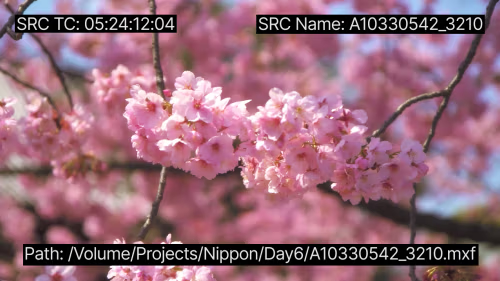
The connection becomes particularly obvious in SGO’s dailies workflow. Mistika Workflows can handle Ingest of camera RAW media, decode it through manufacturer SDKs, apply colour-space conversions, ACES transforms, LUTs or CDLs, then produce ProRes or DNxHD/HR dailies with burn-ins, slates and proxy copies. SGO lists ARRI RAW, RED RAW, Sony RAW, Blackmagic RAW, Canon RAW, Nikon RAW, DNG, DJI and Phantom RAW among the camera sources used by this workflow.
The burn-in can use metadata already extracted from that media. Scene, take, camera, source timecode and colour information therefore do not have to be entered again simply because somebody wants them printed across the bottom of a review file. Workflows can also generate machine-readable metadata alongside the pictures. SGO documents CSV reports, ALE files compatible with Avid Media Composer and XMP metadata for Adobe Premiere.
One processing run can consequently produce the media intended for editorial, the human-readable information burned into that media and the metadata files required by downstream applications. The pixels and the spreadsheet can finally agree on what the clip is called. Civilization advances in very, very, very small steps.
A spreadsheet can become the shot database
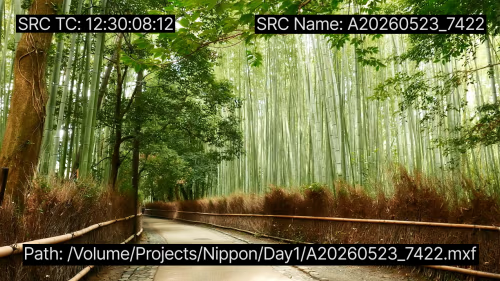
The same approach extends into VFX pipelines. SGO documents workflows that read EDL, XML, AAF or OpenTimelineIO timelines, extract shots and create EXR sequences with handles. ProRes, ACES, CDL and CSV are also part of the documented VFX workflow. A CSV file can be used as a lightweight Asset management database. Its fields can drive folder names, filenames, CDL handling, burn-ins and slates while travelling downstream with the media.
For a smaller facility this can be useful because the visible slate does not need its own source of truth. If a field such as shot name, version or colour space is already driving file naming or delivery logic, the same field can populate the overlay. For larger or more specialised pipelines, Workflows provides Python scripting and a REST API for inserting studio-specific logic and connecting systems that are not covered by existing nodes.
The important production behaviour is that metadata is not restricted to describing a file after the fact. Workflows can use it to determine paths, names, processing branches and output information. Slate can then expose selected parts of that same data to the person looking at the image. “020_0140, ACEScg, v003” only needs to be correct once. Repeating it is precisely the sort of career opportunity computers were invented to take away from us.
JSON comes out, pictures go through
Workflows’ encoder documentation identifies Slate and Burn In as standard encoder properties and states that both use JSON templates created by Workflows Slate. Burn In selects an overlay template. Slate provides separate Head Slate and Tail Slate template controls, with independent duration properties for the opening and closing slate. The documented property IDs include ttBurnIn, ttBurnInCustomPath, ttHeadSlate, ttHeadSlateCustomPath, ttHeadSlateDuration, ttTailSlate, ttTailSlateCustomPath and ttTailSlateDuration.
This separation has a practical consequence. A persistent burn-in and a slate shown only before or after the programme remain different outputs even when both draw from the same metadata. A review file can therefore carry timecode and shot information throughout its duration while also receiving an opening slate containing production, client or delivery information. One set of data, several opportunities to put it in boxes.
SGO says templates are processed by the Mistika engine and automatically adapt to the resolution of the media. Facilities can therefore reuse one design rather than preparing a separate layout for every raster size. That may not sound heroic, but neither does discovering at 18:47 that the UHD slate was built at 1920 × 1080.
![A rounded-corner slideshow card shows a mountain road at dusk with bright orange light trails winding through a dark, snowy valley. Over the scenic image, teal labels and white text read "Production: [production]," "Episode #2," "Client information, delivery specs," "Resolution 3840x1608," and "Codec: MXF-Ari," creating a clean software-demo layout.](https://i0.wp.com/digitalproduction.com/wp-content/uploads/2026/09/wxr9p2eod8c-00-00-29-sgo-17-create-burn-ins-and-slates-in-minutes-not-hours.png?quality=71&ssl=1 "a roundedcorner slideshow card shows a mountain road at dusk with bright orange light trails winding through a dark snowy valley over the scenic image teal labels and white text read production production episode 2 client information delivery specs resolution 3840x1608 and codec mxfari creating a clean softwaredemo layout | digital production")
Operators get the buttons, not the graph
The person launching the process does not have to edit the underlying node graph. Workflows Runner is the operator-facing part of the system. A workflow designer publishes a workflow from Creator and decides which parameters should be exposed. Runner then presents only those controls to the operator.
That permits a producer, DIT, coordinator or client-facing operator to choose something understandable such as a burn-in or slate template without receiving unrestricted access to the machinery behind it. This is Automation with the sensible understanding that not everybody who needs the green button also needs permission to rewire the boiler room.
Runner connects to a Workflows Creator or Workflows Render instance, submits the job to the shared queue and displays progress and execution logs. It also provides job history, error reporting, cancellation and requeue controls. SGO currently offers Runner free of charge with no per-seat licence and documents unlimited Runner users. Downloads are available for macOS, Windows and Linux. Creator or Render still provides the processing engine. Free buttons remain reassuringly dependent on something somewhere actually doing the work.
Creator 11.5 expands the graph
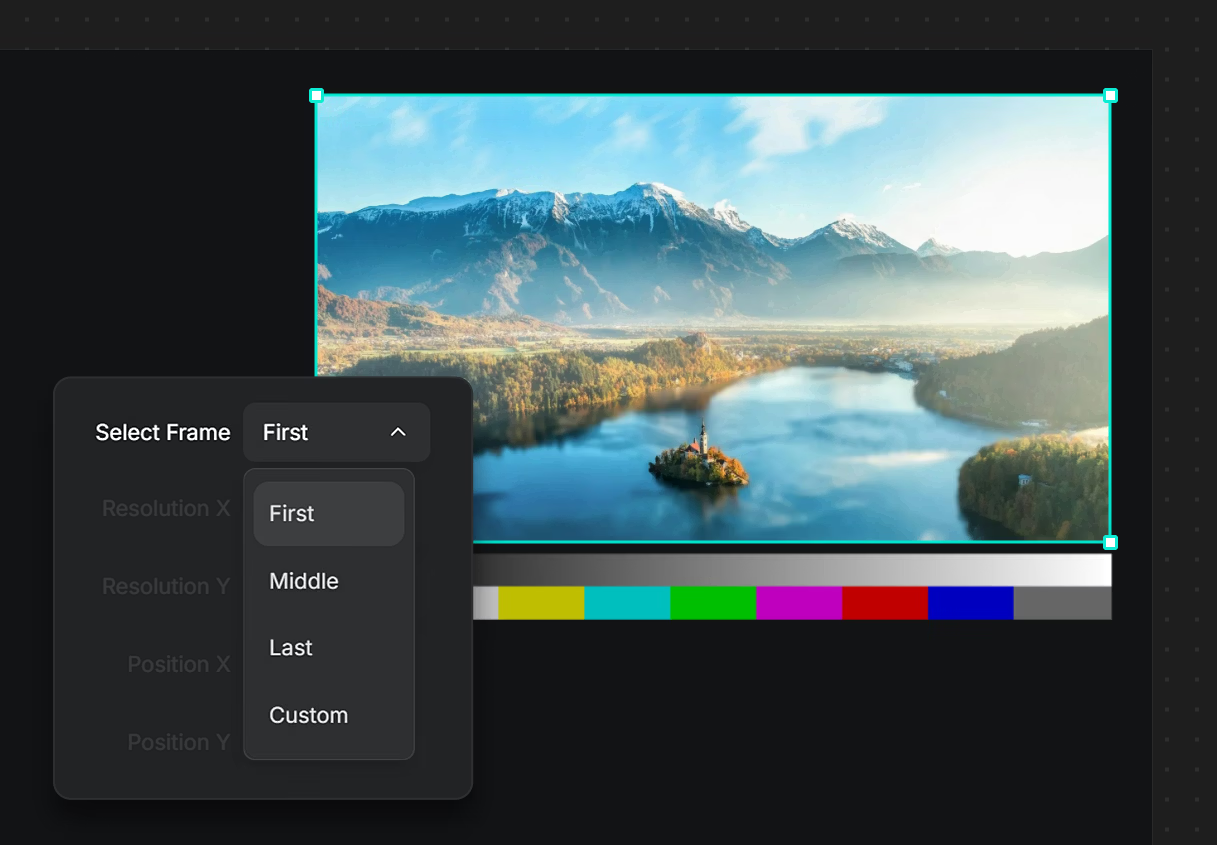
Slate arrived with the release SGO calls Workflows Creator 11.5. The same release adds an ACES 2.0 node and a Common LUT Format node for colour-processing pipelines. It also adds Azure In and Azure Out nodes, Media Silo integration, an OpenTimelineIO node for timeline creation, an ARRI Reference Tool node and Discord notifications.
SGO also documents dynamic per-frame metadata support for Sony and ARRI RAW, along with deinterlacing controls for transcoder nodes. The 11.5 release information additionally records fixes to Sony metadata values and propagation of gamma and gamut values from the FX Stack.
Slate has its usefulness with the graph around it. A metadata-driven overlay becomes more valuable when the same graph is ingesting camera originals, transforming colour, exchanging timelines, creating proxies, uploading media and passing metadata into later stages. Slate is therefore not a separate graphics application bolted onto the pipeline. It is another consumer of information travelling through the Workflows graph. The graph does the plumbing. Slate hangs up the little labels.

Transcoding with annotations attached
The wider Workflows environment also covers video transcoding software territory rather comprehensively, with documented support across production formats including ProRes, DNxHD/HR and OpenEXR alongside various camera RAW sources. That matters because Slate is not generating a decorative sidecar divorced from media processing. The burn-in or slate is created as part of the same operation that can decode, transform, transcode and deliver the asset.
For dailies this keeps human-readable production information attached to the same automation that makes the viewing copy. For VFX pulls it means shot and colour metadata can accompany media created from timeline and database information. For delivery it reduces the need for a separate graphics pass whose primary artistic challenge is spelling filenames correctly. Nobody gets an award for avoiding that extra hand-off, but the render queue may send flowers.

What it costs
The Workflows Slate template builder itself is free and browser-based. SGO states that it requires no installation and no Slate licence. Burn-in templates are processed with an existing Workflows Creator licence at no additional Slate charge.
Processing slate templates is currently free until 1 January 2027. SGO’s current product page lists the regular Slate Processing Add-on price after that promotion as €29 per month. Workflows Creator itself is currently €149 per month or €1,490 per year as a subscription.
SGO also sells single-use Creator licences at €199 for 30 days and €1,990 for one year. The company distinguishes these from its monthly and annual subscription plans. Prices are in euros and exclude local or state sales taxes and VAT. Monthly subscriptions carry a minimum commitment of two consecutive billing periods.
A 30-day Creator trial is available. SGO says the trial includes all features, requires no credit card and places a watermark on renders. That final detail is worth remembering before somebody proudly completes a perfect overnight transcode and discovers that the evaluation copy has signed every frame.
Small tool, larger plumbing
Workflows Slate solves a narrow problem, but the surrounding plumbing is what makes it useful. A camera file can enter a workflow carrying technical and production metadata. Additional values can be introduced from CSV, timeline or pipeline sources. The graph can use those values for processing, paths, filenames and reporting. Slate can then turn selected fields into something visible on the frame.
Creator builds and executes the automation. Runner exposes safe controls to operators. Slate gives the metadata somewhere presentable to go. It is not a replacement for editorial graphics, compositing or finishing. It is a specialised way to automate the repetitive information graphics attached to production media.
Which is probably healthier than opening a finishing application because somebody needs “CAM B” written in the corner.
Studios should test their chosen Slate templates, metadata sources, fonts, target resolutions and representative production media with the intended Workflows Creator configuration before deploying them into unattended production.
https://www.sgo.es/products/workflows-slate
| Product | Workflows Slate |
| Developer | SGO |
| Role | Browser-based burn-in and slate template builder for Mistika Workflows |
| Template processing | Workflows Creator or Workflows Render engine; workflows can be exposed through Workflows Runner |
| Template format | JSON |
| Metadata sources | Workflow metadata including custom fields from CSV, EDL, JSON and clip names |
| Slate controls | Separate head and tail slate templates with duration controls; burn-ins are handled independently |
| Interchange covered | EDL, XML, AAF, OpenTimelineIO, CSV, ALE and XMP in documented Workflows pipelines |
| VFX output covered | OpenEXR and ProRes workflows, including handles where configured |
| Automation | Python scripting and REST API |
| Runner | Free; unlimited Runner users; macOS, Windows and Linux |
| Slate builder licence | Free; no separate Slate licence required |
| Burn-in processing | Included with an existing Workflows Creator licence |
| Slate processing | Free until 1 January 2027; regular Slate Processing Add-on price €29/month afterwards |
| Creator subscription | €149/month or €1,490/year |
| Creator single-use licences | €199/30 days or €1,990/1 year |
| Tax | SGO prices exclude applicable local/state sales tax or VAT |
| Trial | 30-day Creator trial; all features, render watermark, no credit card required |
| Documentation | Mistika Workflows documentation |
