



Archive notice: This article was originally published on July 18, 2019. Links and embedded videos are preserved as part of the historical record.
With MagicTints, there is a new color-adjustment plug-in from Anastsaiy Safari that can also automatically apply a color scheme from a source image to a target image or illustration with the help of machine learning. The original contrast is retained as well, so adjustment layers or LUTs are not necessary.
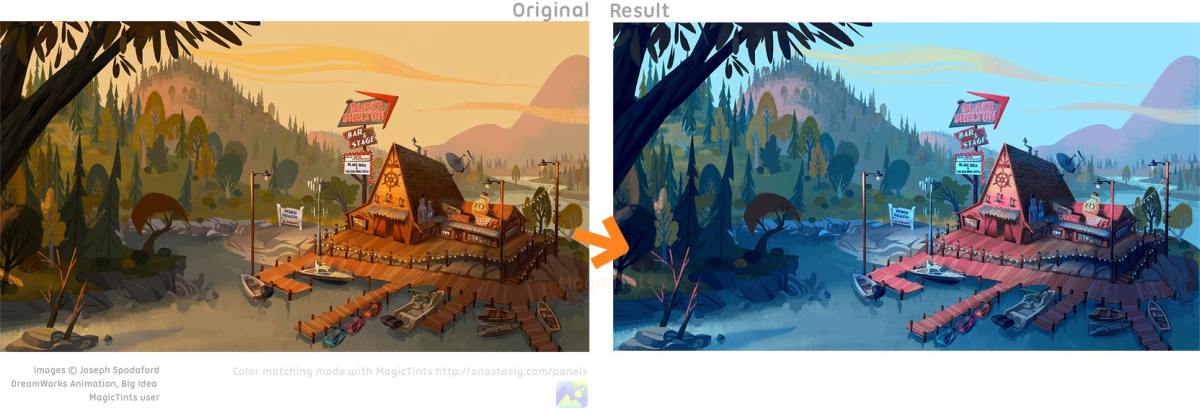
MagicTints 1.0 Feature Overview
MagicTints offers functions for color correction and color matching and is aimed at digital painters, VFX artists and photographers. Images can be dragged and dropped into the MagicTints Panel and edited. Features include:
- Automatic color adjustment based on reference images or color palettes
- Batch support for adjusting multiple layers or images
- Color combinations for quickly selecting from several color moods
- Primary colors for foreground and background can be specified
- You can find an overview of all features here.
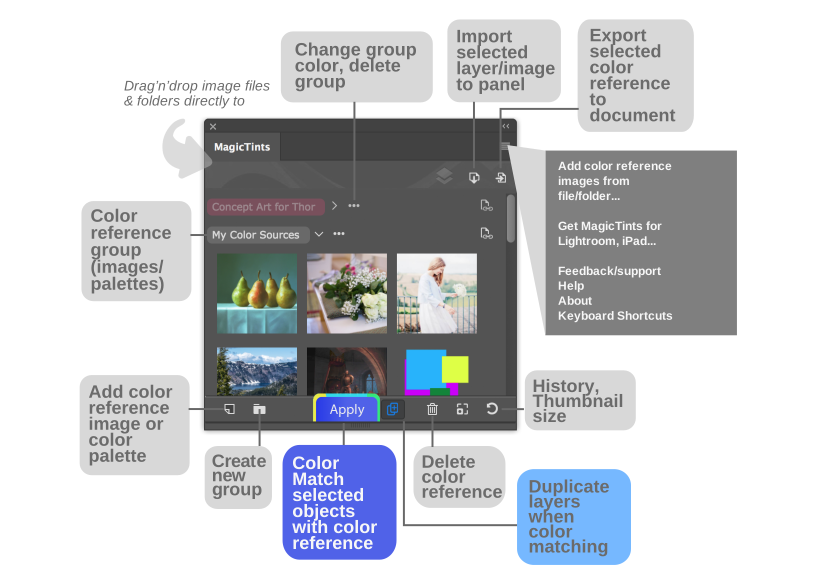
According to the developers, the color conversions are applied using machine learning and sub-pixel accuracy. The function is also said to handle resolutions higher than 8K. And for anyone to whom it is relevant: a Nyan Cat variation runs across your screen as the loading animation.
Applications and Price

MagicTints 1.0 currently costs 17 euros and is available, among other things, for Photoshop, Illustrator, InDesign, Lightroom Classic, Affinity Photo and Sketech, or as a standalone, here.
Further information: Go to the MagicTints website

Article details
- Published
- Author
- Bela Beier
- Reading time
- About 2 min
- Word count
- 240