



For years, many Adobe workflows have relied on CEP panels that quietly automate the dull jobs: renaming, metadata wrangling, ingest, export and connections to internal systems. They worked, so nobody touched them. Now Adobe is moving developers toward UXP, and “things breaking” is on the horizon.
Most people who developed those CEP panels have retired, grown tired or forgotten what they did way back when. So what should a broadcaster do? We spoke with Jim Tierney from Digital Anarchy and asked what still works, what needs rebuilding and how long companies can safely postpone the bill. Because Digital Anarchy does Custom Development, a rarity in our industry, they should have a few tips….

Jim Tierney founded Digital Anarchy in 2001 and serves as its Chief Executive Anarchist. He previously worked at MetaTools and Cycore, helping develop graphics software including Bryce, Evolution and Final Effects. His company has since built dozens and dozens of tools for motion graphics, compositing, video editing and VFX, giving him more than two decades of experience with the plug-in architectures now being replaced.
DP: Why is CEP-to-UXP migration becoming necessary now?
Jim Tierney: It’s something Adobe is pushing. They’re deprecating CEP and moving to UXP, so in the long term, if you want your custom panel to work, you will need to port it to UXP. UXP is better in some ways, less so in others. Adobe, I think, wanted to move away from relying on Google’s Chromium and become more purely JavaScript-based. This has pros and cons, but it’s what they decided on, and everyone needs to roll with it.

DP: At what point does migration stop making sense?
Jim Tierney: Well, I think in this case, you’re going to rewrite no matter what. It’s really a different platform. Some code may be reusable, but you’ll really use the old code as a reference and write it from scratch.

DP: Would it sometimes be simpler to move a tool out of the Adobe panel ecosystem entirely and rebuild it as an OpenFXplug-inn?
Jim Tierney: Generally, no…
1) If you’re staying in Adobe, getting a standalone app to work with the Adobe products is difficult and probably doesn’t make sense if it’s something a panel can do.
2) OpenFX (and the Adobe C++ plug-in API) is very different from a panel and meant for different tasks. OpenFX/AE API are designed for visual effects… pushing pixels around, i.e. skin retouching or flicker removal. You can’t do that with a panel. And the stuff you want to do in a panel would be weird to do as an effect plug-in.
It’s basically a decision about whether it should be a panel (UXP) or a plug-in (C++). (OFX is just an open C++ API that Resolve and a variety of other apps use. Adobe and Apple have proprietary APIs, and neither supports OFX. If it’s a workflow tool, it’s usually better as a panel. If it’s an effect, it has to be a plug-in.
DP: What does UXP change in terms of security?
Jim Tierney: Part of the reason for the switch is that Adobe felt Chromium was a security risk. UXP on its own is a bit of a pain in the ass when it comes to security, but Hybrid UXP lets us work around it.
DP: If a company wants to keep a CEPplug-inn running, can’t it simply avoid updating?
Jim Tierney: Sure, but that’s probably not a sustainable/practical solution in the long term. But god knows people kept using FCP 7 for way longer than they should have, so what do I know? Lol. Also, I don’t think Adobe will remove CEP anytime soon. But it may get buggier, and they probably won’t fix bugs. So at some point, panels may stop working even if Premiere 2029 still supports CEP.

DP: Premiere Pro and After Effects run on much faster CPUs and GPUs than they did when panels were first written. How much of that performance can be exposed to plugins?
Jim Tierney: Most plugins are heavily GPU-optimised, so we’re using the hardware just like the host apps. The main problem is stability: everyone is trying to access GPU memory, which can lead to crashes. So you need to write plugins that use the host’s architecture to share/manage memory. AE has a GPU suite that’s part of the API, for example. It’s not much of a performance hit, but it is more work on our end.
DP: What kinds of custom Premiere Pro tools are companies asking for?
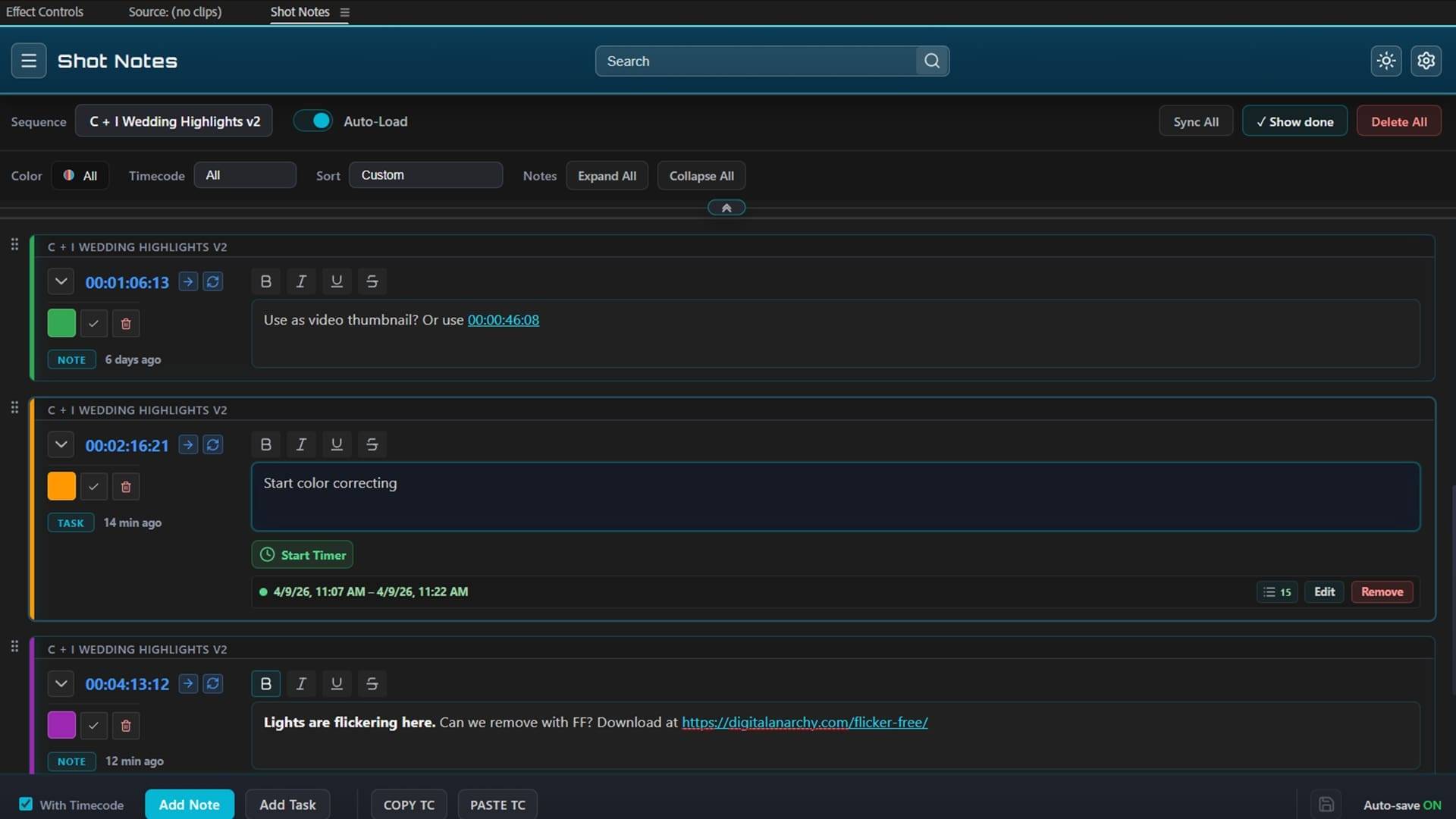
Jim Tierney: Usually, more automation and workflow-type solutions, which would include most of the things you mentioned. Mainly stuff that can be put into a panel. Creative tools are less so, since usually that means adjusting the image/pushing pixels around, and then you’re talking about a C++ plug-in. C++ plugins are usually much more expensive to develop than a panel.
DP: How much of a custom plug-in project is actually about Premiere / AE?
Jim Tierney: I don’t know… Is it a lot of both? But depends on what you’re developing and what you want to do with it. When we developed Transcriptive, it was mostly about Premiere. Pinging the AI service and getting the transcript was relatively easy. But if you’re connecting to a MAM and displaying all the metadata in Premiere, then it may be more about understanding the MAM.
DP: What does support and maintenance look like after delivery?
Jim Tierney: If it’s one of the panels we develop and sell, usually we update it. It is often a free update, but sometimes it’s a ton of work, and we increase the version number, making it a paid upgrade. We want the panels to keep working, but we can’t do free updates forever and stay in business. For custom-developed panels, there’s a time window; we’ll make sure it works, but after that, the company would have to pay us to update it. (Assuming it’s because Adobe broke it; if it’s our bug, then we will fix it.)
DP: What is the smallest useful custom tool you have seen deliver real value?
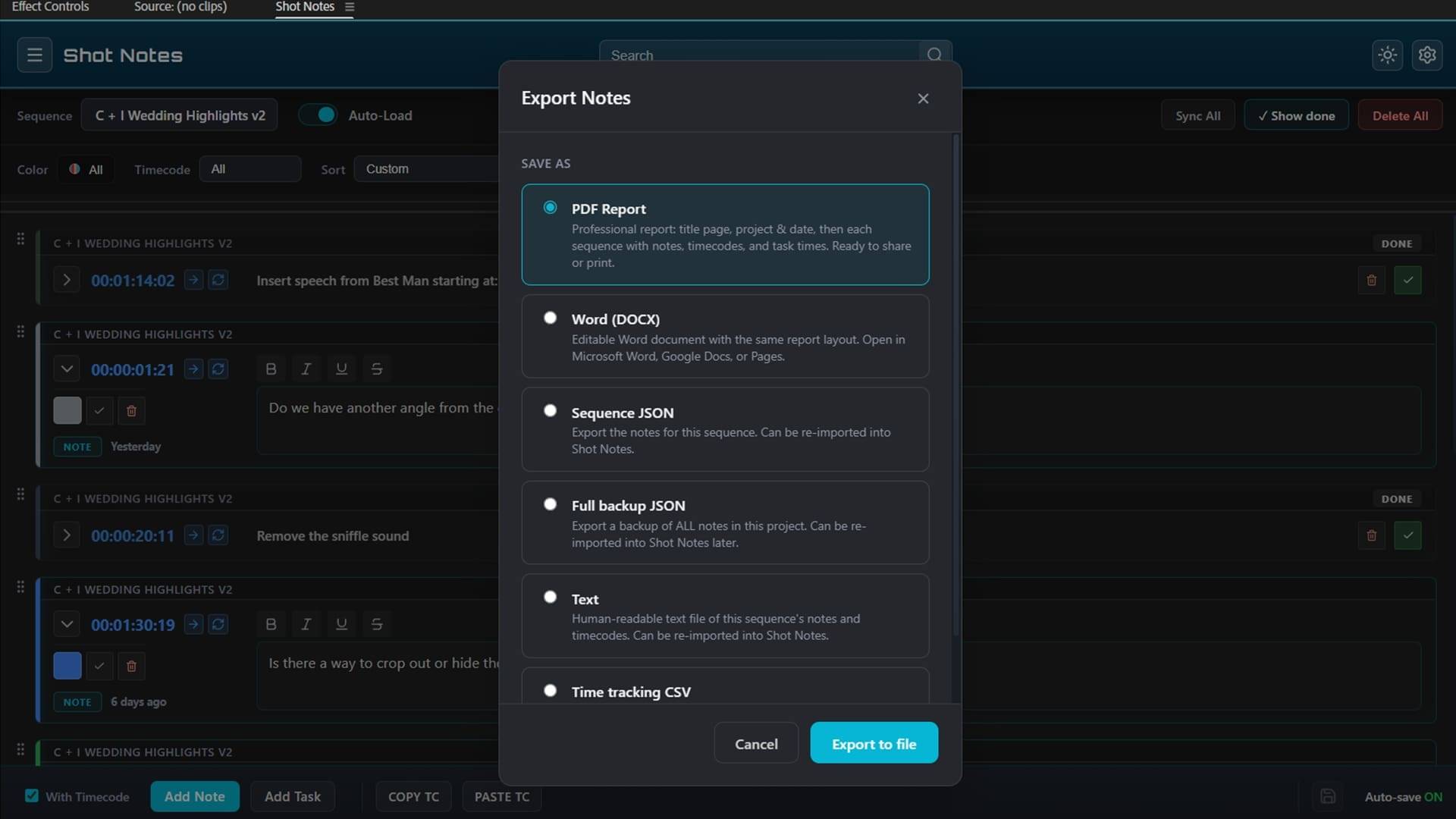
Jim Tierney: There are lots of scripts for After Effects that do very simple things, like renaming layers, that can be very useful. Kind of one-trick ponies, but the trick is extremely useful.
DP: You mention GPU acceleration and ML-powered features. Where do these technologies actually make sense in post-production tools, and where are they overkill?
Jim Tierney: To be honest, I’d be surprised if anyone took us up on these. Anything AI/ML-related is going to be time-consuming, expensive, and hard to guarantee will work.
As for ML, it’s incredibly useful, especially ‘older’ types of ML like face detection, noise reduction or speech-to-text. I think it’s harder to see use cases for Generative AI in professional work. There are certainly some, but they tend to be more edge cases, like Premiere’s Generative Extend. But non-Generative AI (neural network type stuff) can be extremely useful, and you probably make use of it daily, as it’s behind a lot of plugins and host app features. (and has been for years… we were using face detection in Beauty Box 1.0 back in 2010)
DP: Looking ahead, how do you expect Adobe plug-in development to change?
Jim Tierney: Probably the main change is they are doing a lot of stuff in-house that would traditionally be stuff they leave for third-party developers. The same goes for all the host apps, though.
Obviously, ML/AI is becoming a bigger part of all development, but that can be pretty hard for smaller companies. So it’s more challenging to come up with valuable products that aren’t things Adobe (or Apple or Resolve) will build into their products.
DP: What would be your recommendation for companies relying on CEP extensions or internal panels?
Jim Tierney: I think you’re probably fine for a few years, but Adobe will eventually pull it out of the apps, so you’re going to have to change over at some point. And as I mentioned before, they are fixing bugs in CEP, so even if it’s still in there, the panel might stop working. So you probably don’t want to wait past 2027 before you move any panels you have to UXP.
Digital Anarchy custom development
Topics
 Adobe After Effects336 postsA busy playground for layers, keyframes and the occasional expression. Explore After Effects news, techniques and motion-design workflows for turning graphic ideas into animation and assembled elements into finished shots.
 Adobe Premiere Pro238 postsFollow the story along the timeline. Explore Premiere Pro updates, editing techniques and production workflows, from organising source material to refining the cut and handing work on to the next department.
Article details
- Published
- Author
- Bela Beier
- Reading time
- About 7 min
- Word count
- 1,383