


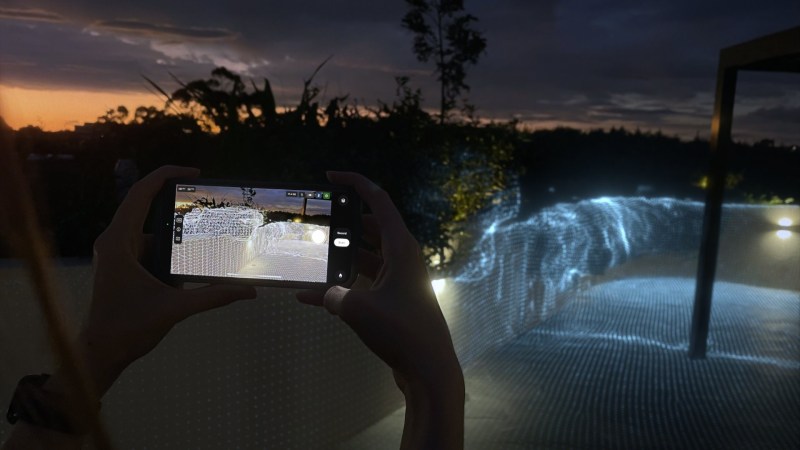
For those who don’t know the tool: Omniscient Virtual Camera uses an iPhone or iPad as a live handheld camera controller for Blender, including movement-driven framing and camera animation recording.
Blender is free. Not just free-ish, but gloriously, exceptionally free. Naturally, somebody has now found a way to make us consider buying an expensive iPhone to operate its virtual camera. There is a certain economic poetry to saving thousands on 3D software and spending a substantial chunk of that on a bloody phone. But who are we to judge? We’ve all bought a piece of equipment to solve a problem we didn’t know we had until somebody demonstrated the solution.
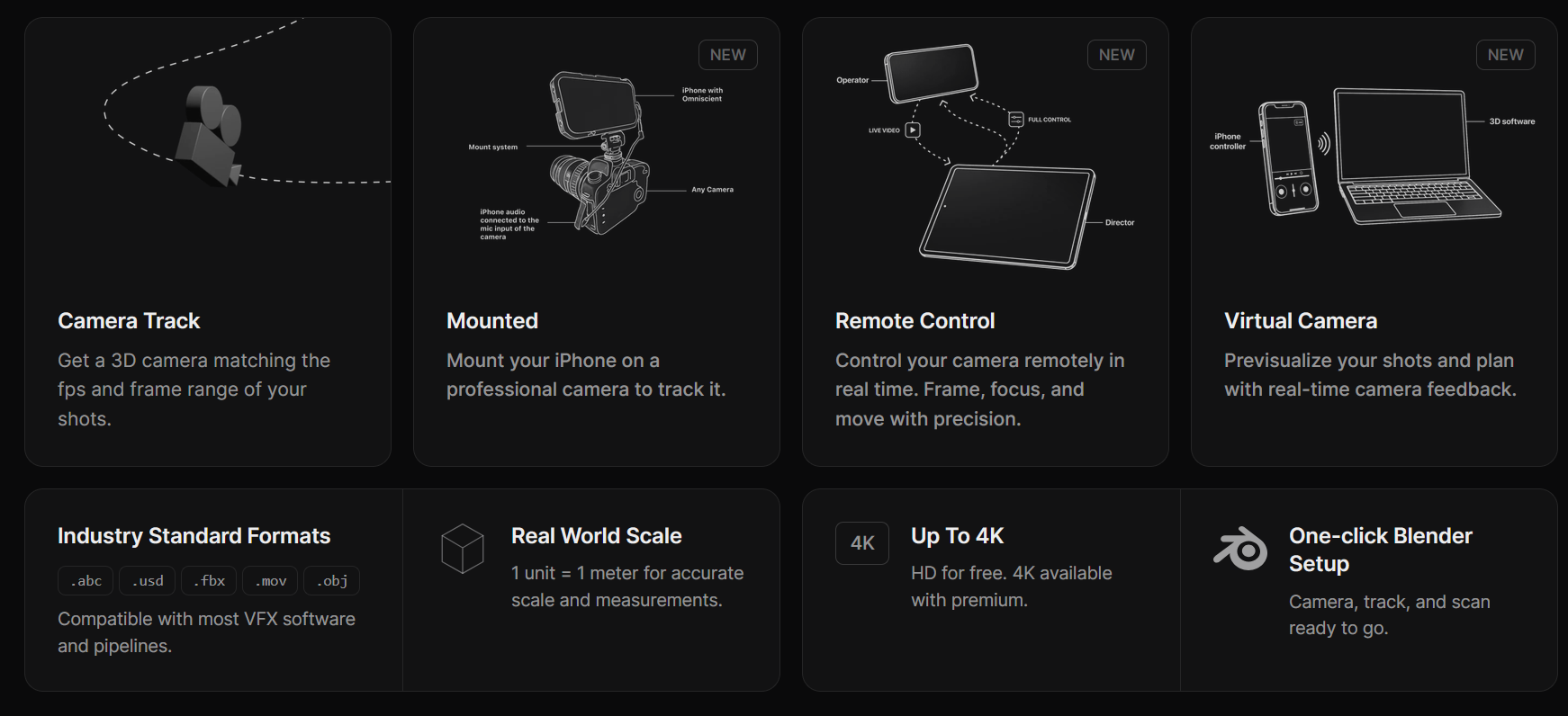
Omniscient, an iOS and iPadOS app from developer Stellaxis, now offers a Virtual Camera workflow for Blender. Instead of navigating a scene exclusively with a mouse and keyboard, you can pick up your iPhone, move around, and use it as a physical camera controller. The Blender viewport streams to the phone, so you can frame shots, experiment with camera movements and record animations directly into the scene.
And yes, those of us with Android phones can participate too. Mostly by standing nearby, offering unsolicited advice and insisting that we never liked Apple anyway. But we can join the Android waiting list, and register our interest.
A virtual camera lets you operate a camera inside a 3D environment as though you were holding a physical one. Move the controller, and the virtual camera follows. It is particularly useful for previs, virtual production, layout and finding camera angles without navigating Blender’s interface for every adjustment.
This is different from conventional camera tracking, where software reconstructs a real camera’s movement from recorded footage. Omniscient supports that workflow too, but its new Virtual Camera mode is about controlling a camera inside Blender in real time.
How it works
Taken form the integration documentation, you’ll need Blender 4.2 or newer, the Omniscient Blender add-on version 3.0 or later, and an iPhone or iPad running the Omniscient app. Both devices must be on the same local network. The official Blender setup guide starts with a simple step: open the Virtual Camera panel in Blender, start a session on the phone, scan the QR code, and the Blender viewport appears on your mobile device.
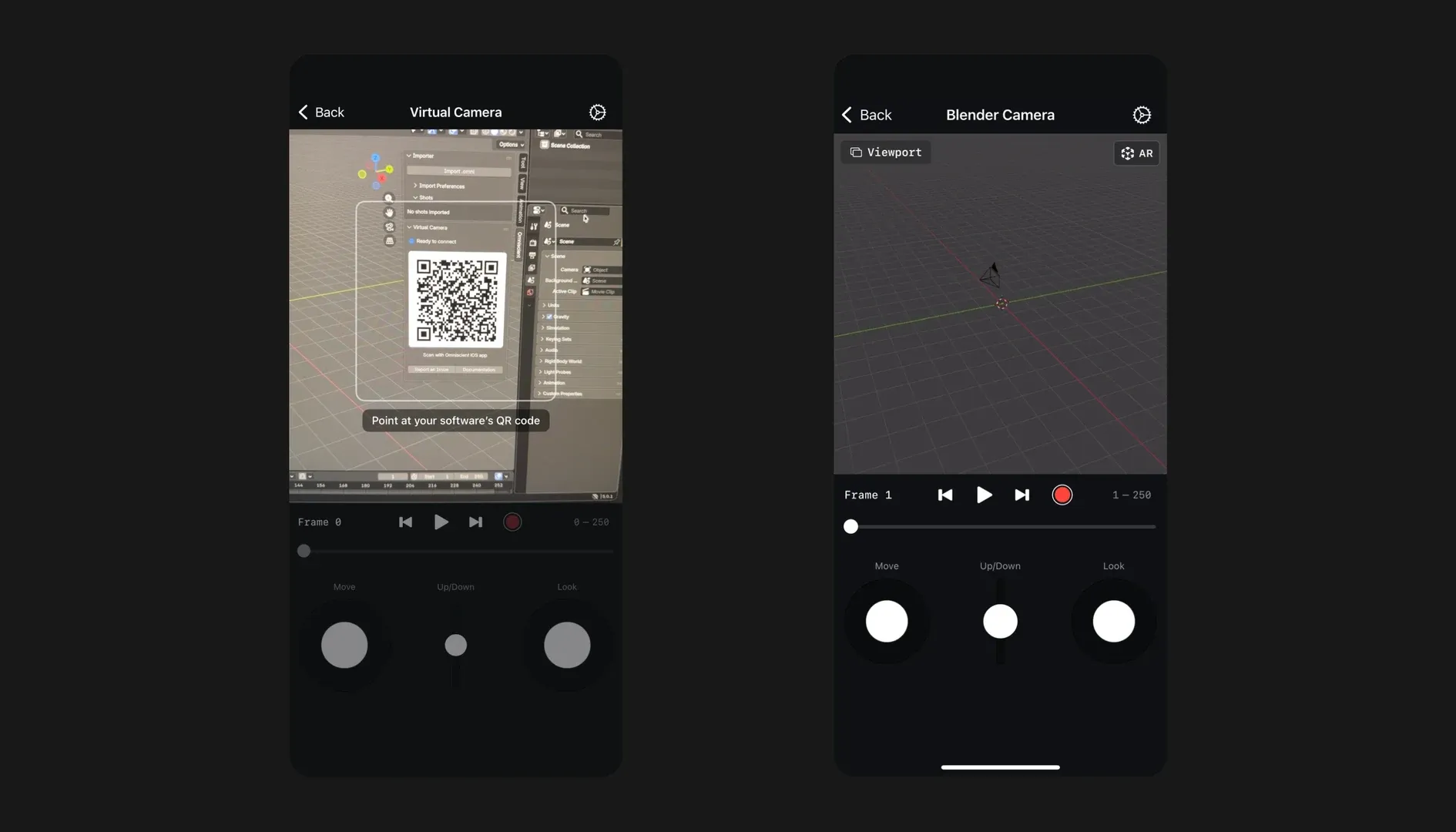
There are two operating modes. Viewport mode is for navigating and exploring the scene using touch controls or virtual joysticks. Camera mode controls the actual scene camera, including movement driven by the phone’s AR tracking.

You can scrub Blender’s timeline, play and pause animations, and record camera movements. AR Scale adjusts how physical movement translates into the scene, while smoothing can help tame the inevitable handheld wobble. Because a little camera shake is artistic. A lot of it is a documentary about caffeine consumption.

Compatible devices can also use LiDAR scanning to capture spatial geometry, although that is a separate capability from the basic Virtual Camera workflow. The live connection runs over the local network, without requiring an internet connection for the session itself. Wi-Fi configuration, firewall settings and iOS local-network permissions can still interfere with connectivity.
What does it cost?
There is a free version, and it is actually useful. According to Omniscient’s current feature comparison, users can record three virtual-camera animations per day without paying. The free version also includes live camera control, joysticks and AR movement.
As per the current pricing page, the Plus subscription removes the daily recording limit, adds movement smoothing and includes a commercial-use license. Subscription prices depend on the selected plan and region. That makes the software relatively approachable, provided you already own the appropriate Apple hardware. If you need to buy an iPhone specifically to operate free Blender, the definition of a budget-friendly workflow becomes somewhat philosophical.
The interesting bit
For previs and layout, being able to walk around a virtual scene, explore camera positions and record a move without building a dedicated tracking rig is an attractive proposition. Whether the movement quality, responsiveness and recording workflow hold up under production conditions is another matter. Those are questions for an actual hands-on test, not a feature list.
For now, Stellaxis’s virtual-camera demonstration looks like an interesting addition to Blender’s camera toolkit. Before giving it a serious previs job, test session stability, local-network permissions, motion recording and smoothing on the actual iOS device and Blender scene, and save the results before trusting a shot to it.
| Developer | Stellaxis OÜ |
| Product | Omniscient Virtual Camera |
| Mobile platform | iPhone and iPad; Android not supported for Virtual Camera |
| Host | Blender 4.2 or newer |
| Blender integration | Omniscient add-on 3.0+ |
| Connection | Same local network and QR-code pairing |
| Controls | AR movement, touch, virtual joysticks, AR Scale and smoothing |
| Features | Live viewport, timeline control and camera motion recording |
| Free plan | Three virtual-camera recordings per day; live controls included |
| Plus | Unlimited virtual-camera recordings, motion smoothing and commercial licence |
| Documentation | Blender Virtual Camera setup |
Topics
 Workflow753 postsKeep the handoffs from becoming cliffhangers. Explore pipelines, collaboration and production practices that connect people, applications and assets, making room for creative work between the deliveries and revisions.
 Virtual Production98 postsWhere physical sets meet digital worlds: realtime tools, LED stages and on-set workflows that bring parts of post into the camera’s neighbourhood.
 Blender704 postsA whole creative workshop behind one orange mark. Explore Blender news and techniques across modelling, animation, effects and rendering, with workflows for taking an idea from an empty scene to a finished image.
Article details
- Published
- Author
- Bela Beier
- Reading time
- About 4 min
- Word count
- 736